
IP Sniffer is a free Windows-based network monitoring tool that functions as a packet sniffer, offering a range of functionalities for analyzing internet protocol configurations. While powerful for experienced users, its dated interface and steep learning curve make it less accessible than modern alternatives. This article will delve into the specifics of IP Sniffing and spoofing, explore the functionality of IP Sniffer, and compare it to other leading network monitoring tools.
Understanding IP Sniffing and Spoofing
IP Sniffing and spoofing are critical concepts within network security. Understanding these processes is essential for appreciating the role and limitations of tools like IP Sniffer.
IP Sniffing: At its core, IP sniffing involves capturing and analyzing data packets that traverse a network. When a computer communicates with a server, data is transmitted in discrete packets. Each packet contains header information, including the source and destination IP addresses and port numbers (provided by the Transmission Control Protocol, or TCP). This information guides the data’s journey across the network, a process known as routing. Normally, this header information is discarded once the packet reaches its destination. However, an IP sniffer intercepts these packets, preserving the header data for analysis. This allows for examination of network traffic patterns, identifying potential security threats, or simply monitoring network usage. The legitimacy of IP sniffing hinges entirely on context. Within a private network, where you have explicit permission, it’s generally acceptable. However, sniffing on public networks without consent constitutes a serious felony.
IP Spoofing: This technique inverts the process of IP sniffing. Instead of passively capturing packets, IP spoofing actively manipulates them. Attackers use IP spoofing to disguise the origin of their packets by forging the source IP address in the header. This makes it difficult to trace the attack back to its source. This is particularly effective in Distributed Denial-of-Service (DDoS) attacks, where multiple compromised machines flood a target with traffic. Because the source IP address is faked, blocking the apparent source is ineffective. The attacker can simply change the forged address, continuing the attack unabated.
How IP Sniffers Function
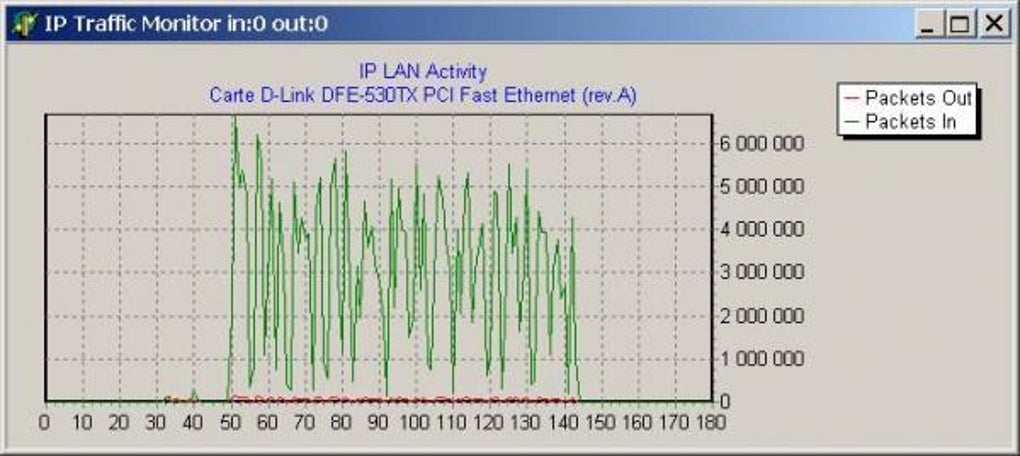
IP sniffers operate by leveraging the Network Interface Card (NIC) to capture all network traffic passing through a specific connection. Typically, this is limited to the traffic on a single wireless router. However, some advanced sniffers can monitor multiple networks. The captured data provides granular insights into network performance, allowing administrators to analyze incoming and outgoing packets. This can reveal bottlenecks, identify bandwidth-intensive applications, and detect suspicious activity.
Effective IP sniffers offer several key capabilities:
- Packet Capture and Analysis: The fundamental function is to capture all data packets traversing the network and analyze their content, including source and destination addresses, protocols, and payload data.
- Traffic Monitoring: Real-time monitoring of network traffic allows administrators to identify unusual activity or performance issues.
- Security Threat Detection: By analyzing packet data, sniffers can detect malicious activities like unauthorized access attempts or malware communication.
- Performance Optimization: Identification of traffic bottlenecks and resource-intensive applications helps optimize network performance.
- Data Visualization: Many sniffers provide intuitive dashboards and visualizations to simplify data interpretation.
However, it’s crucial to acknowledge the security risks associated with IP sniffers. If compromised, they can become powerful tools in the hands of malicious actors. This allows them to intercept sensitive data, including passwords, financial information, and confidential communications.
IP Sniffer: Features, Limitations, and Alternatives
IP Sniffer, despite its age, provides a collection of tools beyond basic packet sniffing. It offers features aimed at enhancing network security by alerting administrators to unauthorized access attempts and blocking specific websites. It integrates with various Microsoft tools and includes TCP-level functionalities, giving users greater control over their network security.
However, IP Sniffer suffers from significant limitations:
- Steep Learning Curve: The software demands advanced technical expertise. Its interface is unintuitive and uses complex technical jargon, creating a high barrier to entry for non-technical users.
- Outdated Interface: The user interface is dated and lacks the modern design elements found in contemporary network monitoring tools.
- Limited Community Support: Unlike popular open-source alternatives, IP Sniffer lacks a robust community providing support and updates.
- Compatibility Issues: Although compatible with various Windows versions, it requires specific configurations, such as NDIS protocol, WinPcap, and raw sockets, making setup complex.
This makes IP Sniffer unsuitable for most users. While technically capable, the difficulty of setup and use significantly outweighs its advantages for casual users. More user-friendly alternatives offer similar or even superior capabilities with better interfaces and broader community support.
Superior Alternatives to IP Sniffer
Several excellent alternatives surpass IP Sniffer in user-friendliness and feature set:
- Wireshark: A powerful and widely used open-source network protocol analyzer. It boasts a large and active community, ensuring ongoing updates and support. While its interface can be considered complex for beginners, its extensive capabilities and robust filtering options provide superior functionality.
-
Paessler PRTG: A comprehensive network monitoring tool with a more intuitive interface than Wireshark. However, it operates on a subscription model, with the free version offering limited functionality. The paid version provides more extensive features and easier management.
-
Glasswire: Distinguishes itself with a visually appealing and easy-to-understand interface. It excels in simplifying network monitoring, especially for less technical users. The free version has limitations but provides a good starting point. However, Glasswire primarily monitors the local machine’s network connection, lacking the broader network visibility of Wireshark or PRTG.
Conclusion
IP Sniffer, while offering potentially powerful features for network monitoring and security, is significantly hindered by its outdated interface, steep learning curve, and lack of community support. For most users, the superior alternatives like Wireshark, Paessler PRTG, and Glasswire provide a better balance of functionality, usability, and support. While IP Sniffer remains functional, its limitations make it a less appealing option than more modern and user-friendly network monitoring tools. The choice ultimately depends on technical expertise and specific needs, but for ease of use and broader capabilities, the alternatives provide a more robust and accessible solution.
File Information
- License: “Free”
- Latest update: “July 11, 2023”
- Platform: “Windows”
- OS: “Windows 98”
- Language: “English”
- Downloads: “77.7K”
- Size: “7.76 MB”


