
Losing valuable data from your iPhone can be a distressing experience. Whether it’s cherished photos, important contacts, or crucial documents, the sudden inaccessibility of this information can be both inconvenient and emotionally upsetting. Fortunately, various solutions exist to help recover this lost data, and understanding the options available is crucial. This guide explores the world of free iPhone data recovery, outlining the available tools, their functionalities, and important considerations before embarking on the recovery process.
Understanding Data Loss on iPhones
Before diving into the specifics of recovery methods, it’s essential to grasp the common causes of data loss on iPhones. Understanding the root cause can help you choose the most effective recovery strategy and potentially prevent future occurrences.
Accidental Deletion: This is perhaps the most common cause. A simple slip of the finger while deleting unwanted files or an accidental swipe can lead to the irretrievable loss of important information. The immediate reaction is often panic, but quick action can often mitigate the damage.
System Crashes and iOS Updates: Software glitches, operating system updates gone wrong, or unforeseen system crashes can corrupt data or render it inaccessible. These unexpected events can leave users scrambling to retrieve their lost information. Proper device maintenance and creating regular backups are crucial preventative measures.
Hardware Failures: Physical damage to the iPhone, such as water damage, screen breakage, or internal component malfunction, can render the device unusable and lead to data loss. While less common than software-related issues, hardware failures require professional intervention in many cases.
Theft or Loss: In the unfortunate event of theft or loss, the data contained within your iPhone becomes vulnerable. While you may be unable to retrieve the device, remote data wiping can prevent unauthorized access to your personal information.
Factory Reset: Performing a factory reset, typically undertaken to troubleshoot device issues, completely erases all data from the phone. While a necessary troubleshooting step in some instances, a factory reset should only be performed as a last resort and after ensuring a thorough backup.
Jailbreaking: While jailbreaking can offer increased control over your device, it can also introduce vulnerabilities that compromise data integrity. It’s crucial to proceed with caution and understand the potential risks involved.
Virus Attacks (less common on iOS): Although less prevalent than on Android devices, viruses can still affect iPhones. Malicious software can corrupt files, and lead to data loss.
Free iPhone Data Recovery Software: An Overview
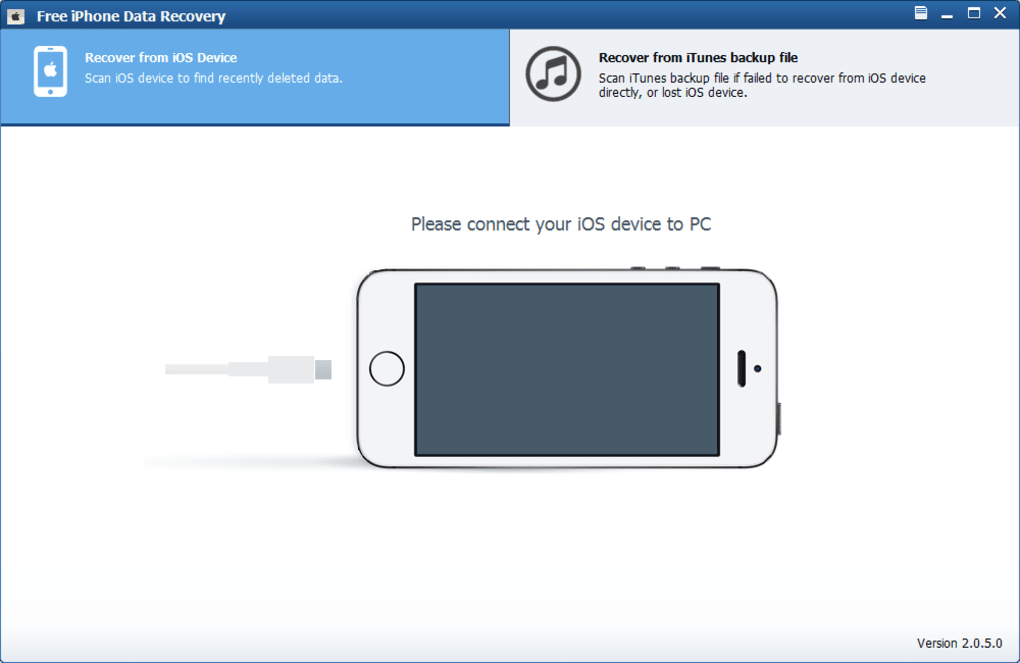
Numerous free iPhone data recovery software options exist, each with its strengths and limitations. It’s important to carefully evaluate these tools before choosing one. While the promise of free recovery is appealing, many free applications offer limited functionality, requiring a paid upgrade to access the full range of features needed for successful recovery.
Key Features to Consider:
- Data Types Supported: Does the software support the specific types of data you need to recover (photos, videos, contacts, messages, etc.)?
- iOS Compatibility: Ensure the software is compatible with your iPhone’s iOS version. Outdated software may not function correctly with newer iOS releases.
- User Interface: A user-friendly interface is crucial, especially for users without technical expertise. Look for a program that guides you through the process intuitively.
- Preview Functionality: The ability to preview recoverable data before committing to full recovery is an essential feature, allowing you to selectively recover only the necessary files.
- Recovery from Backups: The option to recover data from iTunes or iCloud backups is a significant advantage. If a direct recovery from the device isn’t possible, relying on backups offers a crucial alternative.
Limitations of Free Software:
- Limited Functionality: Many free options offer limited functionality compared to paid alternatives. Full data recovery often necessitates a purchase.
- File Size Restrictions: Free versions often impose restrictions on the size or number of files that can be recovered.
- Potential for Adware or Malware: Always download software from reputable sources to avoid malicious programs disguised as recovery tools.
- Slower Recovery Speeds: Free versions may be slower than their paid counterparts due to resource limitations.
Methods for Free iPhone Data Recovery
Beyond dedicated software, there are alternative methods you can try to recover data from your iPhone at little or no cost.
1. Using iCloud Backup: If you regularly back up your iPhone to iCloud, restoring from this backup is a straightforward process. This method assumes you have enabled iCloud backup and are logged into your Apple ID.
2. Using iTunes Backup: Similar to iCloud, iTunes backups provide a valuable resource for data recovery. This method is particularly useful if you haven’t enabled iCloud backups. Ensure you have an existing iTunes backup before attempting this method.
3. Using Free Trial Versions of Paid Software: Many reputable data recovery programs offer free trial versions. These allow you to assess the software’s capabilities before committing to a purchase. However, keep in mind that the free trials are usually limited in their recovery capacity.
4. Data Recovery Services: Some data recovery services offer free initial consultations or diagnostics. While the recovery itself might be paid, this consultation can help assess the recoverability of your data and guide your decision.
Important Considerations When Using Free Software:
- Read reviews carefully: Before downloading any software, research its reputation and check user reviews to ensure it’s legitimate and safe.
- Scan for malware: After downloading any software, run a malware scan to ensure it’s free from malicious code.
- Back up your data: Before attempting to recover data, create a backup of your existing data to avoid any potential data loss during the recovery process.
- Understand the limitations: Free software often has limitations, so manage your expectations accordingly. Full recovery of all data may not be possible using a free tool.
Choosing the Right Recovery Method
The optimal approach to data recovery depends on the cause of the data loss, the type of data you need to recover, your technical skills, and your budget.
If data loss is due to accidental deletion and you have recent backups, using iCloud or iTunes backups is the simplest and most efficient method.
For more complex situations involving hardware failure or significant data corruption, specialized data recovery software might be necessary. In these cases, exploring the free trial versions of reputable software is a good starting point, but be prepared for the possibility of purchasing the full version for complete recovery.
It’s crucial to remember that attempting data recovery without proper knowledge can sometimes cause irreparable damage. If you are uncertain about the best course of action, consult a professional data recovery service.
Beyond Free Software: Paid Alternatives
While this article focuses on free options, it’s important to acknowledge that paid data recovery software often offers more comprehensive features, faster recovery times, and higher success rates. The investment in paid software might be worthwhile if you deal with frequent data loss or have critical data requiring certain recovery capabilities. Consider the value of your data against the cost of the software.
By understanding the causes of iPhone data loss, carefully evaluating available free software options, and weighing the pros and cons of different recovery methods, you can navigate the process with increased confidence and improve your chances of successfully recovering your precious data. Remember to prioritize data backups to mitigate future data loss incidents.
File Information
- License: “Free”
- Latest update: “May 22, 2023”
- Platform: “Windows”
- OS: “Windows 2003”
- Language: “English”
- Downloads: “197K”
- Size: “17.58 MB”


