
Factory resetting your iPhone, iPad, or iPod touch might seem sufficient to erase your data, but it often leaves remnants that can be recovered by sophisticated data recovery tools. This is where dedicated data erasure software, like iPhone Eraser, steps in. This software goes beyond a simple factory reset, ensuring that your personal information is irretrievably deleted, protecting your privacy and security. This comprehensive guide explores the features, benefits, limitations, and alternatives to iPhone Eraser, providing you with a clearer understanding of how to securely erase data from your Apple devices.
Understanding the Need for Secure Data Erasure
Before diving into the specifics of iPhone Eraser, it’s crucial to grasp why simply deleting data or performing a factory reset isn’t enough. Modern data recovery techniques can often retrieve deleted files, even after a factory reset. This is because a factory reset merely removes pointers to the data, leaving the actual data intact on the device’s storage. Malicious actors, or even legitimate purchasers of your used device, could potentially access sensitive information like photos, messages, contacts, financial details, and more, if proper erasure methods aren’t employed.
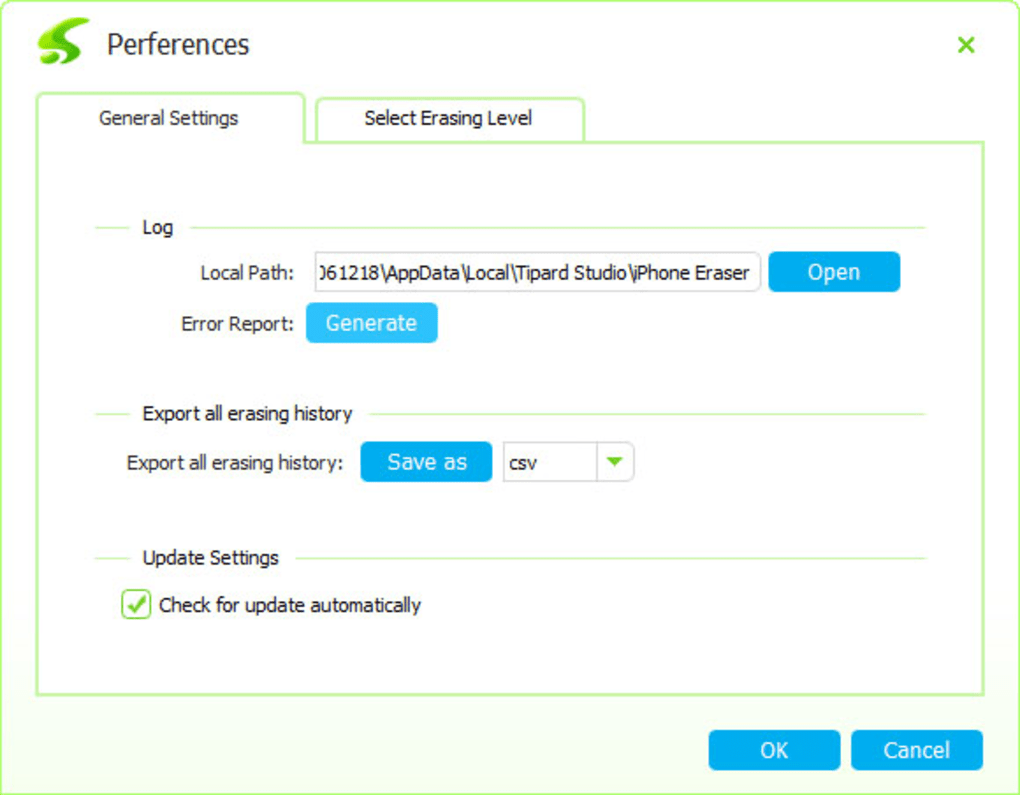
iPhone Eraser aims to address this vulnerability by implementing multiple overwrite passes, effectively rendering your data unrecoverable using standard data recovery methods. This is especially critical if you are:
- Selling or trading in your iOS device: Ensuring the complete erasure of personal data protects your privacy and prevents the new owner from accessing your sensitive information.
- Recycling or donating your device: Responsible data disposal is crucial to maintain your privacy and prevent identity theft.
- Preparing your device for corporate use: In business settings, secure data erasure is essential to comply with data protection regulations and prevent corporate data breaches.
iPhone Eraser: Features and Functionality
iPhone Eraser is a Windows-based application designed to permanently erase data from iOS devices, including iPhones, iPads, and iPod touches. While its name suggests a focus on iPhones, its functionality extends to all iOS devices. The software utilizes sophisticated data erasure techniques to ensure that deleted data is irretrievable.
Key features include:
-
Multiple Erasure Levels: iPhone Eraser offers different erasure levels (often low, medium, and high), each implementing a varying number of overwrite passes. The higher the level, the more secure the erasure, but it also takes longer to complete. The low level might simply overwrite data with zeros, while higher levels may utilize random data patterns or multiple overwrite cycles to maximize security.
-
Comprehensive Data Erasure: The software targets all types of data, including photos, videos, messages, contacts, call history, browsing data, app data, and system files. It aims to eliminate every trace of your personal information.
-
Support for Multiple Devices: Depending on the version and licensing, iPhone Eraser may allow for the simultaneous erasure of multiple iOS devices connected to the computer. This can significantly streamline the process, especially for users with multiple devices to erase.
-
Compatibility: iPhone Eraser requires a Windows computer and typically requires iTunes (or its successor) to be installed to facilitate communication with the iOS device. Compatibility with various iOS versions and device models is crucial, although support may vary between versions of the software.
Limitations and Considerations
Despite its strengths, iPhone Eraser has some limitations:
- Windows-Only Software: The software is currently limited to Windows operating systems. Users of macOS or other operating systems need to look for alternative solutions.
-
Cost: While a trial version might be available, the full functionality often requires purchasing a license, which can be relatively expensive compared to other data erasure options. The price-to-feature ratio might not be appealing to all users.
-
iTunes/Finder Dependency: The reliance on iTunes (or Finder in newer macOS versions) to connect with the iOS device creates a dependency on Apple’s software and potentially introduces compatibility issues depending on the iOS and macOS versions used.
-
Trial Version Limitations: Trial versions typically severely restrict functionality, often providing only limited previews of what the full version offers, making evaluation difficult.
-
Lack of Advanced Features (Potentially): While the core function of secure data erasure is excellent, some users may want more advanced features, like remote wiping or scheduling capabilities. Whether iPhone Eraser offers these is something to verify with the specific version being considered.
Alternatives to iPhone Eraser
Several alternative data erasure solutions exist for iOS devices, each with its own strengths and weaknesses. Some popular alternatives include:
-
Vibosoft iPhone/iPad/iPod Data Eraser: Another data erasure tool specifically targeting iOS devices, potentially offering similar or alternative features compared to iPhone Eraser.
-
Wondershare SafeEraser: A well-known data erasure software known for its user-friendly interface and multiple data erasure options, possibly extending beyond iOS devices.
-
Apeaksoft iOS Unlocker/Eraser: This software might offer a combination of unlocking and erasing features, addressing situations where a device is locked before erasure can begin.
-
Third-Party Data Eraser Applications for iOS: Although less common, certain third-party apps available directly through the App Store might offer in-built secure deletion options. However, ensure careful verification of app reputation and reviews before using any third-party tools.
The best alternative will depend on your specific needs and preferences. Factors to consider include operating system compatibility, price, features, user-friendliness, and user reviews. It’s wise to research and compare different options before making a decision.
Conclusion: Choosing the Right Data Erasure Solution
Securely erasing data from your iOS device is crucial for protecting your privacy and preventing unauthorized access to sensitive information. While iPhone Eraser provides a reliable solution for Windows users, it’s vital to weigh its limitations against the alternatives available. Consider your specific needs, budget, and operating system before selecting a data erasure tool. Thoroughly research the features, cost, and user reviews of different options to make an informed decision. Remember, the investment in secure data erasure is an investment in your privacy and security. Choosing a reputable and robust solution is always the recommended approach.
File Information
- License: “Trial version”
- Latest update: “January 18, 2024”
- Platform: “Windows”
- OS: “Windows XP”
- Language: “English”
- Downloads: “24.4K”
- Size: “40.16 MB”


