
iPhone Explorer promised a revolutionary way to interact with the iOS file system, offering users the familiar experience of a traditional file manager directly on their Windows PC. The concept was appealing: bypass the limitations of Apple’s tightly controlled ecosystem and gain granular control over the files stored on an iPhone or iPod Touch. However, the reality fell far short of the promise, plagued by instability, usability issues, and the ever-present risk of damaging the device.
The Allure of a Traditional File Manager for iOS
The core idea behind iPhone Explorer was simple yet powerful. iOS, unlike its Android counterpart, has always presented a more restricted file system to the end-user. While users can access photos, music, and videos through dedicated apps, direct manipulation of the underlying file structure was largely inaccessible. iPhone Explorer sought to change this by providing a user-friendly interface mirroring a conventional file explorer. By connecting an iOS device via USB, users could theoretically browse, create, move, and delete files, mimicking the freedom available on desktop operating systems. The potential applications were many: more flexible file organization, easier transfer of specific files, and even the potential for advanced modifications (though the latter would likely void any warranty).
The Reality: A Disappointing Experience
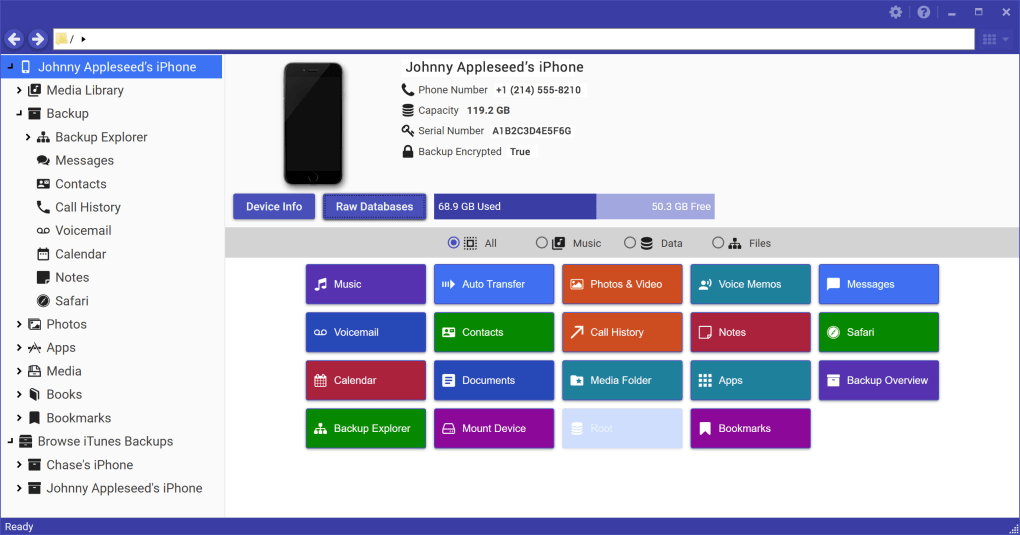
Unfortunately, the execution of this ambitious concept was deeply flawed. While the initial presentation of a file tree structure upon connection appeared promising, the practical usability suffered from several significant drawbacks. File naming conventions were inconsistent and often cryptic. Familiar file types like music tracks and photos were not easily identifiable, rendering the navigation cumbersome and frustrating. Finding specific files often involved painstakingly searching through a disorganized and unfamiliar directory structure. The application’s claim of providing a traditional file manager experience was a significant overstatement.
The instability of the application itself was a major concern. User reviews consistently reported crashes, frequently occurring during even simple operations such as browsing or attempting to move files. This unreliability made the program impractical for anything beyond the most casual exploration. Any attempt at serious file management would likely end in frustration and the possibility of data loss. The unpredictable nature of these crashes made the user experience not only frustrating but also risky. The potential for unintended damage to the iOS device due to incorrect file manipulations added another layer of concern.
Limitations and Potential Risks
One of the most significant problems was the inability to access core aspects of the iOS file system. While iPhone Explorer might display a directory structure, accessing critical files and folders, such as photos stored in the Photos app or music files handled by the Music app, proved difficult or impossible. The app presented a superficial view of the file system, hiding essential user data behind obscure directory names and inaccessible folders. This limited functionality undermined the core promise of providing complete file system access.
Moreover, attempting to directly manipulate files within the iOS system through third-party tools like iPhone Explorer could have severe consequences. The iOS operating system relies on a tightly integrated structure, and any unauthorized alterations could lead to system instability, data corruption, or even complete device failure. Although the app’s creators likely included error handling to mitigate such risks, the inherent volatility of the software and the complexity of the iOS file system presented a significant level of risk.
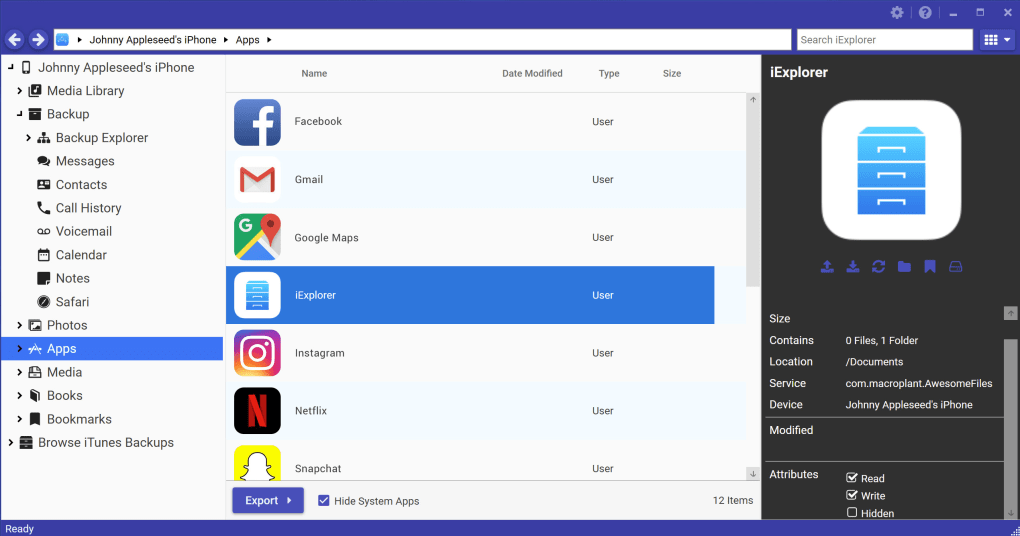
The limitations were not just about access; file management itself was difficult. Simple tasks like creating new folders, copying files, or deleting files often proved unreliable. The program suffered from a lack of robust error handling and feedback, leaving users uncertain about the success or failure of their actions. This uncertainty, coupled with the potential for irreversible damage to the device, made even basic file management a risky endeavor.
Alternatives and Better Solutions
For users seeking more convenient file management options on their iOS devices, several viable alternatives exist that offer safer and more efficient solutions. Dedicated file management apps for iOS, while still operating within the constraints of the Apple ecosystem, provide a far more stable and reliable experience than iPhone Explorer. These apps generally offer improved user interfaces and streamlined workflows for common file management tasks.
Another approach is to leverage the capabilities of iTunes or Finder (depending on the macOS version) for file transfers. Although not providing the same level of direct file system access, these built-in tools offer a more reliable method of transferring files between iOS devices and computers. The inherent stability of these Apple-supported methods avoids the risks associated with third-party software like iPhone Explorer. Finally, using cloud storage services provides an excellent means of syncing and managing files across multiple devices without needing to deal with the direct manipulation of the device file system. These cloud solutions offer much greater safety and reliability.
Conclusion: A Failed Experiment
iPhone Explorer represents a case study in the challenges of working with tightly controlled operating systems. While the concept of offering a traditional file manager for iOS devices is compelling, the execution in this instance fell far short of expectations. The software’s instability, limited functionality, and inherent risks made it a highly impractical and potentially harmful tool. Users seeking to manage files on their iOS devices are better served by exploring more reliable and stable alternatives, such as dedicated iOS file management apps, Apple’s built-in tools, or cloud storage services. The attempt to break free from Apple’s carefully constructed file system ultimately resulted in a disappointing and ultimately unusable program. The considerable risks involved in attempting to bypass the established methods far outweigh any potential benefits of this approach.
File Information
- License: “Free”
- Latest update: “May 22, 2023”
- Platform: “Windows”
- OS: “Windows 8.1”
- Language: “English”
- Downloads: “305.9K”
- Size: “553.06 KB”


