
iPhoneBrowser is a Windows-based application designed to provide seamless access to files stored on your iPhone or iPod Touch. Acting essentially as a file manager, it allows users to browse, transfer, and manage data between their iOS device and their Windows PC, effectively transforming the mobile device into an external hard drive. This review will delve into its functionality, user experience, pros and cons, and comparisons with alternative applications.
Functionality and Interface
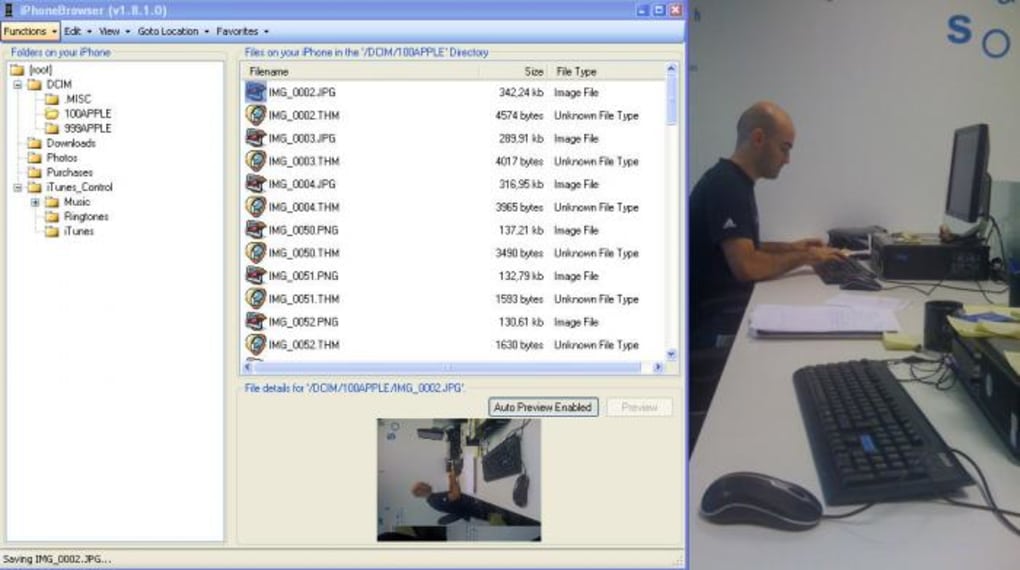
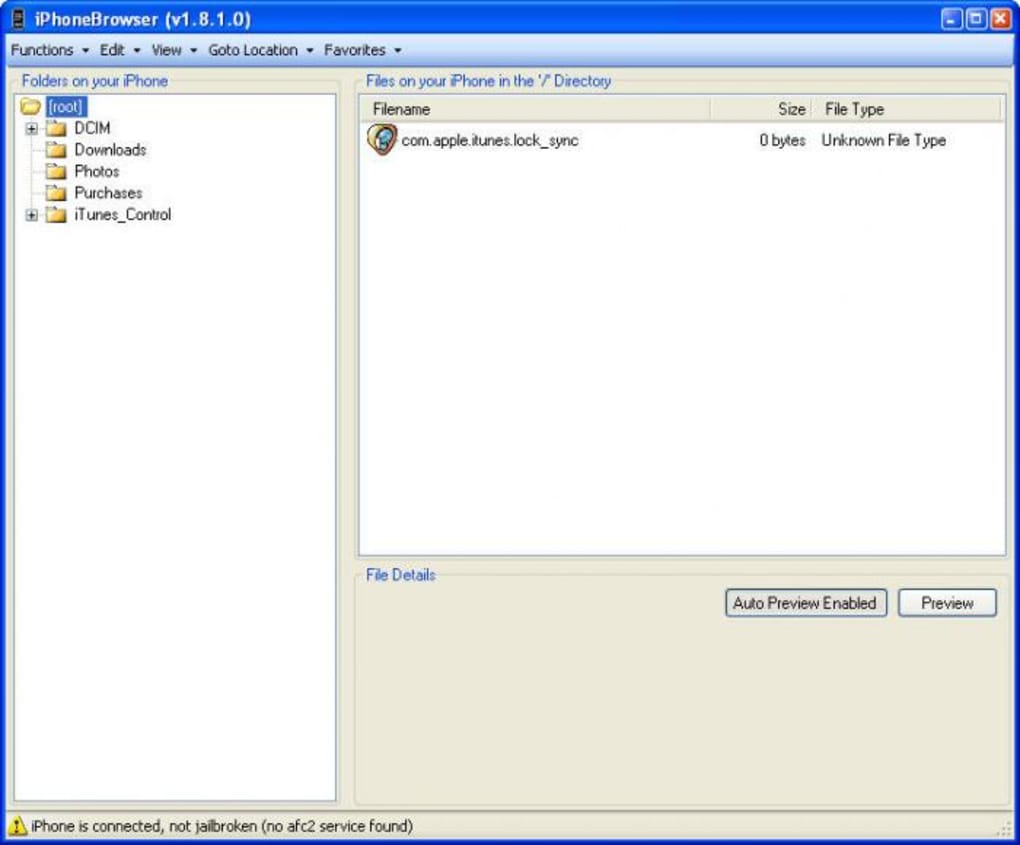
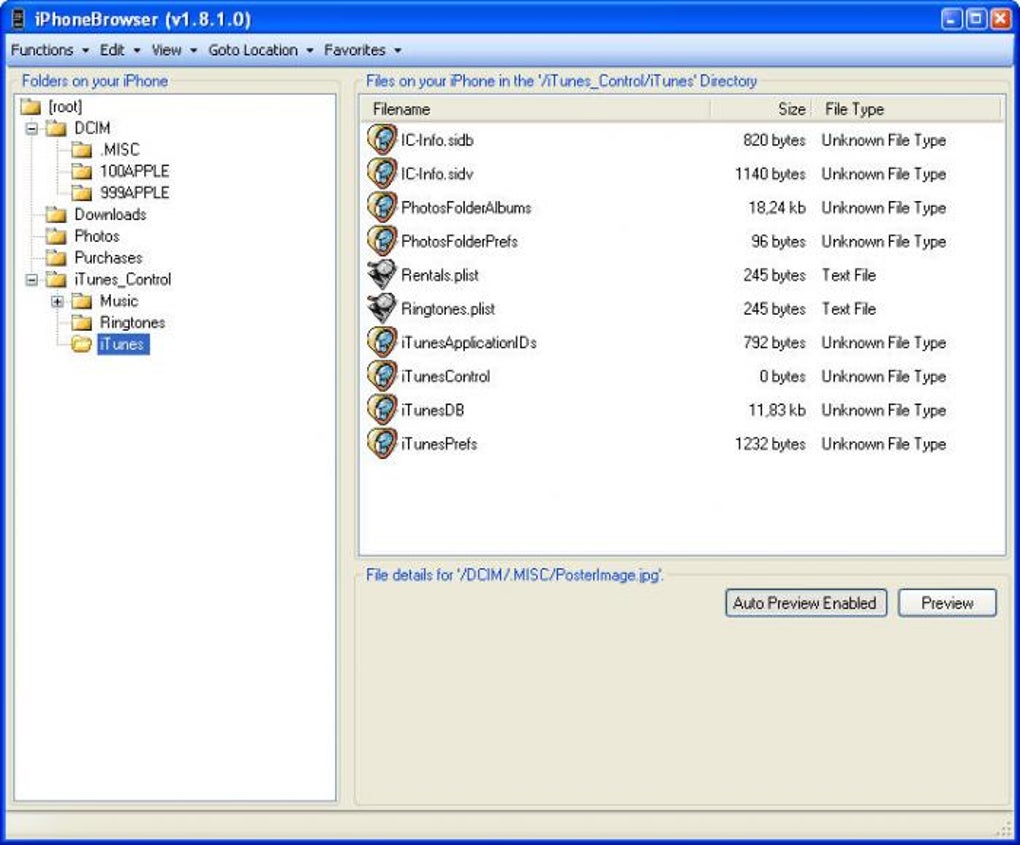
iPhoneBrowser presents a straightforward, user-friendly interface reminiscent of traditional file managers like Windows Explorer or Total Commander. The dual-pane layout efficiently displays the directory structure of your iOS device on the left, while the selected files or folders are shown on the upper right. A preview pane at the lower right allows for quick visual checks of images and text files before transferring or performing other actions. This intuitive layout simplifies navigation and file management, making it accessible to both novice and experienced users.
The application supports standard file management operations through a right-click context menu. Users can easily save files to their PC (“Save As”), back up files from their iOS device (“Backup File”), replace existing files (“Replace File”), and delete files (“Delete File”). This comprehensive set of options provides the flexibility needed for various file management tasks, from simple transfers to more complex data backups and replacements. The drag-and-drop functionality further streamlines the transfer process, allowing for quick and efficient movement of files between the PC and the iOS device.
Automatic Launch and File Handling
One of iPhoneBrowser’s key features is its ability to automatically launch upon connecting an iPhone or iPod Touch to the Windows PC. This eliminates the need for manual launching, simplifying the workflow and improving user experience. However, as noted in some user reviews, this automatic launch functionality isn’t always reliable, which can be frustrating. In instances where the application fails to launch automatically, users must manually locate and open the application from their program files. This inconsistency in the automatic launch feature is a significant drawback and a potential source of user frustration.
Beyond the automatic launch, iPhoneBrowser provides options for automatic or manual file backups. Automatic backups provide a convenient way to regularly safeguard important data, while manual backups allow for selective backup of specific files or folders. This dual approach accommodates different user preferences and needs, offering flexibility in data management strategies. The ability to preview files before transferring helps users to confirm the correct files are being moved or backed up, minimizing the risk of accidental data loss or transfer errors.
Strengths and Weaknesses of iPhoneBrowser
Pros:
- User-Friendly Interface: The dual-pane interface and intuitive design make navigation and file management straightforward and easy to learn.
- Automatic Launch (Ideally): The intended automatic launch upon device connection streamlines the workflow. While not consistently reliable, this feature significantly enhances the user experience when functioning correctly.
- Comprehensive File Handling: A wide range of options, including drag-and-drop functionality, save as, backup, replace, and delete, caters to various file management needs.
- File Preview: The integrated preview pane allows users to quickly review files before transferring or other actions, improving accuracy and reducing errors.
- Automatic and Manual Backup: Flexible backup options cater to different user preferences and data management strategies.
Cons:
- Unreliable Automatic Launch: The inconsistent automatic launch is a major drawback, forcing users to manually launch the program when it fails to start automatically. This can disrupt workflows and create user frustration.
- Limited Platform Support: iPhoneBrowser is solely available for Windows, excluding users on other operating systems like macOS or Linux.
- Lack of Advanced Features: Compared to some more sophisticated file management tools, iPhoneBrowser lacks advanced features like file synchronization, data encryption, or cloud integration.
- Older Software: The last update was in October 2018, suggesting a lack of ongoing development and support, raising concerns about compatibility with newer iOS versions and Windows operating systems.
Alternatives to iPhoneBrowser
Several alternative applications offer similar functionalities and potentially overcome some of iPhoneBrowser’s limitations. Some notable alternatives include:
- iFunBox: A free file manager known for its user-friendly interface and comprehensive feature set, offering a good balance between ease of use and advanced functionality.
- iExplorer: Another popular option providing extensive file management capabilities, including the ability to access and manage various iOS device data, including backups and app data. Offers both free and paid versions.
- Appandora: A free application focusing on file transfer between iOS devices and PCs, along with additional features like app management.
- PhoneBrowse: A free application specializing in browsing and managing iOS device files from a PC, offering a simple and efficient solution for basic file transfers.
- Macgo Free iPhone Explorer: A free alternative with a focus on simple file browsing and transfer.
These alternative applications present different strengths and weaknesses, offering various levels of functionality and user experience. Choosing the right alternative depends on individual needs and preferences, considering factors like desired features, cost, and user-friendliness.
User Reviews and Feedback
User reviews highlight both positive and negative aspects of iPhoneBrowser. While many users praise its simple interface and ease of use, the unreliable automatic launch remains a recurring point of criticism. Some users report encountering errors and difficulties launching the application, especially on certain Windows versions. This inconsistent performance significantly impacts the user experience and highlights a crucial area for improvement.
The lack of recent updates also raises concerns about future compatibility and support. The last update dating back to 2018 suggests limited ongoing development, making it crucial for potential users to consider the implications for long-term use and compatibility with newer devices and operating systems.
Conclusion
iPhoneBrowser offers a simple and potentially efficient solution for browsing and managing files on iOS devices from a Windows PC. Its user-friendly interface and straightforward file handling features make it accessible to a wide range of users. However, the unreliable automatic launch functionality significantly detracts from the user experience, and the lack of recent updates raises concerns about future compatibility and support. Potential users should carefully weigh the pros and cons against available alternatives, considering their specific needs and expectations. While it may suffice for basic file transfers, more demanding users might find the limitations frustrating, and more robust, regularly updated alternatives might be a more reliable and future-proof solution.
File Information
- License: “Free”
- Version: “1.93”
- Latest update: “October 24, 2018”
- Platform: “Windows”
- OS: “Windows XP”
- Language: “English”
- Downloads: “262K”
- Size: “564.21 KB”


