
IPTV Smarters Pro for Mac offers a seamless way to access and enjoy your IPTV subscription directly on your macOS device. This powerful application brings the functionality of its popular Android counterpart to the Mac platform, allowing users to effortlessly navigate and view a wide range of channels and on-demand content. Unlike other methods that might require additional hardware or complex setups, IPTV Smarters Pro provides a streamlined, user-friendly experience, making it a top choice for Mac users seeking a comprehensive IPTV solution.
Accessing and Navigating Your IPTV Content
The core functionality of IPTV Smarters Pro revolves around providing easy access to your IPTV channels and on-demand content. To begin, you’ll need your IPTV subscription credentials – a username, password, and a specific URL provided by your IPTV service provider. This information grants you access to a vast library of content, typically organized by country or region, making it simple to find what you’re looking for.
Once logged in, you’ll find a well-structured interface designed for intuitive navigation. The live TV section presents a clear, categorized list of channels, allowing you to quickly select and begin viewing. The application’s strength lies in its ability to handle large channel lists without compromising performance. Even with hundreds of channels, navigating remains fluid and efficient. This is particularly helpful for users with subscriptions offering a diverse selection of international channels.
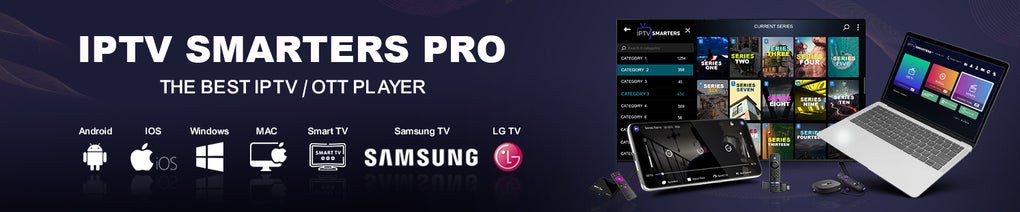
Beyond simple browsing, IPTV Smarters Pro offers a range of features to enhance the viewing experience. Users can easily add their favorite channels to a dedicated favorites list for quick access. Program schedules are readily available, allowing you to plan your viewing ahead of time. Customization options enable you to adjust the aspect ratio and audio sources to optimize the visual and auditory output to match your preferences and hardware capabilities.
The application also allows for convenient playback controls. Users can seamlessly rewind and fast-forward through live streams, making it easy to catch missed moments or revisit parts of a program. The ability to start playback from the beginning is particularly useful for catching a program that’s already underway. Additionally, the multi-screen feature allows for concurrent viewing of multiple channels, a significant advantage for households with diverse viewing preferences or those wanting to monitor multiple events simultaneously.
Beyond Live TV: On-Demand Content and More
IPTV Smarters Pro extends beyond live television, offering access to on-demand content directly within the application. This feature mirrors the functionality offered by many set-top boxes and streaming services, providing a centralized location for both live and pre-recorded programming. The availability of on-demand content is entirely dependent on your IPTV provider’s offerings; however, the application seamlessly integrates this content into its user-friendly interface, making it readily accessible alongside live channels.
The integration of on-demand content adds significant value to the application, transforming it from a simple live TV viewer into a comprehensive entertainment hub. This feature is particularly beneficial for users who enjoy catching up on missed programs or accessing a library of movies and shows at their leisure. The streamlined organization of both live and on-demand content within a single application simplifies the viewing experience, eliminating the need to switch between multiple applications or platforms.
IPTV Smarters Pro for Mac: System Requirements and Installation
IPTV Smarters Pro is designed for seamless integration with macOS. While specific system requirements may vary slightly depending on the application version, generally, a relatively modern macOS operating system (macOS 10.15 or later) and a reasonable amount of RAM are sufficient for optimal performance. The application’s lightweight design ensures smooth operation even on less powerful Mac machines, although a faster processor may contribute to enhanced playback performance, particularly for high-definition or 4K content.
The installation process is straightforward and user-friendly. Downloading the application from the official website or a trusted source such as Phanmemfree.org is the first step. Once downloaded, simply double-click the installer package and follow the on-screen instructions. The installation process is designed to be intuitive, requiring minimal technical expertise.
IPTV Smarters Pro: A Comprehensive Overview of Features
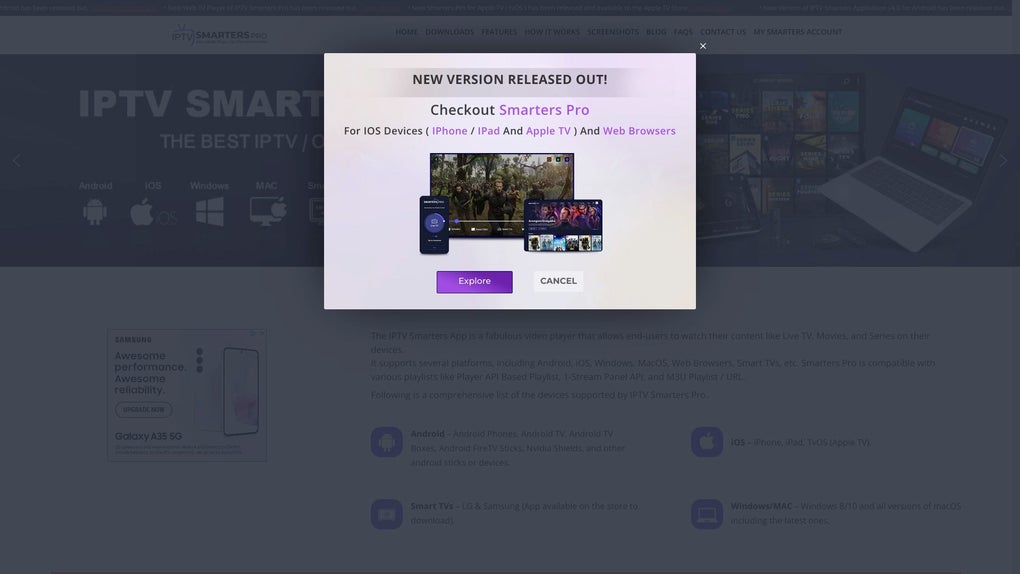
IPTV Smarters Pro offers a comprehensive set of features tailored to enhance the IPTV viewing experience on your Mac. These features contribute to the application’s overall user-friendliness and effectiveness:
- User-friendly interface: The intuitive design makes navigating through channels and content effortless.
- Categorized channels: Channels are organized by country and genre, simplifying the search for specific programs.
- Favorites list: Quickly access your favorite channels with a dedicated favorites list.
- Program schedules: View program schedules for planning your viewing.
- Customizable playback settings: Adjust aspect ratio, audio sources, and other playback options to optimize your viewing experience.
- Multi-screen viewing: Watch multiple channels simultaneously.
- On-demand content: Access a library of movies and shows on demand.
- Rewind and fast-forward: Easily catch missed moments or revisit parts of a program.
- Start playback from the beginning: Jump to the beginning of a program, even if it’s already in progress.
- Regular updates: The developers consistently release updates to improve functionality and address any bugs.
This comprehensive feature set makes IPTV Smarters Pro a powerful and versatile tool for Mac users looking to access and enjoy IPTV content.
IPTV Smarters Pro: Addressing Potential Concerns
While IPTV Smarters Pro provides a generally smooth and reliable IPTV viewing experience, users should be aware of potential concerns and considerations:
- Internet connection: A stable and reliable high-speed internet connection is crucial for optimal streaming quality. Buffering or interruptions may occur with insufficient bandwidth.
- IPTV service provider: The quality and availability of channels and on-demand content are entirely dependent on your chosen IPTV service provider. Ensure your provider offers a reliable and diverse selection of content.
- Legal considerations: Always ensure you are using IPTV services legally and ethically, adhering to local copyright laws and regulations. Using unauthorized or pirated IPTV streams is illegal and can have serious consequences.
Conclusion: IPTV Smarters Pro – A Top Choice for Mac Users
IPTV Smarters Pro presents a compelling solution for Mac users seeking a convenient and user-friendly method to access and enjoy their IPTV subscriptions. Its intuitive interface, comprehensive feature set, and regular updates combine to provide a superior viewing experience. The application’s ability to handle large channel lists, offer on-demand content, and support customizable settings makes it a versatile choice for a wide range of users. By providing a streamlined and easily accessible platform for IPTV, IPTV Smarters Pro simplifies the often complex world of IPTV viewing, making it an excellent choice for both casual and avid viewers alike. However, remember to always ensure your IPTV service provider is legitimate and adheres to all relevant copyright laws.
File Information
- License: “Free”
- Latest update: “January 9, 2025”
- Platform: “Mac”
- OS: “macOS 10.15”
- Downloads: “9K”


