
Iridium Browser is a free, open-source web browser designed for Windows operating systems. While not as widely known as Chrome, Firefox, or Edge, it offers a unique blend of features and a focus on privacy and security that appeals to a specific user base. This review delves into the browser’s functionalities, strengths, weaknesses, and overall user experience.
Iridium Browser’s Features and Functionality
Iridium Browser, developed by NETitwork GmbH, presents itself as a lightweight yet robust alternative to mainstream browsers. Its core strength lies in its emphasis on privacy and security, incorporating features designed to protect user data and browsing habits. While it doesn’t boast the extensive extension library of Chrome or the advanced customization options of Firefox, it provides a solid foundation for secure and efficient browsing.
One of Iridium Browser’s notable features is its commitment to open-source principles. This transparency allows users to scrutinize the codebase and contribute to its development, fostering trust and enhancing security. This commitment distinguishes it from many proprietary browsers, where the inner workings are often opaque.
The browser incorporates a variety of privacy-enhancing features. These include built-in protection against tracking scripts, enhanced cookie management, and a focus on minimizing data collection. While it doesn’t explicitly claim to block all trackers, its design aims to significantly reduce the amount of tracking data transmitted during browsing sessions.

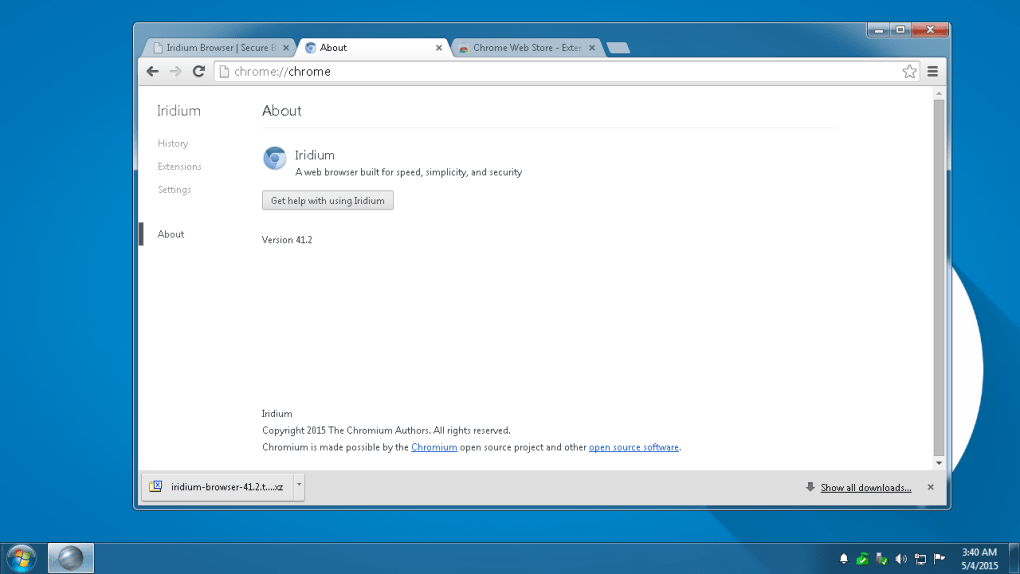
In terms of functionality, Iridium Browser offers the standard features expected in a modern web browser. Users can navigate websites, manage bookmarks, utilize tabs, and download files without encountering significant usability issues. The interface is relatively straightforward and easy to navigate, mimicking the general layout of other popular browsers. However, it lacks the extensive customization options and add-on ecosystem found in more established browsers.
The browser’s speed and performance are generally comparable to other lightweight browsers. While it might not match the speed of highly optimized browsers like Chrome, it offers acceptable performance for everyday browsing tasks. Resource consumption is relatively low, making it a viable option for users with older or less powerful computers.
Despite its strengths, Iridium Browser lacks the extensive extension support found in Chrome or Firefox. This limited extensibility restricts its functionality and prevents users from adding specialized tools or features tailored to their individual needs. While some essential extensions might be compatible, the overall selection remains significantly smaller.
Security and Privacy Considerations
As previously mentioned, Iridium Browser prioritizes security and privacy. Its open-source nature allows for independent audits and verification of its codebase, reducing the risk of hidden vulnerabilities or malicious code. The built-in anti-tracking features help to minimize the amount of data collected by websites and third-party trackers.
However, it’s crucial to remember that no browser can guarantee complete security and privacy. Users should still practice safe browsing habits, such as being cautious about downloading files from unknown sources and avoiding suspicious websites. While Iridium Browser strives to protect user data, it’s not a foolproof solution against sophisticated attacks.
Furthermore, the browser’s relatively smaller user base might make it a less attractive target for attackers compared to more popular browsers. This could be seen as both an advantage and a disadvantage. While it might receive less attention from malicious actors, it also might have fewer resources dedicated to security updates and bug fixes compared to more mainstream options.
Comparison to Other Browsers
Compared to industry giants like Chrome and Firefox, Iridium Browser occupies a niche position. It lacks the vast extension library and extensive customization options of Chrome, and it doesn’t offer the same level of community support or add-on development as Firefox.
However, Iridium Browser distinguishes itself by focusing on privacy and security, features that are becoming increasingly important to internet users. Its open-source nature and commitment to minimizing data collection set it apart from proprietary browsers that often prioritize data collection for targeted advertising.
User Experience and Interface
Iridium Browser provides a user-friendly experience with a clean and intuitive interface. Navigating the browser is straightforward, and most users will feel comfortable transitioning from other browsers. The lack of extensive customization options might be seen as a limitation by some, but it contributes to the simplicity and ease of use. For users prioritizing a clean and uncluttered browsing experience, this simplicity is a significant advantage.
Conclusion: Is Iridium Browser Right for You?
Iridium Browser is a viable option for users who prioritize privacy and security and are comfortable with a browser that offers fewer customization options and extensions than more popular alternatives. Its open-source nature, focus on privacy, and relatively lightweight design make it appealing to users concerned about online tracking and data collection.
However, users who rely heavily on browser extensions or require extensive customization options might find Iridium Browser lacking in features. The limited extension support could restrict functionality, and the smaller user base might result in less frequent updates and community support compared to established browsers.
Ultimately, the decision of whether or not to use Iridium Browser depends on individual priorities and needs. If privacy and security are paramount concerns, and the lack of extensive customization isn’t a deal-breaker, then Iridium Browser offers a solid and trustworthy browsing experience. However, users who require a wide range of extensions or extensive customization should consider other, more feature-rich options.
File Information
- License: “Free”
- Latest update: “February 5, 2024”
- Platform: “Windows”
- OS: “Windows 8”
- Language: “English”
- Downloads: “5.3K”
- Size: “135.08 MB”


