
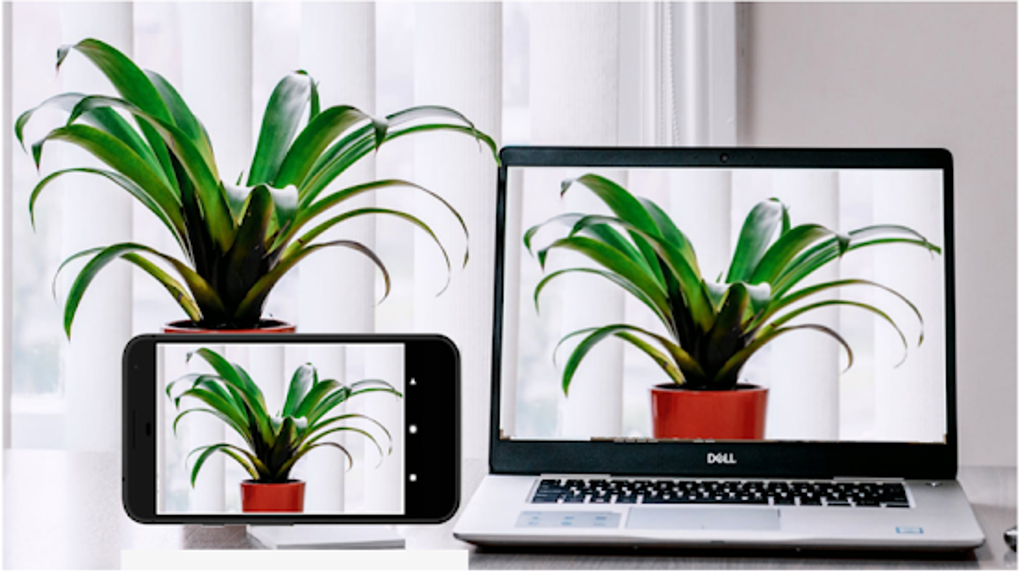
Iriun 4K Webcam is a free mobile application that transforms your smartphone’s camera into a versatile wireless webcam for your PC or Mac. This innovative utility offers a convenient and often cost-effective alternative to traditional webcams, leveraging the advanced capabilities of modern smartphones to provide high-quality video streaming for various applications. While boasting a user-friendly interface and impressive potential resolution, Iriun 4K Webcam isn’t without its limitations. This review delves into the app’s features, performance, and overall usability to provide a comprehensive assessment.
High-Resolution Streaming and Cross-Platform Compatibility
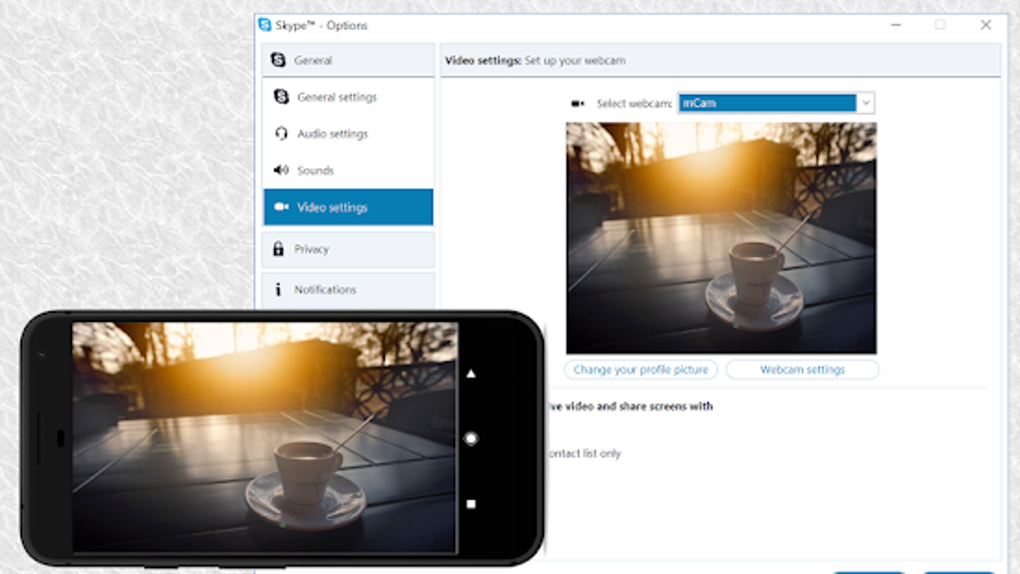
One of the most compelling aspects of Iriun 4K Webcam is its ability to deliver video at resolutions up to 4K. However, it’s crucial to understand that the maximum achievable resolution is fundamentally limited by the camera capabilities of your smartphone. A device with a lower-resolution camera will not magically output 4K video through this app. This application supports a wide range of popular video conferencing and streaming software, including but not limited to Skype, Zoom, and OBS Studio. This broad compatibility makes it a truly versatile tool for various communication and broadcasting needs. The application seamlessly integrates with both Windows and macOS operating systems, eliminating platform-specific compatibility issues often encountered with other webcam solutions.
Effortless Setup and User-Friendly Interface
Iriun 4K Webcam is designed with simplicity in mind. The app’s interface is remarkably intuitive, minimizing the learning curve for both tech-savvy and less experienced users. The setup process is straightforward, involving minimal configuration steps. After installing the app on your smartphone and the corresponding server software on your computer, the connection is typically established automatically via your local Wi-Fi network. This wireless connection offers flexibility in positioning your smartphone, eliminating the need for a cumbersome physical connection.
For users who prefer a wired connection, Iriun 4K Webcam also provides a USB tethering option. This alternative connection method requires enabling USB debugging on your smartphone within its system settings. This option can provide a more stable connection than Wi-Fi, particularly in environments with network interference or congestion. Once connected, regardless of the method used, the app provides an uninterrupted video feed.
Advanced Features Enhancing Video Quality and Control
Beyond its core functionality, Iriun 4K Webcam offers several advanced features designed to enhance video quality and user control. The app allows operation with the screen turned off, conserving battery power and preventing the smartphone screen from obstructing the camera’s view. This is particularly helpful for extended usage scenarios. A convenient pinch-to-zoom feature allows for precise control over the camera’s field of view, enabling users to frame their video with accuracy. A mirroring option ensures the correct display orientation for video calls, eliminating the common issue of mirrored images often seen in webcam applications.
The absence of intrusive advertisements is a significant advantage. Many free applications rely on advertisements for revenue, often resulting in a disruptive user experience. Iriun 4K Webcam, however, maintains a clean and uninterrupted interface, focusing on delivering a smooth and efficient user experience. The developer offers a Pro version of the application. This upgraded version typically includes additional advanced features. While the specifics of these features may vary with updates, they generally center around advanced camera controls such as manual adjustments for ISO, exposure, and white balance. This allows for greater control over the video image, particularly in less-than-ideal lighting conditions.
Addressing Potential Drawbacks and Limitations
Despite its numerous merits, Iriun 4K Webcam isn’t without its drawbacks. One common user complaint involves connection instability, particularly when using the Wi-Fi connection method. While a stable connection is generally achieved, network congestion or interference can sometimes lead to dropped frames or interruptions during video calls. This issue highlights the importance of a robust and stable home network for optimal performance. The USB connection option, however, often mitigates this problem.
Another point of contention among some users centers on the limited feature set, even with the Pro version. While the Pro version undoubtedly offers enhancements, the extent of these improvements might not justify the upgrade cost for all users. The advanced camera controls are a significant addition, but the overall advanced functionality remains relatively limited compared to professional-grade camera software or hardware. This suggests that the target audience is likely those seeking a convenient and affordable solution, rather than users requiring highly specialized camera control.
Comparison with Alternative Solutions
Iriun 4K Webcam faces competition from a range of alternative webcam applications and traditional webcam hardware. Direct comparisons often reveal a trade-off between convenience, affordability, and feature richness. Traditional webcams often offer consistent performance and established compatibility but lack the versatility of using a smartphone’s existing camera. Other smartphone-based webcam apps might offer similar functionality but may lack the same level of polish or user-friendly interface.
Ultimately, the choice between Iriun 4K Webcam and its alternatives depends heavily on individual needs and priorities. If ease of use and seamless integration with existing smartphones are top priorities, Iriun 4K Webcam presents a strong contender. However, users requiring highly specialized camera controls or needing guaranteed stability might prefer investing in a more robust, dedicated webcam solution.
Conclusion: A Convenient and Often Cost-Effective Option
Iriun 4K Webcam stands as a viable and often highly convenient solution for users seeking to transform their smartphones into wireless webcams. Its user-friendly interface, cross-platform compatibility, and impressive potential for high-resolution video streaming make it an appealing option for a variety of applications, from casual video calls to more demanding streaming scenarios.
While connection instability and limited advanced features represent potential drawbacks, these shortcomings are often outweighed by the app’s simplicity and cost-effectiveness. For many users, the ability to repurpose their existing smartphone’s camera as a webcam offers a significant advantage, particularly when compared to the cost of purchasing a dedicated webcam. Iriun 4K Webcam should be considered a strong contender for anyone seeking a straightforward and budget-friendly solution for their webcam needs, understanding its limitations concerning network stability and advanced feature set. It’s a reliable and convenient choice for everyday video conferencing, streaming, and other applications where ease of use and cost-effectiveness are paramount.
File Information
- License: “Free”
- Latest update: “March 10, 2025”
- Platform: “Android”
- OS: “Android 9.0”
- Language: “English”
- Downloads: “44.4K”
- Size: “7.13 MB”
- Download Options: “APK, Google Play”
- Filename: “com-jacksoftw-webcam-188-69770436-c73de91c5dbff23fb86851aecb225579.apk”


