
iTunes, the long-standing Apple application for managing and playing multimedia files, once held a dominant position in the digital music and media landscape. This software provided a centralized hub for organizing music, movies, podcasts, and more, alongside access to the iTunes Store for purchasing additional content. For users seeking portability and the convenience of accessing their iTunes library without a full installation, iTunes Portable emerged as a viable solution. However, it’s crucial to understand that this portable version represents an older iteration of the software and lacks the features and updates present in later releases. This article delves into the details of iTunes Portable, exploring its functionalities, advantages, limitations, and the overall user experience.
Functionality and Features
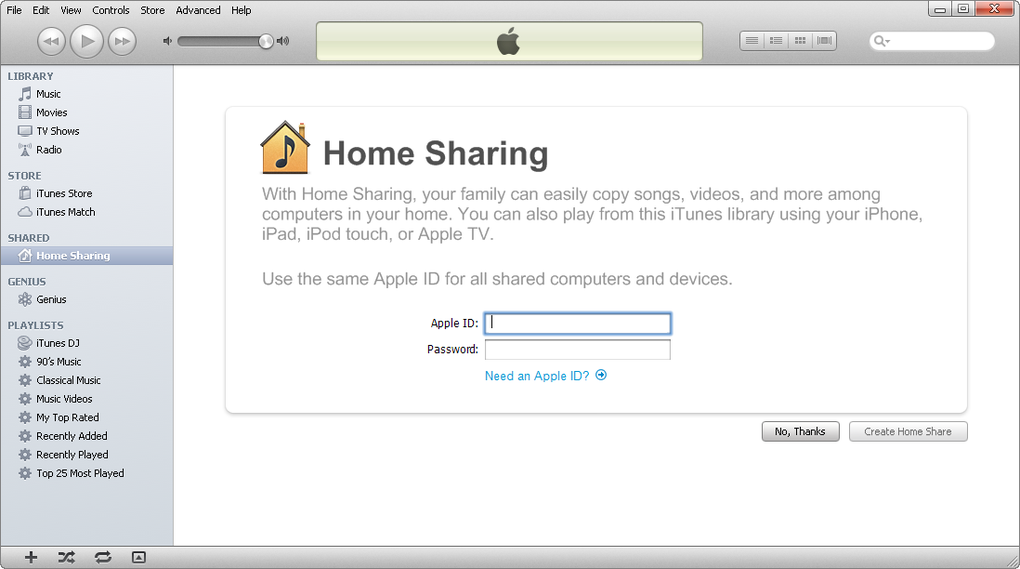
iTunes Portable, as its name suggests, is a version of the iTunes media player designed for portability. Unlike the traditional iTunes installation, which requires the software to be installed on a computer’s hard drive, iTunes Portable exists as a self-contained application. Users can run it directly from a USB flash drive, external hard drive, or any other removable storage device. This eliminates the need for installation, making it ideal for users who frequently switch between different computers or those who prefer not to install software on their primary machines.
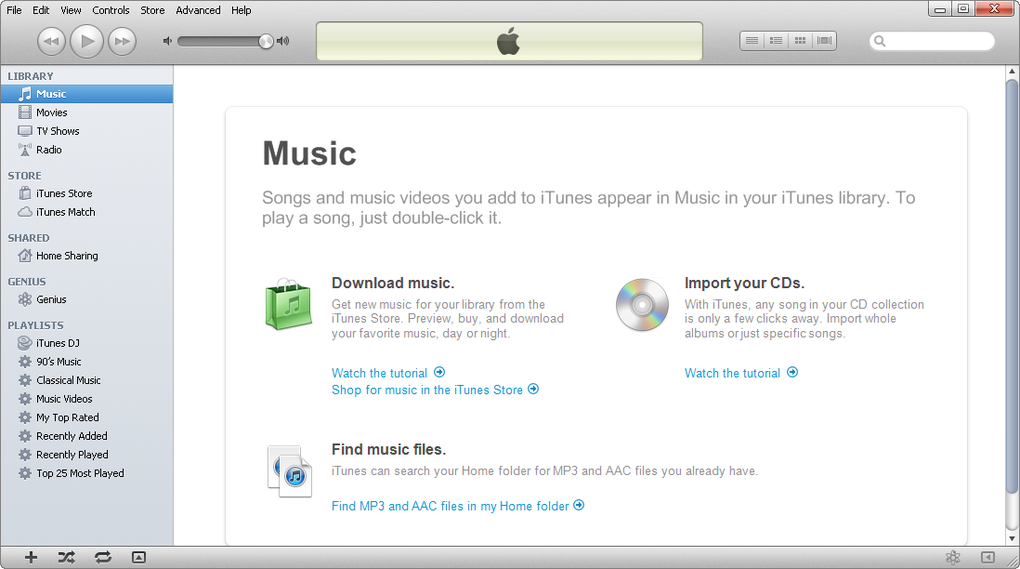
The core functionalities of iTunes Portable largely mirror those of its installed counterpart. Users can manage their music library, create and edit playlists, play audio and video files, and sync their media with Apple devices (though compatibility may be limited due to the older version). The iTunes Store integration also remains, allowing users to browse and purchase content directly through the portable application. This aspect, however, carries a caveat as discussed later. In essence, iTunes Portable aimed to provide a near-identical experience to the full installation, packaged into a portable format for maximum flexibility.
The ability to rip audio CDs remains a key feature. Users can import tracks from their physical CD collection into their digital iTunes library, thereby creating a convenient backup and preserving their music collection in a digital format. However, the version of iTunes Portable available might have limitations concerning the supported audio codecs and ripping speeds compared to its later iterations.
Advantages of Using iTunes Portable
The primary advantage of using iTunes Portable is its portability. This characteristic makes it an attractive option for several user scenarios:
-
Multiple Computer Users: Individuals who regularly work on multiple computers, such as those using both a desktop and a laptop, can easily carry their iTunes library and settings with them. No need to install and configure the software on each machine; simply run the portable version from a storage device.
-
Public Computer Access: Accessing your music and other media files on public computers without installing any software remains a significant benefit. This maintains data privacy and avoids potential conflicts with existing software on the public machine.
-
Troubleshooting and Testing: For individuals resolving compatibility issues or testing certain functions, a portable version is beneficial because it doesn’t modify the system’s registry or core files, making it a safer approach to troubleshooting.
-
Travelers: This option provides a convenient way for users to maintain access to their entire multimedia library while traveling. The software is immediately accessible from a storage device.
Limitations and Drawbacks of iTunes Portable
While offering significant portability advantages, iTunes Portable also comes with several limitations that users should consider:
- Older Version: A crucial drawback is the fact that iTunes Portable represents an older version of the software. This means it lacks the latest features, improvements, and bug fixes included in newer versions. Furthermore, compatibility issues with modern operating systems and hardware might occur.
-
Compatibility Issues: The compatibility of iTunes Portable with various operating systems, especially newer ones, might be limited. While the initial release might have had broad compatibility, outdated software can pose issues as operating systems and hardware evolve.
-
iTunes Store Limitations: While the iTunes Store is accessible via iTunes Portable, connectivity and transaction issues are more likely. The older version might not be fully optimized for the current structure and security measures of the iTunes Store, leading to problems with purchases and account management.
-
Performance: In some instances, iTunes Portable may exhibit slower performance or exhibit instability compared to the full installed version. This could be due to the reliance on external storage, which may have slower read/write speeds than an internal hard drive.
-
Lack of Updates: It’s imperative to recognize that the portable version would not receive software updates. This means that security vulnerabilities and bugs present in the older version would remain unaddressed. This poses a risk to data security and overall system stability.
Alternatives to iTunes Portable
The landscape of media management software has evolved considerably since the emergence of iTunes Portable. Numerous alternatives exist, catering to diverse needs and preferences. These alternatives often incorporate features that surpass the capabilities of the older iTunes Portable version.
Several cloud-based music services offer significant advantages regarding portability and accessibility. These platforms allow users to stream and manage their music libraries from any device with an internet connection, removing the need for a portable application altogether. They typically offer a broader range of features such as offline playback, advanced playlist management, and social features.
Furthermore, several excellent open-source media players are available. These applications typically offer a level of customization and functionality comparable to or even exceeding that of commercial software, while simultaneously being available for various operating systems. They might support a broader array of file formats and offer advanced audio equalization options.
User Reviews and Overall Assessment
User reviews of iTunes Portable reflect a mix of positive and negative experiences. Some users praise its portability and convenience, emphasizing the ability to access their media library on any computer without installation. However, others express frustration with compatibility issues, performance problems, and the limitations stemming from its outdated nature.
Ultimately, the suitability of iTunes Portable depends heavily on individual user needs and technical proficiency. For users prioritizing portability above all else and willing to accept the limitations of an older software version, iTunes Portable might still offer a workable solution. However, for those seeking the latest features, enhanced security, and improved performance, adopting a modern alternative is strongly recommended. The security implications of using outdated software are significant, and the lack of updates poses a considerable risk to data security and system stability. Modern alternatives provide a superior and more secure user experience with consistent access to updates and improvements. Consider the risks before using this outdated version.
File Information
- License: “Free”
- Version: “10.6.3.25”
- Latest update: “November 3, 2015”
- Platform: “Windows”
- OS: “Windows XP”
- Language: “English”
- Downloads: “290.5K”
- Size: “110.15 MB”


