
JetVideo is a versatile multimedia player designed for Windows PCs, offering a robust solution for users who frequently encounter various video file formats. Its primary strength lies in its extensive format support, capable of handling a wide range of video and audio files, often bypassing the compatibility issues that plague other players. This comprehensive approach ensures that users can seamlessly play virtually any video or audio file they encounter, regardless of its less common or obscure format. This eliminates the frustration of searching for a compatible player for each new file type.
Extensive Format Compatibility: A Core Feature
One of JetVideo’s most compelling features is its ability to play nearly any video format. While many players struggle with niche or older codecs, JetVideo consistently delivers smooth playback. The developers’ claim of near-universal compatibility is largely accurate, encompassing popular formats such as AVI, MPG, MPEG, ASF, WMV, and DIVX. Beyond these commonly used formats, JetVideo extends its support to a multitude of less prevalent file types, minimizing the likelihood of encountering incompatibility issues.
This broad support also extends to audio files, offering a unified solution for both video and audio playback. This versatility makes JetVideo a convenient single-stop solution for all multimedia needs, eliminating the requirement for multiple players to handle different file types. The player’s ability to handle diverse formats seamlessly is a significant advantage, enhancing user experience and minimizing the hassle of format conversions or seeking alternative playback solutions.
Beyond Playback: Enhanced Features and Functionality
JetVideo offers more than just basic playback capabilities. It incorporates several features designed to enhance the user experience and provide greater control over multimedia content. These features elevate JetVideo beyond a simple player, transforming it into a comprehensive multimedia management tool.
User-Friendly Interface and Customization Options
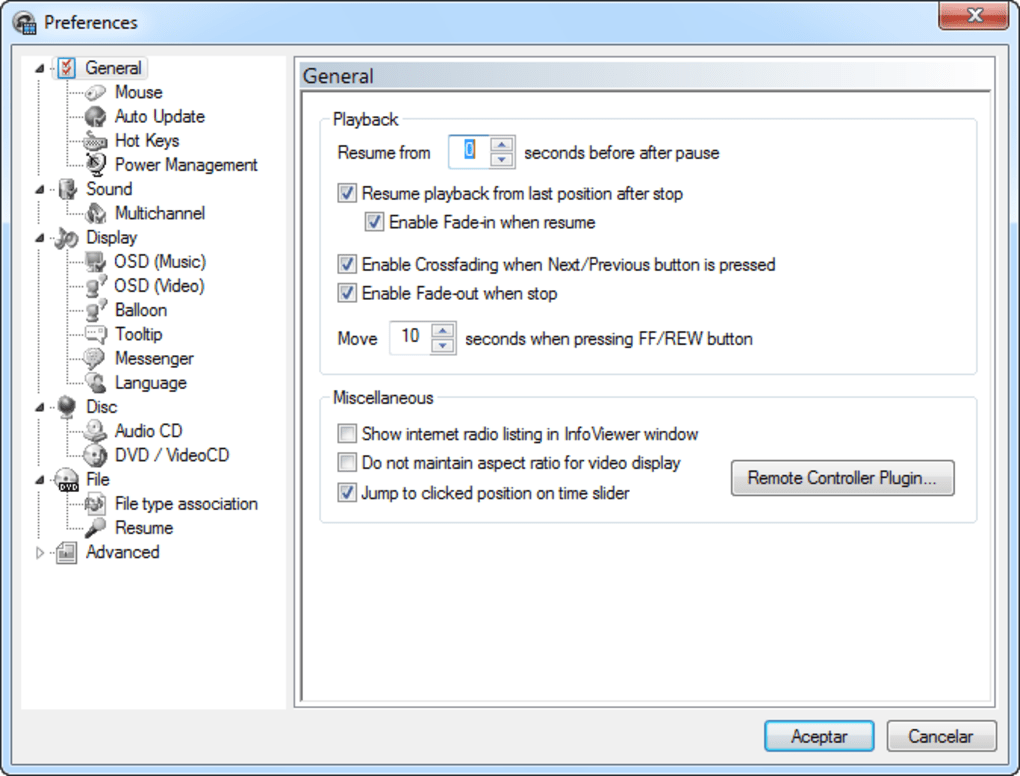
The player boasts a visually appealing and intuitive interface, simplifying navigation and access to its various features. While some users might initially require some time to explore its complete functionality, the overall layout is designed for ease of use. The intuitive design ensures that even novice users can quickly grasp the core functions, allowing them to begin playing their media without extensive prior knowledge. The player is also customizable, allowing users to adjust the appearance to suit their preferences, enhancing the overall user experience.
Advanced Audio and Video Controls
JetVideo provides fine-grained control over both audio and video playback. Users can easily adjust playback speed, fine-tuning the viewing experience according to their preferences. This allows for slower playback for detailed analysis of specific scenes or faster playback for quickly skimming through less engaging portions of a video. Furthermore, the player includes various sound effects and equalization options, enabling users to customize the audio output for an optimal listening experience. The precision of these controls gives users comprehensive command over their multimedia playback.
Metadata Editing and Management
JetVideo simplifies the management of media file metadata. Users can easily edit tags, ensuring accurate and consistent information associated with their media files. This feature is crucial for organizing and managing large media libraries, providing a clear and concise overview of the files contained within. The intuitive tag editing capabilities significantly improve the organization and usability of personal media collections.
Integrated Timer and Alarm Functionality
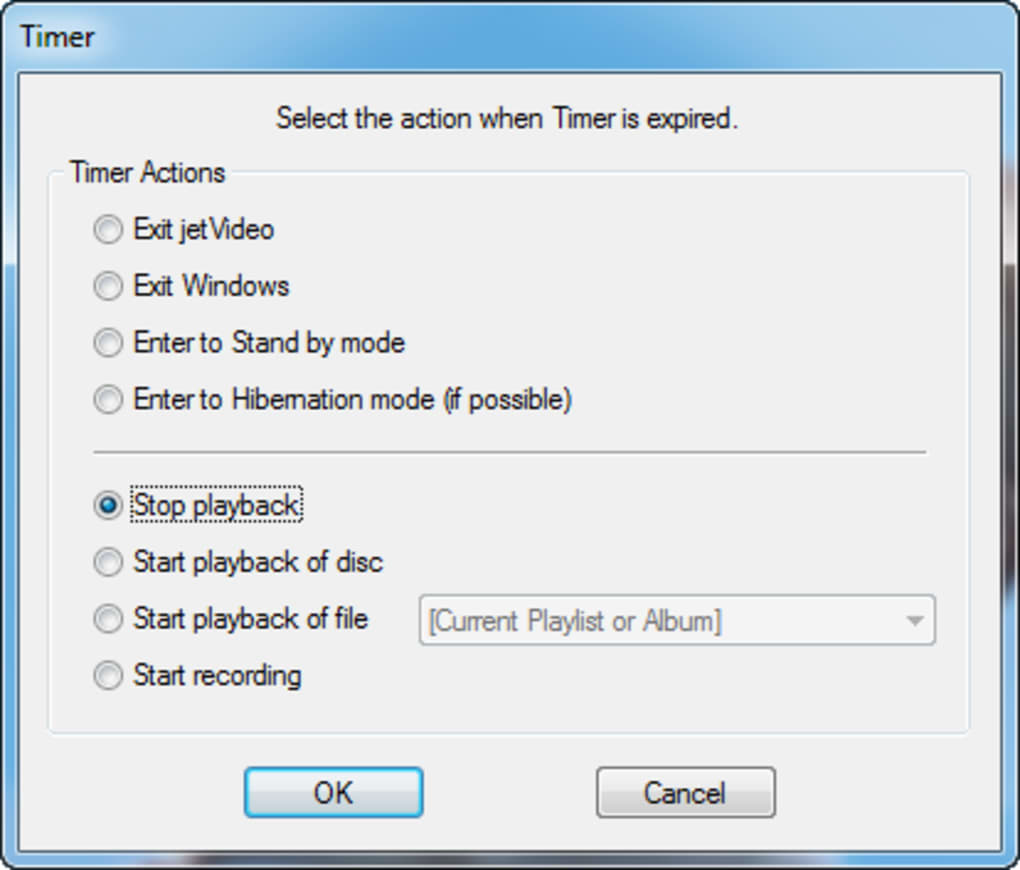
The player includes a built-in timer and alarm feature, adding a practical element to its functionality. This allows users to schedule video playback to stop at a specific time, useful for setting bedtime viewing or preventing unintentional extended play sessions. The alarm functionality offers further flexibility, extending the player’s utility beyond its core multimedia playback role.
Performance and Sound Quality
JetVideo consistently delivers high-quality audio and visual playback. Its efficient processing ensures smooth playback, even for large or high-resolution video files. The player’s commendable sound quality adds to the overall enriched multimedia experience. Users can expect clear and accurate sound reproduction, free from distortion or artifacts, contributing to more immersive and engaging viewing and listening sessions. This combination of efficient performance and exceptional audio output establishes JetVideo as a top contender in the multimedia player market.
Addressing Potential Drawbacks
While JetVideo offers numerous advantages, some users might find the initial learning curve for its advanced features somewhat steep. While the interface is generally user-friendly, fully mastering all its functionalities requires some exploration and experimentation. This initial period of familiarization may pose a minor challenge to new users, but the extensive capabilities offered ultimately justify the small investment of time required to fully understand the player’s features.

JetVideo Compared to Alternatives
JetVideo differentiates itself from competing multimedia players through its unique combination of comprehensive format support, a user-friendly interface, and extensive customization options. While other players might excel in specific areas, JetVideo’s breadth of capabilities and its integrated feature set make it a compelling choice for users seeking a versatile and powerful multimedia solution. The ability to handle almost any file type without relying on external codecs or converters is a significant advantage that sets JetVideo apart.
Conclusion: A Robust and Versatile Multimedia Solution
JetVideo provides a robust and versatile solution for users seeking a multimedia player capable of handling a wide range of file formats. Its extensive format compatibility, advanced control options, and user-friendly interface make it an attractive choice for both casual and serious multimedia users. While the initial learning curve might present a slight challenge, the player’s comprehensive functionality and high-quality playback ultimately justify the investment of time required to master its features. JetVideo establishes itself as a strong contender in the crowded field of multimedia players, standing out through its impressive breadth of capabilities and user-friendly design.
File Information
- License: “Free”
- Latest update: “September 20, 2024”
- Platform: “Windows”
- OS: “Windows 8”
- Language: “English”
- Downloads: “164.4K”
- Size: “28.63 MB”


