
jGRASP is a lightweight integrated development environment (IDE) designed for programmers who value efficiency and simplicity. Developed by Auburn University, it offers a streamlined approach to software development, providing the essential tools without the bloat often found in larger, more complex IDEs. This allows developers to focus on their projects rather than navigating cumbersome interfaces. jGRASP’s intuitive design and comprehensive feature set make it a valuable asset for programmers working with a variety of programming languages.
jGRASP’s Capabilities: A Versatile Development Environment
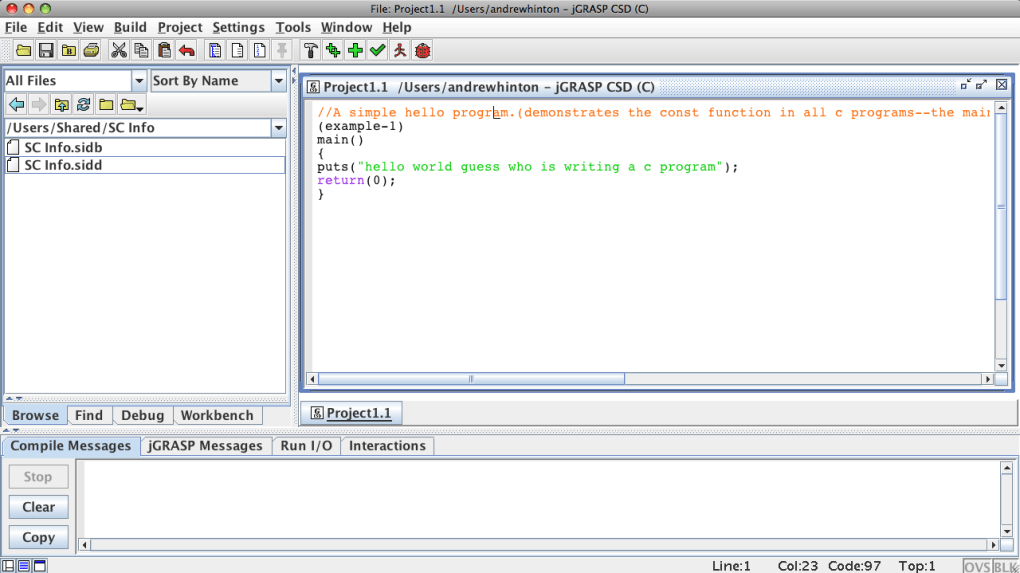
jGRASP supports multiple programming languages, including Java, C++, Python, Ada95, and Objective-C. While the specific features available may vary slightly depending on the chosen language, the core functionality remains consistent, providing a unified development experience across different programming paradigms. This versatility eliminates the need for programmers to switch between multiple IDEs when working with different languages, enhancing productivity and workflow.
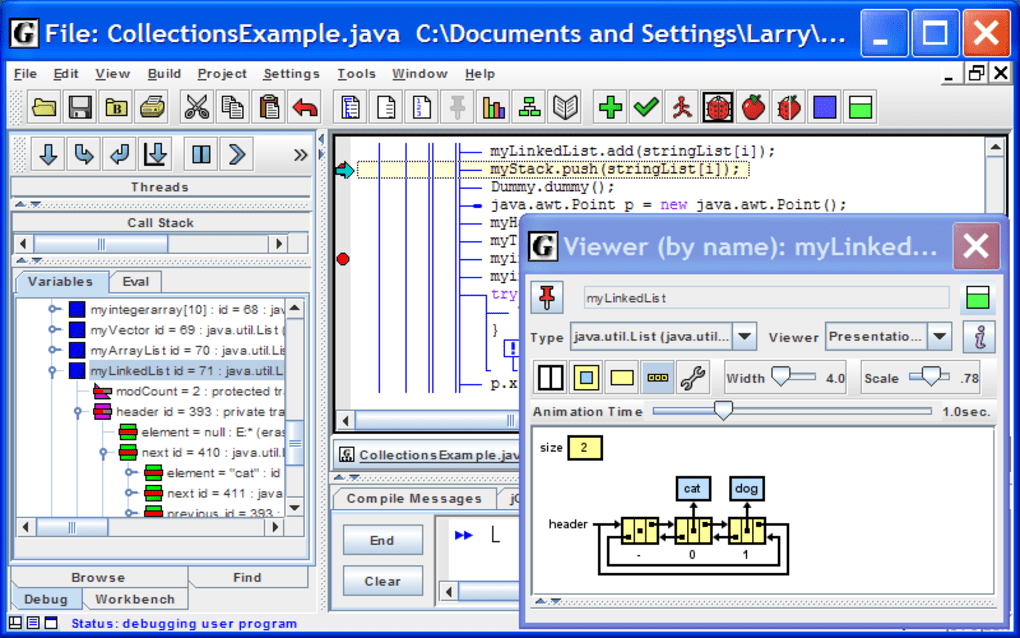
One of jGRASP’s key strengths lies in its automatic generation of software visualizations. This feature significantly improves the readability and understanding of code. For instance, it can produce static visualizations of source code structures, providing a clear graphical representation of the program’s logic and flow. Furthermore, it offers dynamic visualization of data structures during runtime, allowing developers to monitor the program’s behavior and identify potential issues more effectively. This real-time insight can significantly reduce debugging time and improve overall code quality.
The integrated dynamic object viewers and viewer canvas work seamlessly with the built-in debugger and Java workbench. These tools provide detailed information about objects and data structures, facilitating easier identification of errors and enhancing the debugging process. The dedicated identifier mechanism ensures accurate interpretation of traditional data structures within various objects, providing a clear and consistent representation of data. Additionally, jGRASP can present data in a textbook-like format, making it easier to comprehend complex data sets.
jGRASP’s versatility extends to its compatibility with both free and commercial compilers for a wide range of programming languages. This flexibility allows developers to utilize their preferred compiler without compromising their workflow. The IDE also functions as a robust source code editor for non-Java programming languages, expanding its utility beyond Java-specific development tasks.
Furthermore, its portability is a significant advantage. jGRASP runs on any operating system supported by Java, including all Windows editions, making it readily accessible to a broad spectrum of developers. It’s important to note, however, that the Java Runtime Environment (JRE) must be installed separately before jGRASP can be used.
jGRASP’s Features: A Deep Dive into Functionality
Beyond the core functionalities already mentioned, jGRASP offers a wealth of features designed to optimize the development workflow. These features are intricately woven into the IDE’s design, enhancing the user experience and promoting efficiency.
Control Structure Diagrams: For Java and Ada projects, jGRASP generates control structure diagrams, offering a visual representation of the program’s control flow. These diagrams provide a high-level overview of the program’s logic, simplifying the understanding of complex algorithms and enhancing debugging capabilities.
UML Class Diagrams: While the availability of UML class diagrams might be language-dependent (primarily supporting Java), this feature is invaluable for object-oriented programming. It provides a visual representation of the classes, their attributes, and their relationships, promoting a deeper understanding of the program’s structure and facilitating collaboration among developers.
Integrated Debugger: The built-in debugger allows developers to step through their code line by line, inspect variables, and identify the root cause of errors. This significantly reduces debugging time and enhances the overall development process. The debugger integrates seamlessly with the object viewers and canvas, providing a comprehensive debugging environment.
Configurable Settings: jGRASP offers a high degree of configurability, allowing developers to customize the IDE to their specific needs and preferences. This flexibility ensures that the development environment is optimized for individual workflows and coding styles.
Lightweight Nature: One of the most compelling features of jGRASP is its lightweight nature. Unlike many other IDEs that require significant system resources, jGRASP remains responsive and efficient, even on systems with limited resources. This makes it an ideal choice for developers working on older or less powerful machines.
jGRASP: Advantages and Disadvantages
Like any software, jGRASP has its strengths and weaknesses. Understanding these aspects is crucial for determining its suitability for individual needs.
Advantages:
- Cross-Platform Compatibility: Its Java-based nature allows it to run on a wide variety of operating systems, enhancing accessibility and portability.
- Multilingual Support: Its ability to handle multiple programming languages eliminates the need for multiple IDE installations.
- Lightweight Design: Its small footprint and minimal resource consumption make it ideal for systems with limited resources.
- Visualizations: The automatic generation of software visualizations greatly enhances code comprehension and debugging.
- Integrated Debugging Tools: The comprehensive debugging tools significantly reduce debugging time and effort.
- Free and Open Source: Its free availability makes it accessible to all developers, regardless of budget constraints.
Disadvantages:
- Learning Curve: While intuitive, mastering all of jGRASP’s features may require some time and effort.
- Feature Limitations: Compared to more comprehensive IDEs, jGRASP may lack some advanced features.
- Limited Community Support: Being a relatively niche IDE, the community support might not be as extensive as for more popular alternatives.
- Language-Specific Feature Variations: While it supports multiple languages, the specific features available might vary depending on the language used.
Conclusion: jGRASP – A Powerful Tool for Efficient Development
jGRASP presents a compelling alternative for programmers seeking a lightweight yet powerful IDE. Its versatility, combined with its intuitive interface and robust feature set, makes it an excellent choice for developers who prioritize efficiency and simplicity. While it may not possess the extensive features of some heavyweight IDEs, its streamlined design and focus on essential tools allows for a more focused and productive development experience. Its free availability and cross-platform compatibility further solidify its position as a valuable asset in the programmer’s toolkit. For developers seeking a less resource-intensive yet highly capable IDE, jGRASP deserves serious consideration.
File Information
- License: “Free”
- Latest update: “May 23, 2023”
- Platform: “Windows”
- OS: “Windows 7”
- Language: “English”
- Downloads: “9.3K”
- Size: “6.94 MB”


