
JSON Viewer is a free browser extension designed to simplify the process of viewing, editing, and formatting JSON (JavaScript Object Notation) data. JSON, a lightweight data-interchange format, is ubiquitous in web development, facilitating communication between servers and applications. This tool aims to streamline the workflow for developers and anyone working with JSON files, offering a user-friendly interface and a range of helpful features.
Streamlining JSON Handling: Ease of Use and Functionality
The JSON Viewer extension boasts a clean, intuitive interface designed for ease of use, regardless of technical expertise. Installation is straightforward, and the application launches quickly with a minimal, uncluttered window. Key functionalities are readily accessible through a top toolbar, while the main area displays the JSON data in a clear, hierarchical structure with text previewing on the right. This three-view hierarchical display—along with features like value columns and grid lines—makes navigating complex JSON structures significantly easier and less visually taxing.
File management is also streamlined. Users can add files via the File menu or simply drag-and-drop them into the application window. The program efficiently handles multiple JSON files simultaneously, allowing users to preview them in vertical, horizontal, or cascade modes. This multi-file functionality greatly enhances productivity when dealing with numerous related JSON datasets.
Beyond simple viewing, JSON Viewer offers robust editing capabilities. Clickable URLs allow for quick navigation, collapsible nodes provide a structured overview of data, and a convenient scratchpad enables users to paste or type JSON directly. A toggle button seamlessly switches between highlighted and raw JSON views. The inclusion of line numbers, customizable tab sizes, and the option to include headers with URLs and timestamps are further indications of the application’s attention to detail and its commitment to facilitating efficient coding.
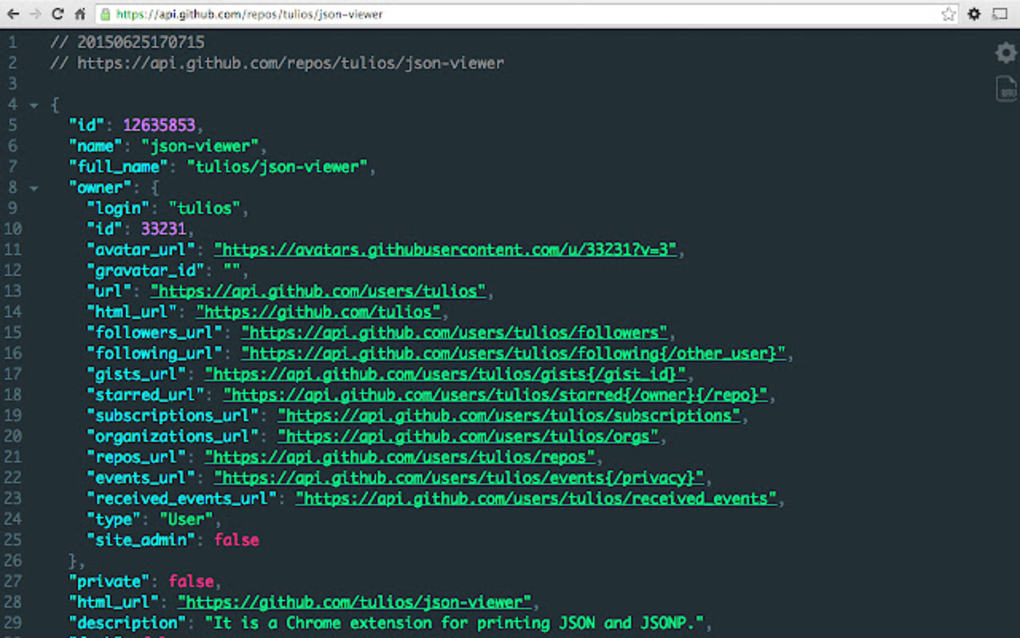
The extension’s ability to automatically analyze the content of any entered URL to determine if it’s JSON is particularly noteworthy. This eliminates the need for manual formatting of URLs, saving users valuable time and effort. Furthermore, the built-in editor includes features such as word wrap, syntax highlighting, JSON validation, find and replace functionality, and binary-to-text encoding. This makes the application significantly more versatile than a simple viewer, essentially functioning as a lightweight, dedicated JSON editor.
Advanced Features and Customization Options
JSON Viewer’s capabilities extend beyond basic viewing and editing. The application supports a range of customization options, allowing users to personalize their experience. Built-in themes enable adjustments to the visual elements of the interface, enabling users to tailor the appearance to their preferences. For users preferring a less visually demanding interface, a Dark Mode is readily available. The ability to customize colors and their on-screen placement further contributes to a personalized and optimized workflow.
The program’s automatic handling of various URL types is another significant advantage. It doesn’t require specific configuration for different URLs, significantly simplifying the user experience. Whether dealing with JSON or JSONP (JSON with padding), the extension accurately processes and displays the data, regardless of the underlying URL structure.
The versatile capabilities of the JSON Viewer extend to the broader context of web development. The embedded editor functions as a fully functional text editor, supporting advanced tasks beyond just JSON handling.
Addressing Limitations and Potential Improvements
While JSON Viewer offers a substantial suite of features, a few minor drawbacks exist. The most significant issue is occasional crashes, possibly due to incompatibilities with other JSON formatting tools. Users may need to disable certain elements to resolve these crashes, which can disrupt workflow.
Another limitation involves incognito tabs and local files. These aren’t automatically included in JSON data processing and require manual enabling within the extension’s interface. This added step can be slightly inconvenient, requiring users to navigate to the extension’s settings to adjust the relevant options.
Finally, plugin updates can sometimes reset the extension to default settings. While not a major issue, this necessitates reconfiguring personalized settings after each update. Fortunately, this reconfiguration typically involves only minor adjustments and takes minimal time.
JSON Viewer: A Strong Contender in the JSON Management Landscape
Despite these minor drawbacks, JSON Viewer proves to be a highly effective and user-friendly tool for managing JSON data. Its intuitive interface, powerful features, and extensive customization options make it a strong choice for developers and anyone frequently working with JSON files. The capacity to efficiently handle multiple files, its robust editing features, and its automatic URL processing significantly enhance productivity. The ability to customize the visual presentation, through themes and the Dark Mode option, makes it adaptable to individual preferences.
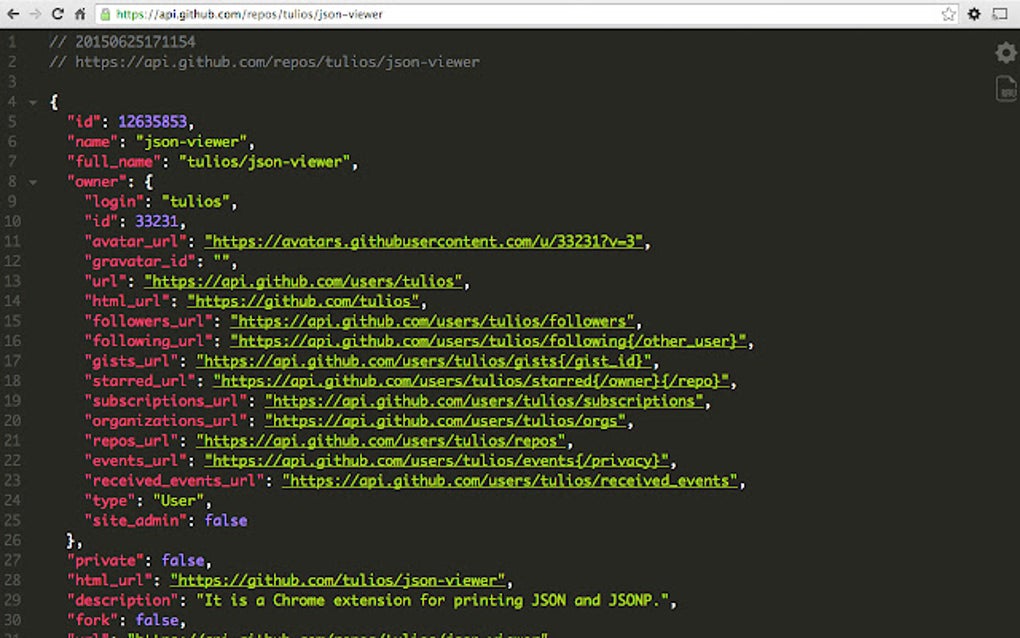
While the occasional crashes and the need for manual configuration of incognito and local file support represent minor inconveniences, they do not significantly detract from the overall positive user experience. The clear advantages of enhanced workflow efficiency, the streamlined interface, and the range of available features outweigh these small limitations.
Comparison with Alternative Tools
Several alternative JSON viewers and formatters exist, each with its own strengths and weaknesses. Some, like paid options, may offer more advanced functionalities or superior performance. Others might focus on specific niches within JSON manipulation. However, JSON Viewer holds its own, offering a compelling balance of features, ease of use, and importantly, being free of charge. The inclusion of a built-in editor, capable of handling a range of text-editing tasks, distinguishes it from more basic JSON viewers and makes it a more versatile tool for web developers.
The overall user experience provided by JSON Viewer is exceptionally positive. The combination of its ease of use, robust feature set, and customization options makes it a strong contender in the field of JSON management tools. The benefits, such as streamlined workflow and the simplified processing of multiple files and different URL types, significantly enhance productivity for users of all levels of technical expertise. While some minor improvements could be made to address occasional crashes and the handling of incognito tabs and local files, JSON Viewer remains a highly recommended tool for anyone working with JSON data. Its free availability and user-friendly design make it an excellent option for both novice and experienced users alike.
File Information
- License: “Free”
- Version: “0.18.1”
- Latest update: “May 24, 2023”
- Platform: “Windows”
- OS: “Windows 8”
- Language: “English”
- Downloads: “152.7K”


