
Kali Linux is a powerful, free and open-source operating system specifically designed for penetration testing, digital forensics, and cybersecurity research. Unlike general-purpose operating systems like Windows or macOS, Kali prioritizes security auditing tools and functionalities, making it a go-to resource for security professionals and ethical hackers. This guide explores Kali Linux, its features, target audience, and the process of downloading and using it.
Understanding Kali Linux: More Than Just an OS
Kali Linux isn’t your typical operating system aimed at everyday computer users. It’s a highly specialized distribution based on Debian, a stable and robust Linux foundation. Instead of focusing on user-friendly applications and a visually appealing desktop environment, Kali emphasizes a comprehensive collection of security tools. This makes it an invaluable asset for individuals and organizations involved in various security-related tasks.
Penetration Testing: Ethical Hacking in Action
One of Kali’s primary functions is penetration testing, often referred to as “ethical hacking.” This process involves simulating real-world cyberattacks on systems to identify vulnerabilities before malicious actors can exploit them. Kali comes pre-loaded with a vast arsenal of tools designed to conduct these tests thoroughly and effectively. These tools allow security professionals to probe systems for weaknesses in firewalls, network configurations, software applications, and more. By proactively identifying vulnerabilities, organizations can strengthen their security posture and mitigate potential risks.
Some of the key tools included in Kali Linux for penetration testing are:
-
Nmap: A network scanner used to discover hosts and services on a network, identify open ports, and detect operating systems. It’s crucial for mapping network infrastructure and identifying potential entry points for attackers.
-
Aircrack-ng: A suite of tools for assessing the security of wireless networks. It enables the testing of Wi-Fi encryption protocols and identifying weaknesses that could be exploited for unauthorized access.
-
Wireshark: A powerful network protocol analyzer that allows security professionals to capture and inspect network traffic. This capability is invaluable for investigating suspicious activities and identifying potential security breaches.
-
Metasploit Framework: A penetration testing framework that provides a collection of exploits and tools for assessing system vulnerabilities. It allows security professionals to simulate various attack scenarios to determine the effectiveness of security measures.
-
Burp Suite: A comprehensive platform for performing web application security testing. It helps identify vulnerabilities in web applications such as SQL injection, cross-site scripting (XSS), and cross-site request forgery (CSRF).
The tools available in Kali Linux empower ethical hackers to simulate a wide range of attacks, allowing them to identify and mitigate potential threats effectively. The constant updates and improvements to these tools ensure that Kali Linux remains at the forefront of security analysis.
Digital Forensics: Unveiling the Digital Evidence
Beyond penetration testing, Kali Linux also serves as a crucial tool in digital forensics. Digital forensics involves the recovery and analysis of data from digital devices such as computers, smartphones, and other storage media. This analysis plays a critical role in criminal investigations, civil litigation, and internal security audits. Kali provides forensic investigators with the necessary tools to acquire, preserve, analyze, and present digital evidence in a legally sound manner.
Kali’s contribution to digital forensics includes:
-
Data acquisition and imaging: Kali includes tools for creating bit-by-bit copies of hard drives and other storage devices, ensuring the integrity of evidence.
-
File system analysis: Tools are available for examining file systems, recovering deleted files, and identifying hidden or encrypted data.
-
Network forensics: Capabilities exist for analyzing network traffic logs and reconstructing events related to cybercrimes.
-
Memory forensics: Specialized tools help investigators examine the contents of computer memory to identify running processes, network connections, and other crucial information.
The range of tools within Kali Linux enables investigators to effectively uncover digital evidence and reconstruct events, leading to more accurate and reliable findings in investigations.
Who Should Use Kali Linux?
While Kali Linux’s capabilities are impressive, it’s not a tool for everyone. Its complexity and command-line interface (CLI) make it unsuitable for novice computer users. The steep learning curve requires a strong understanding of Linux and networking concepts.
Kali Linux is ideally suited for:
-
Experienced security professionals: Individuals with a solid background in cybersecurity and a thorough understanding of networking and operating systems will find Kali’s tools highly valuable.
-
Ethical hackers: Those who are interested in pursuing a career in ethical hacking will find Kali an essential resource for learning and practicing penetration testing techniques.
-
Digital forensics investigators: Professionals involved in digital forensics investigations will leverage Kali’s tools to acquire and analyze digital evidence.
- Security researchers: Those involved in cybersecurity research will find Kali a valuable platform for exploring new vulnerabilities and developing innovative security solutions.
It’s critical to emphasize the ethical and legal responsibilities associated with using Kali Linux. It is strictly for ethical hacking and digital forensics within legal boundaries. Unauthorized access to computer systems or networks is illegal and carries significant consequences.
Downloading and Using Kali Linux
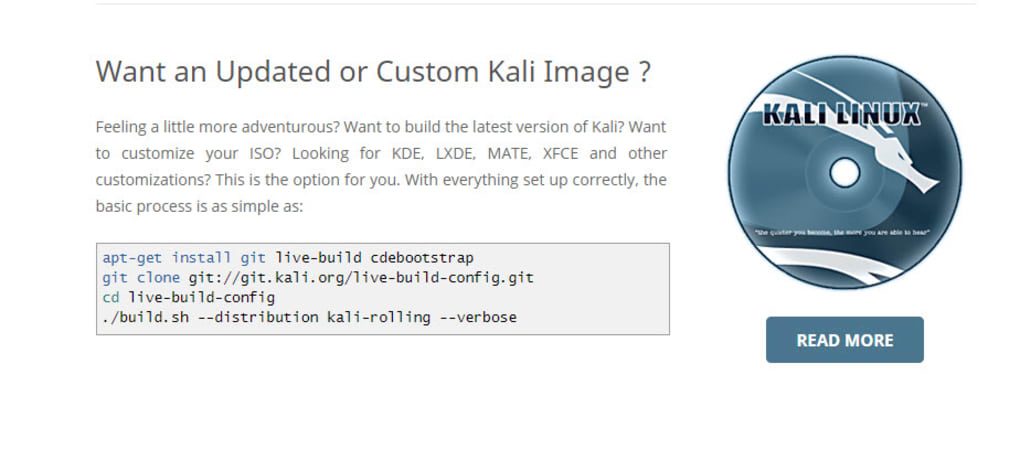
Kali Linux is available for download as an ISO image file. This image can be burned onto a DVD or copied to a USB drive to create a bootable installation media. Users can choose to install Kali onto their computer’s hard drive, or they can run it directly from the bootable media in a “live” session. The live session allows users to test the OS without making any changes to their existing system.
The download process typically involves:
-
Downloading the ISO image: Visit the official Kali Linux website to download the latest ISO image file. Select the appropriate version based on your system’s architecture (32-bit or 64-bit).
-
Creating bootable media: Use a utility like Rufus (for Windows) or Etcher (multi-platform) to create a bootable USB drive or burn the ISO to a DVD.
-
Booting from the media: Restart your computer and boot from the USB drive or DVD. This will start the Kali Linux installation or live session.
-
Installation (Optional): If you choose to install Kali Linux, follow the on-screen instructions. This involves partitioning the hard drive, selecting the installation type, and setting up user accounts.
-
Using the system: Once installed or booted in live mode, navigate through Kali Linux’s command-line interface or use a desktop environment (if selected during installation). Begin exploring the available tools and resources relevant to your security tasks.
Kali Linux employs a rolling release model, meaning it receives regular updates with new features, bug fixes, and security patches. These updates ensure the OS stays current and effective in its security functionalities.
Pros and Cons of Kali Linux
Pros:
-
Free and open-source: Kali Linux is freely available and its source code is open for public review, contributing to transparency and security.
-
Extensive toolset: It offers a vast collection of security tools specifically designed for penetration testing and digital forensics.
-
Regular updates: The rolling release model ensures users have access to the latest features, bug fixes, and security patches.
-
Community support: A strong and active community provides support and resources to users.
-
Customization: It allows for significant customization, enabling users to tailor the environment to their specific needs.
Cons:
-
Steep learning curve: The command-line interface and technical nature of the tools require significant technical expertise.
-
Not suitable for beginners: It’s not a user-friendly OS for novice computer users.
-
Security risks: Improper use can lead to significant security vulnerabilities if not handled responsibly and ethically.
-
Resource intensive: Some tools can be resource-intensive, requiring a powerful computer to run smoothly.
In conclusion, Kali Linux Downloads provides a powerful and versatile platform for penetration testing and digital forensics. While its complexity makes it unsuitable for beginners, those with sufficient technical expertise will find it an invaluable tool for their security endeavors. Remember always to use Kali responsibly and ethically, adhering to legal and ethical guidelines for security research and testing.
File Information
- License: “Full”
- Version: “2017.2”
- Latest update: “January 31, 2023”
- Platform: “Windows”
- OS: “Windows 8.1”
- Downloads: “68.5K”


