
Kalkulator is a powerful scientific and engineering calculator, available as a trial version for Windows. Initially released in 2006, it has garnered over 140,000 downloads, showcasing its enduring appeal among users worldwide. Its versatility extends beyond basic calculations, encompassing a wide array of advanced features rarely found in comparable software. This in-depth review delves into Kalkulator’s capabilities, highlighting its strengths and limitations.
Core Functionality: Beyond Basic Calculations
At its core, Kalkulator functions as a robust scientific calculator, evaluating expressions containing over 100 functions. These functions span various mathematical domains, including trigonometry (and inverse trigonometric functions), logarithmic and exponential functions, statistical distributions, and even Euler’s number calculations. Expressions are entered using standard algebraic notation, simplifying the input process. Calculations are performed immediately, allowing for quick iterative adjustments and recomputations. The results are displayed clearly, with options for modifying or correcting the input expressions at any point.
Beyond the standard scientific functions, Kalkulator includes several essential tools:
-
Unit Conversions: Kalkulator seamlessly handles unit conversions, leveraging an external, user-modifiable file for definitions. This allows for the addition of new units and categories, customizing the calculator to specific needs.
-
Physical Constants: The software incorporates a library of user-definable physical constants loaded from a separate file. This feature provides a convenient repository for frequently used values in scientific and engineering applications.
-
Computer Math: For users working with binary, octal, or hexadecimal systems, Kalkulator provides the necessary functionalities for calculations within these bases.
-
Function Graphs: The ability to generate graphs of functions is a valuable asset, offering a visual representation of mathematical relationships and facilitating data analysis. The algorithm used to determine graph limits has been improved over time to ensure accurate and meaningful visualizations.
Advanced Features: A Powerful Toolkit for Professionals
Kalkulator’s true power lies in its advanced features, making it a valuable tool for scientists, engineers, and anyone requiring sophisticated mathematical operations:
-
Numerical Integration and Differentiation: These capabilities are crucial for solving problems involving areas under curves and rates of change, respectively. Kalkulator provides accurate and efficient methods for performing these calculations.
-
Interpolation: The software offers linear and cubic spline interpolation techniques, allowing users to estimate values between known data points. This is particularly useful when dealing with incomplete datasets or when creating smooth curves from discrete data.
-
Statistics: Kalkulator’s statistical functions are comprehensive, covering mean, standard deviation, histogram generation, and polynomial regression. These features are essential for analyzing and interpreting data sets.
-
Column Operations on Statistical Data: The ability to perform operations on columns of statistical data streamlines the process of data manipulation and analysis, enhancing efficiency in research and analysis projects.
-
Polynomial Roots: Finding the roots of polynomials is a common task in various mathematical applications. Kalkulator provides the necessary tools for efficiently determining these roots.
-
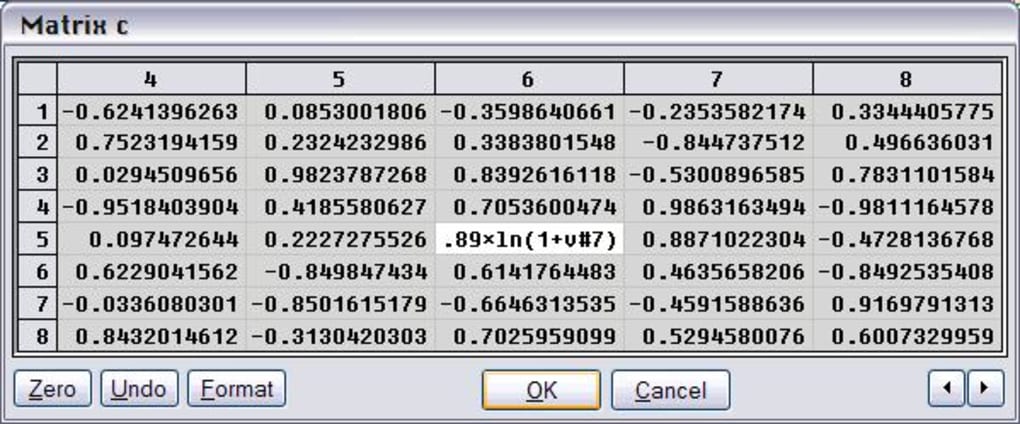
Linear Algebra: Vector and matrix operations, along with solving systems of linear equations, are essential elements in linear algebra. Kalkulator provides support for these operations, making it suitable for a wide range of scientific and engineering applications.
-
Systems of Non-Linear and Differential Equations: These features are particularly advanced, showcasing Kalkulator’s capabilities beyond typical scientific calculators. Solving such systems is vital in numerous fields, including physics, engineering, and economics.
-
Multi-Argument Function Extremum Search: Identifying maximum and minimum values of functions with multiple arguments is crucial in optimization problems. Kalkulator offers this functionality, enhancing its versatility in problem-solving.
-
Point and Histogram Fitting: The ability to fit data points and histograms to arbitrary functions greatly expands the analytical capabilities of the software, allowing for flexible modeling of complex relationships.
User Interface and Accessibility
While the provided screenshots are limited, the description suggests a user-friendly interface designed to be accessible to both novice and expert users. The intuitive algebraic notation for input and the immediate calculation feature facilitate ease of use. The inclusion of a comprehensive help file further enhances usability, allowing users to quickly access information on the various functions and features. Furthermore, the use of balloon hints, which adapt to the user’s preferred font, ensures optimal readability and user experience.
Comparison with Alternative Applications
Kalkulator differentiates itself from simpler calculators like HiPER Calc (a lightweight option) and Excalibur (a full-featured but potentially less user-friendly alternative) through its comprehensive suite of advanced features, especially in numerical analysis and equation solving. While other applications might focus on specific aspects, Kalkulator combines a broad range of functionalities in a single package. This integration makes it a versatile tool applicable to a wider range of scientific and engineering problems. Furthermore, Kalkulator’s long-term evolution and the extensive experience of its developer, spanning over 25 years in numerical methods and software development, suggest a level of refinement and accuracy not always present in less established software.
Platform Compatibility and Availability
Kalkulator is currently available for Windows, having supported Windows 95 and earlier versions. The fact that it continues to be updated, as evidenced by the latest update in 2018, speaks to its continued development and maintenance. While the description mentions potential availability on other platforms, details are limited. The language support is currently English-only, which may limit its accessibility to users in other regions.
Conclusion
Kalkulator stands out as a powerful and versatile scientific and engineering calculator. Its blend of core functionalities, advanced features, and user-friendly interface makes it a compelling choice for a wide range of users, from students to seasoned professionals. The inclusion of features like numerical integration, differentiation, and the ability to solve systems of non-linear equations elevates it beyond typical calculator software. While its availability is currently primarily limited to Windows and English, its extensive feature set and ongoing development suggest it remains a valuable tool for those requiring advanced computational capabilities. The ability to customize aspects like unit conversions and physical constants further adds to its flexibility and bespoke applicability.
File Information
- License: “Trial version”
- Version: “2.50”
- Latest update: “August 17, 2018”
- Platform: “Windows”
- OS: “Windows 98 SE”
- Language: “English”
- Downloads: “142.9K”
- Size: “979.55 KB”


