
Kareo Billing is a medical billing and practice management application designed for physicians and medical practitioners. While it offers a range of features aimed at streamlining billing processes and improving practice efficiency, its performance and customer support have drawn significant criticism. This review delves into the software’s functionalities, benefits, drawbacks, and overall value proposition for small medical practices.
Understanding Kareo Billing’s Core Functionality
Kareo Billing forms a crucial module within the broader Kareo platform, a digital ecosystem crafted for smaller medical practices. Its primary objective is to accelerate the payment cycle for clinicians by automating various stages of the medical billing process. This automation starts with the input of patient demographic data and seamlessly integrates insurance eligibility verification. The software then utilizes smart checks within its billing workflow to facilitate efficient claim submissions and reduce processing delays.
The software’s capabilities extend beyond simple claim submission. Kareo Billing incorporates comprehensive end-to-end claims tracking, providing a detailed overview of the billing process at each stage. This transparency reduces the time patient bills remain in accounts receivable, improving cash flow management for the practice. Users can upload patient information, verify insurance, and track claims all within a centralized interface. This integration reduces manual data entry and minimizes the risk of human error, critical for accurate and timely billing.
Beyond claim management, Kareo Billing also offers robust charge management tools. These tools allow for efficient capture and management of charges, ensuring all billable services are accurately recorded and submitted for reimbursement. The system facilitates the creation of accurate claims, minimizing the chances of rejection due to incomplete or inaccurate information. This integrated approach streamlines the process, reducing administrative burden and potential revenue loss.
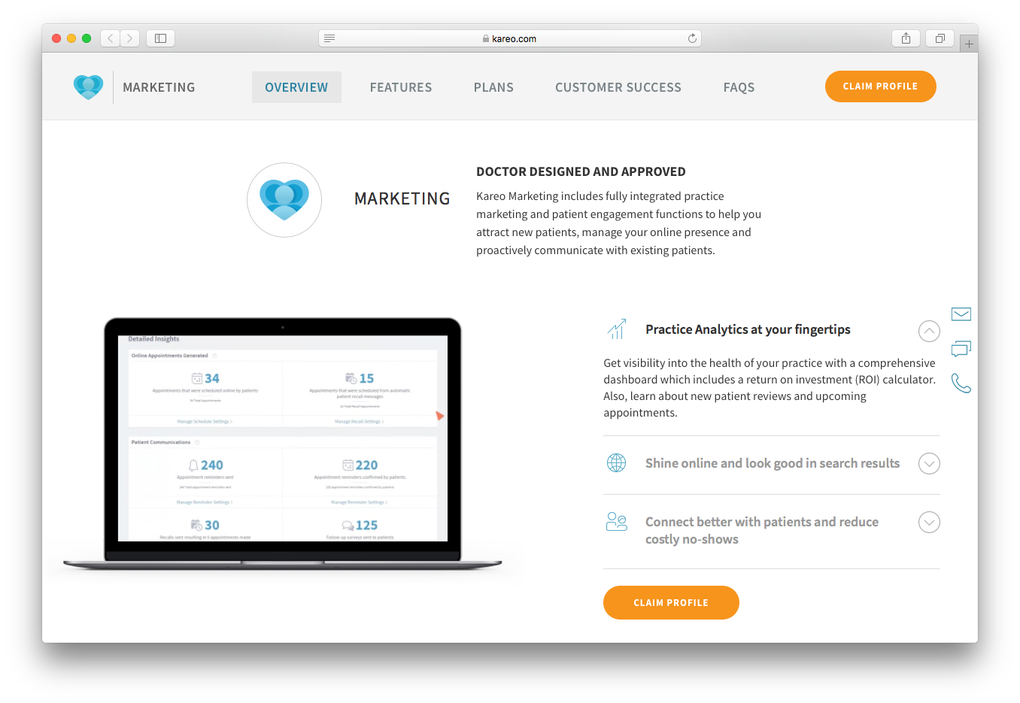
Further enhancing the efficiency of communication within the practice, Kareo Billing features a secure messaging system. This feature enables protected communication between patients, providers, employees, and billers, fostering seamless collaboration and efficient information exchange. The encrypted communication ensures patient privacy and protects sensitive medical data, adhering to HIPAA regulations. This secure messaging feature eliminates the need for separate communication channels, centralizing all interactions within the Kareo platform.
Data Management and Cloud Integration
A key advantage of Kareo Billing is its cloud-based data storage. While the software itself is downloaded and installed on the user’s computer, all inputted data is securely uploaded and stored on the Kareo server. This cloud integration provides several benefits, including data backup and recovery capabilities, remote access to patient data, and enhanced data security. The centralized storage eliminates the risk of data loss due to hardware failure or accidental deletion. Moreover, it allows authorized personnel to access patient information from any location with an internet connection.
However, the reliance on cloud storage also presents potential drawbacks. Internet connectivity is essential for accessing the software and its data. In the event of an internet outage, access to patient records and billing functionalities would be compromised. This dependency highlights the importance of reliable internet access for practices utilizing Kareo Billing. The security of cloud-based data also remains a critical consideration, requiring robust security measures to prevent unauthorized access and data breaches.
Analysis and Reporting Tools
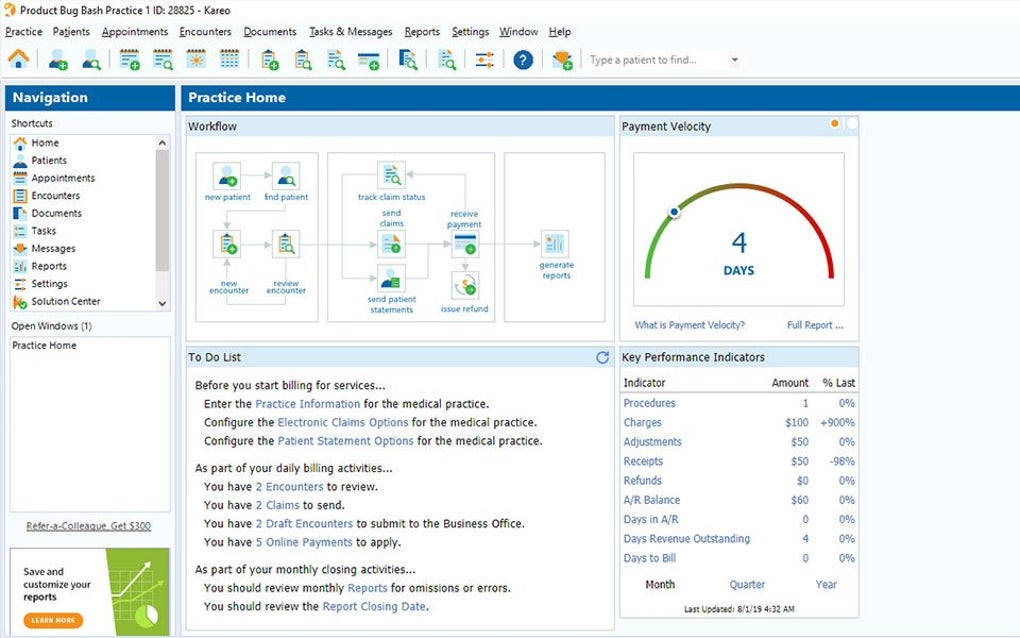
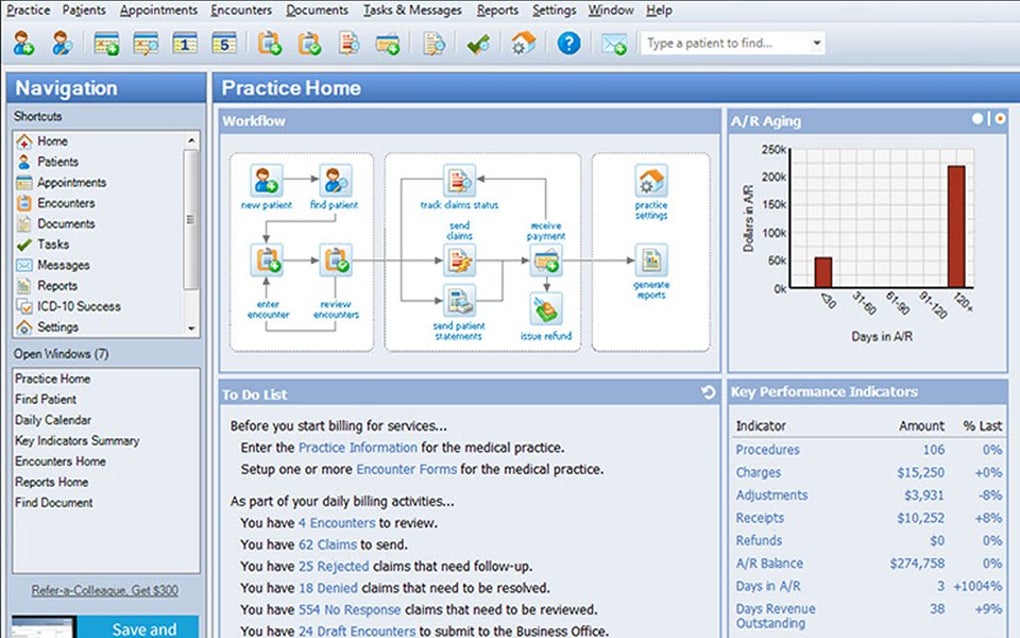
Kareo Billing provides integrated billing analytics, offering valuable financial snapshots and insights into billing and collection activities. These analytics are presented in easily interpretable reports on the software’s dashboard, allowing users to track key performance indicators (KPIs) and identify areas for improvement. The comprehensive reporting capabilities enable practices to monitor their financial health, track revenue cycles, and optimize billing processes for maximum efficiency.
The reporting features provide data-driven insights into various aspects of the billing process, such as claim acceptance rates, average billing cycles, and outstanding balances. This data helps identify potential bottlenecks, improve claim submission practices, and address any financial irregularities promptly. The readily available reports empower users to make informed decisions based on real-time data, enhancing the overall financial management of the practice.
Limitations and Concerns Regarding Kareo Billing
Despite its useful features, Kareo Billing is not without its shortcomings. Several user reports highlight significant issues related to system performance and customer support. A recurring complaint centers on frequent downtime issues, attributed to the software’s outdated platform. These disruptions significantly impact the practice’s workflow, hindering billing processes and potentially causing delays in patient care.
Furthermore, problems with data transfer are frequently cited. These issues include slow transfer speeds, incomplete data uploads, and missing information, all of which can lead to inaccurate billing and delays in reimbursement. The inconsistent data transfer functionality undermines the software’s reliability and reduces the efficiency of the billing process. This unreliability can create significant administrative burdens for medical practices already struggling with tight deadlines and limited resources.
Another serious concern expressed by users revolves around the quality of customer support. Many users report difficulties in receiving timely and effective assistance when encountering technical problems. Representatives are frequently criticized for a lack of follow-up on submitted trouble tickets, leaving users frustrated and unable to resolve crucial issues. The poor customer support further exacerbates the problems stemming from software malfunctions, leaving practices without adequate assistance when needed most.
These limitations raise critical questions about the long-term reliability and viability of Kareo Billing as a medical billing solution. The frequent downtime, data transfer problems, and inadequate customer support can significantly outweigh the benefits of the software’s features. Practices considering Kareo Billing should carefully weigh these drawbacks against the software’s functionalities and their own tolerance for potential disruptions and support challenges.
Is Kareo Billing the Right Choice for Your Practice?
Kareo Billing presents a mixed bag of benefits and drawbacks. For small medical practices seeking to streamline their billing processes and enhance financial management, the integrated billing analytics, secure messaging, and cloud storage capabilities are significant advantages. The automation of key billing tasks can significantly reduce administrative burdens and potentially accelerate reimbursement cycles.
However, the persistent issues with downtime, data transfer, and customer support represent substantial drawbacks. These limitations can disrupt workflows, lead to inaccuracies in billing, and delay revenue collection. The potential for significant downtime alone may be enough to disqualify the software for practices that rely on consistent and reliable billing processes.
The ultimate decision of whether to use Kareo Billing depends on a practice’s specific needs and tolerance for risk. Practices with sufficient technical expertise and a high tolerance for troubleshooting technical issues might find the software’s functionality beneficial. However, practices that require a highly reliable and stable billing system with responsive customer support should seriously consider alternative options. A thorough assessment of the potential benefits and drawbacks, alongside consideration of alternative solutions, is crucial before adopting Kareo Billing. The potential for disruptions and lack of responsive customer support could lead to significant financial and operational challenges.
File Information
- License: “Full”
- Version: “2.0.7704.14894”
- Latest update: “January 31, 2023”
- Platform: “Windows”
- OS: “Windows 7”
- Language: “English”
- Downloads: “7.6K”
- Size: “72.83 MB”


