
Kaspersky TDSSKiller is a free utility designed to detect and remove the TDSS (Rootkit.Win32.TDSS) malware family, a particularly pernicious type of rootkit known for its ability to deeply embed itself within a system’s core functions, making it virtually undetectable by standard antivirus software. Unlike typical viruses or malware that operate on the surface level of the operating system, TDSS rootkits actively modify system files and processes to conceal their presence, hindering the ability of standard security tools to identify and eliminate them. This makes TDSS a significant threat, requiring specialized tools like Kaspersky TDSSKiller for effective removal. This comprehensive guide explores the functionality, strengths, weaknesses, and usage of Kaspersky TDSSKiller, examining why it remains a valuable tool in the fight against persistent malware threats.
Understanding the TDSS Rootkit Threat
Traditional antivirus software operates primarily by detecting known malware signatures or suspicious behaviors. However, TDSS rootkits actively work to evade these detection methods. They achieve this through several sophisticated techniques:
-
System File Modification: TDSS infects critical system files, altering their functionality to conceal the rootkit’s presence and activities. This manipulation can extend to boot loaders, drivers, and other core components of the operating system, making it extremely difficult for standard security scans to identify the infection.
-
Process Hiding: The rootkit can mask its own processes and those of other malicious software it might deploy. This prevents the operating system and security tools from recognizing the malicious activity taking place.
-
Network Manipulation: Some TDSS variants might manipulate network connections, redirecting traffic to malicious servers or hindering communication with legitimate security services.
-
Data Encryption: In certain instances, TDSS may encrypt critical data, holding it hostage for ransom or preventing access to crucial system files.
These advanced techniques render many standard antivirus and anti-malware programs ineffective. The rootkit’s deep integration into the system means that a simple scan often fails to detect it, leaving the infected system vulnerable to further compromise and data loss.
Kaspersky TDSSKiller: A Targeted Solution
Kaspersky TDSSKiller is a specialized tool explicitly designed to address the challenges posed by the TDSS rootkit. It employs a different approach than traditional antivirus software:
-
Heuristic Analysis: Rather than solely relying on signature-based detection, TDSSKiller uses heuristic analysis, identifying malicious behaviors and patterns even if they are novel or previously unknown. This allows the utility to detect and neutralize variations of the TDSS rootkit that might evade traditional signature-based detection.
-
Deep System Scanning: The tool performs a thorough scan of the entire system, examining even the deepest system levels, where the rootkit often hides its malicious code.
-
Targeted Removal: Upon identifying TDSS components, the utility proceeds to remove them effectively. This process includes not just removing malicious files but also restoring modified system files to their original, uncorrupted states.
-
Safe Mode Compatibility: TDSSKiller can operate even in Safe Mode, a critical feature because the rootkit might prevent the tool from running normally. This functionality is vital for dealing with deeply entrenched infections that interfere with the regular boot process.
Essentially, Kaspersky TDSSKiller is a powerful tool designed to perform targeted remediation against known TDSS variants, neutralizing them without requiring a full system reinstallation, thereby saving time and effort.
Using Kaspersky TDSSKiller: A Step-by-Step Guide
The software’s straightforward interface makes it relatively easy to use, even for users without extensive technical expertise. Here’s a general guide:
-
Download and Run: Download the latest version of Kaspersky TDSSKiller from a trusted source (like the official Kaspersky website). Run the executable file directly; installation is not required.
-
Scan Options: The software presents options for various scan types. A quick scan might suffice for a relatively clean system, while a full scan is recommended for suspect systems. Choose the appropriate scan option based on the level of suspected infection.
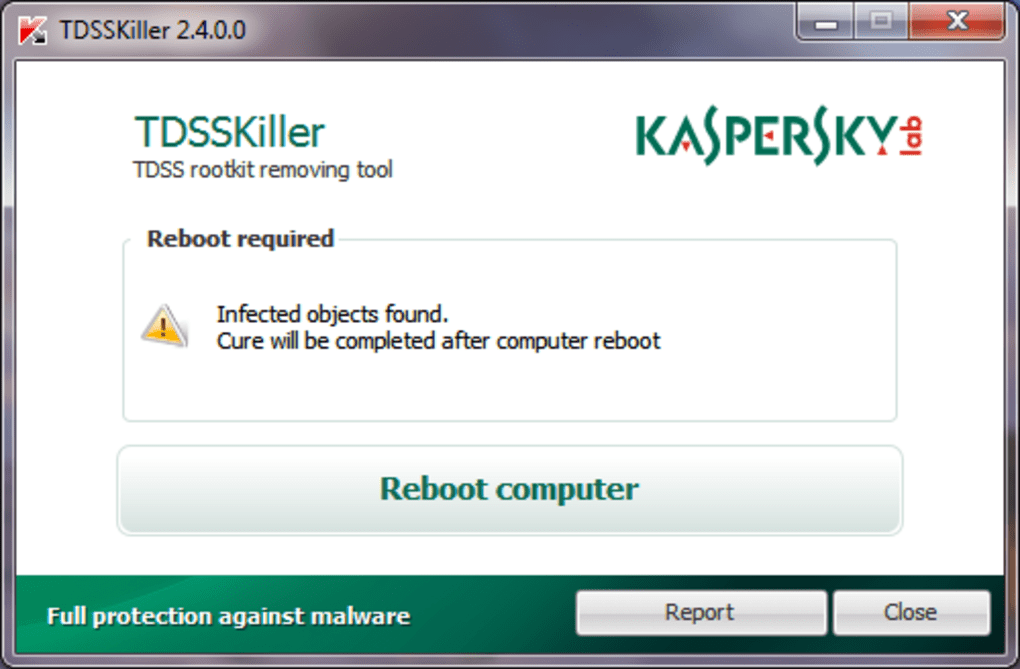
- Scan Initiation: Once you’ve selected the scan type, initiate the scan. The scan time will depend on the system’s speed and the scan option selected.
-
Results Review: After the scan, the software presents a detailed report listing all detected threats, along with information on the type and location of each threat.
-
Removal: Confirm that the identified threats are indeed malicious, then initiate the removal process. The software will remove the detected threats, restoring potentially modified system files.
-
System Reboot: A system reboot might be required to complete the removal process. This ensures that all changes are properly implemented and that the rootkit is fully eradicated.
Note: While the interface is user-friendly, technical understanding is still beneficial, particularly in deciphering the report and making informed decisions about threat removal.
Strengths and Weaknesses of Kaspersky TDSSKiller
Kaspersky TDSSKiller offers several key advantages:
-
Effectiveness: The software has a proven track record of successfully detecting and removing TDSS rootkits, which standard antivirus often fail to do.
-
Ease of Use: Its straightforward interface makes it accessible even to users lacking in-depth technical knowledge.
-
Free Availability: The software is freely available, eliminating the need for purchasing expensive specialized rootkit removal tools.
-
No Installation Required: The utility runs directly from the executable file, making it ideal for troubleshooting infected systems where installation might be blocked.
-
Safe Mode Compatibility: The ability to run in Safe Mode is crucial for dealing with deeply entrenched infections that might prevent the tool from operating normally.
Despite these strengths, Kaspersky TDSSKiller also has some limitations:
-
Limited Scope: The software focuses primarily on TDSS rootkits, and it might not detect or remove other types of malware. It shouldn’t be considered a replacement for a comprehensive antivirus solution.
-
Lack of Real-time Protection: TDSSKiller is a remediation tool, not a real-time security application. It only scans for and removes malware; it does not prevent future infections.
-
Online Help: The absence of a built-in help file could pose a challenge for users who encounter difficulties.
Conclusion: Kaspersky TDSSKiller’s Role in Cybersecurity
Kaspersky TDSSKiller is an indispensable tool in the fight against persistent malware. Its specialized design and effectiveness against the difficult-to-remove TDSS rootkit makes it a valuable asset in situations where conventional security solutions fail. However, it is essential to understand its limitations and use it in conjunction with a robust antivirus and anti-malware strategy. While it effectively targets and removes TDSS, it’s not a replacement for a full security suite, but rather a specialized tool for addressing persistent rootkit infections when needed. Always ensure you download the software from trusted sources to avoid inadvertently downloading malicious imitations. A proactive approach to cybersecurity, incorporating regular system updates, safe browsing habits, and the use of comprehensive security software, remains crucial in preventing infections in the first place.
File Information
- License: “Free”
- Latest update: “May 23, 2023”
- Platform: “Windows”
- OS: “Windows 8”
- Language: “English”
- Downloads: “165.2K”
- Size: “4.96 MB”


