
Kdenlive is a powerful, open-source non-linear video editor that offers a robust feature set for both amateur and professional video creators. While its learning curve might initially deter novice users, the rewards of mastering this versatile tool are substantial, enabling the creation of high-quality videos with a wide range of effects and capabilities. This comprehensive guide delves into the intricacies of Kdenlive, exploring its strengths, weaknesses, and the overall user experience.
A Feature-Rich Environment for Video Editing
One of Kdenlive’s most significant strengths lies in its extensive feature set. Unlike simpler video editors that focus on basic cuts and transitions, Kdenlive provides a comprehensive array of tools catering to advanced editing techniques. These features empower users to create professional-looking videos, even without extensive prior experience in video editing software. The software supports a wide variety of media formats, ensuring compatibility with most video and audio files, regardless of their origin or compression method. This broad compatibility minimizes the need for time-consuming format conversions, streamlining the workflow and allowing users to focus on the creative aspects of video production.
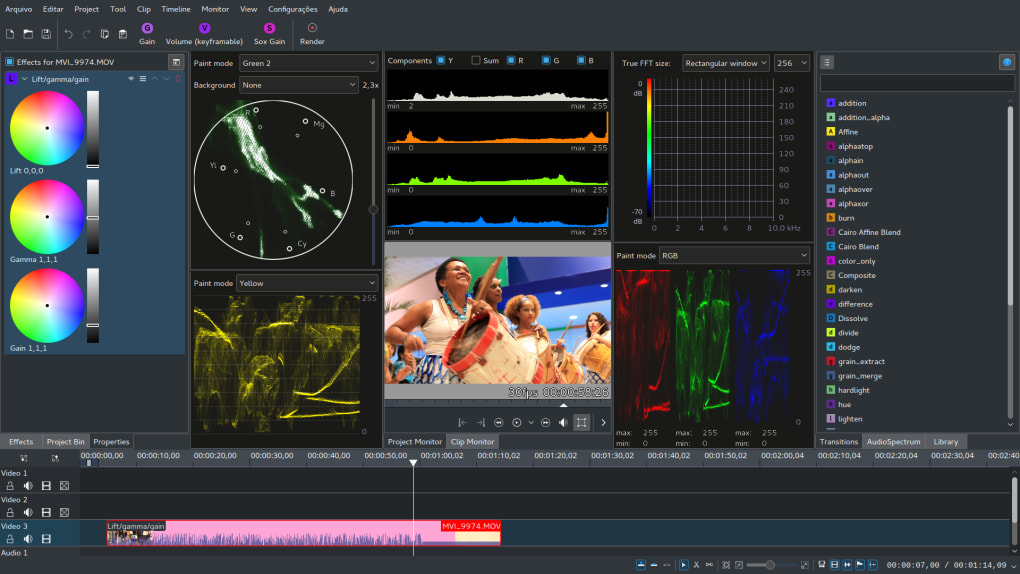
Kdenlive’s strength extends beyond simple editing. The program’s robust effects engine allows for sophisticated manipulation of video clips and audio tracks. Users can easily add transitions, adjust color grading, apply filters, and incorporate a range of special effects, including cartoon-like effects that can add a unique stylistic flair to projects. This creative flexibility caters to a wide spectrum of creative visions, from documentary-style edits to more stylized and experimental video art. The inclusion of a large collection of open-source plugins further enhances Kdenlive’s capabilities, offering users the chance to expand the software’s functionality according to their specific requirements. These plugins, often developed by the active Kdenlive community, provide access to specialized tools and effects that are not built into the core application.
Mastering the Interface: A Learning Curve to Conquer
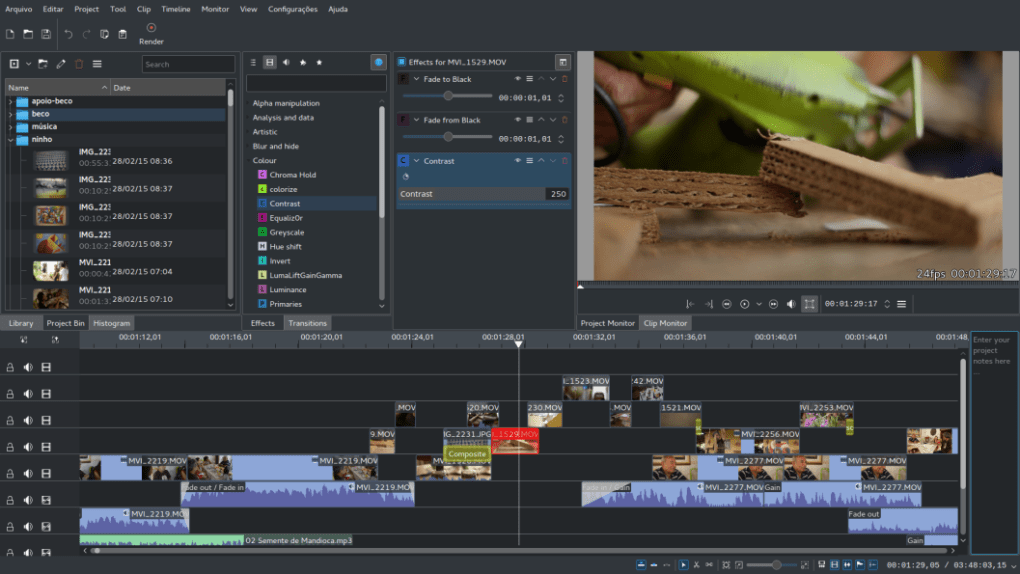
While Kdenlive’s feature richness is a significant advantage, it also presents a steeper learning curve compared to more user-friendly video editors. The interface, while powerful, can feel initially overwhelming to new users. The abundance of tools and options requires time and dedication to fully understand and utilize effectively. This can be a significant barrier to entry for those seeking a quick and easy video editing solution.
Navigating the timeline, understanding the various effects panels, and mastering keyboard shortcuts all require practice and patience. However, this investment in time and effort is rewarded with a flexible and powerful editing environment. Kdenlive’s interface, while complex, is also highly customizable, allowing users to tailor the workspace to their specific needs and preferences. This level of customization can significantly improve the editing workflow once users become comfortable with the software. Numerous online resources, including tutorials, forums, and documentation, are available to assist users in navigating the complexities of Kdenlive’s interface, providing ample support to overcome the initial learning curve.
Performance and Stability: A Balancing Act
The performance of Kdenlive can vary depending on the system’s specifications and the complexity of the projects being edited. While generally stable, users may experience slowdowns or occasional crashes when working with very high-resolution video footage or complex projects with numerous effects and transitions. This is particularly true for users with older or less powerful hardware. However, Kdenlive’s developers are continuously working to improve performance and stability, and updates frequently address performance-related issues.
The occasional slowdowns can be attributed to the software’s resource-intensive nature, particularly when handling large video files and computationally demanding effects. Optimizing project settings and using proxies (lower-resolution versions of the footage) can help mitigate performance bottlenecks. Furthermore, ensuring the system meets the recommended hardware requirements is crucial for a smooth and efficient editing experience. This involves having sufficient RAM, a fast processor, and a dedicated graphics card.
A Community-Driven Project: Open Source Advantages
Kdenlive’s open-source nature is a significant aspect of its identity and contributes to its strengths and weaknesses. The open-source development model allows for continuous improvement and adaptation based on user feedback and contributions from the community. This collaborative development process ensures the software receives regular updates, bug fixes, and new features. The active and engaged community offers a valuable source of support for users, providing assistance and sharing knowledge through forums, online tutorials, and collaborative documentation.
This collaborative aspect fosters transparency and allows users to scrutinize the code and contribute to its development. However, the open-source nature can also mean that updates may not always be as frequent or polished as those of commercially developed software. The reliance on community contributions can lead to variations in the quality of support and documentation.
Comparison with Alternative Video Editors
Kdenlive stands out in its focus on a powerful, feature-rich environment for video editing. While it offers significant advantages in terms of capabilities and customization, the steep learning curve and occasional performance issues distinguish it from other options on the market. Simpler video editors, such as OpenShot, offer a more user-friendly interface and a gentler learning curve, making them suitable for users who prioritize ease of use over a comprehensive feature set.
On the other hand, professional-grade video editors like Adobe Premiere Pro and DaVinci Resolve offer an even more extensive range of advanced features, superior performance, and better integration with other professional tools. These professional-grade applications, however, come with a significant price tag and an even steeper learning curve. Kdenlive, therefore, occupies a unique niche, bridging the gap between user-friendly consumer-level editors and expensive professional-grade software. Its open-source nature and extensive feature set make it an attractive option for users who are willing to invest the time and effort required to master its intricacies.
In conclusion, Kdenlive presents a compelling option for video creators seeking a powerful, flexible, and free video editing solution. While its learning curve can be challenging and its performance can be affected by project complexity, the rewards of mastering this open-source editor are significant. The vast array of features, coupled with the active community support, make Kdenlive a worthy consideration for both amateur and professional video editors. The choice ultimately depends on the individual user’s needs and technical proficiency, weighing the benefits of a feature-rich environment against the time investment required to fully utilize its potential.
File Information
- License: “Free”
- Latest update: “May 24, 2023”
- Platform: “Windows”
- OS: “Windows 7”
- Language: “English”
- Downloads: “28.2K”
- Size: “97.29 MB”


