
KeepVid is a versatile Android application designed for editing, compressing, and converting video and audio files. Boasting over 100 million downloads worldwide, it’s a popular choice among Android users for its ease of use and comprehensive feature set. This in-depth guide will explore KeepVid’s functionality, its advantages and disadvantages, and its place within the broader landscape of Android multimedia applications.
KeepVid’s Core Functionality: Beyond Simple Downloads
KeepVid transcends the limitations of a simple video downloader. While it excels at retrieving videos from various platforms like YouTube, Vimeo, Dailymotion, and Facebook, its capabilities extend significantly further. It functions as a robust video and audio editor, download manager, and converter, all integrated within a single, user-friendly interface. This all-in-one approach streamlines the process of acquiring, modifying, and managing multimedia content on your Android device.
The app’s download manager allows for easy organization and storage of downloaded files. This feature is particularly valuable for users who regularly download videos or audio for offline viewing. The ability to download videos with a single click makes the process incredibly efficient. Furthermore, KeepVid’s compatibility with numerous websites ensures that users have access to a wide variety of content.

KeepVid: Features and Capabilities Deep Dive
KeepVid offers a surprisingly extensive range of features, making it a powerful tool for both casual and more serious users. Let’s break down some of its key capabilities:
Video and Audio Conversion: Seamless Format Transitions
KeepVid’s strength lies in its ability to seamlessly transcode between multiple video and audio formats. This eliminates the compatibility issues often encountered when dealing with diverse media files. Regardless of the original format or quality, KeepVid can play and convert virtually any media file, offering users flexibility in managing their digital content. The ability to choose the output format and quality allows for customization to suit individual needs and device storage limitations. This feature is crucial for ensuring compatibility with various devices and applications.
Intuitive Editing Suite: From Basic Trimming to Advanced Effects
The integrated video editor is surprisingly robust. Users can perform basic edits like trimming, cropping, and reordering clips. More advanced options include adding customized text, watermarks, and various visual effects. The editor also allows for the creation of GIFs and slideshows, expanding the creative possibilities within the application. This editing suite, coupled with the conversion tools, allows for comprehensive management of video content within a single application, minimizing the need for multiple apps.
Download Management and Organization: Keep Your Files Tidy
KeepVid’s download manager efficiently handles multiple downloads simultaneously, allowing for batch downloading of videos and audio. The application is designed to be lightweight, ensuring it doesn’t significantly impact device performance, even during simultaneous downloads and edits. This optimized performance allows for smooth and efficient management of your multimedia library.
Direct Recording to Desktop: Seamless Content Transfer
One of KeepVid’s unique features is the ability to record videos directly to the desktop. This eliminates the need for manual file transfers and simplifies the process of accessing downloaded content. By simply opening the recording sidebar and clicking “record,” users can seamlessly transfer online media onto their desktop for easy access and organization.
Audio Editing and Enhancement: More Than Just Videos
KeepVid’s functionality extends beyond video; it includes a “Music Tag Editor” for easily correcting missing album or track information within audio files. This seemingly small feature significantly improves the organization and metadata of music libraries. While the app doesn’t directly source music downloads (it recommends services like Pandora and Apple Music for legal and licensed content), this tagging feature is helpful for managing downloaded audio from other sources. Users can leverage YouTube’s vast library of royalty-free audio tracks, download them using KeepVid, and then use the editor to customize and organize the files.
Why Choose KeepVid? Advantages and Considerations
KeepVid stands out from its competitors due to its combination of features and ease of use. Let’s analyze its advantages and drawbacks:
Advantages: A Powerful Multimedia Toolkit
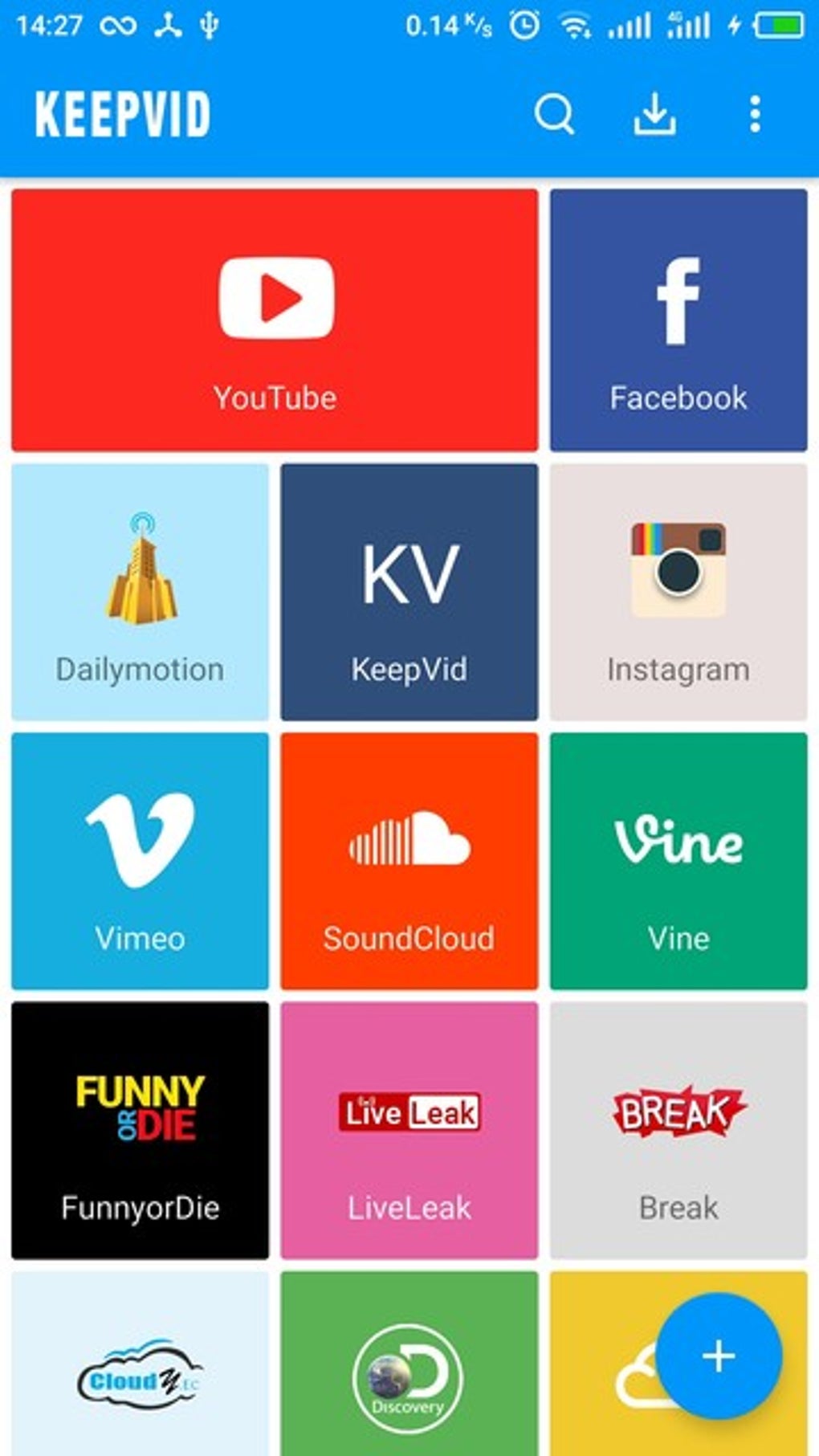
- Intuitive Interface: KeepVid’s user-friendly interface makes it accessible to users of all technical skill levels. The streamlined design reduces the learning curve, allowing users to quickly master the application’s various features.
- Fast Downloads and Edits: KeepVid is designed for speed. Downloads and edits are processed quickly, minimizing waiting times and maximizing efficiency.
- Legal Compliance: KeepVid itself is a legal application. However, users are responsible for ensuring that they only download and utilize content that is legally accessible and does not infringe on copyright laws. The app explicitly recommends legal music streaming services and highlights the availability of copyright-free audio on platforms like YouTube.
- Efficient File Management: KeepVid streamlines the management of video and audio files. The integrated download manager and editing tools make it easy to organize and maintain a well-structured multimedia library.
- Cross-Platform Compatibility (Limited): While the core focus is Android, the availability of KeepVid on other platforms (information limited in provided text) enhances its versatility for users with multiple devices. This cross-platform functionality allows for seamless syncing of accounts and content across various devices.
Disadvantages: Points for Improvement
- Java Requirement: A notable drawback is the requirement for Java to be installed on the device. This might pose a challenge for some Android users, particularly those on older or less customized versions of the operating system.
- Potential for Interface Clutter (User Reports): Some users have reported that the additional toolbars and features can lead to a cluttered interface, potentially impacting the user experience for those accustomed to more minimalist designs.
KeepVid APK for Android: Installation and Usage
The KeepVid APK for Android can be downloaded directly from the official website (link not provided in source text). The installation process is typically straightforward, involving downloading the APK file and then installing it directly onto the Android device. Always ensure that you download from trusted sources to avoid security risks. Once installed, the intuitive interface allows users to navigate and use the various features with relative ease.
Conclusion: KeepVid’s Value Proposition
KeepVid presents a compelling value proposition for Android users seeking a versatile multimedia tool. Its comprehensive feature set, encompassing downloading, editing, and converting video and audio, makes it a powerful application for various needs. The ease of use, combined with the speed of downloads and edits, solidifies its position as a strong contender in the crowded Android multimedia app market. While the Java requirement and potential interface clutter are noteworthy considerations, the overall functionality and benefits of KeepVid significantly outweigh these drawbacks for many users. It remains a highly effective tool for anyone looking to simplify their management of video and audio content on their Android device.
File Information
- License: “Free”
- Version: “3.1.3.3”
- Latest update: “August 11, 2021”
- Platform: “Android”
- OS: “Android 7.0”
- Language: “English”
- Downloads: “124.9K”
- Size: “11.10 MB”
- Download Options: “APK, Google Play”
- Filename: “keepvid-video-downloader-3-1-3-3.apk”


