
Kerio Control VPN Client (64-bit) is a trial version software application developed by Kerio Technologies for the Windows operating system. Categorized as a firewall, its primary function is to establish secure Virtual Private Network (VPN) connections, bolstering network security and enabling secure remote access. This review delves into its features, performance, security aspects, and overall user experience, providing a comprehensive assessment of its capabilities and limitations.
Feature Overview: Robust Security and Secure Connectivity
The Kerio Control VPN Client (64-bit) distinguishes itself through its robust security features and ability to create secure VPN connections. It goes beyond basic VPN functionality, integrating firewall protection to create a multi-layered security approach. This integrated approach offers users a comprehensive solution for safeguarding their network communications and data. The software’s strength lies in its capacity to establish encrypted tunnels between the user’s device and the Kerio Control server, ensuring confidentiality and integrity of transmitted data. This is particularly valuable for users working remotely, accessing sensitive data, or navigating public Wi-Fi networks.
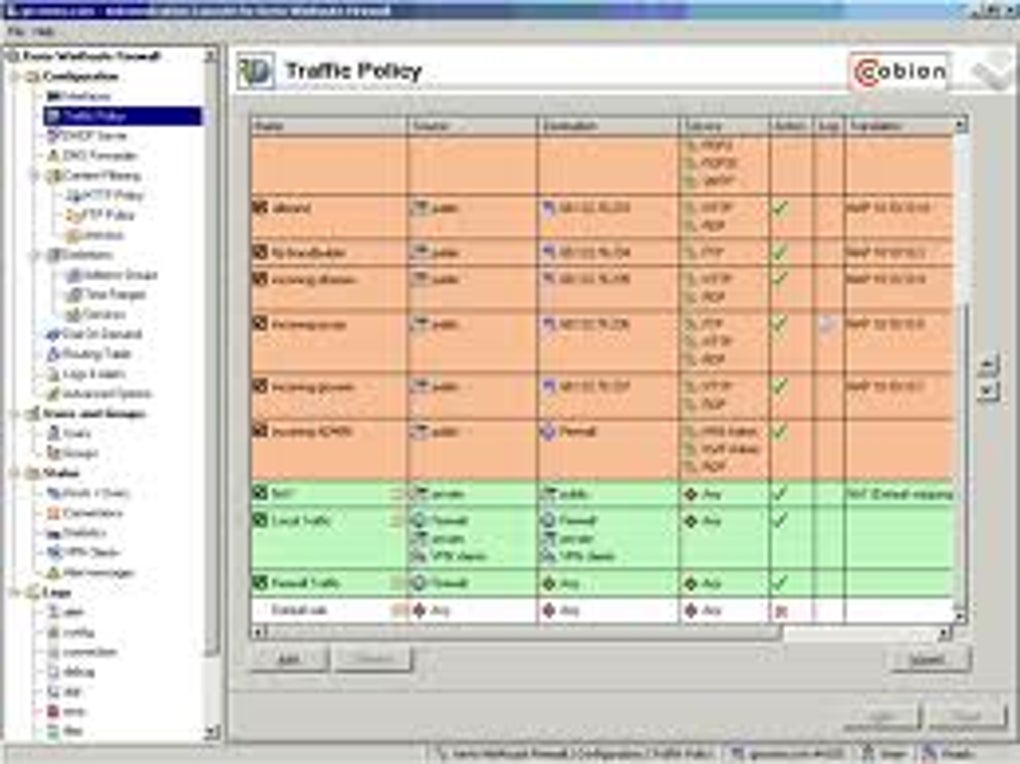
The software’s core functionality centers around establishing and maintaining secure VPN connections. This involves the negotiation of secure encryption protocols, authentication processes, and the management of network traffic routing. The user interface, while not overly complex, provides sufficient controls for managing the VPN connection, including the ability to connect, disconnect, and view connection status information. Crucially, the seamless integration of firewall protection enhances security by preventing unauthorized access and malicious activities.
Performance and User Experience: A Balanced Approach
The Kerio Control VPN Client (64-bit) demonstrates a balanced approach to performance and user experience. While providing a robust security solution, it generally avoids imposing significant performance overheads on the user’s system. This is crucial for maintaining productivity, especially for users relying on the VPN for daily tasks. The impact on system resources, such as CPU usage and memory consumption, is typically minimal during normal operation. However, performance may be slightly affected depending on network conditions and the volume of data being transferred. In high-bandwidth scenarios, users might experience a minor reduction in speed, a trade-off for the enhanced security provided by encryption.
The user interface is straightforward and intuitive, allowing even less tech-savvy users to establish and manage their VPN connection with ease. The design avoids unnecessary complexity, presenting only essential options and information in a clear and concise manner. This streamlined approach contributes to a positive user experience, minimizing the learning curve and making the software accessible to a wider range of users. While not visually striking, the interface is functional and effectively conveys the necessary information. The installation process is smooth and uncomplicated, requiring minimal user intervention.
Security Analysis: A Multi-Layered Defense
The Kerio Control VPN Client’s security prowess stems from its multi-layered approach. The foundation of this security is the VPN connection itself, which encrypts data transmitted between the user’s device and the network. This encryption prevents eavesdropping and unauthorized access to sensitive data. The software further enhances security by integrating a robust firewall that monitors and controls network traffic. This feature filters out malicious connections and prevents unauthorized access attempts, providing an additional layer of defense against cyber threats. The combination of VPN encryption and firewall protection constitutes a strong security posture for users.
Furthermore, the software’s regular updates ensure that the client remains protected against the latest threats and vulnerabilities. These updates incorporate security patches and improvements, keeping the client in line with current best practices for network security. Users should make it a priority to regularly update the software to maintain its effectiveness against evolving security threats.
Alternatives and Comparisons: A Competitive Landscape
While Kerio Control VPN Client (64-bit) offers a robust solution, it’s beneficial to consider available alternatives. Several other VPN clients and firewall applications exist, each with its unique strengths and weaknesses. Some competitors may focus on specific features, such as enhanced speed, superior anonymity, or specialized security protocols. Users should assess their individual needs and preferences when comparing solutions. Factors to consider include the level of security required, ease of use, performance impact, and the availability of customer support.
The choice between Kerio Control VPN Client and alternative solutions often hinges on specific requirements and priorities. If seamless integration with Kerio Control infrastructure is paramount, then this client is a natural choice. However, users with different requirements may find other options more suitable. Direct comparisons require detailed consideration of each application’s features, security mechanisms, performance, and price point.
Conclusion: A Reliable Security Solution
The Kerio Control VPN Client (64-bit) emerges as a reliable and secure solution for users requiring a robust VPN connection combined with firewall protection. Its strengths lie in its integrated approach, straightforward user experience, and generally good performance. The multi-layered security measures provide substantial protection against various cyber threats, especially for users accessing sensitive data or working remotely. While some minor performance compromises may be experienced in high-bandwidth situations, the overall benefits in security and ease of use often outweigh this trade-off. However, users should always evaluate available alternatives and choose the solution best suited to their individual requirements and budget. The trial version provides a valuable opportunity to assess its functionality before committing to a full license. The regular updates contribute significantly to the software’s ongoing security posture, ensuring its continued effectiveness in a constantly evolving threat landscape. Ultimately, this software offers a solid foundation for securing network communications and data, a critical aspect in today’s increasingly digital world.
File Information
- License: “Trial version”
- Version: “9.3.4”
- Latest update: “May 16, 2024”
- Platform: “Windows”
- OS: “Windows 2000”
- Downloads: “5.5K”
- Size: “10.45 MB”


