
In the vast and ever-evolving landscape of networking software, certain tools carve out a niche for themselves, becoming fixtures for specific user bases or historical reference points. The Kerio VPN Client is one such program, a noteworthy, free application designed for Windows that primarily facilitates secure remote access. Developed by Kerio, a company recognized for its contributions to internet security and unified communications, this client has served as a reliable, albeit foundational, solution for establishing Virtual Private Network connections.
Initially gaining traction for its simplicity and direct functionality, the Kerio VPN Client offered a straightforward path to secure remote connectivity. While the digital world has since advanced dramatically, introducing a plethora of sophisticated VPN services and protocols, understanding the Kerio VPN Client provides valuable insight into the evolution of secure networking and the enduring demand for reliable remote access tools. This article delves into the specifics of the Kerio VPN Client, exploring its features, historical context, advantages, and the considerations users should bear in mind, especially in today’s highly dynamic cybersecurity environment.
Unpacking the Essentials: What is Kerio VPN Client?
At its core, the Kerio VPN Client is a dedicated software application that enables users to connect to a Kerio VPN server, thereby creating a secure, encrypted tunnel over an unsecured network, such as the internet. This process is fundamental to the concept of a Virtual Private Network (VPN), which essentially extends a private network across a public network. For individuals or organizations needing to access internal resources, communicate securely, or simply ensure privacy while browsing, a VPN acts as an indispensable digital shield.
The client falls under the broader category of “Networking software,” with a specific classification in “Remote access.” This designation highlights its primary purpose: to provide authorized users with the ability to connect to and operate on a private network from a geographically distant location. For instance, a remote employee could use the Kerio VPN Client to securely log into their company’s internal server, access shared drives, or use internal applications as if they were physically present in the office. This capability has been, and continues to be, crucial for business continuity, flexible work arrangements, and secure data handling across distributed teams.
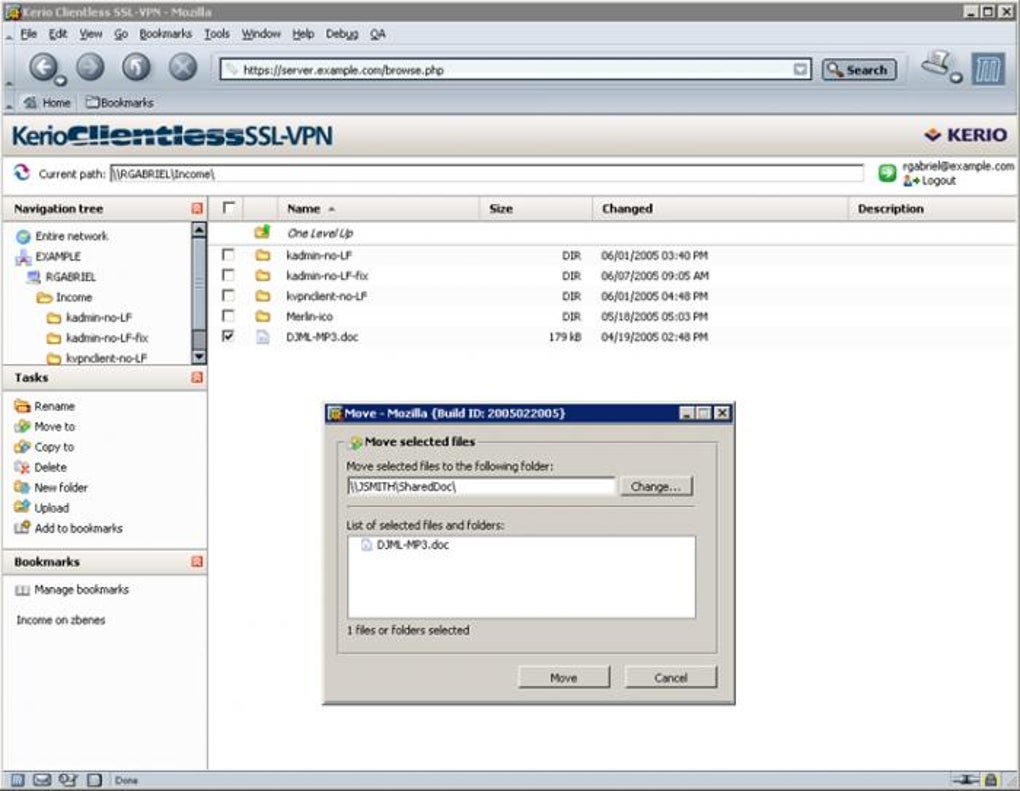
Kerio Technologies, the developer behind this client, has a long-standing reputation for producing robust security and communication products. Their suite of offerings typically includes firewalls, unified threat management (UTM) solutions, and email collaboration tools, all designed to secure network perimeters and facilitate efficient digital communication. The Kerio VPN Client, therefore, emerged as a complementary component to their broader ecosystem, particularly designed to integrate seamlessly with Kerio Control, their comprehensive firewall and UTM solution. This integration ensures that the client-server architecture operates harmoniously, providing a cohesive and manageable VPN infrastructure for businesses and individuals alike.
The significance of a tool like the Kerio VPN Client, even in its historical context, lies in its ability to abstract the complexities of network security. Instead of requiring users to understand intricate encryption protocols or network configurations, the client provides a user-friendly interface that simplifies the connection process. This accessibility democratized secure remote access, making it feasible for a wider range of users, from IT professionals managing corporate networks to individuals seeking a private connection to their home network. Its role as a free solution further lowered the barrier to entry, making secure connectivity available without an upfront financial investment for the client software itself.
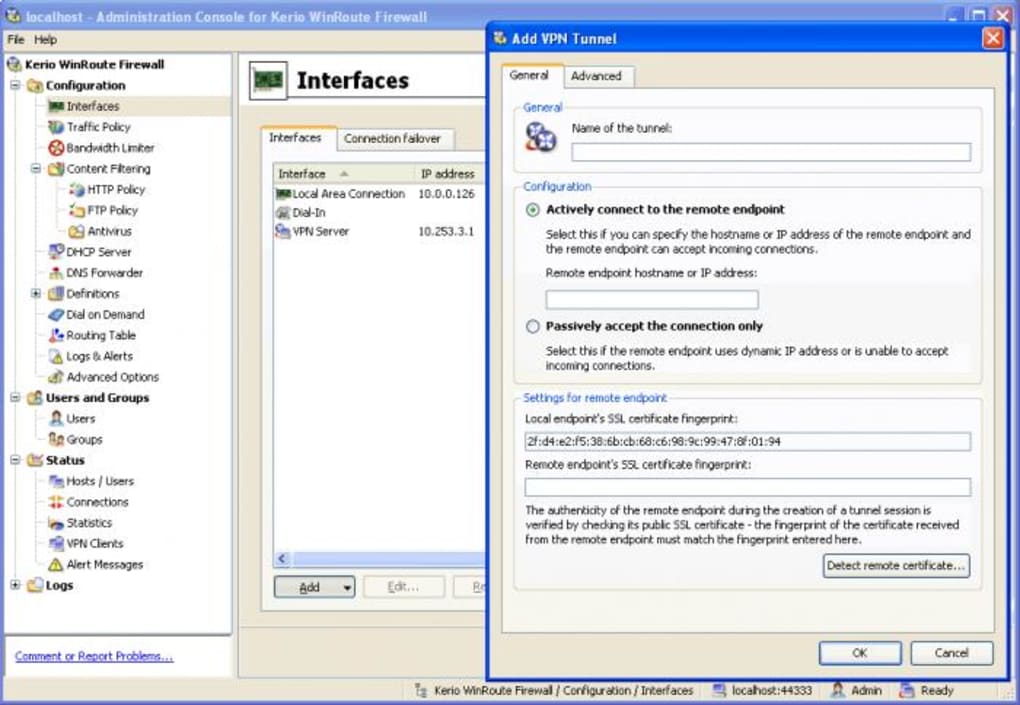
Key Features and Specifications
Understanding the specific attributes of the Kerio VPN Client provides a clearer picture of its capabilities and its place within the historical context of VPN technology. While its last known update dates back to June 19, 2012, its specifications reveal a tool built for a particular era of computing, yet with design principles that remain relevant.
Lightweight Design and Performance
One of the standout characteristics of the Kerio VPN Client is its remarkably lightweight footprint. The provided information highlights that it “is a light software that will require less storage space than many software in the category Networking software.” With a reported size of just 7.98 MB, it exemplifies efficiency in software design. This minimal resource consumption carries several significant advantages:
- Faster Installation: A small file size translates to quick downloads and rapid installation processes, reducing downtime and getting users connected faster.
- Reduced System Impact: Lightweight applications are less demanding on system resources, including RAM and CPU. This is particularly beneficial for older computers or systems with limited hardware specifications, ensuring that the VPN client doesn’t unduly burden the operating system or other running applications.
- Portability: Its small size makes it easy to distribute, whether through network drives, email, or USB sticks, facilitating quick deployment across multiple machines in an organizational setting.
- Stability: Often, simpler, lighter software tends to be more stable and less prone to conflicts with other programs, contributing to a smoother user experience.
In an era where software bloat can often lead to sluggish performance, the Kerio VPN Client’s lean design philosophy was a commendable attribute, prioritizing functionality over feature abundance, and ensuring accessibility even on less powerful hardware.
Platform Compatibility and Language Support
The Kerio VPN Client was designed with a clear target audience in mind, specifically users operating on earlier versions of Windows. It is “available for users with the operating system Windows 2000 and former versions.” This detail is crucial for understanding its historical positioning. While Windows 2000 is now an archaic operating system, this compatibility meant that the client was a viable solution for many businesses and individuals who were running legacy systems at the time of its active development and popularity.
The implications of this specific compatibility are multifold:
- Legacy System Support: For organizations that, for various reasons (e.g., proprietary software dependencies, regulatory compliance, budget constraints), could not immediately upgrade their operating systems, the Kerio VPN Client offered a lifeline for secure remote access.
- Limited Modern OS Support: Conversely, this also means that the client may face compatibility issues or lack optimal performance on contemporary Windows versions (Windows 7, 8, 10, 11) without compatibility mode settings or workarounds. Modern OS architectures and security protocols have evolved significantly, potentially rendering older VPN clients less effective or even insecure.
In terms of language, the client is “only available in English.” While this is common for many software applications, it means that users whose primary language is not English would need to navigate the interface in a secondary language, which might present a minor usability hurdle for some.
Licensing and Accessibility
A major draw of the Kerio VPN Client is its licensing model: it is a “free program.” This “Free” status is a significant advantage, particularly for individual users or small businesses with limited budgets for networking infrastructure. Free software lowers the financial barrier to implementing secure remote access, making it an attractive option for those who need basic VPN functionality without recurring subscription costs or upfront purchase fees.
However, the “free” designation also comes with certain implicit considerations:
- Support Model: Free software typically offers community-based support rather than dedicated commercial support channels. This can mean slower resolution times for issues or reliance on user forums for troubleshooting.
- Feature Set: While robust for its intended purpose, free clients often do not possess the advanced features found in commercial VPN solutions, such as multiple protocol options (e.g., WireGuard, IKEv2), split tunneling, kill switches, or extensive global server networks.
- Update Cadence: As evidenced by its last update date, free projects or older software may not receive regular updates, which can be a critical concern for security.
Historical Footprint and User Adoption
The provided data offers a snapshot of the Kerio VPN Client’s historical popularity:
- It accumulated “39,219 downloads” since its addition to the PhanMemFree.org catalog in 2012.
- In the week prior to the data collection, it “gained 46 installations.”
- Its popularity was notable in specific regions, being “often downloaded in countries such as Islamic Republic Of Iran, Indonesia, and United Kingdom.”
These figures, while dated, indicate a solid level of adoption and perceived value during its more active period. The geographical distribution of its downloads might suggest particular regional needs for secure remote access or the prevalence of Kerio’s broader networking solutions in those areas. The consistent, albeit modest, weekly installations even years after its last update suggest a lingering need for a specific, compatible client, likely tied to existing Kerio Control installations that require this particular client version. The lack of specific version information further underscores its historical status, indicating that subsequent major version numbers were not being tracked or released in the same manner as continually updated commercial software.
Why Choose (or Consider) Kerio VPN Client?
Despite its age, the Kerio VPN Client still holds relevance for specific use cases. Its advantages, particularly within its intended operational environment, highlight why it earned its place as a popular tool for secure remote access.
Advantages for Legacy Systems and Basic Needs
One of the most compelling reasons to consider the Kerio VPN Client, even today, is its compatibility with older operating systems. For organizations or individuals still running Windows 2000 or earlier versions – perhaps due to specialized industrial equipment, critical legacy applications, or specific compliance requirements – the Kerio VPN Client offers a functional and free solution where many modern VPN clients simply would not run. This niche compatibility ensures that these legacy environments are not left without a means for secure remote connectivity.
Furthermore, for basic VPN requirements, the client performs its fundamental task effectively. If the primary goal is to establish a secure tunnel to a Kerio Control firewall for accessing internal network resources, the client is designed to do just that without unnecessary frills. It’s a straightforward “connect and secure” tool, ideal for users who do not need advanced features like server switching, multiple protocol options, or sophisticated privacy-enhancing configurations. Its simplicity means less configuration overhead, making it appealing for environments where IT resources are limited or where a “set it and forget it” approach is preferred for routine remote access.
Ease of Use and Setup
Historically, networking software could be daunting to configure. However, the Kerio VPN Client, like many dedicated VPN clients designed to integrate with a specific server product (in this case, Kerio Control), tends to prioritize ease of use. The setup process for a typical VPN client generally involves a few steps: installation, entering server credentials (IP address, username, password), and clicking “connect.” Given its lightweight nature and focused functionality, it’s reasonable to infer that the Kerio VPN Client followed a similar, user-friendly paradigm. This simplicity significantly reduces the learning curve for users and IT administrators alike.
For businesses deploying a Kerio Control firewall, the native Kerio VPN Client provides a streamlined experience. It is specifically built to communicate with Kerio’s own VPN server software, minimizing potential compatibility issues and configuration complexities that might arise when trying to connect a third-party client to a proprietary server. This integrated approach ensures a higher likelihood of smooth operation and reliable connections, which is paramount for remote access.
The Importance of a VPN in General
Beyond the specifics of the Kerio VPN Client, it’s crucial to acknowledge the overarching importance of VPN technology itself. A VPN serves as a cornerstone of digital security and privacy for several reasons:
- Data Encryption: A VPN encrypts all internet traffic between the client device and the VPN server. This encryption protects sensitive data (passwords, financial information, personal communications) from eavesdropping by malicious actors, internet service providers (ISPs), or government surveillance, especially when connected to unsecured public Wi-Fi networks.
- Anonymity and Privacy: By routing traffic through a VPN server, the user’s real IP address is masked, replaced by the IP address of the VPN server. This enhances online anonymity, making it harder to track online activities back to the individual.
- Secure Remote Access: As is the primary function of the Kerio VPN Client, VPNs enable secure access to corporate networks and resources from anywhere in the world. This is vital for remote work, business travel, and maintaining operational continuity.
- Bypassing Geo-restrictions: While perhaps not the primary design goal of the Kerio VPN Client in an enterprise context, consumer VPNs commonly use this capability to access geo-blocked content or services by connecting to servers in different countries.
- Protection Against ISP Throttling: Some ISPs might throttle internet speeds for certain types of traffic (e.g., streaming, torrenting). By encrypting traffic, a VPN can obscure its nature, potentially preventing ISP-induced speed reductions.
In the context of the Kerio VPN Client, these general VPN benefits underscore why a solution of its kind was, and for specific legacy scenarios, still is, a valuable tool for maintaining digital security and facilitating remote operations.
Navigating the Modern VPN Landscape: Considerations and Alternatives
While the Kerio VPN Client historically provided a valuable service, the digital security landscape has transformed dramatically since its last update. Users considering this client today must weigh its advantages against the challenges posed by outdated software and the capabilities of modern VPN solutions.
The Challenge of Historical Software
The most significant consideration when using software last updated over a decade ago (June 2012) is the potential for security vulnerabilities. Cybersecurity threats evolve constantly. New exploits and attack vectors are discovered regularly. Software that is not regularly patched and updated becomes increasingly susceptible to these emerging threats. An outdated VPN client, even if its core functionality remains, may:
- Lack modern encryption protocols: It might rely on older, less secure cryptographic algorithms that are now considered weak or compromised.
- Contain unpatched vulnerabilities: Any security flaws discovered after its last update would remain unaddressed, making the client a potential entry point for attackers.
- Exhibit compatibility issues with modern OS features: Newer Windows versions have enhanced security features and network stacks that an older client might not fully leverage or might even conflict with, leading to instability or reduced security.
- Not support contemporary VPN server configurations: Modern Kerio Control versions or other VPN servers might utilize newer protocols or configurations that an older client cannot connect to or fully support, leading to limited functionality or connection failures.
For critical applications or sensitive data, relying on an unmaintained client can introduce substantial risk. It’s imperative for users to understand these risks and assess if the benefits of using a free, legacy client outweigh the potential security implications.
Broader VPN Trends and Modern Requirements
The VPN market has seen a rapid evolution in the past decade. Modern VPN solutions offer a wealth of features and adhere to higher security standards that were not commonplace in 2012:
- Advanced Protocols: Beyond older protocols like PPTP or L2TP/IPSec, modern VPNs extensively use OpenVPN, IKEv2/IPSec, and increasingly, WireGuard – protocols known for their strong security, efficiency, and speed.
- Multi-Platform Support: Today’s users expect VPNs to work seamlessly across Windows, macOS, Linux, Android, and iOS, often with a single subscription, reflecting the multi-device nature of modern computing.
- No-Logs Policies: Reputable VPN providers commit to strict no-logs policies, ensuring that user activity data is not collected, stored, or shared.
- Enhanced Security Features: Features like a “kill switch” (which automatically disconnects the internet if the VPN connection drops), DNS leak protection, and split tunneling (allowing some traffic to bypass the VPN) are now standard.
- Global Server Networks: Leading VPN services offer thousands of servers in dozens of countries, providing users with extensive options for bypassing geo-restrictions and optimizing connection speeds.
- Audited Security: Many top-tier VPNs undergo independent security audits to verify their claims regarding encryption, privacy, and no-logs policies.
Kerio VPN Client, given its age and specific purpose (connecting to Kerio Control), does not align with most of these modern requirements. Its focus was on secure remote access to an internal network, not broad consumer privacy or geo-unblocking.
Exploring Contemporary VPN Solutions
For most users today, particularly those concerned with personal privacy, general internet security, or accessing geo-restricted content, there are numerous modern alternatives to the Kerio VPN Client. These can be broadly categorized:
- Consumer VPN Services: These are subscription-based services offering user-friendly clients for all major platforms, vast server networks, and a strong emphasis on privacy and security. Examples (some mentioned in the original source, with “Softonic” replaced by “PhanMemFree”): Urban VPN, Atlas VPN, Proton VPN, Windscribe, ExpressVPN, Private Internet Access, Turbo VPN. These services often include advanced features and dedicated customer support.
- Enterprise VPN Clients: For businesses, solutions like Cisco AnyConnect Secure Mobility Client or SonicWALL Global VPN Client (also mentioned in the original source) provide robust, centrally managed VPN access, often integrating with existing enterprise security infrastructure. Kerio Control VPN Client (64 bit) is another example, likely an updated version or a specific client for newer Kerio Control deployments.
- Open-Source Solutions: Tools like OpenVPN Connect and SoftEther VPN Client offer highly configurable, open-source VPN capabilities. While requiring more technical expertise to set up, they provide transparency and flexibility. WireGuard is a newer, highly performant open-source VPN protocol that is gaining widespread adoption.
- Specialized VPNs: Some VPNs cater to specific needs, such as anonymity (e.g., idcloak VPN), or include additional security features beyond basic VPN connectivity.
When choosing a VPN today, users should carefully assess their specific needs:
- Security and Privacy: Look for strong encryption, modern protocols, and a clear no-logs policy.
- Performance: Evaluate speed, reliability, and server availability.
- Features: Consider kill switches, split tunneling, P2P support, and multi-device compatibility.
- Ease of Use: A user-friendly interface is crucial for non-technical users.
- Cost: While many excellent paid options exist, some reputable providers offer limited free tiers or trials.
Understanding Legal and Ethical Considerations
Finally, it is paramount to reiterate and expand upon the disclaimer found in the original source: “Laws concerning the use of this software vary from country to country. We do not encourage or condone the use of this program if it is in violation of these laws. The regulation about the use of VPN services varies per country; If the Law of your country forbids or limits its usage, don’t download. Any unlawful behaviour of this software is not permitted. You are solely responsible for any use of the service.”
This is a critical point that applies to all VPN services, not just Kerio VPN Client. While VPNs are legal in most parts of the world and serve legitimate purposes (security, privacy, remote work), their legality can be restricted or outright banned in certain countries (e.g., China, Russia, Iran, North Korea, Belarus, Oman, UAE in some contexts). These restrictions often target encrypted communication to enable state surveillance or control internet access.
Users must be aware of and comply with the local laws and regulations concerning VPN usage in their respective jurisdictions. Using a VPN for illegal activities, regardless of the legality of the VPN itself, remains illegal. The responsibility for legal and ethical use of any software, including the Kerio VPN Client or any of its modern alternatives, rests entirely with the end-user. Adherence to these laws is not just a matter of compliance but also of personal safety and avoiding legal repercussions.
Conclusion
The Kerio VPN Client, a free, lightweight networking program developed by Kerio, holds a significant place in the history of Windows-based remote access solutions. Designed primarily for Windows 2000 and earlier versions, and last updated in 2012, it served as a reliable tool for establishing secure connections to Kerio VPN servers, particularly for businesses and individuals needing to access internal resources securely. Its small footprint, ease of use, and no-cost licensing made it an attractive option during its active period, especially in regions like the Islamic Republic of Iran, Indonesia, and the United Kingdom.
While it offered a solid foundation for secure remote access at the time, the rapid advancements in cybersecurity and networking technology have rendered the Kerio VPN Client largely obsolete for most modern applications. Its dated codebase, lack of contemporary security protocols, and limited compatibility with newer operating systems pose significant challenges and potential security risks in today’s threat landscape. The market has since evolved to offer a vast array of sophisticated VPN services and clients, providing robust security, extensive features, multi-platform support, and stringent privacy policies.
For niche scenarios involving legacy systems or specific, isolated environments that still rely on older Kerio Control deployments, the Kerio VPN Client might still find a limited, albeit risky, utility. However, for the vast majority of users seeking enhanced online privacy, security, or broad remote access capabilities today, migrating to a modern, actively maintained VPN solution is not just advisable, but essential. Whether opting for a feature-rich consumer VPN, a robust enterprise solution, or a flexible open-source alternative, the choice should always prioritize current security standards, ongoing support, and compliance with all applicable laws and regulations. The legacy of the Kerio VPN Client reminds us of the continuous need for secure digital pathways, even as the tools to build them constantly adapt and improve.
File Information
- License: “Free”
- Latest update: “June 19, 2012”
- Platform: “Windows”
- OS: “Windows 2000”
- Language: “English”
- Downloads: “29.2K”
- Size: “7.98 MB”


