
In the vast landscape of software utilities, where applications often vie for attention with increasingly complex feature sets, some programs stand out for their elegant simplicity and singular, well-executed purpose. Keycounter, a discreet yet powerful keyboard utility developed by Zhornsoftware, exemplifies this philosophy. Far from being another generic keylogger that records every character typed, Keycounter carves out a niche by offering a precise and user-friendly way to monitor the volume of keystrokes made over specific periods. This focused approach provides invaluable insights for a diverse range of users, from professionals seeking to optimize their productivity to gamers aiming to sharpen their reflexes.
At its core, Keycounter is designed to provide quantitative data about keyboard activity. It meticulously tracks how many times keys are pressed, presenting this information in an easily digestible format, complete with graphical representations that highlight activity trends. This makes it a safer and more transparent alternative to full-fledged keyloggers like Free KeyLogger or Revealer Keylogger, which often raise privacy concerns due to their ability to capture the specific content of keystrokes. Keycounter’s deliberate limitation—it counts presses but doesn’t record which keys were pressed—transforms a potential drawback into its defining advantage, ensuring user privacy while still delivering actionable insights into their typing habits. If your goal is purely to understand the intensity and timing of your keyboard engagement, without delving into the specifics of what was typed, then Keycounter is a uniquely tailored solution.
Understanding Keycounter’s Unique Approach to Keystroke Tracking
A “More Specific Keylogger” - Or Not?
The term “keylogger” often carries a negative connotation, conjuring images of surreptitious surveillance and privacy breaches. This is precisely where Keycounter distinguishes itself. While it falls under the broad category of tools that log keyboard activity, its method and scope are fundamentally different from traditional keyloggers. A typical keylogger is designed to capture every character pressed, creating a detailed transcript of text input. This capability, while useful for legitimate purposes like parental monitoring or system troubleshooting, also makes such tools prime candidates for misuse in malicious contexts, such as stealing passwords or sensitive information.
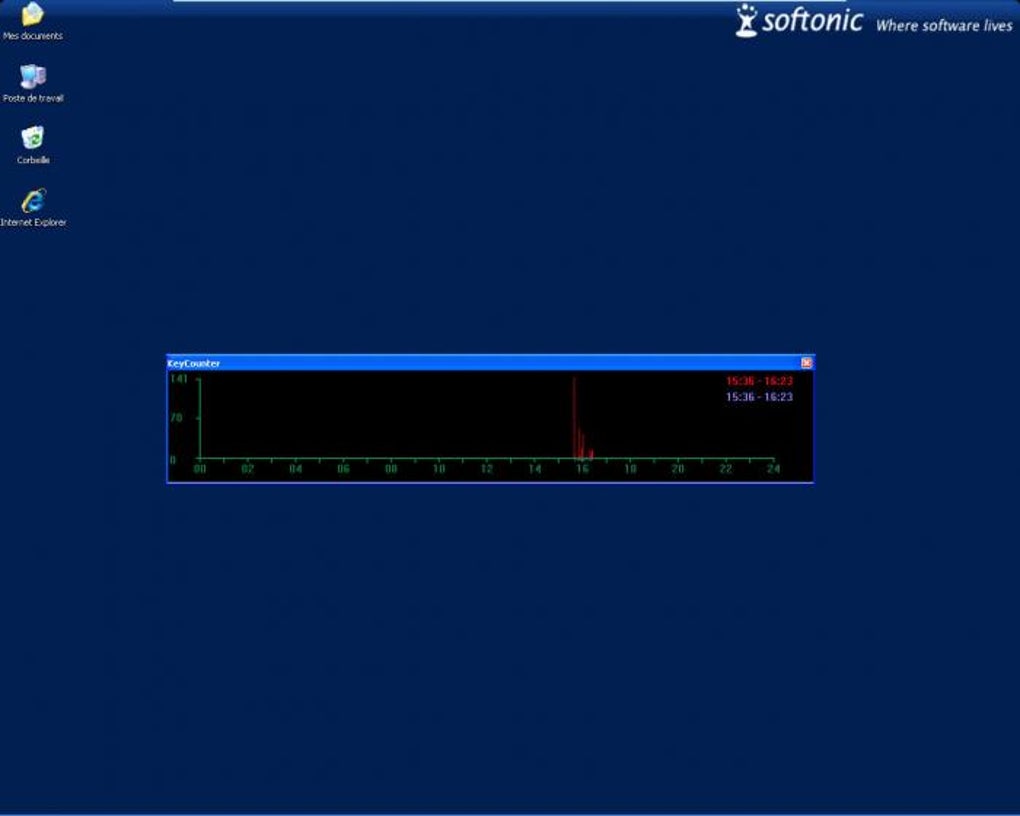
Keycounter, however, operates with a far narrower, and arguably more ethical, mandate. It doesn’t care what you type; it only cares how much you type. This crucial distinction means it logs the count of keystrokes, not their content. For instance, if you type “hello world,” a traditional keylogger would record “h, e, l, l, o, (space), w, o, r, l, d.” Keycounter would simply register 11 keystrokes. This fundamental difference makes Keycounter inherently more secure and privacy-friendly. All data it collects is processed and presented locally on your screen, with no option to export or transfer this keystroke data to an external file or server. This ‘on-screen only’ data presentation ensures that your typing habits remain private, making it an excellent choice for individuals or businesses that prioritize data security and ethical monitoring.
The inability to export data, which might seem like a drawback for some analytical purposes, is in fact a key component of its secure design. It prevents unauthorized access to aggregated data and reinforces the tool’s commitment to user privacy. If your objective extends to monitoring specific key sequences or content, Keycounter will fall short, and you would need to consider more comprehensive (and potentially less secure) keylogger applications. But for anyone focused solely on the volume and rhythm of their keyboard interaction, Keycounter’s specific nature is a significant advantage. It’s akin to using a fitness tracker that counts steps but doesn’t record your route; it provides valuable metrics without compromising sensitive personal information.
Core Metrics and Data Visualization
Keycounter’s utility is significantly enhanced by its clear and intuitive presentation of data. After a period of keyboard activity, users can open the application to view a comprehensive summary of their keystroke volume. This summary typically includes metrics such as keystrokes per minute (KPM) and keystrokes per hour (KPH). These real-time or near real-time metrics provide an immediate snapshot of typing intensity, allowing users to gauge their current level of engagement.
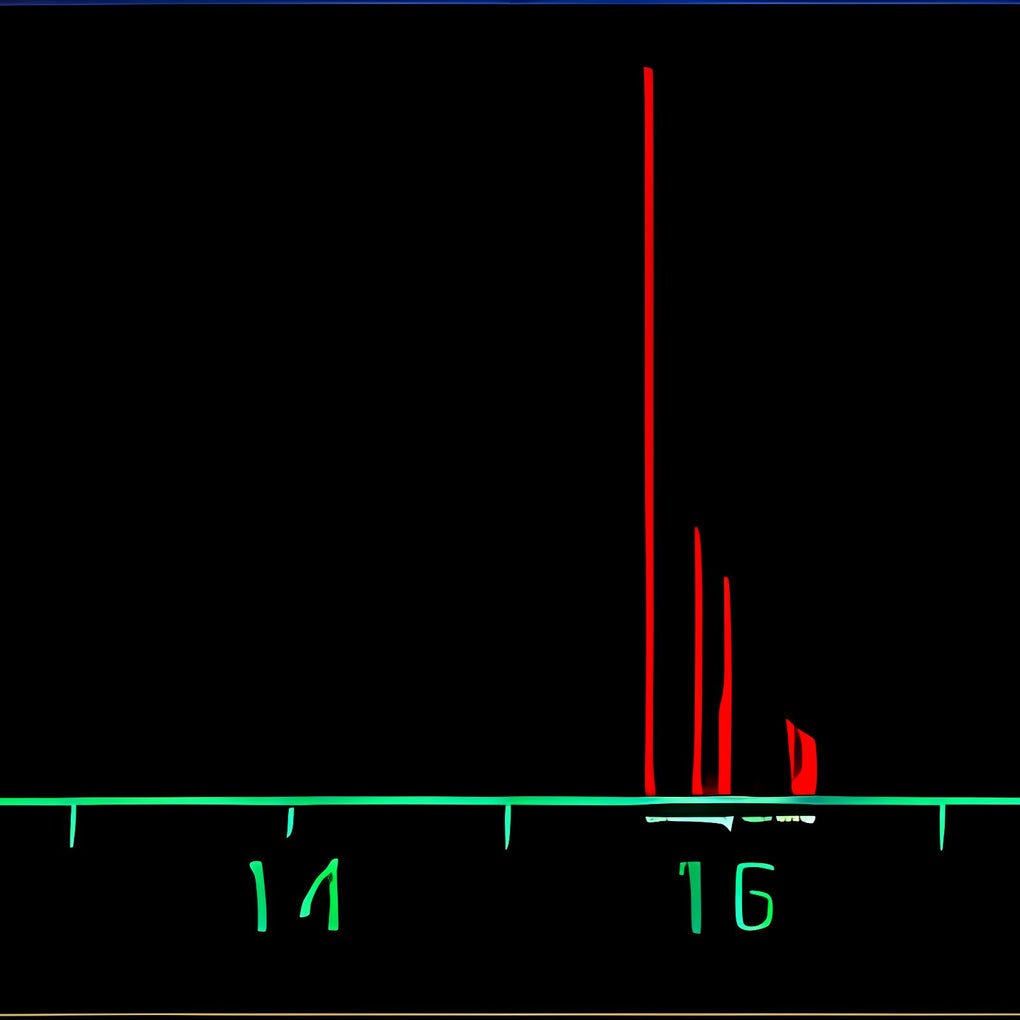
Beyond raw numbers, Keycounter excels in its use of graphical visualization. The application generates a graph that illustrates keystroke volume over time. This visual representation is incredibly powerful, offering insights that plain numerical data often cannot convey. For example, a writer might notice spikes in their graph during specific hours, indicating periods of heightened creativity and productivity. Conversely, flatlining sections of the graph could correspond to moments of writer’s block or distraction. Gamers can use this graph to analyze their actions per minute (APM) in competitive games, identifying peak performance moments or areas where their input rate drops.
The visual format makes it remarkably easy to spot trends and patterns in one’s keyboard usage without needing to delve into complex statistics. It provides an immediate and intuitive understanding of when activity increased or decreased, helping users to identify their most productive hours, understand their work rhythms, or even recognize periods of fatigue. While the data cannot be saved or exported into a document or spreadsheet, the immediate on-screen graphical feedback serves its primary purpose effectively for those who are interested in self-assessment rather than archival data. This approach reinforces Keycounter’s design philosophy: simple, immediate, and focused monitoring for personal insight.
Practical Applications: Who Benefits from Keystroke Counting?
Keycounter’s straightforward functionality belies its broad applicability across various domains. Its ability to quantify keyboard activity without infringing on privacy makes it a valuable tool for anyone looking to understand and optimize their interaction with a computer.
For Writers and Transcriptionists
For anyone whose livelihood or passion revolves around typing—be it crafting novels, drafting reports, or transcribing audio—understanding one’s writing rhythm is paramount. Keycounter offers a unique lens through which writers can observe their productivity patterns.
- Identifying Productivity Spurts and Slumps: A writer might experience periods of intense focus where words flow effortlessly, interspersed with moments of mental block or distraction. Keycounter’s graphical representation can clearly highlight these fluctuations. By reviewing their keystroke graph, writers can identify the specific times of day or week when they are most productive. This knowledge allows them to strategically schedule their most demanding writing tasks for these peak periods, maximizing their output and minimizing wasted effort during less effective times.
- Overcoming Writer’s Block: Observing a significant drop or sustained low level of keystrokes on the graph can serve as an objective indicator of writer’s block. While the tool doesn’t offer solutions, it provides the data necessary to acknowledge the problem and prompt a change in approach, whether it’s taking a break, switching tasks, or engaging in brainstorming exercises. Understanding when these blocks occur can also help writers identify potential triggers.
- Tracking Progress on Large Projects: For long-form writing projects, maintaining momentum is crucial. Keycounter can serve as a subtle motivator, allowing writers to see their daily or hourly contribution in terms of raw input. While not measuring quality, consistent keystroke counts can provide a sense of accomplishment and progression, helping to sustain motivation over extended periods. It can also help transcriptionists track their efficiency and consistency throughout a workday.
- Self-Correction and Habit Formation: By providing objective data, Keycounter empowers writers to analyze their habits. Are they prone to excessive procrastination at certain times? Do they maintain a steady pace, or do they work in intense bursts followed by long lulls? This self-awareness is the first step towards forming better, more productive writing habits.
For Gamers: Actions Per Minute (APM)
In the competitive world of gaming, particularly in genres like Real-Time Strategy (RTS) games (e.g., StarCraft, Age of Empires) and Multiplayer Online Battle Arenas (MOBAs) (e.g., League of Legends, Dota 2), Actions Per Minute (APM) is a critical metric. APM refers to the total number of actions a player performs using their mouse and keyboard within a minute. While Keycounter specifically measures keyboard keystrokes, it still provides a vital component of a player’s overall APM, helping them assess and improve their mechanical skill.
- Assessing and Improving APM: High APM often correlates with greater control, faster reactions, and the ability to execute complex strategies quickly. Keycounter allows gamers to monitor their keyboard APM during practice sessions or even live gameplay (when running in the background). By reviewing the keystroke graph, players can identify moments where their input rate was high, indicating intense micro-management or quick tactical decisions. They can also pinpoint dips in APM, which might suggest moments of indecision, confusion, or simply less active phases of the game.
- Beyond Raw APM: Consistency and Burst Timings: It’s not just about having a high average APM; consistency and the ability to execute “bursts” of actions during critical moments are equally important. Keycounter’s graph can illustrate these patterns. A player might observe that their keystrokes spike during crucial engagements or when building up their base, providing insights into their hotkey usage and command execution. Analyzing these patterns can help players refine their muscle memory, optimize their hotkey layouts, and improve their overall efficiency under pressure.
- Training and Performance Analysis: Keycounter can be an effective training tool. A gamer can set a goal to maintain a certain KPM during practice drills. After a session, they can review the graph to see if they met their target, where they faltered, and what aspects of their keyboard control need more attention. This objective feedback is invaluable for targeted practice and skill development.
For General Productivity and Self-Assessment
Beyond specific professions, Keycounter holds value for virtually anyone who spends significant time interacting with a computer.
- Understanding Daily Computer Usage Habits: In an era where digital screen time is a constant, understanding how actively one engages with their machine can be enlightening. Keycounter offers a quantitative measure of this engagement. It can help individuals reflect on their work patterns, identify periods of intense work versus passive browsing, and potentially reveal habits that contribute to either productivity or distraction.
- Identifying Periods of High/Low Engagement: For general office workers, students, or freelancers, Keycounter can help identify personal circadian rhythms related to work. Are you more focused in the morning or the afternoon? Do your keystrokes drop significantly after lunch? This data can inform scheduling decisions, allowing individuals to tackle complex tasks during their peak mental alertness and simpler ones during lulls.
- Ergonomics and Repetitive Strain Injury (RSI) Awareness: While Keycounter doesn’t directly measure ergonomic factors, consistently high keystroke counts, especially over prolonged periods, can be an indicator of intense keyboard use. This awareness can prompt users to consider ergonomic keyboards, take more frequent breaks, or incorporate stretching exercises to mitigate the risk of repetitive strain injuries. It’s a gentle nudge towards healthier computing habits, driven by objective data.
- Mindfulness and Focus: The simple act of knowing that your keystrokes are being counted can sometimes subtly influence behavior, encouraging more focused and intentional typing sessions. It adds a layer of objective feedback that can aid in cultivating better concentration and reducing unproductive keyboard activity.
Key Features, Pros, and Cons in Detail
Keycounter’s appeal lies in its straightforward design and dedicated functionality. Understanding its specific features, alongside its advantages and limitations, is crucial for determining if it’s the right tool for your needs.
Key Features Recap:
- Keystroke Volume Monitoring: The core function, accurately counting the total number of key presses.
- Time-Based Metrics: Provides a summary of keystrokes per minute and per hour, offering granular insights into activity levels.
- Graphical Visualization of Activity: Presents keystroke data over time in an easy-to-understand graph, making trends and patterns immediately visible.
- On-Screen Data Presentation: All monitoring data is displayed directly within the application interface, ensuring local processing and viewing.
- Lightweight and Simple Installation: A small file size (27.15 KB) and minimal system requirements mean it’s quick to download, install, and run without impacting system performance.
Advantages (Pros):
- Enhanced Security and Privacy: Unlike traditional keyloggers, Keycounter does not record the content of your keystrokes (i.e., which keys were pressed), only the number of presses. This fundamental distinction eliminates significant privacy concerns and makes it a far safer option for monitoring general keyboard activity without compromising sensitive information. Furthermore, the absence of data export functionality ensures that your activity logs remain confined to your local machine and are not susceptible to external transfer or unauthorized access.
- Clear, Intuitive Graphical Data: The visual representation of keystrokes over time is a major strength. Graphs make it incredibly easy to identify patterns, peak productivity times, and periods of inactivity at a glance. This intuitive feedback loop is more effective for self-assessment than raw numerical data, allowing users to quickly grasp their work rhythm and make informed adjustments.
- Highly Focused Utility for Specific Needs: Keycounter doesn’t try to be an all-in-one solution; it does one thing exceptionally well. This focused approach means it’s optimized for its specific task. For users who genuinely only need to track keystroke volume for productivity or gaming metrics, its simplicity is a distinct advantage over bloated, feature-rich alternatives that might overwhelm with unnecessary options.
- Free to Use: As a free utility, Keycounter offers significant value without any financial barrier to entry. This makes it accessible to a wide audience, from students to professionals, who might not want to invest in more complex or expensive monitoring software.
- Minimal System Resource Usage: Due to its lightweight design and singular purpose, Keycounter consumes very few system resources. It can run unobtrusively in the background without causing slowdowns or impacting the performance of other applications, which is particularly beneficial for gamers or users with older hardware.
Disadvantages (Cons):
- No Data Export Capability: This is perhaps the most significant limitation for users who require more advanced analysis or archival purposes. Keycounter does not allow you to save your keystroke data to a file (e.g., CSV, TXT), limiting its utility for long-term trend analysis, sharing reports, or integrating with other data analysis tools. All insights must be gathered directly from the on-screen display.
- Does Not Monitor Which Keys Were Pressed: While a significant pro for privacy, this is also a con for users who might need more detailed information, such as identifying frequently used keys, analyzing typing errors, or tracking specific command inputs in applications. For these use cases, a traditional keylogger would be necessary.
- Limited Functionality Compared to Full Keyloggers: As noted, Keycounter is not a full-fledged keylogger. It doesn’t capture screenshots, monitor applications used, track website visits, or log mouse movements. If your monitoring needs extend beyond simple keystroke volume, Keycounter will be insufficient.
- Lack of Advanced Reporting Features: Beyond the basic graph and per-minute/per-hour metrics, Keycounter does not offer advanced reporting, filtering, or comparative analysis functionalities. There are no options to compare data across different days or periods easily within the application itself.
- No Cloud Sync or Cross-Device Monitoring: Keycounter is a local desktop application. It does not offer cloud synchronization of data or the ability to monitor activity across multiple devices. Each instance of Keycounter runs independently on the machine it’s installed on.
Technical Specifications and Ecosystem Context
To fully appreciate Keycounter, it’s helpful to understand its technical foundations and how it fits into the broader landscape of desktop utilities.
Developer and Platform Details
Keycounter is a creation of Zhornsoftware, a developer known for producing simple, efficient, and often free utilities that address specific user needs. This developer’s philosophy aligns perfectly with Keycounter’s minimalist yet effective design.
The software is primarily designed for Windows operating systems, with compatibility extending back to Windows XP. This wide compatibility ensures that even users with older machines can benefit from its functionality. The latest update, as of the reference material, was December 7, 2021, indicating ongoing maintenance and support for the application. Its diminutive size, at just 27.15 KB, is particularly noteworthy. This incredibly small footprint means it downloads in an instant, occupies negligible storage space, and runs with minimal impact on system resources, making it an ideal choice for users who prioritize efficiency and a clutter-free system.
Installation and Usage
The process of getting Keycounter up and running is remarkably straightforward. Users can typically download the executable file from a platform like PhanMemFree.org and run it directly. There’s usually no complex installation wizard or bundled software to navigate. Once launched, Keycounter often runs discreetly in the system tray, monitoring keyboard activity in the background. Accessing the summary and graphical report is as simple as clicking its icon. This ease of use aligns with its overall design ethos: a tool that is easy to adopt and integrate into one’s daily workflow without a steep learning curve. The user interface is sparse and functional, presenting the data clearly without unnecessary embellishments.
Alternatives and Complementary Tools
While Keycounter excels in its specific niche, it exists within an ecosystem of other utilities. PhanMemFree.org, for instance, lists several related and alternative tools that offer different facets of monitoring or keyboard/mouse management:
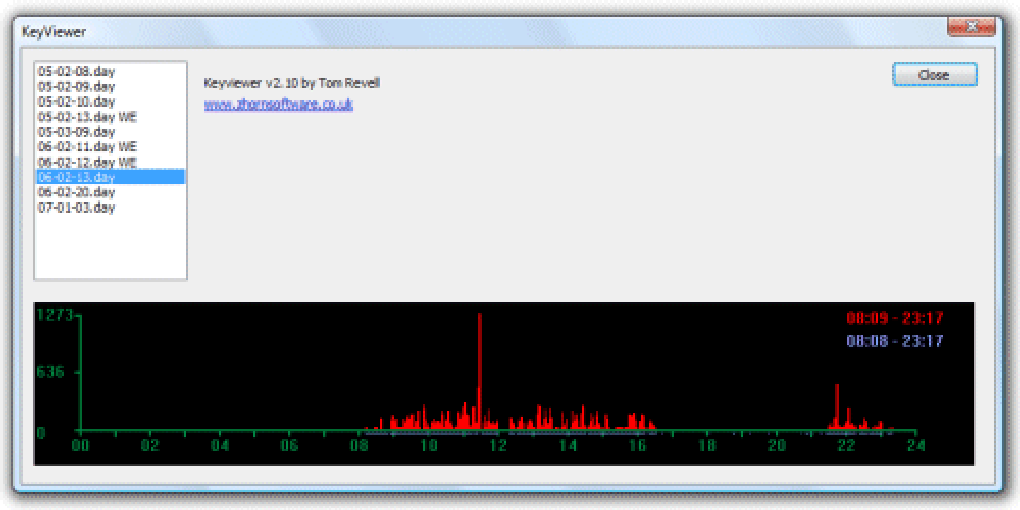
- Mousotron and My Mouse Meter: These applications, similar in spirit to Keycounter, focus on tracking mouse usage (distance moved, clicks made). For a comprehensive understanding of human-computer interaction, combining Keycounter with a mouse monitoring tool can provide a more complete picture of active engagement.
- CapsLock Indicator: A simple utility that displays the status of lock keys (Caps Lock, Num Lock, Scroll Lock). While not directly related to keystroke counting, it falls under the broader category of keyboard utilities that enhance user awareness.
- KeyTweak and Key Remapper: These tools allow users to remap keyboard keys or even mouse buttons. They serve a different purpose—customizing input devices—but highlight the diverse range of utilities available for optimizing keyboard interaction.
- Free Virtual Keyboard / On-Screen Keyboard Portable: These provide alternative input methods. While not monitoring tools, they are part of the broader keyboard utility landscape.
Keycounter stands out from these alternatives due to its very specific focus on keystroke volume. Many tools offer broader monitoring or customization, but few provide such a clean, privacy-conscious, and graphical view of just the sheer number of key presses. This specific focus makes it a niche but highly effective tool for those with precisely that requirement, offering a streamlined solution where other programs might be overkill or fall short in terms of user-friendly data visualization for keystroke counts specifically.
Conclusion: The Niche Value of Keycounter
In a digital age often characterized by data overload and complex software, Keycounter emerges as a refreshing example of purposeful simplicity. It’s a tool that understands its limitations and, in doing so, transforms them into strengths. By deliberately avoiding the full spectrum of features found in traditional keyloggers, it safeguards user privacy and streamlines its functionality to a singular, impactful goal: counting keystrokes.
Keycounter’s value proposition is clear: it provides objective, graphical insights into keyboard activity, empowering users to understand their work rhythms, identify productivity patterns, and optimize their digital habits. Whether you’re a writer striving for consistent output, a gamer honing your APM, or simply an individual seeking to gain a clearer picture of your computer engagement, Keycounter offers a lightweight, secure, and intuitive solution.
It serves as an excellent reminder that sometimes, the most effective tools aren’t the ones with the most features, but those that execute their core function with precision and user-centric design. For anyone looking to measure and visualize their keyboard interaction without compromising on privacy or system performance, Keycounter from Zhornsoftware, available for free download on platforms like PhanMemFree.org, remains an indispensable utility. It’s not about what you type, but how much – and Keycounter delivers that answer with admirable clarity.
File Information
- License: “Free”
- Version: “2.0”
- Latest update: “December 7, 2021”
- Platform: “Windows”
- OS: “Windows XP”
- Language: “English”
- Downloads: “7.9K”
- Size: “27.15 KB”


