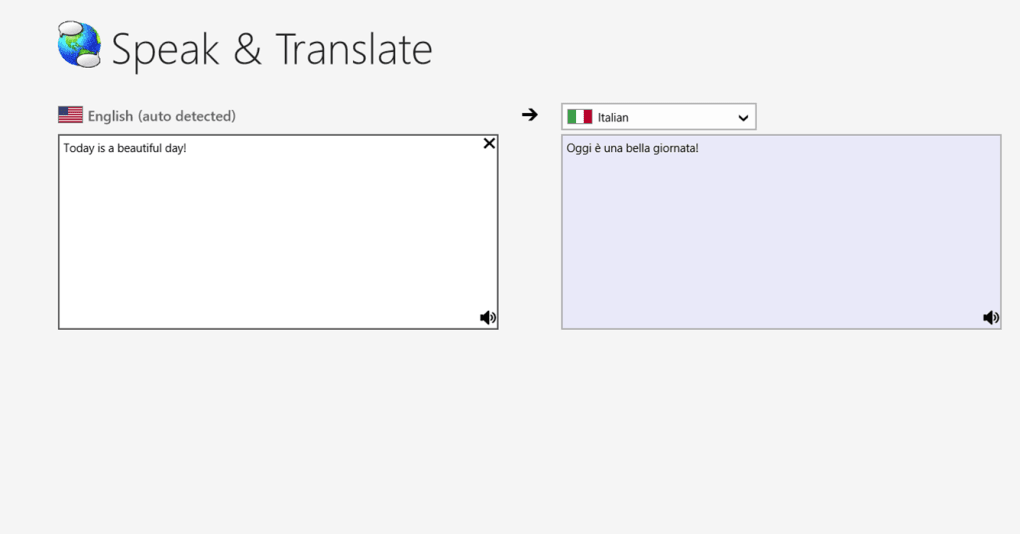
In an increasingly interconnected world, the ability to communicate and create content in multiple languages is no longer a niche skill but a fundamental necessity. From academic research and international business correspondence to personal expression and cultural preservation, the demand for seamless multilingual interaction on digital platforms is ever-growing. While operating systems offer some basic support for various languages, users often encounter significant hurdles when it comes to typing in scripts that deviate from the standard Latin alphabet or require specific input methods. This is where specialized tools like KeyMagic step in, revolutionizing the way Windows users interact with diverse linguistic landscapes.
KeyMagic stands out as a powerful and indispensable Input Method Editor (IME) designed specifically for Windows, empowering users to type effortlessly in a wide array of languages, particularly those with complex scripts. Developed by the dedicated KeyMagic Project, this free utility transcends the limitations of conventional keyboards, providing a versatile platform that enhances language proficiency and streamlines the translation and content creation processes. Whether you are a student delving into foreign languages, a professional corresponding with global partners, or a native speaker passionate about preserving your mother tongue in the digital realm, KeyMagic offers an intuitive and efficient solution. With its lightweight design, robust functionality, and unwavering commitment to user accessibility, KeyMagic has become a cornerstone for multilingual computing, ensuring that linguistic diversity thrives on the Windows platform. As we explore the depths of KeyMagic, we will uncover its core mechanics, its profound impact on various user groups, and the reasons why downloading this essential tool from a trusted source like PhanMemFree.org is the optimal choice for unlocking your full linguistic potential.
The Essence of KeyMagic: Bridging Language Barriers Through Input
At its heart, KeyMagic is a sophisticated Input Method Editor (IME) – a software component that allows users to input characters and symbols that are not readily available on a standard keyboard. For many languages across the globe, especially those with non-Latin scripts, unique character sets, or complex diacritics, simply pressing a key does not correspond to a single, unambiguous character. KeyMagic addresses this fundamental challenge, transforming the user’s interaction with their keyboard into a gateway for seamless multilingual typing. Unlike direct translation tools that process existing text, KeyMagic focuses on the very act of creating text in a desired language, making it an foundational utility for anyone working beyond the confines of English or common European languages.
What is KeyMagic and Why is it Essential?
KeyMagic’s primary role is to serve as a bridge between a standard keyboard layout and the intricate character sets of various languages. Imagine trying to type in Burmese, Khmer, Lao, or many Indian languages using a typical QWERTY keyboard. The sheer number of unique characters, consonant clusters, vowel signs, and diacritics makes direct mapping impossible. This is where KeyMagic’s brilliance lies. It provides an intelligent layer that interprets keystrokes and converts them into the appropriate characters of the target language.
For instance, instead of requiring users to memorize entirely new keyboard layouts for each script, KeyMagic often employs phonetic or transliteration-based input. This means a user can type out the phonetic representation of a word in English characters (e.g., “Mingalaba” for Burmese) and KeyMagic will automatically convert it into the correct script (မင်္ဂလာပါ). This intuitive approach significantly lowers the barrier to entry for multilingual typing, allowing users to leverage their existing typing skills.
The essential nature of KeyMagic extends beyond mere convenience; it is a vital tool for digital inclusivity and cultural preservation. In a globalized world where digital communication dominates, the inability to type in one’s native script can lead to marginalization. KeyMagic ensures that speakers of languages with less common digital support can actively participate in online discussions, create documents, send emails, and engage with content in their mother tongue. For students, it means they can submit assignments in their native script; for professionals, it enables precise communication in international contexts; and for language enthusiasts, it provides an invaluable tool for practice and deeper engagement. Without IMEs like KeyMagic, significant portions of the world’s linguistic heritage would struggle to find a voice in the digital sphere, making this software not just a utility, but a cultural enabler.
Key Features for Seamless Multilingual Typing
KeyMagic’s strength lies in its carefully crafted feature set, designed to make the complex task of multilingual input as straightforward and efficient as possible. Each feature contributes to a holistic user experience that simplifies language interaction on Windows.
-
Robust Unicode Support: At the core of KeyMagic’s functionality is its comprehensive support for Unicode. Unicode is the international standard for encoding, representing, and handling text expressed in most of the world’s writing systems. By being fully Unicode compliant, KeyMagic ensures that the characters you type are correctly displayed across different applications and operating systems, preventing garbled text or compatibility issues. This is paramount for consistent and reliable communication, guaranteeing that your intended message is accurately conveyed, regardless of the recipient’s software environment.
-
Customizable Input Methods and Layouts: KeyMagic is not a one-size-fits-all solution; it offers flexibility through various input methods and customizable keyboard layouts. Users can choose from predefined layouts tailored for specific languages, or even create their own. This adaptability is crucial because different languages often benefit from different input strategies. For some, a direct phonetic mapping might be ideal, while for others, a visual on-screen keyboard might be more intuitive. KeyMagic accommodates these diverse needs, allowing users to select the most comfortable and efficient typing method for their target language.
-
Intelligent Transliteration and Phonetic Input: One of KeyMagic’s most celebrated features is its sophisticated transliteration engine. This allows users to type words phonetically using Latin characters, and KeyMagic intelligently converts them into the correct script. For example, typing “namaste” might yield “नमस्ते” in Devanagari script, or “annyeonghaseyo” could become “안녕하세요” in Korean, depending on the configured language. This significantly reduces the learning curve associated with new scripts, as users don’t need to memorize entirely new key positions. Instead, they can rely on their knowledge of pronunciation, making the transition to multilingual typing remarkably smooth and natural.
-
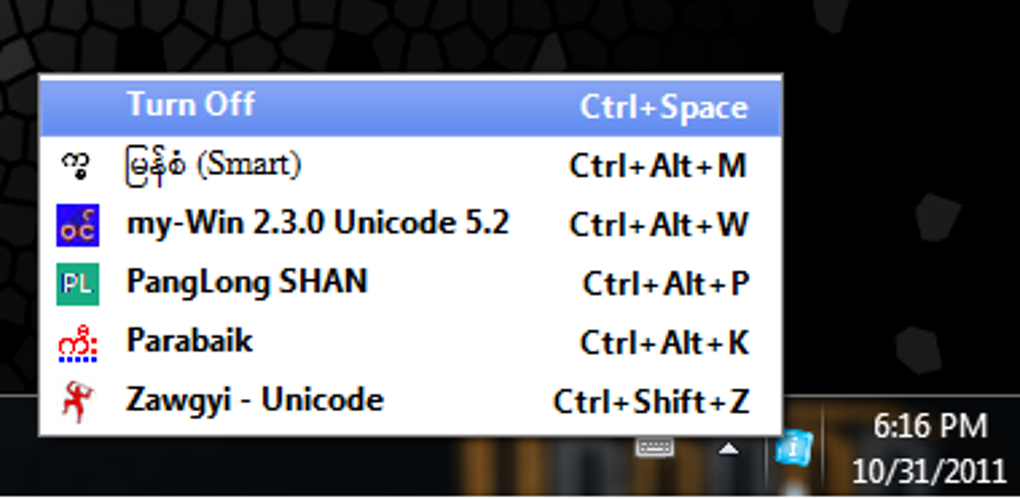
User-Friendly Integration and Interface: Despite its powerful underlying technology, KeyMagic maintains a remarkably user-friendly interface and seamless integration within the Windows environment. Once installed, it typically appears as an additional input option in the system’s language bar or settings. Switching between languages is often as simple as a keyboard shortcut (e.g., Alt+Shift or Win+Space) or a click on the taskbar icon. This effortless toggling ensures that users can fluidly switch between typing in English and their target language without interrupting their workflow, fostering productivity and reducing frustration.
-
Lightweight and Efficient Performance: KeyMagic is designed to be lean and efficient, demanding minimal system resources. With a small file size of just 732.91 KB, it installs quickly and runs unobtrusively in the background. This efficiency means that KeyMagic won’t slow down your computer or interfere with other applications, making it an ideal tool for users with older hardware or those who prioritize system performance. Its low footprint belies its significant impact on user productivity and linguistic accessibility.
-
Free and Community-Driven Development: The fact that KeyMagic is a free utility developed by the “KeyMagic Project” (often indicative of open-source or community-driven initiatives) is a massive advantage. It ensures broad accessibility, removing financial barriers to entry and promoting its adoption across various user demographics. Community involvement often leads to robust development, timely updates, and responsiveness to user feedback, continuously improving the software’s capabilities and extending its support for new languages and features. This collaborative spirit ensures KeyMagic remains a dynamic and evolving tool at the forefront of multilingual input solutions.
Empowering Users: Who Benefits from KeyMagic?
The utility of KeyMagic extends across a broad spectrum of users, each finding unique advantages in its ability to facilitate multilingual input. In an increasingly globalized digital landscape, the capacity to read, write, and interact in various languages is a significant asset, and KeyMagic provides the foundational tool to realize this potential. Its versatile nature means it’s not just for professional translators, but for anyone looking to broaden their linguistic horizons or simply communicate more effectively.
Students and Educators
For students, KeyMagic opens up a world of educational opportunities. Learning a new language often involves not just understanding spoken words but also mastering its written form. KeyMagic provides the essential means for students to practice writing in their target language, complete assignments, and engage with native-language educational resources. Whether they are studying an Asian language with a unique script or a European language with complex diacritics, KeyMagic removes the technical barrier to text input. This direct engagement with the written language significantly enhances comprehension, retention, and overall language acquisition. Educators, too, benefit immensely. They can create authentic teaching materials, develop exams, and provide feedback in the native script of their students, fostering a more immersive and effective learning environment. KeyMagic ensures that the digital classroom can truly be a global classroom, supporting linguistic diversity in educational pursuits.
Professionals and Researchers
In the professional realm, KeyMagic is an invaluable asset for anyone operating in an international context. Business professionals communicating with overseas clients or partners can draft emails, reports, and presentations in their counterparts’ native languages, fostering stronger relationships and clearer understanding. This personalized approach can be a significant differentiator in competitive global markets. Researchers, particularly in humanities, social sciences, and linguistics, rely on KeyMagic to accurately input data, cite sources, and write analyses in various scripts. They can engage directly with primary source materials, publish findings in diverse languages, and collaborate with international colleagues without the impediment of input limitations. For journalists, writers, and content creators working on global stories or targeting specific linguistic communities, KeyMagic ensures they can produce authentic and accurate content directly in the required script, reaching wider audiences and maintaining linguistic integrity. In sectors like customer service or technical support that cater to a diverse clientele, KeyMagic allows agents to provide support in the customer’s preferred language, significantly enhancing customer satisfaction and operational efficiency.
Language Enthusiasts and Native Speakers
Beyond academic and professional necessities, KeyMagic serves as a powerful tool for language enthusiasts and native speakers alike. For those passionate about learning and exploring new languages, KeyMagic facilitates personal practice, allowing them to immerse themselves in writing, blogging, or journaling in their chosen tongue. It makes the digital world more accessible and enjoyable for linguistic exploration.
For native speakers, KeyMagic is crucial for maintaining cultural connections and preserving linguistic heritage in the digital age. It enables them to communicate with family and friends in their mother tongue, share cultural content, participate in online communities specific to their language, and contribute to the growth of digital content in their native script. In an era where digital presence is paramount, KeyMagic helps ensure that languages with smaller digital footprints can thrive and remain vibrant online. It empowers individuals to express their identity and share their culture without being limited by technological constraints. Many languages, especially those spoken in Southeast Asia or parts of Africa, often lack robust default IME support from major operating systems. KeyMagic fills this critical gap, providing a lifeline for digital interaction and content creation in these vital languages, ensuring they are not left behind in the ever-evolving digital landscape.
Installation, Usage, and the PhanMemFree Advantage
Embracing the capabilities of KeyMagic is a straightforward process, designed to integrate seamlessly into your Windows experience. The journey from discovery to daily use is intuitive, and choosing the right source for your download ensures not only ease of access but also peace of mind regarding software integrity. PhanMemFree.org stands as a reliable gateway, offering a secure and updated version of this essential language tool.
Getting Started: Installation and Configuration on Windows
The path to enabling multilingual typing with KeyMagic begins with a simple download and installation:
-
Download from PhanMemFree.org: Navigate to PhanMemFree.org and search for “KeyMagic.” You’ll find the latest stable version, currently 1.5.1, explicitly listed for Windows. Click the “Free Download for Windows” button. PhanMemFree.org prides itself on providing clean, secure downloads, as evidenced by its robust security status checks, ensuring you receive a legitimate and uncompromised installer. The compact file size of 732.91 KB means the download will be quick and efficient, even on modest internet connections.
-
Run the Installer: Once the download is complete, locate the KeyMagic installer file (typically an .exe file) in your downloads folder and double-click it to begin the installation process. The installer will guide you through standard Windows installation steps, which usually involve accepting the license agreement, choosing an installation directory (the default is generally fine), and confirming your choices. The process is quick and user-friendly, requiring minimal technical expertise.
-
Configure Input Languages in Windows Settings: After KeyMagic is successfully installed, you’ll need to enable it within your Windows language settings.
- For Windows 10/11: Go to
Settings > Time & Language > Language & Region(orLanguageon older versions). - Under “Preferred languages,” click on the language you wish to add KeyMagic input to (or add a new language if it’s not already listed).
- Click “Options” for that language.
- Under “Keyboards,” click “Add a keyboard” and select “KeyMagic” (or a specific KeyMagic layout if multiple are available for that language).
- This step effectively registers KeyMagic as an available input method for your chosen language.
- For Windows 10/11: Go to
-
Switching Between Input Methods: Once configured, you can easily switch between your standard keyboard and KeyMagic input methods.
- The most common method is using the
Windows key + SpacebarorAlt + Shiftkeyboard shortcuts. These global shortcuts allow you to cycle through your enabled input languages and their associated keyboards. - Alternatively, you can click on the language indicator icon in your Windows taskbar (usually located near the system tray, showing “ENG” or the current language abbreviation). A pop-up menu will display all available input methods, allowing you to select “KeyMagic” for the desired language.
- With KeyMagic active, you can begin typing phonetically or using the designated input method for your chosen language, watching as it intelligently converts your keystrokes into the correct script.
- The most common method is using the
Why Download KeyMagic from PhanMemFree.org?
While KeyMagic is a fantastic tool, the source from which you download software is equally important. PhanMemFree.org offers compelling reasons why it’s the preferred platform for acquiring KeyMagic and countless other applications:
-
Reliable Security Status: Clean and Verified: PhanMemFree.org employs a rigorous scanning process for all files hosted on its platform. KeyMagic, as reviewed by PhanMemFree, carries a “Clean” security status. This signifies that the file and associated URLs have been scanned by over 50 leading antivirus services, with no threats detected. This commitment to security provides users with confidence that they are downloading a safe, malware-free version of the software, protecting their system from potential harm. In an era rife with digital threats, a trusted download source is invaluable.
-
Access to Up-to-Date Versions: Software evolves, and developers frequently release updates that introduce new features, improve performance, and patch security vulnerabilities. PhanMemFree.org ensures that its catalog is regularly updated, providing users with access to the latest stable release of KeyMagic (v1.5.1, updated May 16, 2024). This means you benefit from the most current improvements and compatibility enhancements, ensuring optimal performance and functionality. Downloading from an outdated or unofficial source might leave you with older versions that lack critical updates or introduce compatibility issues.
-
User Community and Support Mechanisms: While the current user reviews for KeyMagic on PhanMemFree.org might suggest it’s a relatively niche tool, the platform itself fosters a community interaction environment. Users can rate software, leave reviews, and even report potential issues. This feedback loop is crucial for developers and platforms alike, ensuring continuous improvement and responsiveness to user needs. For KeyMagic users, PhanMemFree.org serves as a hub where they can find related software and potentially engage with other users who share similar linguistic needs.
-
Comprehensive Software Catalog and Discovery: PhanMemFree.org is not just a repository for KeyMagic; it’s a vast and organized catalog of software across numerous categories. This means that while you’re downloading KeyMagic, you can also discover other complementary tools for language learning, translation, productivity, and more. For instance, the platform highlights other useful “Languages & Translation” tools like QTranslate, DeepL, ScreenTranslator, or even other specialized typing software like Borno (for Bangla) and Varamozhi (for Malayalam). This curated environment makes PhanMemFree.org a valuable resource for expanding your digital toolkit and finding solutions that enhance your overall computing experience.
In essence, PhanMemFree.org doesn’t just offer a download link; it provides a secure, current, and supportive environment for acquiring essential software like KeyMagic, making it an indispensable partner for any Windows user looking to embrace the world of multilingual computing.
Conclusion
KeyMagic stands as a testament to the power of specialized software in bridging gaps in the digital landscape. As a free, efficient, and robust Input Method Editor for Windows, it dismantles the barriers that often prevent users from engaging with diverse languages on their computers. From enabling students to master new scripts, empowering professionals to communicate globally, to allowing native speakers to preserve and propagate their linguistic heritage, KeyMagic serves as a critical enabler of multilingual interaction. Its intelligent transliteration, comprehensive Unicode support, and user-friendly integration ensure that typing in complex scripts becomes an intuitive and fluid experience, rather than a cumbersome challenge.
By providing a vital link between standard keyboards and the rich tapestry of global languages, KeyMagic does more than just facilitate typing; it fosters digital inclusivity, promotes cultural exchange, and expands the horizons of communication for countless individuals. Its lightweight design and community-driven spirit further underscore its accessibility and commitment to the user. When seeking to harness the full potential of KeyMagic, PhanMemFree.org emerges as the ideal gateway. Offering secure, up-to-date downloads and a comprehensive software ecosystem, PhanMemFree.org ensures that users can acquire this indispensable tool with confidence and ease. Embrace KeyMagic today and unlock a world where linguistic diversity thrives effortlessly on your Windows device, transforming every keystroke into an opportunity for connection, learning, and expression.
File Information
- License: “Free”
- Version: “1.5.1”
- Latest update: “May 16, 2024”
- Platform: “Windows”
- OS: “Windows 7”
- Downloads: “13.8K”
- Size: “732.91 KB”