
The internet offers a wealth of information and entertainment, but it also presents potential risks for children. Navigating this digital landscape safely requires parental guidance and effective tools. Kidzui Firefox Add-on aimed to provide a solution by creating a child-friendly browser environment within Firefox, offering a degree of parental control and a curated online experience. However, its effectiveness and limitations warrant a closer examination.
Kidzui’s Approach to Safeguarding Children Online
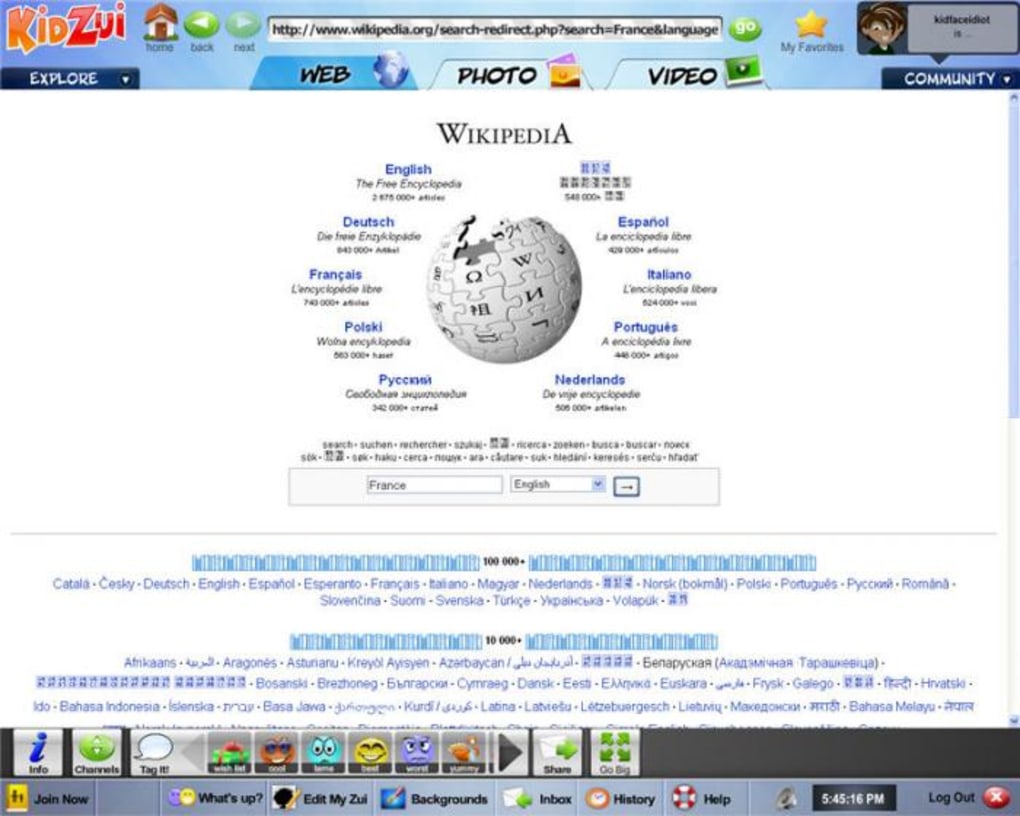
Kidzui’s primary function was to transform the standard Firefox browser into a secure and engaging space for children. Upon installation, a prominent ‘K’ button would appear, launching a full-screen Kidzui browser. This browser was designed to restrict access to inappropriate content and provide a controlled online experience. The design emphasized simplicity and bright colors, making it visually appealing to young users.
The Kidzui homepage featured a collection of child-oriented websites, games, and videos. It also included interactive social features, allowing children to create avatars, add friends who also used Kidzui, and share updates through a Facebook-style status feature. This encouraged a sense of community and engagement within the safe environment.
A key aspect of Kidzui’s design was its content filtering. Any website not pre-approved by the Kidzui system was blocked, ensuring children wouldn’t stumble upon inappropriate material. Parents retained control, able to add websites to the approved list, customizing the experience to their children’s interests and needs.

While the curated content was largely appropriate for its target audience, primarily American children, it’s important to note the presence of advertising. Advertisements, mostly for movies and DVDs, were integrated into the experience, a factor parents might consider.
Functionality and User Experience
Kidzui aimed for ease of use and a kid-friendly interface. Its simple design and intuitive navigation made it accessible even to young children with minimal internet experience. The full-screen mode prevented children from accidentally exiting the Kidzui browser and accessing other parts of the computer. The addition of social features encouraged interaction and community building within a safe digital space.
However, the add-on’s performance was a notable drawback. Running Kidzui alongside Firefox resulted in a significant decrease in browsing speed, making it noticeably slower than using Firefox alone. This performance issue was especially problematic on slower computers, potentially leading to frustration for both parents and children.
The most significant limitation of Kidzui was its inability to completely prevent determined children from accessing unrestricted content. While the full-screen mode and content filtering provided a layer of protection, technologically savvy children could potentially circumvent these restrictions by using keyboard shortcuts like “Ctrl+Alt+Delete” to close the browser and access other applications or browsers. This highlights the crucial role of parental supervision, emphasizing that Kidzui should not be viewed as a replacement for active parental involvement.
Strengths and Weaknesses of the Kidzui Approach

Kidzui’s strengths lie in its user-friendly interface, simple yet effective parental controls for younger children, and the creation of a visually appealing and engaging online experience for its target audience. The curated content and social features helped to foster a positive and safe online environment.
However, its weaknesses are equally significant. The performance issues, particularly the slowdown experienced while using the add-on, impacted the overall user experience. More importantly, the lack of foolproof protection against determined children bypassing the restrictions underscores the limitations of relying solely on technological solutions for internet safety. The necessity for active parental supervision and ongoing monitoring cannot be overstated.
Comparison with Alternative Solutions
While Kidzui offered a relatively straightforward approach to creating a child-safe browsing environment, the market offers several alternative solutions, each with its strengths and weaknesses. Dedicated parental control software packages offer more comprehensive features, including time limits, website blocking, content filtering, and activity monitoring. These programs often provide more granular control over internet usage than browser add-ons like Kidzui.
Other strategies include using dedicated kid-friendly search engines or browsers specifically designed for children. These browsers often pre-filter search results, limiting exposure to inappropriate content. Moreover, some operating systems offer built-in parental control features that allow for more comprehensive management of internet access.
Conclusion: The Role of Kidzui in a Broader Strategy
Kidzui Firefox Add-on presented a simple and visually appealing solution to the challenge of creating a safer online experience for young children. Its ease of use and kid-friendly design made it accessible and engaging. However, its reliance on a single add-on to address the complexities of internet safety proved to be a limiting factor.
The performance issues and the ability for tech-savvy children to circumvent its restrictions underscore the need for a more comprehensive approach to online safety. Kidzui should not be viewed as a standalone solution but rather as one component of a broader strategy involving parental involvement, education, open communication, and the utilization of more robust parental control software. Active monitoring and ongoing conversations about online safety remain paramount, irrespective of the technological tools employed. While Kidzui provided a starting point, a multi-faceted approach is essential for ensuring children’s safety in the digital world.
File Information
- License: “Free”
- Latest update: “July 12, 2019”
- Platform: “Windows”
- OS: “Windows 2000”
- Language: “English”
- Downloads: “5.1K”
- Size: “3.08 MB”


