
Kindle Cloud Reader is a web-based application that allows users to access and read their Kindle books directly through a web browser. This eliminates the need for dedicated e-reader software or apps, providing a convenient and accessible reading experience across various devices with internet access. This review explores the features, benefits, and drawbacks of Kindle Cloud Reader, comparing it to alternative e-reader options and addressing common user queries.
Intuitive Interface and Seamless Amazon Integration
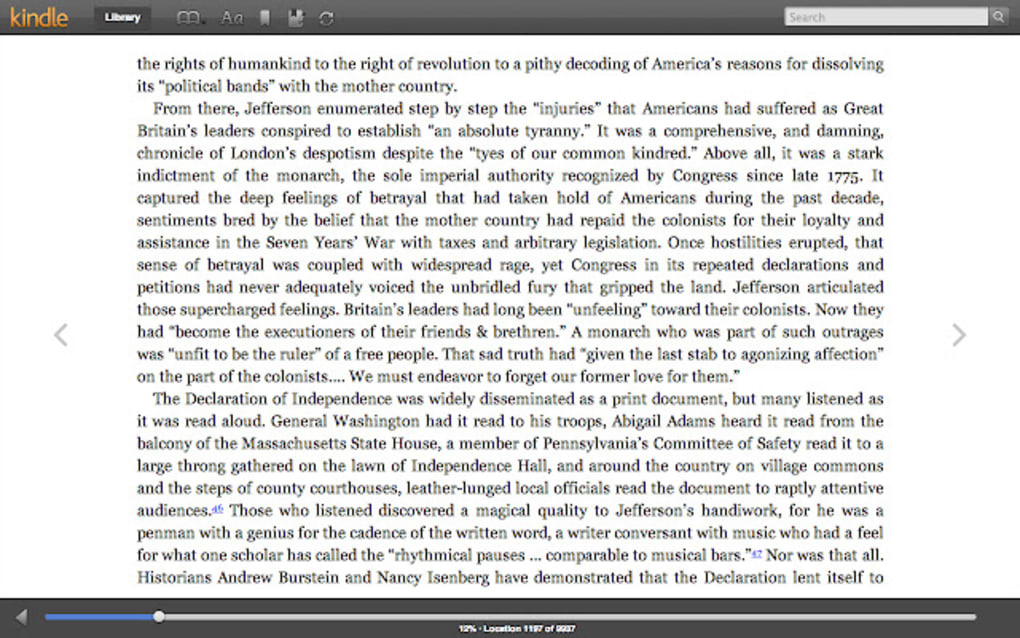
The Kindle Cloud Reader boasts a clean and intuitive interface, designed for ease of use and effortless navigation. The straightforward layout minimizes distractions, allowing readers to focus on their content. Key features are easily accessible, facilitating quick adjustments to font size, style, and background theme (including a convenient dark mode for nighttime reading). Navigating between chapters is seamless, and the overall experience is remarkably fluid, even with larger ebooks.
A significant advantage of Kindle Cloud Reader is its seamless integration with the Amazon ecosystem. Users’ Amazon accounts automatically synchronize their book libraries, purchases, and bookmarks across all devices. Any new books purchased on Amazon are instantly available within the Cloud Reader, eliminating the need for manual syncing or file transfers. This streamlined integration is particularly valuable for users who already utilize Amazon’s Kindle services for purchasing and managing their digital books. The user experience is designed for both new and experienced Kindle users. New users can start reading almost immediately, while seasoned Kindle users will find all the familiar tools readily available. This includes highlighting text, adding notes, and performing full-text searches within the books, allowing for comprehensive engagement with the reading material.
Extensive Library and Customizable Reading Experience
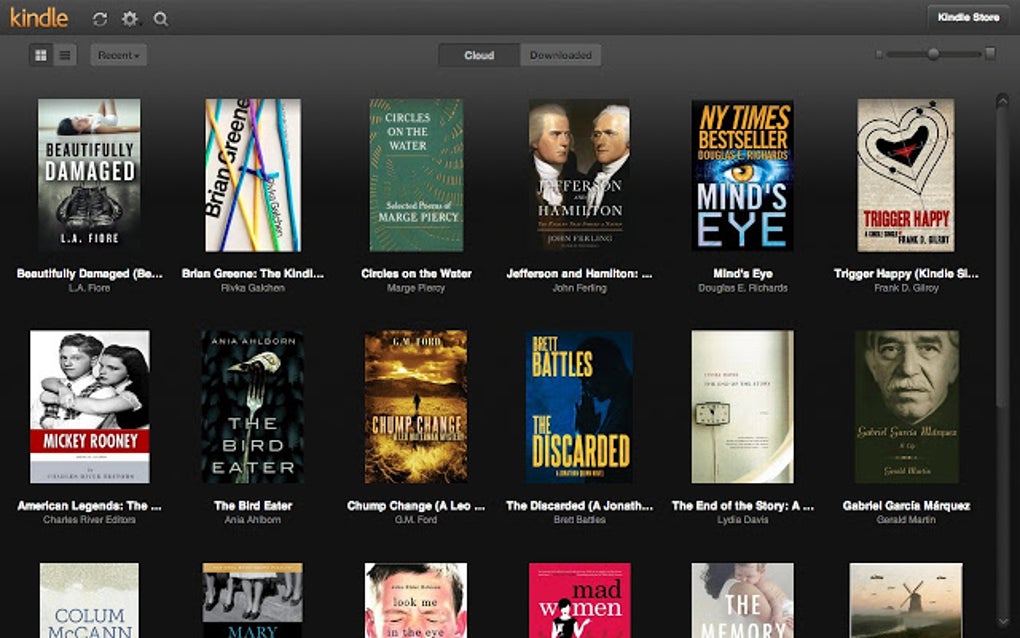
The breadth of the Kindle library accessible through the Cloud Reader is a key strength. Users have access to millions of titles available for purchase on Amazon, catering to a vast range of interests and genres. This extensive catalog, coupled with the easy access provided by the Cloud Reader, creates an unmatched reading experience for Kindle users.
Beyond access to a vast library, Kindle Cloud Reader offers several tools for customizing the reading experience. Users can adjust font size, type, and line spacing to optimize readability and comfort. The option to switch to a dark mode is particularly beneficial for reducing eye strain during prolonged reading sessions, especially in low-light environments. These customization features allow readers to tailor their reading environment to their individual preferences and visual needs. Furthermore, the application includes accessibility features such as high-contrast mode and font size adjustments for readers with visual impairments, demonstrating a commitment to inclusivity. These features make the Kindle Cloud Reader a suitable option for a wider audience, accommodating a broader range of reading preferences and needs.
Offline Reading Capabilities and System Requirements
While primarily a web-based application, Kindle Cloud Reader offers some offline reading capabilities. Downloaded books are available for offline access, ensuring uninterrupted reading even without an internet connection. However, accessing titles not previously downloaded requires an active internet connection. This means that while you can’t read every book offline, the option to download frequently read titles ensures some degree of offline accessibility. This feature is a crucial aspect of the user experience, particularly beneficial for users who frequently travel or have unreliable internet access.
The system requirements for Kindle Cloud Reader are minimal. It requires a relatively recent web browser and an active internet connection for accessing and updating the book library. No additional software or installations are necessary beyond a compatible browser, making it incredibly accessible across various devices, including Windows PCs, Macs, Chromebooks, and tablets. This accessibility removes the technical barriers that can often hinder the adoption of e-reader software, making Kindle Cloud Reader a highly user-friendly platform.
Comparison to Alternative E-reader Applications
While Kindle Cloud Reader offers a streamlined and integrated experience within the Amazon ecosystem, alternative e-reader applications provide diverse features and functionalities. Applications like Adobe Digital Editions and Calibre cater to users who may need more advanced features or compatibility with a broader range of ebook formats beyond the Amazon Kindle format (AZW, MOBI, PRC). Adobe Digital Editions, for instance, supports the widely used EPUB format, enabling users to read ebooks from multiple sources. Calibre, on the other hand, is a powerful ebook management tool that allows users to organize, convert, and read ebooks from various sources, offering a more comprehensive suite of features for managing an extensive digital library.
However, these alternatives often lack the seamless integration with Amazon’s purchasing and library management system that Kindle Cloud Reader provides. The choice between Kindle Cloud Reader and alternative applications ultimately depends on individual needs and priorities. Users primarily interested in reading Kindle books purchased through Amazon will likely find Kindle Cloud Reader to be the most convenient and efficient option, benefiting from its straightforward integration with their existing Amazon account and library. For users who require broader format support or advanced ebook management functionalities, Adobe Digital Editions or Calibre might be preferable, although they may involve a steeper learning curve.
Frequently Asked Questions (FAQ)
Do I need an Amazon account to use Kindle Cloud Reader? Yes, an Amazon account is required to access your Kindle books and make purchases.
Can I read books that I didn’t purchase on Amazon in the Cloud Reader? No, Kindle Cloud Reader only displays books acquired through Amazon.
Does the application offer an offline reading feature? Yes, downloaded books are available for offline reading. However, accessing titles not previously downloaded requires an internet connection.
Is Kindle Cloud Reader free to use? Yes, Kindle Cloud Reader is free to use; users only pay for the books they purchase from Amazon.
Conclusion: A Powerful and Convenient Reading Solution
Kindle Cloud Reader offers a powerful and convenient solution for reading Kindle books directly through a web browser. Its clean interface, seamless Amazon integration, extensive library access, and customizable reading tools contribute to a highly efficient and user-friendly experience. While alternative e-reader applications offer different functionalities, Kindle Cloud Reader’s simplicity and direct integration with Amazon’s Kindle ecosystem make it a compelling choice for users within the Amazon ecosystem. The availability of offline reading (for downloaded books), accessibility features, and minimal system requirements further enhance its appeal, making it an accessible and convenient option for a broad audience. While it might not be the best choice for users who require extensive ebook management features or broad format compatibility, for those heavily invested in the Kindle ecosystem, Kindle Cloud Reader stands as an excellent, simple, and easy-to-use e-reading solution.
File Information
- License: “Free”
- Version: “1.7.0.1”
- Latest update: “August 23, 2023”
- Platform: “Windows”
- OS: “Windows 7”
- Language: “English”
- Downloads: “27.2K”


