
Kindle Comic Creator, a free tool offered by Amazon, revolutionizes the process of transforming your comic art into professional-quality Kindle books. This comprehensive guide will delve into the features, benefits, and limitations of this user-friendly application, empowering you to efficiently create and publish your comic creations on the Amazon Kindle platform.
Understanding Kindle Comic Creator: A Powerful Tool for Comic Artists
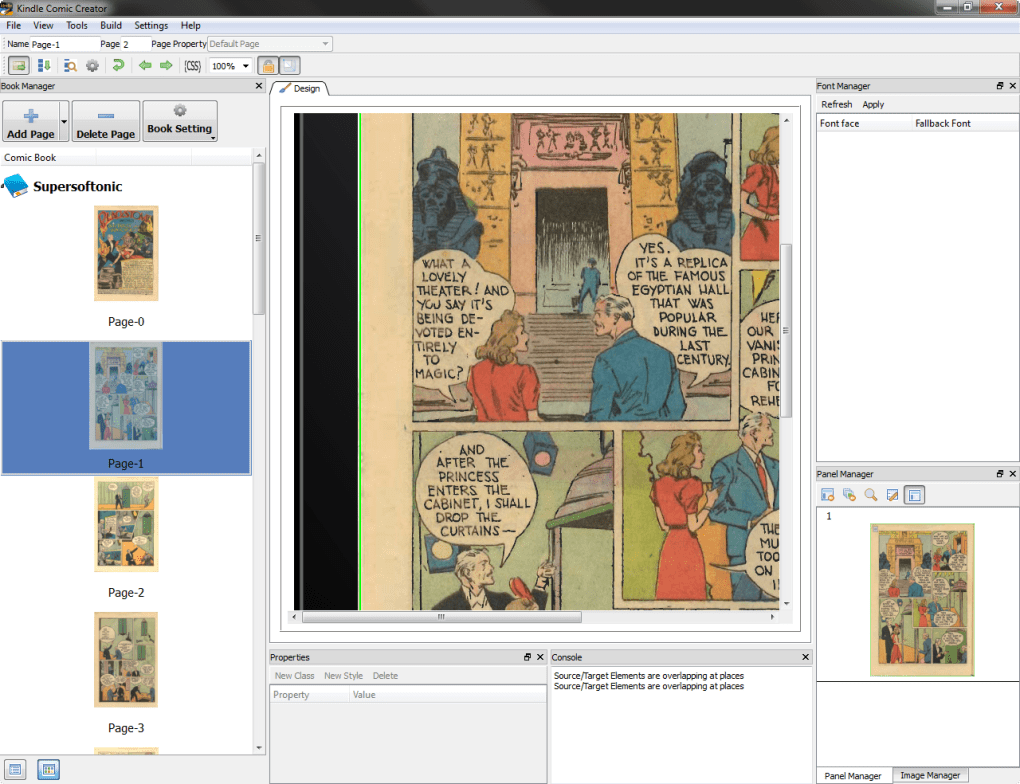
Kindle Comic Creator streamlines the often complex task of formatting comics for digital distribution. Designed with simplicity in mind, it handles the intricate details of importing artwork, generating the appropriate reading format, and providing a preview of your comic’s appearance on various Kindle devices. This intuitive software significantly reduces the technical hurdles associated with self-publishing, allowing artists to focus on their creative vision.
One of the key advantages of Kindle Comic Creator is its compatibility with a wide range of common file types. This inclusivity ensures that artists working with diverse art programs and file formats can seamlessly integrate their creations into the application. The software’s robust import capabilities eliminate the need for extensive file conversion, saving valuable time and effort.
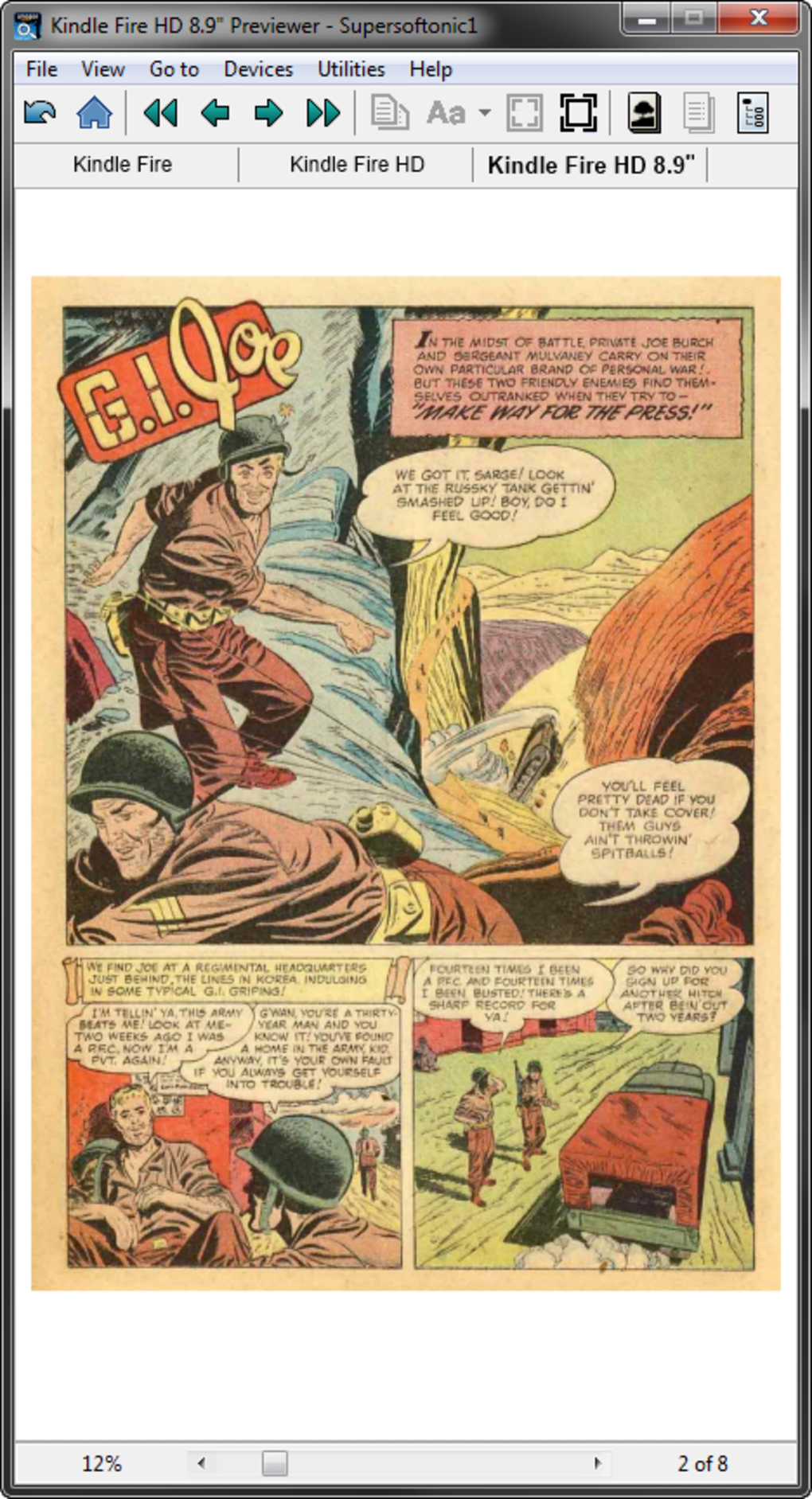
Once your artwork is imported, Kindle Comic Creator effortlessly arranges the pages into a format suitable for Kindle readers. It automatically handles the complexities of panel layouts and page transitions, ensuring a smooth and engaging reading experience for your audience. Furthermore, the software provides a real-time preview, allowing you to visualize how your comic will appear on a Kindle screen before publishing. This valuable feature allows for adjustments and refinements, ensuring a polished and professional final product.
The Simplicity and Ease of Use: A Beginner-Friendly Approach
The software’s design philosophy centers around ease of use, making it accessible to both experienced and novice comic creators. The intuitive interface and straightforward workflow minimizes the learning curve, allowing artists to quickly master the software and focus on their creative process. This accessibility removes a significant barrier to entry for aspiring digital comic artists, fostering a more inclusive environment for self-publishing.
The software’s streamlined process eliminates the need for extensive technical knowledge or specialized skills in digital publishing. This means artists can bypass the complexities of coding, formatting, and other technical aspects, concentrating instead on the artistic elements of their comic book. The tool’s intuitive design guides users through each step, ensuring a clear and efficient workflow.
This beginner-friendly approach is particularly beneficial for independent artists who may lack the resources or expertise to handle the technical aspects of digital publishing independently. Kindle Comic Creator empowers them to take control of their work, bypassing the need for outsourcing or expensive professional services.
Limitations and Considerations: Focusing on the Kindle Ecosystem
While Kindle Comic Creator offers a significant advantage in simplifying the publishing process, it’s crucial to acknowledge its limitations. The most prominent restriction is its exclusivity to the Kindle ecosystem. The software is specifically designed for creating comics intended for publication on Kindle devices and supporting applications. It does not offer cross-platform compatibility or the ability to generate files for other digital reading platforms.
This limited scope may be a drawback for artists aiming for broader distribution across multiple digital platforms. If your goal is to publish your comic on a variety of e-readers or online platforms, Kindle Comic Creator may not be the optimal choice. You would need to explore other software options offering wider compatibility.
Furthermore, the software’s reliance on Amazon’s infrastructure for publishing means that artists must adhere to Amazon’s guidelines and policies. This may involve specific requirements regarding file formats, content restrictions, and pricing strategies. Artists must familiarize themselves with Amazon’s terms of service to ensure compliance.
Exploring Alternatives and Complementary Tools: Expanding Your Options
While Kindle Comic Creator excels in its simplicity and integration with the Kindle platform, several alternative software programs cater to the needs of comic creators with different requirements and priorities. These alternatives often provide broader functionality, including compatibility with various digital platforms and advanced features for professional-level comic creation.
Some popular alternatives include Comic Life, Manga Studio, and EasyComic, each offering unique features and levels of complexity. Comic Life focuses on a user-friendly interface and ease of use, while Manga Studio provides more advanced tools for professional comic artists. EasyComic offers a balance between simplicity and functionality, suitable for both beginners and experienced users.
It’s important to research and compare different software options to determine which best aligns with your artistic style, technical skills, and publishing goals. Choosing the right software can significantly impact your workflow and the overall quality of your finished comic. Consider factors such as ease of use, features, compatibility, and pricing when making your decision.
Moreover, you may find it beneficial to utilize complementary tools alongside Kindle Comic Creator. These tools could include graphic design software for creating artwork, image editing software for refining your visuals, and writing software for crafting compelling storylines and dialogue.
Publishing Your Comic: A Step-by-Step Guide
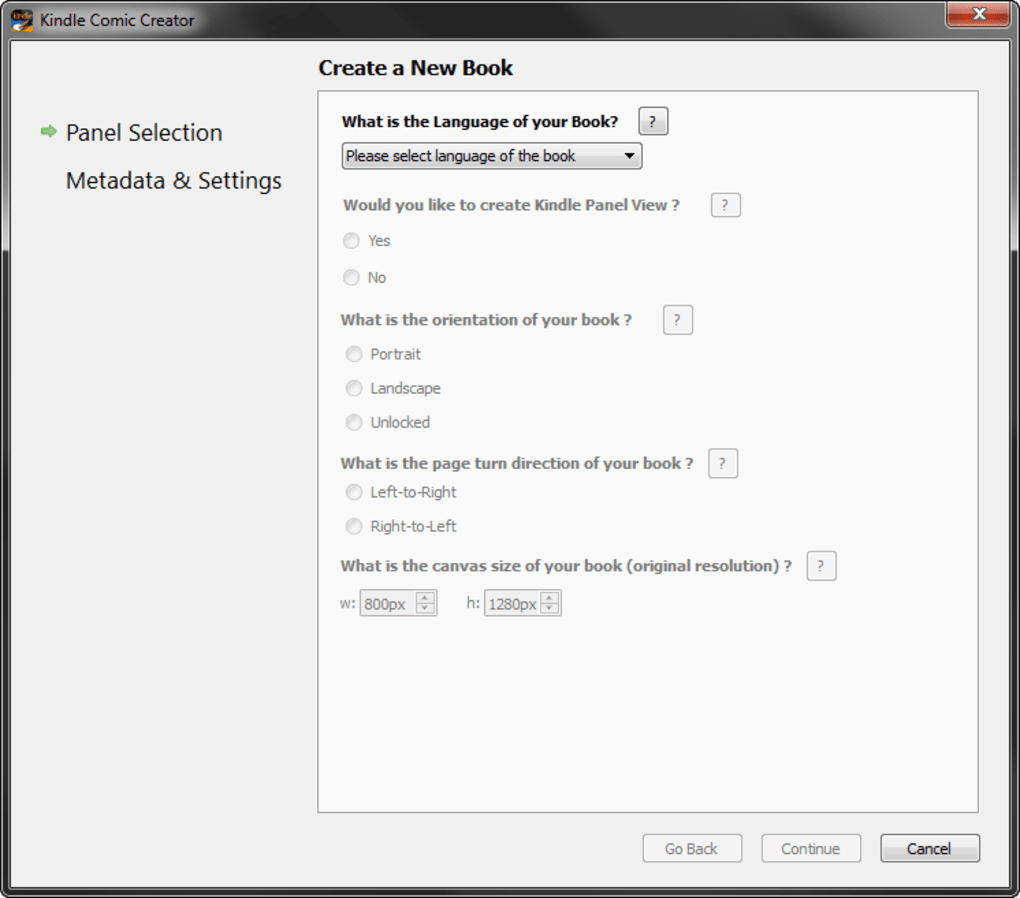
Once you have created your comic using Kindle Comic Creator, the next step is publishing it on the Kindle Direct Publishing (KDP) platform. KDP provides a streamlined process for self-publishing your ebook, allowing you to set your price, manage your royalties, and reach a vast audience of Kindle readers.
Before publishing, ensure your comic meets all of KDP’s guidelines and requirements. These guidelines address various aspects, including file formats, content restrictions, and metadata requirements. Failure to meet these requirements may result in delays or rejection of your comic.
The KDP platform guides you through the process of uploading your comic, setting your price, adding relevant metadata (such as title, description, and keywords), and selecting your royalty options. Pay close attention to each step to ensure a successful publication. Careful attention to detail in this phase will enhance your comic’s visibility and marketability.
After publishing, promote your comic through various channels, including social media, your website, and relevant online communities. Effective marketing and promotion are crucial for reaching your target audience and achieving success in the competitive digital comic market.
In conclusion, Kindle Comic Creator provides a user-friendly and effective solution for creating Kindle-compatible comic books. Its simplicity, coupled with Amazon’s extensive reach, makes it a valuable tool for aspiring and established comic artists. However, understanding its limitations and exploring alternative options is crucial for making informed decisions aligned with your specific needs and goals in the dynamic world of digital comic publishing. Remember to always stay updated on Amazon’s guidelines and publishing policies to ensure a smooth and successful publication process.
File Information
- License: “Free”
- Version: “1.0”
- Latest update: “May 22, 2013”
- Platform: “Windows”
- OS: “Windows XP”
- Language: “English”
- Downloads: “17.6K”
- Size: “215.82 MB”


