
Kindle for Mac is a free e-reader application developed by Amazon, offering a seamless way to access and enjoy a vast library of books, magazines, and newspapers. Its user-friendly interface and extensive features make it a popular choice for both casual and avid readers. This review delves into the app’s functionalities, strengths, and weaknesses, providing a comprehensive overview for potential users.
App Functionality and User Experience
Kindle for Mac provides a straightforward and intuitive reading experience. Upon launching the app, users are prompted to sign in with their Amazon account. New users can easily create an account directly within the application. Once logged in, the interface presents a clean and organized view of the user’s library, allowing easy navigation and access to their purchased or downloaded content. Books can be sorted by author, title, date of purchase, and other relevant criteria. While a dedicated preference section for customizing the display is absent, the available sorting options offer sufficient control for most users.
The core reading experience is smooth and efficient. Users can navigate pages using the mouse or trackpad, scrolling effortlessly through the text. However, a notable limitation is the lack of a zoom function. This absence significantly impacts the usability for users who require larger text sizes or those reading documents with intricate diagrams or small print. The inability to zoom in on images, especially in technical or educational materials, is a substantial drawback, as noted in several user reviews.

Despite this limitation, Kindle for Mac boasts several advanced features that enhance the reading experience. A built-in dictionary allows users to quickly look up the definitions of unfamiliar words directly within the context of their reading. Integration with Wikipedia provides access to further information about specific pages or topics, enriching the learning and comprehension process. Furthermore, the app incorporates features from Shelfari, a user-generated encyclopedia, adding access to valuable supplementary information such as character descriptions, thematic analyses, and popular quotes related to the book being read.
The application also supports PDF reading, offering features such as panning, note-taking, highlighting, bookmarking, and dictionary lookup, ensuring a comprehensive reading experience for various document types. For readers of newspapers and magazines, the app delivers high-resolution color images, enhancing the overall visual appeal and reading enjoyment. Personalization options allow users to adjust text size, brightness, background color, and switch between landscape and portrait modes, catering to individual preferences.
Recent updates to the app have introduced improvements to its navigation and home screen layout. A new lock screen displaying the current book cover has been added, and navigation between the Home screen, Library, and the currently open book has been streamlined, moving these controls to the bottom of the screen, keeping them separate from the settings menu. Direct access to various menus has also been improved. The home screen now displays more book titles, and swiping left reveals the user’s 20 most recently read books, facilitating quick access to previously enjoyed content. These updates showcase Amazon’s ongoing efforts to improve the user experience.
Content and Integrations
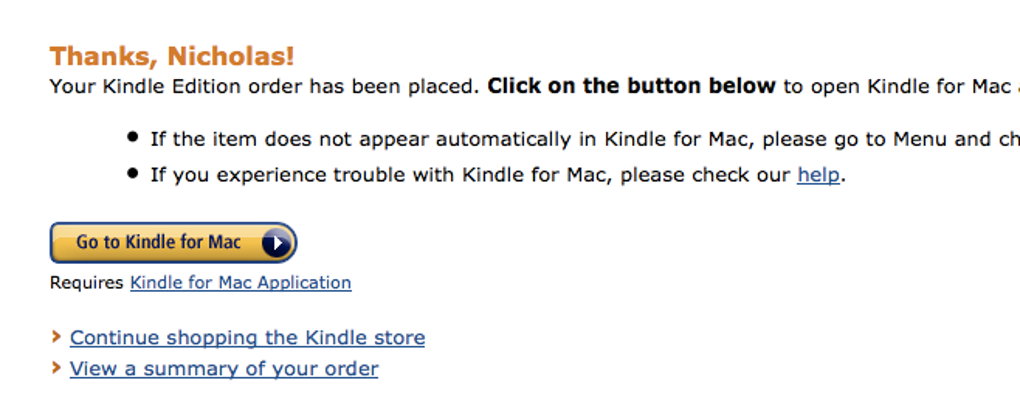
A key strength of Kindle for Mac is its seamless integration with the Amazon Kindle Store. Users can easily browse and purchase new books directly within the app. The vast selection of titles, spanning various genres and languages (including English, French, Brazilian, Spanish, Portuguese, and Italian), provides unparalleled access to a diverse reading catalog. Furthermore, the app allows users to transfer books between their Kindle device and other devices, ensuring seamless synchronization of reading progress across multiple platforms. This cross-device synchronization, powered by built-in technology, automatically saves the user’s reading position, enabling them to resume reading from where they left off, regardless of the device used. The app also allows users to check reviews and sample books before committing to a purchase, minimizing the risk of acquiring unsuitable content. A significant advantage is the availability of a large selection of free content on the Amazon Store, opening doors to a wealth of reading material at no cost.
Comparison with Other E-readers
Unlike some competitors, such as Adobe Digital Editions, Kindle for Mac focuses on simplicity and ease of use. While it might lack some advanced features found in other applications, its clean interface and intuitive navigation make it accessible to a wider audience. The lack of a zoom function remains a significant point of difference and a potential disadvantage when compared to other e-readers that offer this crucial functionality. The absence of a dedicated preferences section to customize individual display settings is another area where Kindle for Mac could benefit from improvement. However, the seamless integration with the Amazon ecosystem and the extensive content library are compelling advantages that set it apart.
Strengths and Weaknesses

Strengths:
- Seamless Amazon Integration: Direct access to the extensive Amazon Kindle Store for easy book purchasing and browsing.
- Vast Content Library: Access to millions of books, magazines, and newspapers in multiple languages.
- Cross-Platform Synchronization: Automatic synchronization of reading progress across different devices.
- Simple and Clean Interface: Easy navigation and user-friendly design.
- Advanced Features: Built-in dictionary, Wikipedia integration, Shelfari integration, and support for PDF reading with various annotation tools.
- Free Content: Access to a substantial selection of free books and other reading materials.
- Regular Updates: Continuous improvement and addition of new features through regular updates.
Weaknesses:
- Lack of Zoom Functionality: Inability to zoom in on text or images, significantly impacting readability for some users.
- Absence of Preferences Section: Limited customization options for display settings.
- Basic Annotation Capabilities (compared to some competitors): While annotation features are present, they may be less robust than those offered by some alternative e-reader apps.
Conclusion
Kindle for Mac offers a compelling blend of simplicity and functionality. Its clean interface, vast content library, and seamless integration with the Amazon ecosystem make it an attractive choice for many readers. However, the absence of a zoom feature and a dedicated preferences section represent significant limitations that could hinder the user experience for certain individuals. While these weaknesses should be considered, the overall accessibility and wide range of content offered make Kindle for Mac a worthwhile e-reader application, particularly for those already invested in the Amazon ecosystem. The ongoing updates and improvements suggest that Amazon is actively working to address some of these shortcomings, indicating a commitment to enhancing the user experience. Ultimately, the decision of whether or not to use Kindle for Mac will depend on individual needs and preferences, weighing the strengths against the weaknesses presented here.
File Information
- License: “Free”
- Latest update: “November 8, 2024”
- Platform: “Mac”
- OS: “Mac OS X”
- Language: “English”
- Downloads: “112K”
- Size: “116.73 MB”


