
KingoRoot, a popular Android rooting software, offered users a relatively straightforward method to gain root access on their Android devices. While no longer actively updated, its legacy remains a significant part of the Android rooting landscape. This guide explores KingoRoot’s functionality, compatibility, potential risks, and alternatives. We’ll also delve into the reasons for its decline and the broader implications of rooting your Android phone.
Understanding KingoRoot and Android Rooting
KingoRoot was a free software application designed to grant users root access to their Android devices. Root access provides elevated privileges, allowing users to perform actions typically restricted by the standard Android operating system. This includes uninstalling pre-installed applications (“bloatware”), customizing system settings, and installing specialized applications requiring root privileges. Crucially, KingoRoot distinguished itself from similar software like KingoRoot (note the subtle name difference; these are distinct programs) by offering a user-friendly interface, making the often-complex process of rooting more accessible to average users.
The need for rooting stems from the inherent limitations of a standard Android installation. Manufacturers often pre-install applications that cannot be uninstalled, consuming storage space and potentially impacting performance. Rooting bypasses these restrictions, offering users complete control over their device. However, it’s essential to understand that rooting voids the manufacturer’s warranty and carries significant risks if not executed correctly.
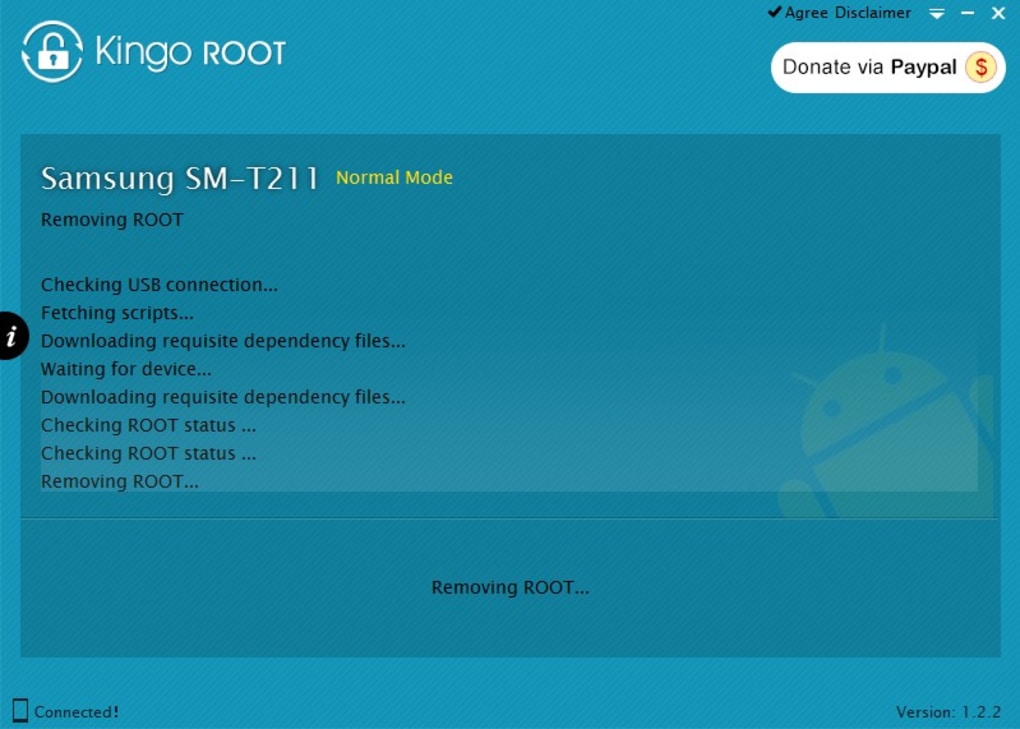
KingoRoot achieved this elevated access by modifying core system files and installing necessary components to grant root privileges. The software worked by exploiting vulnerabilities in the Android operating system’s security mechanisms, allowing it to gain access to the root directory. This process involved leveraging specific exploits tailored to different Android versions and device models. KingoRoot’s approach aimed for simplicity, emphasizing a single-click or one-step process to minimize technical expertise required from the user. Furthermore, it offered both a PC-based application and an APK (Android Package Kit) for direct installation on the device, providing flexibility in the rooting process.
KingoRoot Compatibility and Limitations
KingoRoot boasted broad compatibility, claiming to support a wide range of Android devices and versions. The software continually added support for newer Android versions, particularly targeting versions 5.0 and above through the inclusion of a universal script. This script attempted to adapt the rooting process to a diverse range of device architectures and software configurations.
However, KingoRoot’s compatibility wasn’t universal. Success depended on factors beyond the Android version, including the specific device model, manufacturer customizations, and the device’s bootloader status. The bootloader is a critical part of the Android system responsible for initializing the device’s software. A locked bootloader significantly restricts the ability of software like KingoRoot to modify system files, often resulting in rooting failure.
Many users experienced KingoRoot failing to root their devices due to unsupported operating systems or locked bootloaders. Furthermore, while the universal script broadened compatibility, it couldn’t guarantee success across all devices. This meant users often needed to consult device-specific guides or forums to determine the likelihood of successful rooting with KingoRoot.
Security Concerns and Risks Associated with KingoRoot
While KingoRoot simplified the rooting process, it also carried significant security risks. Rooting, in general, opens the device to vulnerabilities, making it more susceptible to malware and unauthorized access. KingoRoot itself faced accusations of bundling unwanted software, including adware or even malware, particularly in its PC version. These claims highlighted the importance of carefully reviewing installation options and unchecking any boxes related to the installation of “recommended” or additional software.
Beyond the software’s potential for delivering unwanted programs, the process of rooting itself modifies core system files. Incorrectly performing the rooting process could potentially “brick” the device, rendering it unusable. This scenario is a serious consequence of improperly using rooting software and underscores the necessity of proceeding cautiously and understanding the risks involved.
Furthermore, rooting often voids the manufacturer’s warranty. This means that if any hardware or software problems arise after rooting, the user would not be covered under the warranty. The legal implications of rooting also vary across jurisdictions, meaning that users should check the laws in their region before proceeding.
Alternatives to KingoRoot and the Current Rooting Landscape
Given the security concerns and the cessation of KingoRoot’s development, several alternatives offer similar functionality with potentially improved safety features. Programs such as SuperSU, Magisk, and One Click Root provide comparable rooting capabilities. These tools may offer more up-to-date support for newer Android versions and devices and incorporate measures to mitigate some of the security risks associated with rooting.
The landscape of Android rooting has also evolved, with a greater emphasis on custom ROMs (Read-Only Memory) and custom recovery images like TWRP (Team Win Recovery Project). These provide advanced options for system customization beyond simple rooting, but also require a higher level of technical understanding.
Conclusion: Weighing the Risks and Rewards of Rooting with KingoRoot (and Alternatives)
KingoRoot’s simplicity made it appealing to many users seeking root access, but it wasn’t without drawbacks. While the software delivered on its promise of providing a relatively easy path to rooting Android devices, its lack of active development, the potential security risks associated with its use, and the inherent risks of rooting itself must be carefully considered.
Before undertaking the rooting process, users should carefully weigh the potential benefits – such as enhanced customization and control – against the substantial risks. Thorough research into the specific device and its compatibility with any chosen rooting software is essential. Considering alternatives with a strong track record of security and ongoing development is advisable. Ultimately, the decision of whether or not to root an Android device remains a personal one, requiring a careful assessment of the potential advantages and the potentially severe consequences. It’s crucial to remember that rooting voids warranties, may violate manufacturer agreements, and can irreparably damage your device if performed incorrectly. Proceed with caution and always back up your data before attempting any rooting procedure.
File Information
- License: “Free”
- Latest update: “February 4, 2025”
- Platform: “Windows”
- OS: “Windows XP”
- Language: “English”
- Downloads: “403.1K”


