
Kingsoft Office is a free and readily available office suite that provides a compelling alternative to the industry-standard Microsoft Office. This review focuses on the trial version, exploring its features, strengths, weaknesses, and overall user experience. While marketed as a free alternative, the trial version’s implications will be clarified. The software’s compatibility, ease of use, and unique functionalities will be assessed against its limitations and potential drawbacks.
Key Features and Functionality
Kingsoft Office, in its trial version (and essentially its free version as well), comprises three core applications mirroring Microsoft Office’s Word, Excel, and PowerPoint: Kingsoft Writer, Kingsoft Spreadsheets, and Kingsoft Presentation. These applications share a user interface designed for intuitive navigation, even for users new to the suite. The software’s design prioritizes user-friendliness and ease of access to key functions.
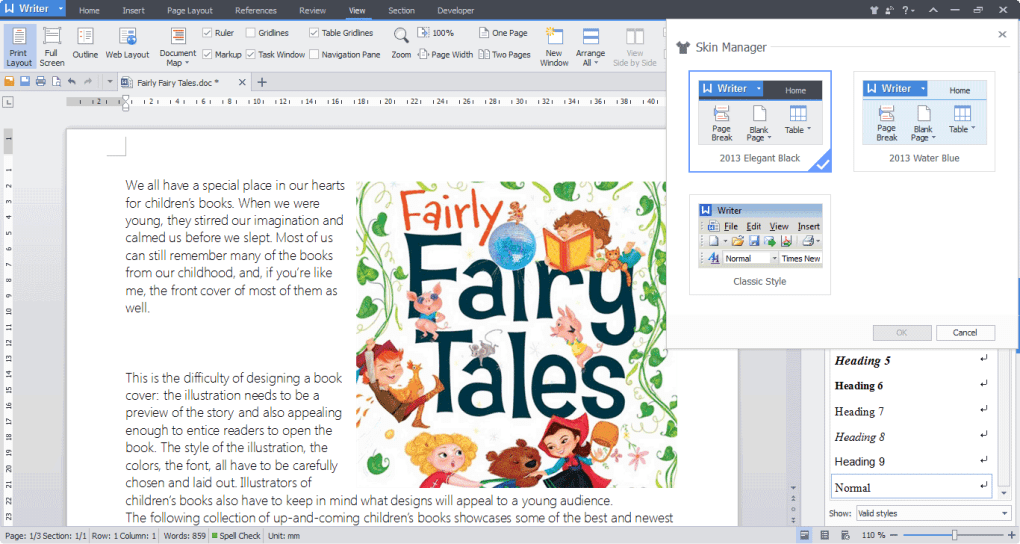
Kingsoft Writer: This word processor provides a robust set of tools for creating and editing documents. Basic formatting options are readily available, alongside more advanced features such as advanced paragraph adjustment, a built-in spell checker with real-time error highlighting, and a limited thesaurus for enhancing vocabulary and style. Compatibility with various file formats, including the widely used Microsoft Office formats (.doc, .docx), ensures seamless integration with other office suites. The inclusion of a PDF converter allows for straightforward document conversion to and from PDF format, a highly useful feature for document sharing and archiving. The option to encrypt documents with a password adds a layer of security, protecting sensitive information.
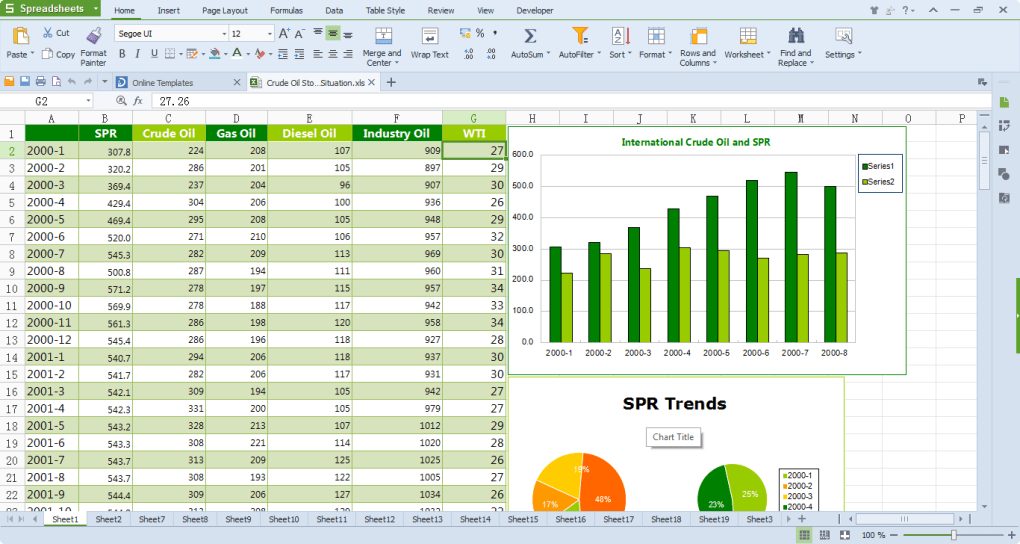
Kingsoft Spreadsheets: This spreadsheet application handles data manipulation and analysis. Key features include the ability to create and format spreadsheets, use formulas and functions, generate charts and graphs to visualize data, and handle large datasets effectively. Similar to Kingsoft Writer, it boasts compatibility with Microsoft Excel file formats (.xls, .xlsx), ensuring interoperability. The inclusion of a Solver function enhances its capabilities for complex problem-solving within spreadsheets. The ability to create multiple hyperlinks simultaneously is a time-saving feature for users who often need to embed links in their spreadsheets. The exporting of shared workbooks to the XLS format maintains compatibility with older versions of Microsoft Excel.
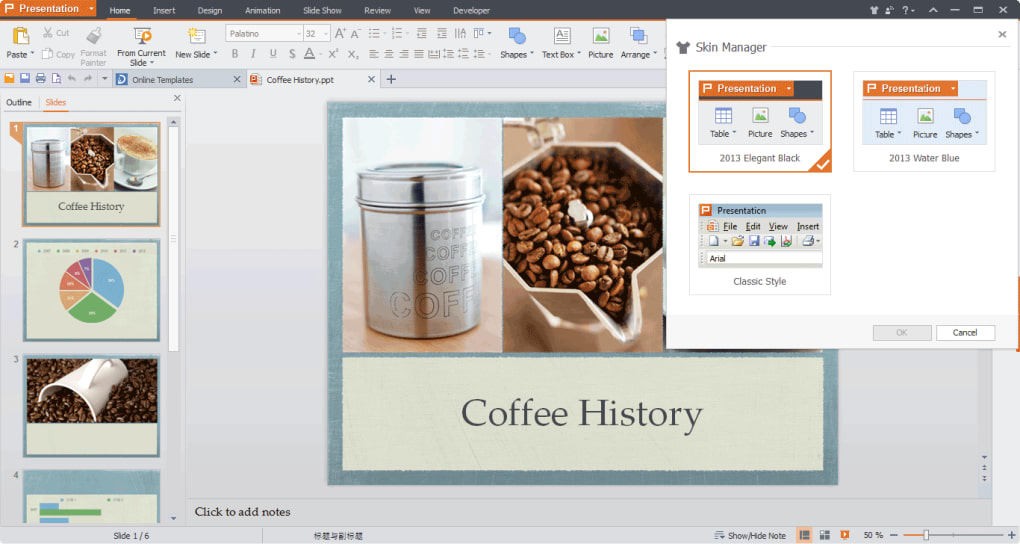
Kingsoft Presentation: This presentation software is designed for creating engaging and professional presentations. The user interface is streamlined, making the process of adding slides, text, images, and multimedia content effortless. It offers a range of pre-designed templates to quickly establish a presentation’s visual style, minimizing the effort in design and layout. While it is not as feature-rich as Microsoft PowerPoint, Kingsoft Presentation provides the core functions required to create professional-looking presentations. Its intuitive design and tools for managing slides and animations make the process smooth and efficient. Its compatibility with the standard presentation formats (.ppt, .pptx) ensures straightforward file exchange.
Compatibility and File Formats
A key strength of Kingsoft Office is its excellent compatibility with Microsoft Office file formats. The software seamlessly handles both reading and writing files created in Microsoft Word, Excel, and PowerPoint. This interoperability is crucial for users who frequently collaborate with individuals using Microsoft Office, ensuring a smooth flow of information and document exchange. It also supports a wide array of other common document formats, further enhancing its versatility. This cross-compatibility minimizes the need for file conversions, a significant benefit for users in collaborative environments. The ability to open Kingsoft files in Microsoft Office ensures a high level of interoperability.
User Interface and Experience
Kingsoft Office boasts a modern and user-friendly interface, designed for simplicity and ease of use. Navigation is straightforward, with tools and features clearly organized. The intuitive design minimizes the learning curve, allowing users to quickly become proficient with the software. The multiple document tabs feature, allowing users to switch between multiple open documents with ease, enhances productivity and workflow efficiency. The overall design prioritizes a clean and uncluttered workspace, promoting focus on the task at hand. While the interface closely resembles the Microsoft Office style, it maintains its own distinct visual identity.
Performance and System Requirements
Kingsoft Office is remarkably lightweight, requiring minimal system resources. This low memory footprint ensures smooth performance even on older or less powerful computers. The quick installation process is a notable advantage, compared to larger, more resource-intensive office suites. This lightweight nature contributes to the software’s speed and efficiency, with programs launching rapidly and responding promptly to user input. This aspect makes it suitable for a broader range of computer systems.
Comparison with Microsoft Office
While Kingsoft Office offers a viable alternative to Microsoft Office, it is essential to acknowledge the differences in functionality. Microsoft Office, particularly the professional versions, offers a far more extensive feature set. Certain advanced features found in Microsoft Office, especially in the areas of data analysis and presentation design, may be absent or less comprehensive in Kingsoft Office. This is expected considering the price difference: Kingsoft Office operates as a free alternative. The decision of which software to utilize depends on individual needs and requirements. If sophisticated functionalities are paramount, Microsoft Office remains the industry leader. However, for basic document creation, editing, and spreadsheet manipulation, Kingsoft Office proves to be a highly capable substitute.
Limitations and Drawbacks
While Kingsoft Office presents a robust set of features, some limitations exist. The presentation tool, while functional, is less powerful than Microsoft PowerPoint, lacking some advanced animation and transition options. Certain advanced features present in Microsoft Excel, especially in the realm of complex data analysis and modeling, may not be as comprehensive or user-friendly within Kingsoft Spreadsheets. The built-in spell checker and thesaurus are functional but may lack the breadth and accuracy of their counterparts in Microsoft Office. The “trial version” label, while not restricting usage like a traditional trial, might cause confusion for some users.
User Reviews and Feedback
User reviews highlight Kingsoft Office’s strengths. Many users praise its compatibility with Microsoft Office files, its lightweight design, and its ease of use. The compatibility aspect is frequently mentioned as a major selling point, especially for those needing to work with files from other users employing Microsoft Office. The speed and efficiency are also points of positive feedback, highlighting its responsiveness and low resource usage. However, some users mention the absence of more advanced features as a downside, an aspect that aligns with expectations given its free status and comparison to the feature-rich commercial alternatives. The feedback consistently shows that Kingsoft Office is a robust, lightweight, and useful solution for basic office tasks.
Conclusion
Kingsoft Office provides a free and effective alternative to the leading commercial office suites. Its compatibility with Microsoft Office file formats, user-friendly interface, and lightweight design make it a compelling choice for many users. While it does not possess the full breadth of features found in commercial offerings like Microsoft Office, its core functionality is more than adequate for a large range of tasks. The trial version, effectively functioning as the free version, allows users to fully explore its features and determine its suitability for their specific requirements. It serves as a solid option for individuals and businesses seeking a free and functional office suite that prioritizes ease of use and compatibility without sacrificing functionality in basic document processing, spreadsheet creation, and presentation design. The software’s user-friendly interface and effective compatibility with industry-standard formats make it a significant contender in the free office suite category. The overall assessment points towards Kingsoft Office being a powerful tool, especially considering its availability as a free alternative.
File Information
- License: “Trial version”
- Version: “2013-9.1.0.4060”
- Latest update: “September 23, 2022”
- Platform: “Windows”
- OS: “Windows 7”
- Language: “Japanese”
- Downloads: “116.2K”
- Size: “4.99 MB”


