
Opening and managing extremely large text files can be a significant challenge for standard text editors. Notepad, while user-friendly, struggles with files exceeding a certain size, often crashing or becoming incredibly unresponsive. Similarly, even powerful applications like Microsoft Word can sputter and slow to a crawl when faced with massive text documents. This is where specialized tools like the Large Text File Viewer come into play, offering a dedicated solution for handling text files that dwarf the capabilities of conventional applications. This in-depth review explores the features, capabilities, and limitations of this free productivity tool.
Effortless Handling of Massive Text Files
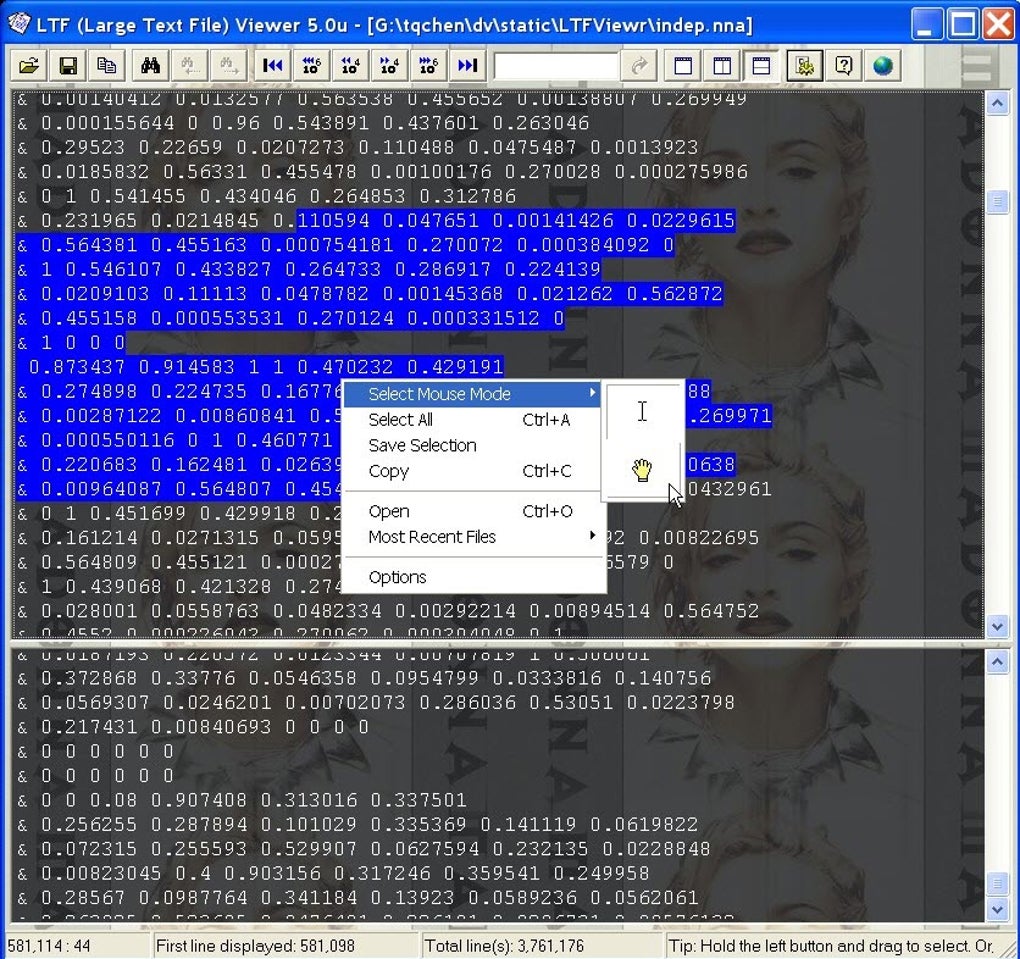
The Large Text File Viewer lives up to its name. Unlike many other text viewers that falter under the weight of large files, this application smoothly opens and displays files exceeding 1 gigabyte (GB) in size. This ability to effortlessly handle such substantial datasets is a key selling point, setting it apart from its more mainstream competitors. The program’s efficiency isn’t just about size; it also boasts impressive speed. The responsiveness remains consistent even with files in the multi-gigabyte range, providing a significant advantage for users who regularly work with substantial volumes of text data.
This performance isn’t achieved at the cost of resource consumption. The application maintains a relatively small memory footprint, minimizing its impact on system performance. Furthermore, its portability is a significant advantage. There is no installation process required; users simply run the executable file, making it incredibly convenient for those who prefer to avoid installing software or who work on systems with restricted installation privileges. This makes the Large Text File Viewer an ideal choice for users who need a quick, efficient, and easily accessible solution for viewing large text files.
Real-Time Access and Powerful Search Capabilities
One of the standout features of Large Text File Viewer is its ability to open and read files that are currently being written to by other applications. This real-time access provides users with up-to-the-minute insights into evolving data, a functionality particularly beneficial for monitoring logs, tracking progress in data processing pipelines, or collaborating on documents undergoing simultaneous edits. The ability to view and track changes as they happen is a considerable asset in dynamic environments where data is continuously being updated.
Beyond simple viewing, the application provides robust search functionality. Users can search for specific text strings with support for regular expressions, offering a powerful tool for quickly locating specific information within the massive text files. This goes beyond simple keyword searches, allowing for complex pattern matching to identify specific data formats or sequences. The inclusion of date and time search capabilities is particularly useful when dealing with log files or datasets containing timestamps. Support for searching hexadecimal integers expands its utility to a broader range of applications, including those involving binary data representations. This powerful search functionality significantly accelerates the process of information retrieval within large, often complex, text datasets.
Customization and User Experience
The Large Text File Viewer prioritizes user experience and customization. Users can easily adjust various display parameters to optimize readability and comfort. The font, font size, text color, and background color are all configurable, enabling users to tailor the viewing experience to their preferences and needs. The inclusion of a word-wrap feature enhances readability, preventing long lines of text from extending beyond the screen’s boundaries. These adjustable parameters are crucial for enhancing the usability of the program across diverse contexts and user preferences.
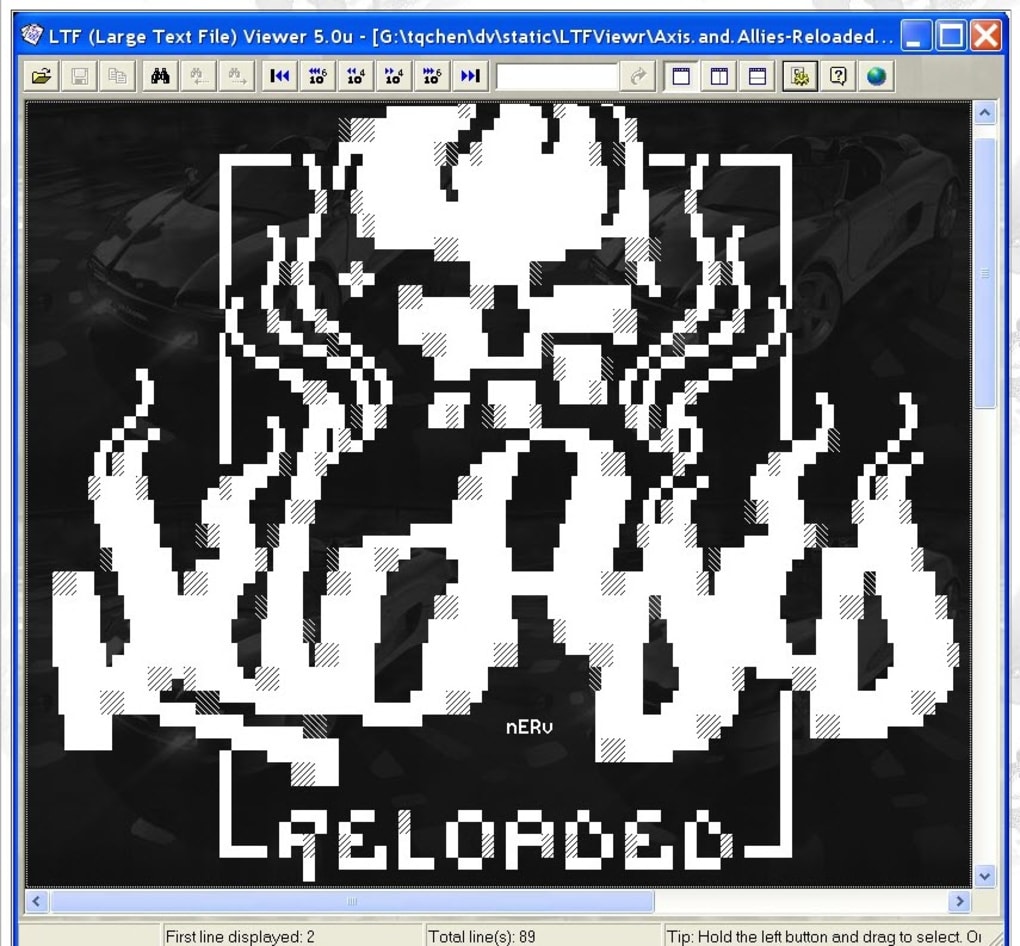
The program’s settings are persistent. Once the user adjusts the display parameters, those settings are saved and automatically restored the next time the application is launched. This eliminates the need to reconfigure preferences each time the application is used. The application also remembers the user’s last opened files and restores the window’s size and position, further enhancing usability and convenience. This attention to detail and user-centric design ensures a consistent and comfortable experience for users regardless of how frequently they use the program.
Limitations and Areas for Improvement
While the Large Text File Viewer offers many advantages, it also has some limitations. Perhaps the most significant is the discontinuation of support for Windows 9x systems. This limits its accessibility to users still running older versions of the Windows operating system. Although this is understandable given the ongoing evolution of technology, it remains a limitation for users who haven’t upgraded their systems.
Another area needing improvement is the partial Unicode support. While the application handles a wide range of characters, it is not fully comprehensive. This could pose challenges for users working with text files containing less common or specialized characters from languages not fully supported. This limitation could be addressed through enhancements to its character encoding capabilities.
The absence of a fullscreen view is also a minor drawback. For users who prefer a distraction-free viewing experience, the lack of a fullscreen mode could be a limiting factor. The addition of this functionality would enhance the application’s usability for users who prefer immersive viewing. Finally, while the program utilizes regular expressions for search, the syntax deviates slightly from standard regular expression patterns. This could be confusing for users familiar with the standard syntax, requiring a period of adjustment to the application’s specific implementation.
Conclusion: A Valuable Tool for Specific Needs
The Large Text File Viewer is a powerful and efficient application for handling very large text files. Its ability to effortlessly open and display files exceeding 1 GB in size, coupled with its real-time access to files being written, and its robust search capabilities, makes it an invaluable tool for users working with massive datasets. The customizable display settings and persistent preferences further enhance its user-friendliness.
However, the limitations regarding Windows 9x compatibility, partial Unicode support, the lack of a fullscreen mode, and the slightly non-standard regular expression syntax should be considered. While these limitations don’t negate the application’s value, potential users should be aware of them. Overall, the Large Text File Viewer stands as a robust solution for specific needs, providing a significant advantage over more general-purpose text editors when dealing with extremely large text files. Its portability and efficiency make it a worthy addition to the toolkit of anyone regularly handling such data. The advantages in speed and ease of use outweigh the limitations for those working in specialized situations where managing gigabytes of text data is a regular requirement.
File Information
- License: “Free”
- Version: “5.2”
- Latest update: “September 3, 2021”
- Platform: “Windows”
- OS: “Windows 8.1”
- Language: “English”
- Downloads: “36.7K”
- Size: “375.95 KB”


