
LaTeX is a powerful typesetting system widely used for creating high-quality scientific and technical documents. Unlike word processors that focus on visual formatting, LaTeX prioritizes the content, allowing users to concentrate on writing while the system handles the intricate details of presentation. This article provides a detailed overview of the LaTeX Project, a readily available implementation of this robust typesetting system.
Understanding LaTeX and its Advantages
LaTeX isn’t a word processor in the traditional sense. It’s a document preparation system built upon the TeX typesetting system, developed by Donald E. Knuth. This fundamental difference shapes its strengths and weaknesses. While the learning curve might initially appear steeper than that of a typical word processor, mastering LaTeX unlocks significant advantages:
-
Superior Control over Formatting: LaTeX provides unparalleled control over the appearance of your documents. This is particularly beneficial for technical writing that requires precise formatting of equations, algorithms, and complex structures. The system employs a markup language, enabling you to define the structure and logical elements of your text rather than directly manipulating its visual presentation. This separation of content and style makes long-term maintenance and collaboration significantly smoother.
-
Consistency and Professionalism: The structured nature of LaTeX ensures consistency throughout your documents. Formatting remains consistent across sections and chapters, contributing to a professional and polished final product. This consistency extends to mathematical notation, algorithms, and bibliographic references, avoiding the inconsistencies common in visually-driven word processing software.
-
Collaboration and Version Control: LaTeX’s markup-based approach facilitates easier collaboration. Changes are easily tracked and managed, making it ideal for projects with multiple authors. Moreover, its plain text nature seamlessly integrates with version control systems like Git, simplifying collaboration and ensuring easy restoration of previous document versions.
-
Cross-Platform Compatibility: LaTeX is available on Windows, macOS, and Linux systems, meaning you can work on your documents regardless of your operating system. This cross-platform compatibility reduces the headaches often associated with document transfer and format compatibility issues encountered across various platforms.
LaTeX Distributions and the LaTeX Project
LaTeX itself isn’t a standalone application. It requires a TeX distribution, which bundles all necessary components, including LaTeX, TeX, and supporting utilities. Various TeX distributions exist, each with its own set of packages and features. The LaTeX Project for Windows, the focus of this article, represents one such implementation, streamlining the process of installing and using LaTeX on Windows systems.
The LaTeX Project simplifies the often complex process of setting up LaTeX on Windows. Unlike manually compiling individual components, it provides a pre-packaged installation that includes the essential tools for creating and compiling LaTeX documents. This all-in-one approach significantly reduces the technical hurdles for users unfamiliar with the intricacies of TeX distributions. However, it is important to note that the LaTeX Project for Windows, while a convenient solution, may not always contain the very latest version of every component. For users requiring the absolute cutting edge of particular packages, downloading directly from CTAN (Comprehensive TeX Archive Network) might be necessary.
Working with the LaTeX Project for Windows
The LaTeX Project for Windows offers a user-friendly environment for creating and compiling LaTeX documents. After installation, users can work within their preferred text editor (many code editors offer enhanced LaTeX support, featuring syntax highlighting and other helpful tools) to write their LaTeX code. The compiled output—a beautifully typeset PDF document—is then generated through the included LaTeX compiler.
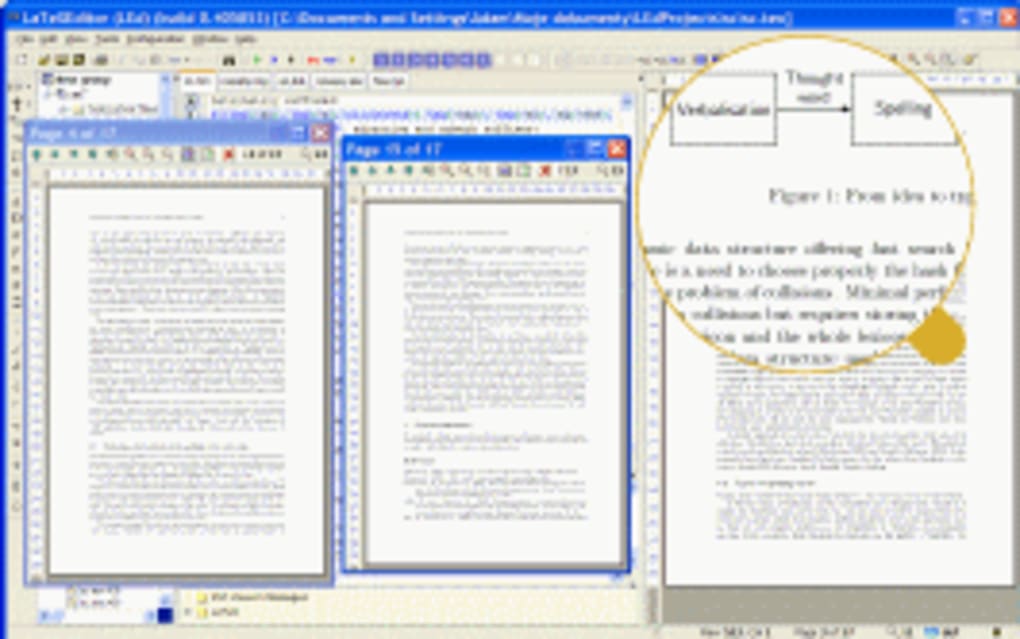
The process typically involves three steps:
-
Writing the LaTeX Source Code: This stage involves writing the text using LaTeX commands to structure the document and define formatting. This code is saved as a
.texfile. -
Compilation: The
.texfile is compiled using a LaTeX compiler (included in the LaTeX Project distribution), which transforms the source code into a PDF document. This compilation process may involve multiple passes to fully resolve cross-references and ensure proper formatting.
- Review and Refinement: Once compiled, the PDF document can be reviewed for errors and further refined. Any necessary changes are made to the source
.texfile, and the compilation process is repeated until the final document meets expectations.
The LaTeX Project also often incorporates helpful support tools, such as documentation and a user-friendly interface, making the initial stages of learning LaTeX significantly smoother.
Beyond the Basics: Exploring LaTeX Capabilities
LaTeX’s power lies not only in its ability to produce aesthetically pleasing documents but also in its extensive capabilities for handling complex content:
-
Mathematical Equations: LaTeX excels at handling mathematical equations, providing a vast array of commands and symbols to accurately represent even the most intricate formulas. This allows for seamless integration of mathematical content without sacrificing visual appeal.
-
Algorithms and Code: LaTeX supports the inclusion of algorithms and code snippets in a visually appealing and consistent manner. Packages are available to handle various programming languages, resulting in professionally formatted code within the document.
-
Tables and Figures: LaTeX offers flexible options for creating tables and incorporating figures, allowing for precise control over alignment, captions, and overall presentation.
-
Bibliographies: LaTeX simplifies the management of bibliographies through packages like BibTeX, which automatically formats citations and generates a comprehensive bibliography based on a separate bibliographic database. This significantly reduces manual effort and ensures consistency in citation formatting.
-
Cross-referencing: LaTeX simplifies cross-referencing within the document, automatically generating links to sections, equations, figures, and tables, updating those links automatically when the document structure changes.
-
Customizable Styles and Templates: LaTeX allows for extensive customization through style files, enabling users to define their own styles and templates to maintain consistency across multiple documents or to adhere to specific publication guidelines. This is crucial for producing documents compliant with particular journals or institutional standards.
-
Packages and Extensions: The power of LaTeX is further enhanced through its extensive library of packages and extensions. These packages add functionality for specific needs, such as creating diagrams, charts, or specialized typesetting for specific disciplines.
Conclusion
The LaTeX Project provides a valuable and accessible entry point into the world of LaTeX. By simplifying the installation and setup process on Windows, it empowers users to leverage the power of this sophisticated typesetting system for creating professional-quality scientific and technical documents. While the initial learning curve might seem challenging, the rewards in terms of consistent formatting, superior control over presentation, and enhanced collaboration far outweigh the initial investment of time and effort. LaTeX’s ability to handle complex mathematical equations, algorithms, and bibliographies, coupled with its extensive customization options, makes it an invaluable tool for researchers, academics, and anyone needing to create highly polished, technically accurate documents.
File Information
- License: “Free”
- Version: “1.1.1.3”
- Latest update: “September 16, 2021”
- Platform: “Windows”
- OS: “Windows 8.1”
- Language: “English”
- Downloads: “50.5K”


