
LaunchBox is a powerful and user-friendly game launcher application designed to streamline the management and access of your extensive game library. It transcends the role of a simple emulator, offering a wealth of features that enhance the overall gaming experience for users of all skill levels, from casual players to seasoned veterans. This comprehensive guide delves into the functionalities, benefits, and nuances of LaunchBox, exploring its capabilities and addressing common queries.
Streamlining Your Game Library: The Core Functionality of LaunchBox
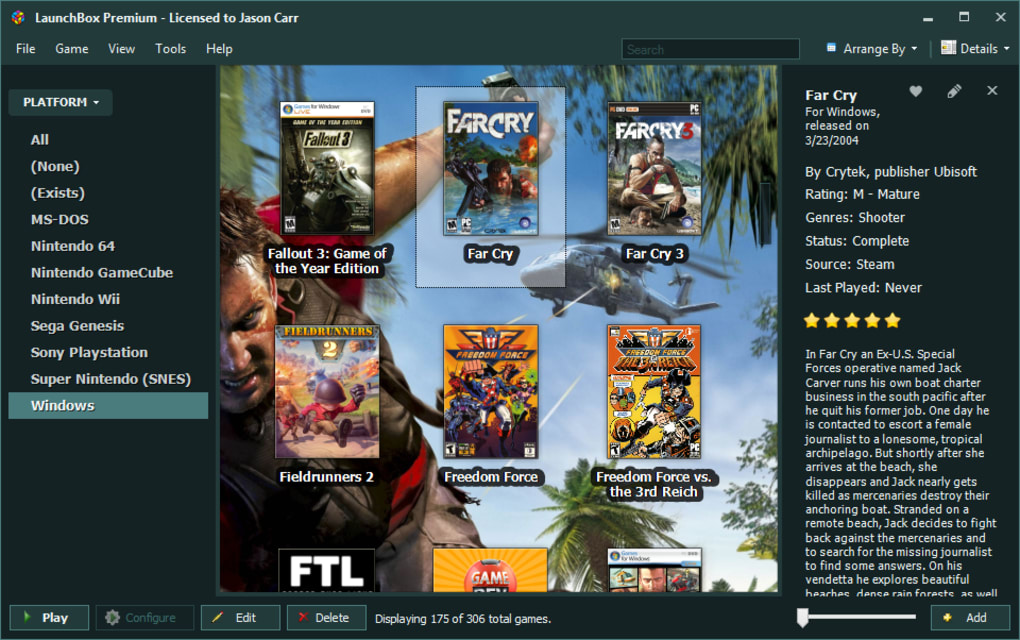
At its heart, LaunchBox functions as a centralized hub for all your games. Whether you’re a collector of classic ROMs, a dedicated PC gamer, or a user of multiple gaming platforms, LaunchBox provides a unified interface to manage and launch your entire collection. Forget the hassle of navigating multiple launchers and directories; LaunchBox consolidates everything into a clean, intuitive environment.
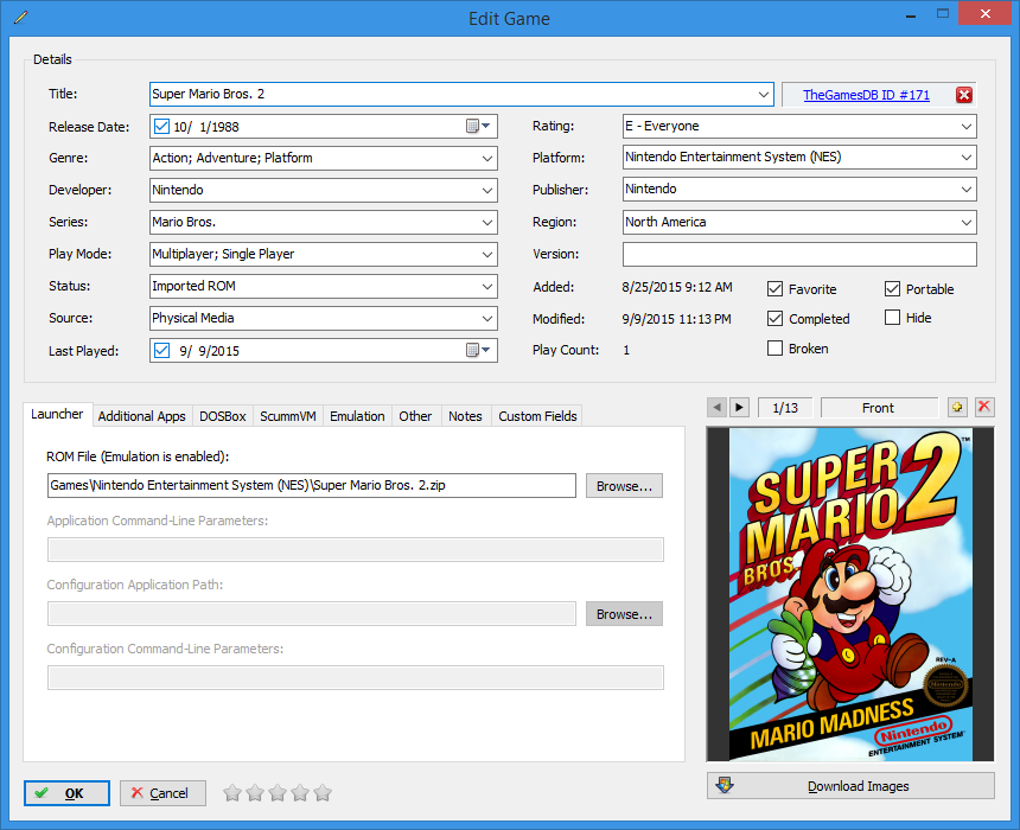
The application’s strength lies in its ability to import and organize games from diverse sources. This includes not only ROMs for various consoles but also games from Steam, GOG, Epic Games Store, and other digital distribution platforms. LaunchBox automatically gathers metadata, such as box art, game descriptions, and screenshots, creating a visually appealing and informative library that’s a joy to browse. This automated metadata retrieval significantly reduces the time and effort required to manually organize a large game library.
This robust organization goes beyond simple listing. LaunchBox allows for extensive customization of categories and filtering options, enabling players to tailor their library view to their preferences. This granular level of control allows users to sort their games by genre, system, release date, or any other criteria they deem relevant. The ability to create custom collections and playlists further enhances the flexibility of the system.
Beyond Emulation: Exploring the Advanced Features of LaunchBox
While LaunchBox excels as a game launcher and organizer, it offers much more than simple emulation capabilities. Its extensive features elevate the user experience, adding value beyond basic game launching. This includes:
-
Integration with Emulators: LaunchBox seamlessly integrates with a wide range of emulators, ensuring compatibility with numerous gaming platforms. This integration is not simply about launching the emulator; LaunchBox configures and manages the emulators, making the process incredibly straightforward, even for users unfamiliar with emulator setup.
-
Metadata Management: The application automatically downloads and manages metadata for your games, including box art, screenshots, and game descriptions. This eliminates the tedious task of manually searching for and adding this information, significantly reducing the time required for library setup and organization. The system’s ability to access and utilize information from online databases ensures consistency and accuracy.
-
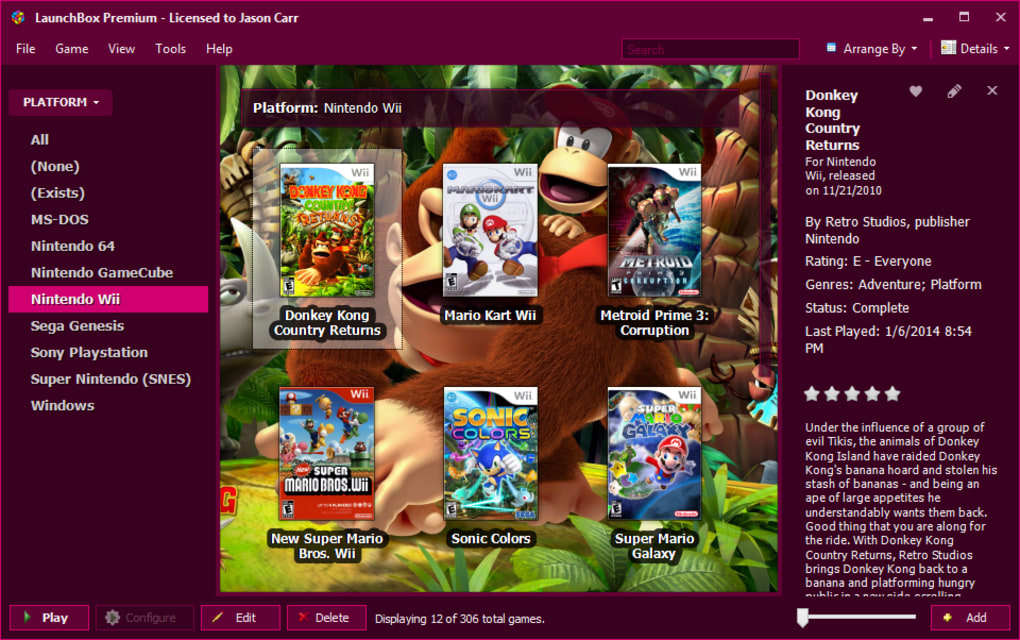
Customizable Interface: LaunchBox boasts a highly customizable interface, allowing users to tailor the look and feel to their preferences. The user can choose from various themes and skins or create their own custom themes, ensuring a personalized and visually engaging experience.
-
Community Support: A vibrant and supportive community surrounds LaunchBox, providing extensive resources and assistance to users. Active forums, tutorials, and guides provide answers to common questions and troubleshooting assistance, ensuring a smooth and positive user experience.
-
EmuMovies Integration (Paid Version): The premium version of LaunchBox offers enhanced functionality through integration with EmuMovies. This third-party service provides access to high-quality videos, manuals, and other supplemental materials, enhancing the nostalgic and immersive experience for users interested in retro gaming.
LaunchBox Editions: Free vs. Paid – Choosing the Right Version
LaunchBox is available in two versions: a free edition and a paid edition. The free edition provides the core functionality, offering a robust game launcher and organizer with robust import features and emulator integration. While the free version provides a comprehensive package, the paid edition unlocks additional features for the more serious gamer or collector.
The primary difference lies in the advanced features and support offered by the paid version. Features such as EmuMovies integration, advanced metadata options, and priority support are exclusively available in the paid edition. The decision of whether to opt for the free or paid version ultimately depends on the user’s needs and preferences. Casual users who require basic functionality will find the free version perfectly sufficient. However, power users seeking advanced features and dedicated support might consider the investment in the paid edition to be worthwhile.
System Requirements and Compatibility: Is LaunchBox Right for You?
LaunchBox is currently designed for the Windows operating system. This platform-specific focus allows the developers to optimize the application for a specific environment, leading to enhanced performance and stability. While there’s currently no macOS version available, the development team continuously evaluates opportunities for expanding platform support. There is an Android version of LaunchBox available, though the functionality may differ from the Windows counterpart.
Regarding system requirements, LaunchBox is relatively lightweight and compatible with a wide range of Windows configurations. However, the performance can be influenced by the size of the game library and the complexity of the emulators being used. Users with large libraries or demanding emulators should ensure their systems meet or exceed the recommended specifications for optimal performance. The specifics of these specifications are generally listed on the official LaunchBox website.
Pros of Using LaunchBox:
- Ease of Use: The intuitive interface makes it easy to navigate and manage even extensive game collections.
- Comprehensive Organization: The application offers robust tools for categorizing, filtering, and customizing the presentation of games.
- Emulator Integration: Seamlessly integrates with various emulators, simplifying the process of launching and managing games.
- Automated Metadata Retrieval: Automatically downloads and applies metadata, saving significant time and effort.
- Free Version Available: A fully functional free version is offered, allowing users to explore the software’s capabilities before committing to a purchase.
- Active Community Support: A strong and active community provides support and resources to users.
Cons of Using LaunchBox:
- Windows-Only (Currently): The application is currently limited to Windows operating systems.
- Advanced Features Require Upgrade: Some advanced features, like EmuMovies integration, are only available in the paid version.
- Potential Resource Consumption: Managing a large game library and running demanding emulators can require substantial system resources.
In conclusion, LaunchBox stands as a compelling solution for gamers seeking a comprehensive and user-friendly way to manage and launch their games. Its strengths lie in its intuitive design, robust organizational tools, and seamless emulator integration. Whether you’re a casual gamer or a dedicated collector, LaunchBox provides a streamlined and enjoyable experience for accessing and managing your game library. While the platform’s current Windows-only focus might be a limitation for some, its overall functionality and ease of use firmly establish LaunchBox as a leading choice in game launching software.
File Information
- License: “Free”
- Latest update: “July 10, 2025”
- Platform: “Windows”
- OS: “Windows 10”
- Language: “English”
- Downloads: “6.5K”
- Size: “482.80 MB”


