
In an increasingly digital world, where screens are an undeniable part of daily life, harnessing technology for educational purposes has become a cornerstone of modern parenting and early childhood development. Among the myriad of applications designed to aid young learners, “Learn ABC for Kids” for Windows stands out as a dedicated tool engineered to introduce children to the foundational building blocks of literacy: the alphabet. Developed by Zeemish, this application transforms the often daunting task of learning letters into an engaging, interactive, and genuinely fun experience, proving that early education can indeed be both effective and enjoyable.
The journey of literacy begins with the alphabet. Before children can read words or write sentences, they must first recognize, understand, and eventually master the 26 letters that form the English language. This initial exposure is crucial, setting the stage for future academic success and fostering a lifelong love for learning. “Learn ABC for Kids” steps into this vital role, offering a comprehensive suite of activities tailored to captivate young minds and cement their understanding of each letter, from A to Z. PhanMemFree (formerly Softonic) has reviewed and verified this application, attesting to its utility and security, making it a trustworthy choice for parents seeking quality educational software for their children.
The Foundational Importance of Early Alphabet Learning
The period from birth to age five is a critical window for cognitive development. During these formative years, children’s brains are rapidly developing, soaking up information and forming connections at an astonishing rate. Introducing the alphabet during this time does more than just teach letters; it lays a crucial groundwork for a multitude of essential skills. Recognizing letters is the first step towards phonological awareness, which is the ability to hear, identify, and manipulate individual sounds (phonemes) in spoken words. This awareness is a strong predictor of future reading success. Children who enter school with a solid grasp of the alphabet are better equipped to tackle phonics, decode words, and ultimately read fluently.
Beyond reading, early alphabet learning also supports the development of fine motor skills, especially when interacting with digital interfaces that require tapping or tracing. It enhances visual discrimination as children learn to distinguish between similar-looking letters (like ‘b’ and ’d’, or ‘p’ and ‘q’). Furthermore, it fosters early problem-solving skills through interactive games and quizzes that encourage active recall and matching. When learning is presented in an enjoyable format, as “Learn ABC for Kids” strives to do, it also builds a positive association with education, nurturing curiosity and an eagerness to learn more. This positive emotional connection to learning is arguably one of the most valuable outcomes of effective early childhood education.
Why Digital Tools for Early Education?
While traditional methods like flashcards, alphabet books, and hands-on manipulatives remain invaluable, digital tools like “Learn ABC for Kids” offer unique advantages that complement and enhance these conventional approaches. For one, digital apps can provide a level of interactivity and dynamic engagement that static materials cannot. They can incorporate vibrant colors, captivating animations, and responsive sound effects, all of which are powerful attractors for young children. This multi-sensory engagement helps to solidify learning by appealing to different learning styles – visual, auditory, and kinesthetic (through touch interaction).
Moreover, digital learning environments can offer personalized experiences. While “Learn ABC for Kids” doesn’t explicitly mention adaptive learning paths, the nature of its interactive elements allows children to progress at their own pace, repeating activities as needed without boredom or judgment. The instant feedback provided by quizzes and games helps children immediately understand correct answers and learn from mistakes. For busy parents, such an application offers a convenient, structured, and readily available educational resource that can be utilized in various settings, from a quiet afternoon at home to a travel distraction. The accessibility of a free, Windows-based application like this ensures that quality early learning is within reach for many families.
Unpacking the Engaging Features of Learn ABC for Kids
“Learn ABC for Kids” is not merely a digital flashcard app; it’s a carefully curated collection of activities designed to ensure that alphabet learning is comprehensive and sustained. The developers, Zeemish, have integrated several key features that work in tandem to create a robust learning environment. The app’s core strength lies in its ability to combine visual appeal with interactive challenges, striking a balance between passive viewing and active participation. This approach caters to the natural learning tendencies of young children, who thrive on exploration and discovery.
Interactive Charts and Visual Learning
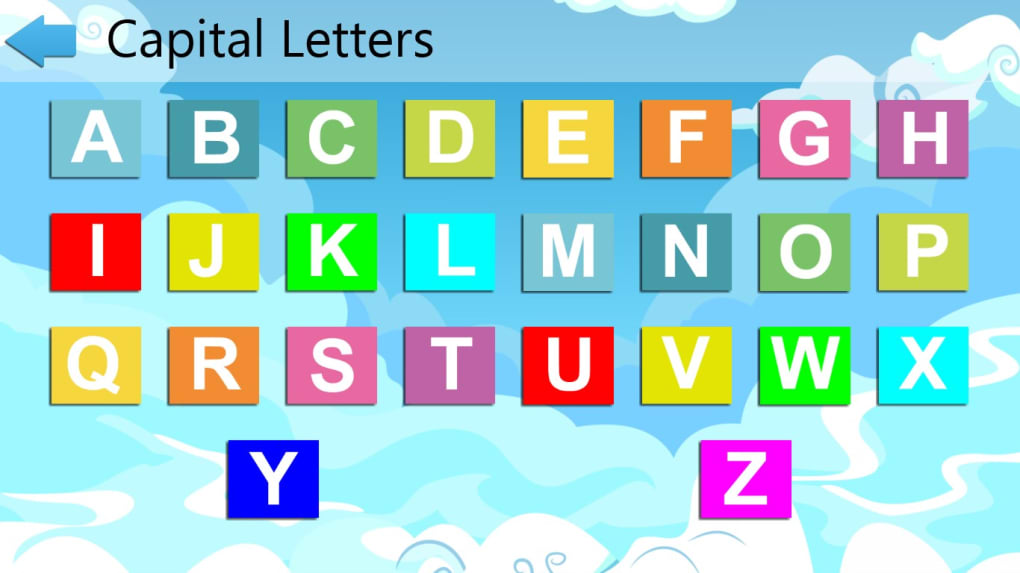
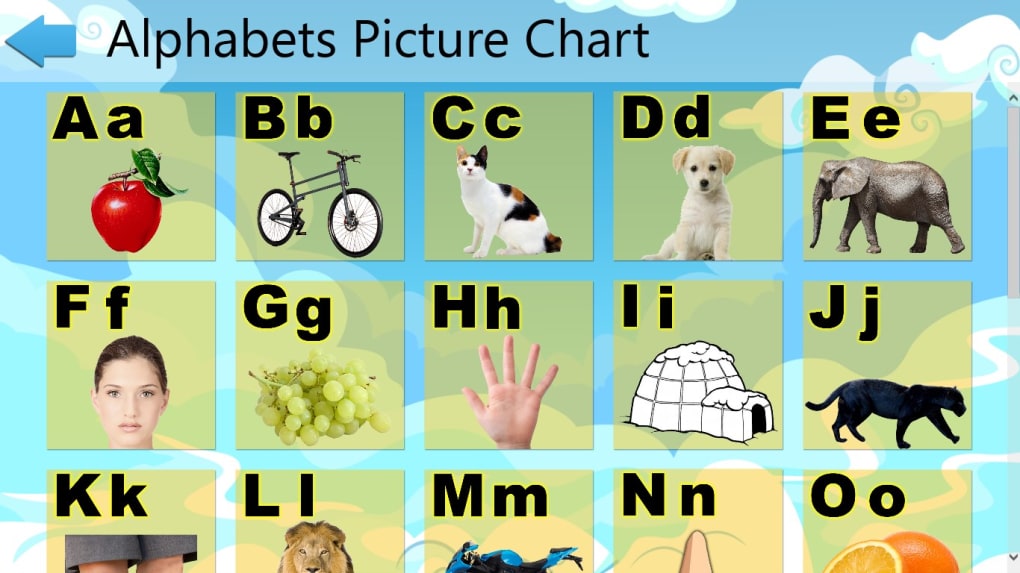
At the heart of “Learn ABC for Kids” is its interactive alphabet chart. This isn’t just a static display of letters; it’s a dynamic interface where each letter, both capital and small, comes to life. The use of “attractive colors and animation” plays a pivotal role here. For young children, color is a powerful sensory input that aids in recognition and memory. By associating each letter with a distinct color or a playful animation, the app creates memorable cues that help differentiate one letter from another. Seeing both capital and small letters side-by-side on the chart is crucial for developing a complete understanding of the alphabet, as children need to recognize both forms interchangeably when they begin to read.
The slideshows integrated into the app serve as an excellent tool for visual learners and for reinforcing letter recognition. These slideshows likely present letters sequentially or randomly, often paired with objects or animals whose names begin with that letter. This association technique, known as visual mnemonics, helps children connect the abstract shape of a letter with a concrete image and sound. For example, ‘A’ might be shown with an apple, ‘B’ with a ball, and so on. This multi-modal approach strengthens memory recall and understanding. The ability to control the pace of the slideshows, or for them to advance automatically, allows for flexible learning scenarios, catering to children’s varying attention spans.
Gamified Learning: Memory Matches and Quizzes
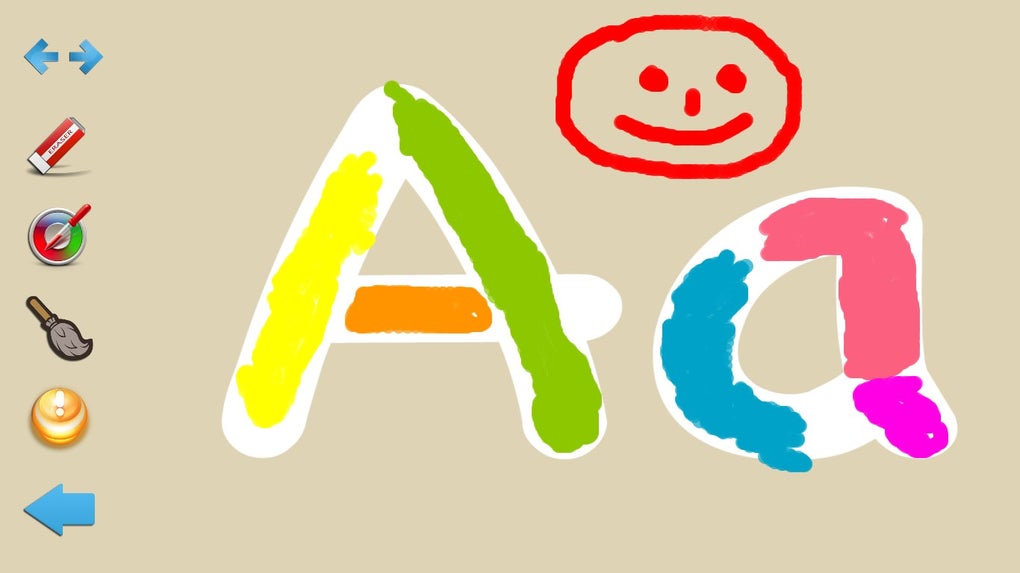
One of the most effective ways to engage young learners and ensure retention is through gamification. “Learn ABC for Kids” cleverly incorporates this with its memory match games and chart quizzes. Memory match games are not only fun but also highly beneficial for cognitive development. They challenge children to recall the location of specific letters, thereby enhancing their short-term memory, concentration, and visual discrimination skills. Matching capital letters to their lowercase counterparts, or matching a letter to an image that starts with that letter, adds an extra layer of complexity and learning. The tactile experience of tapping or clicking to reveal and match cards on a screen mimics traditional memory games, but with the added benefit of digital interactivity and clear visuals.
The chart quizzes act as an assessment tool, albeit a playful one. After being exposed to the alphabet through interactive charts, slideshows, and memory games, the quizzes provide an opportunity for children to actively recall what they’ve learned. These might involve identifying a letter from a selection, or pairing a sound with its corresponding letter. The instant feedback received during these quizzes helps solidify correct answers and gently guides children when they make a mistake. This active recall process is a superior method for long-term retention compared to passive viewing. The combination of various game types ensures that learning remains dynamic and prevents boredom, encouraging children to return to the app for repeated engagement.
Enhancing Learning Through Play and Repetition
The philosophy behind “Learn ABC for Kids” aligns perfectly with modern educational theories that advocate for play-based learning and the power of repetition. Children learn best when they are actively engaged and when the learning process feels like play rather than work. The app’s design, with its “easy and fun” interface, vibrant “attractive colors and animation,” aims to create an environment where children are motivated to explore and interact without feeling pressured. This intrinsically motivated learning is far more effective than rote memorization.
Repetition, often seen as tedious in adult learning, is absolutely vital for young children. Their developing brains need multiple exposures to new concepts to form strong neural pathways. “Learn ABC for Kids” encourages “repeated use” as a core strategy for retention and increasing learning capabilities. Whether it’s replaying a memory game, revisiting the interactive chart, or going through a slideshow again, each interaction reinforces the lesson. This cyclical learning process allows children to gradually master the alphabet at their own pace, building confidence with each successful attempt.
Fostering Cognitive Development
Beyond the direct outcome of alphabet recognition, interacting with “Learn ABC for Kids” contributes to broader cognitive development. Navigating the app, tapping on letters, or selecting answers in quizzes helps develop early digital literacy skills and hand-eye coordination. Listening to letter sounds (even if the pronunciation could be improved, as noted in some feedback) enhances auditory processing. The problem-solving inherent in matching games and quizzes stimulates critical thinking and decision-making processes. Moreover, the sense of accomplishment children feel when they correctly identify a letter or complete a game fosters self-esteem and a positive attitude towards tackling new challenges. This holistic development is a significant, often understated, benefit of well-designed educational applications.
The Role of Parental Guidance
While “Learn ABC for Kids” is designed to be intuitive for children, parental involvement remains a crucial element in maximizing its educational impact. Parents can sit with their children, reinforce letter sounds verbally, celebrate successes, and gently guide them through challenging parts. This shared learning experience strengthens the parent-child bond and allows parents to monitor their child’s progress and identify areas where additional support might be needed. Furthermore, parents can use the app as a springboard for off-screen activities, such as pointing out letters in books, on street signs, or during grocery shopping, helping children connect their digital learning with the real world. Managing screen time effectively is also a parental responsibility, ensuring that the app is used as a supplementary tool within a balanced learning routine that includes physical play, social interaction, and creative activities.
App Accessibility, User Experience, and Areas for Growth
The decision by Zeemish to offer “Learn ABC for Kids” as a free application for Windows is a significant factor in its accessibility and potential reach. Many families already have Windows-based PCs, making the barrier to entry extremely low. The free license means parents can download and try the app without financial commitment, which is crucial for evaluating if it’s a good fit for their child’s learning style. The app’s compatibility with Windows 10, as specified, ensures it runs on a widely used operating system, further enhancing its availability.
The user experience is paramount for children’s apps. The “attractive colors and animation” are not just aesthetic choices; they are functional elements that keep children engaged. The interface is likely designed to be simple and clutter-free, allowing young users to navigate easily without adult intervention, fostering a sense of independence. The “easy and fun” nature described implies straightforward controls and immediate feedback, which are essential for maintaining a child’s interest and preventing frustration. The app’s relatively small download size (7.7K last month’s downloads as of the last update in July 2019 suggests regular activity and user interest) and “varies-with-device” version denote flexibility and optimization for different Windows setups.
Designed for Young Learners and Windows Platforms
Focusing on the Windows platform provides a stable and familiar environment for many households. While tablets and smartphones are popular for kids’ apps, a dedicated PC application can offer a larger screen for visual engagement and a more focused learning environment, free from the distractions of communication apps often found on mobile devices. The app’s development, with its last update in July 2019, indicates ongoing support and refinement, which is reassuring for users looking for a reliable educational tool. The language being English also positions it as a key resource for English-speaking families or those seeking to introduce English literacy to their children.
Addressing Feedback and Future Potentials
Like any application, “Learn ABC for Kids” has received feedback that highlights areas for improvement. The noted “pronunciation could be better” is an important point. For phonics instruction, clear and accurate pronunciation is absolutely critical. Muddled or incorrect sounds can confuse young learners and impede their ability to correctly associate letters with sounds, a foundational skill for reading. While this may be a minor issue for some, it’s a significant one for early literacy. Future updates could benefit greatly from refining the audio quality and phonetic accuracy, perhaps even offering different accent options.
Another point of feedback, “numbers aren’t free to open,” indicates a freemium model where certain content (like number learning) is behind a paywall. While understandable from a development cost perspective, it’s important for parents to be aware of this limitation if they are looking for an all-in-one literacy and numeracy app. However, given the app’s primary focus on “ABC,” this might be seen as an additional feature rather than a core deficiency. A transparent explanation within the app or its description on PhanMemFree.org (formerly Softonic.com) would manage user expectations effectively. Despite these minor points, the overwhelmingly positive experience around alphabet learning seems to solidify its value.
PhanMemFree’s Verdict: A Secure and Valuable Educational Tool
When considering any digital application for children, security is paramount. Parents need assurance that the software they download is free from malware, viruses, or any other digital threats. PhanMemFree, known for its rigorous testing and review processes, provides precisely this peace of mind for “Learn ABC for Kids.” The application has undergone a comprehensive security scan, utilizing “more than 50 of the world’s leading antivirus services,” and has been unequivocally deemed “Clean.” This “PhanMemFree’s Seal of Approval” means that “Learn ABC for Kids” is “extremely likely that this software program is clean,” with “no possible threat detected.” This commitment to user safety is a cornerstone of PhanMemFree.org’s mission, ensuring that parents can confidently download and install educational tools without risking their family’s digital security.
The consistent positive feedback and the high download numbers (7.7K last month) further underscore the app’s popularity and effectiveness within the educational software landscape. Its status as a free, secure, and engaging tool makes it a highly recommended option for parents seeking to jumpstart their child’s literacy journey on a Windows PC.
In conclusion, “Learn ABC for Kids” by Zeemish is a commendable early learning application that successfully blends educational principles with engaging digital design. Its interactive alphabet chart, vibrant slideshows, cognitive-boosting memory games, and reinforcing quizzes create a multi-faceted learning experience that is both “fun and effective.” While there’s always room for minor improvements, particularly in areas like pronunciation, its core offering of free, engaging alphabet learning for Windows users makes it an invaluable resource. PhanMemFree’s endorsement of its security and utility further solidifies its position as a trustworthy and beneficial tool for parents dedicated to fostering their children’s early literacy skills. For any family with a Windows PC looking to make alphabet learning an exciting adventure, “Learn ABC for Kids” is an excellent starting point, promising an engaging journey from A to Z.
File Information
- License: “Free”
- Version: “varies-with-device”
- Latest update: “July 29, 2019”
- Platform: “Windows”
- OS: “Windows 10”
- Language: “English”
- Downloads: “7.7K”


