
Leawo Free Video Converter is a versatile and user-friendly video conversion tool available for Windows. This comprehensive review delves into its features, performance, ease of use, and overall value, comparing it to other popular options in the market. Whether you’re a casual user looking to convert a few videos or a more experienced user requiring a wider range of functionalities, this review will provide you with the information you need to decide if Leawo Free Video Converter is the right choice for you.
Feature Overview: A Robust Toolkit for Video Conversion
Leawo Free Video Converter boasts a substantial array of features designed to cater to a broad spectrum of video conversion needs. Its core function, naturally, is the conversion of video files between various formats. It handles a wide variety of popular formats, including but not limited to AVI, MPEG, WMV, MP4, FLV, RM, MOV, Xvid, and 3GP. This extensive format support eliminates the frustration of encountering incompatibility issues with different devices or media players. Furthermore, the converter seamlessly manages audio formats, encompassing MP3, WMA, WAV, M4A, AAC, AC3, and others, providing comprehensive solutions for both video and audio file conversion.
Beyond basic format conversion, Leawo Free Video Converter offers advanced features that enhance its usability and flexibility. One notable feature is its video merging capability. Users can seamlessly combine multiple video files into a single output file, a handy function for creating compilations or streamlining lengthy video projects. This simplifies the process of consolidating multiple video clips without requiring additional editing software.
The converter also facilitates conversion between various video and audio formats. This means users can effortlessly transform a video file from one format (e.g., MP4 to AVI) or even convert a video file into an audio-only format (e.g., MTS to MP3). This feature is beneficial for extracting audio tracks from videos, creating ringtones, or transferring audio content to different devices. The software supports numerous combinations of input and output formats, ensuring a high degree of compatibility across various devices and applications.
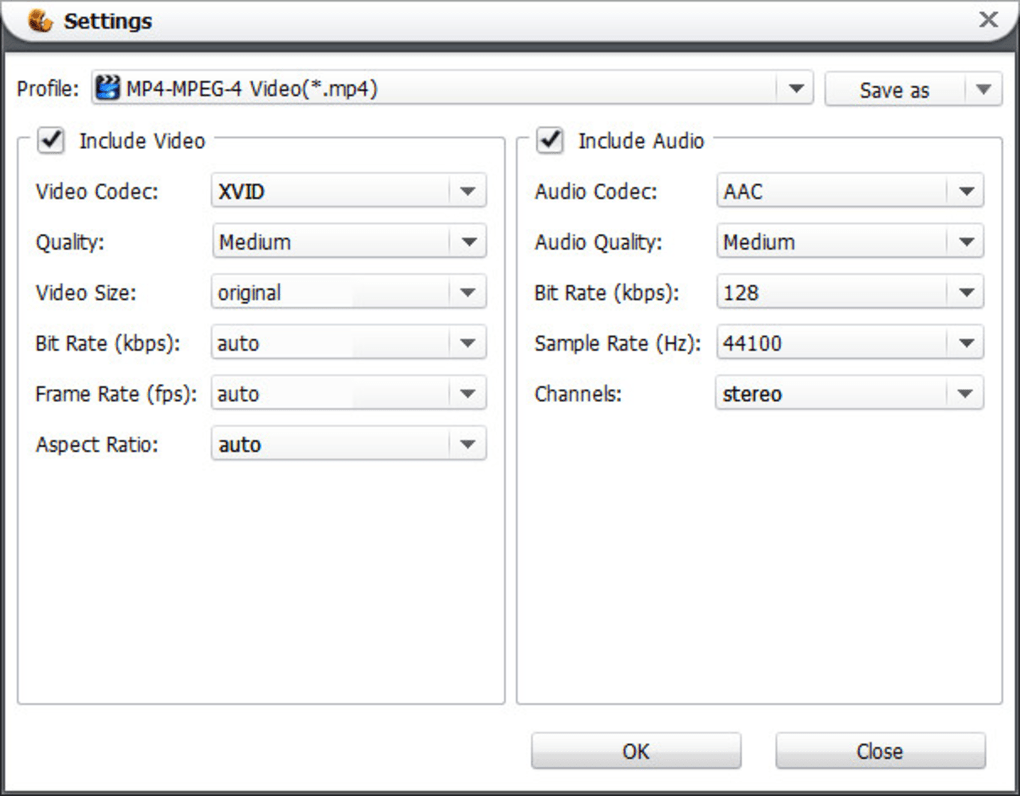
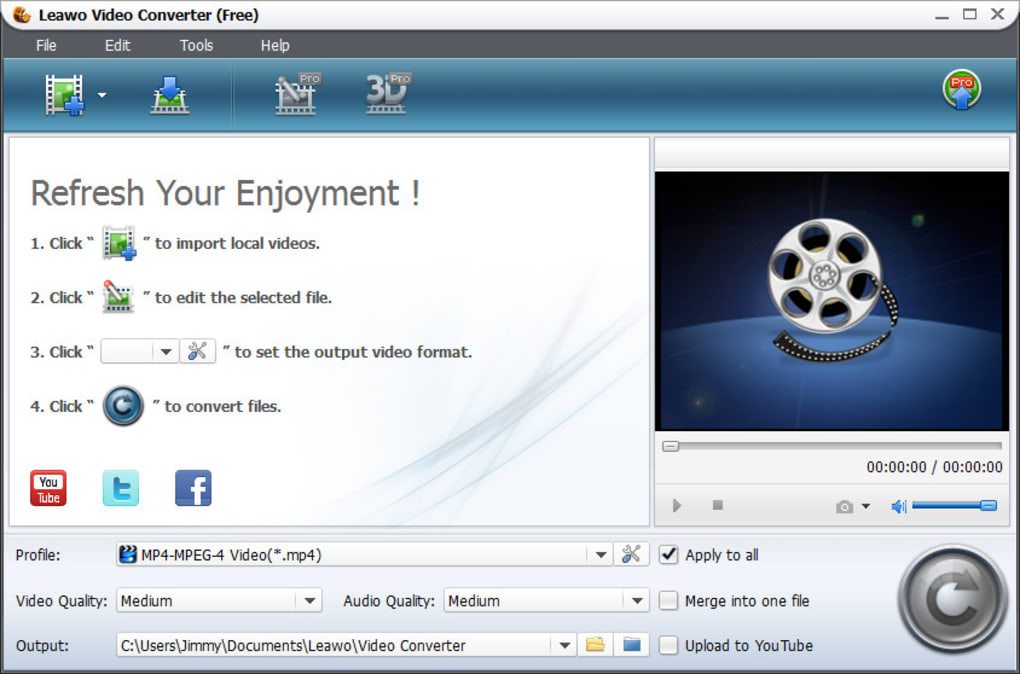
The program’s intuitive interface makes navigation simple, irrespective of the user’s technical expertise. This user-friendly design caters to both novice and advanced users, simplifying complex video conversion tasks.
Performance and Ease of Use: A Seamless Conversion Experience
Leawo Free Video Converter’s performance is commendable. The conversion process is generally swift, minimizing waiting times, even with larger files. The speed of conversion can, naturally, vary depending on factors such as the size of the input file, the chosen output format, and the specifications of the user’s computer hardware. However, generally speaking, users report a relatively fast and efficient conversion experience.
The software’s ease of use is one of its significant strengths. The interface is clean, well-organized, and straightforward. Users can quickly select their input video file, choose their desired output format, and initiate the conversion process with minimal effort. There are no complicated settings or hidden options to navigate; the entire process is designed for simplicity and user-friendliness.
Detailed information about the conversion process, including estimated time remaining, is displayed prominently throughout the conversion, providing transparency and eliminating uncertainty for the user. Error handling is efficient; if any problems occur during the conversion, the software provides clear and concise error messages, helping the user to diagnose and resolve the issue quickly.
Comparison with Alternative Video Converters: Standing Out from the Crowd
Leawo Free Video Converter holds its own when compared to other popular free video converters. While many free converters offer basic functionality, Leawo distinguishes itself through its comprehensive format support, advanced features like video merging, and its user-friendly interface. Some competing free converters might lack the breadth of supported formats or the inclusion of helpful extra features, making Leawo a strong contender in the free video converter market.
For instance, while some free converters may struggle with less common video formats, Leawo generally handles a wider range with ease. The ability to merge videos within the same application saves the user time and effort compared to converters that require separate merging software. Moreover, some free converters can be notoriously difficult to use, often overwhelming users with complex settings and menus. Leawo’s clean and intuitive interface stands in stark contrast, ensuring a smooth and hassle-free conversion process, regardless of the user’s technical proficiency.
System Requirements and Supported Operating Systems: Compatibility and Accessibility
Leawo Free Video Converter is compatible with Windows operating systems, making it accessible to a large segment of computer users. The specific system requirements may vary depending on the version of the software, but generally, it requires a reasonably modern computer with sufficient processing power and RAM to handle video conversions efficiently. The software’s installer is relatively small, meaning the download and installation process are quick and straightforward. Furthermore, the software is consistently updated by its developers, ensuring users have access to the latest bug fixes, feature improvements, and compatibility enhancements.
Conclusion: A Strong Choice for Versatile Video Conversion
Leawo Free Video Converter emerges as a strong contender in the crowded field of free video converters. Its comprehensive format support, advanced features, user-friendly interface, and efficient performance make it a valuable tool for users with diverse video conversion needs. Whether you’re a casual user converting home videos or a more experienced user working with various video formats, Leawo’s versatility and ease of use provide a seamless and efficient video conversion experience. The program’s intuitive design makes it accessible to users of all technical skill levels, while its robust feature set satisfies users with more advanced requirements. While free alternatives exist, Leawo Free Video Converter’s combination of functionality, user-friendliness, and performance makes it a compelling and highly recommended choice for anyone needing a reliable video conversion solution. Its consistent updates and developer support further solidify its position as a valuable and dependable tool for managing your video files.
File Information
- License: “Free”
- Latest update: “January 30, 2024”
- Platform: “Windows”
- OS: “Windows XP”
- Language: “English”
- Downloads: “8.9K”
- Size: “180.84 MB”


