
LetsView is a free, cross-platform screen mirroring utility developed by Wangxu Technology Co. Ltd. This powerful tool enables seamless mirroring between smartphones and computers, and vice-versa, offering a convenient way to share and display content across devices. Its ease of use and robust functionality make it a popular choice for both personal and professional applications. This article delves into the intricacies of LetsView, exploring its functionality, features, pros and cons, and how it compares to similar applications.
Understanding LetsView’s Functionality
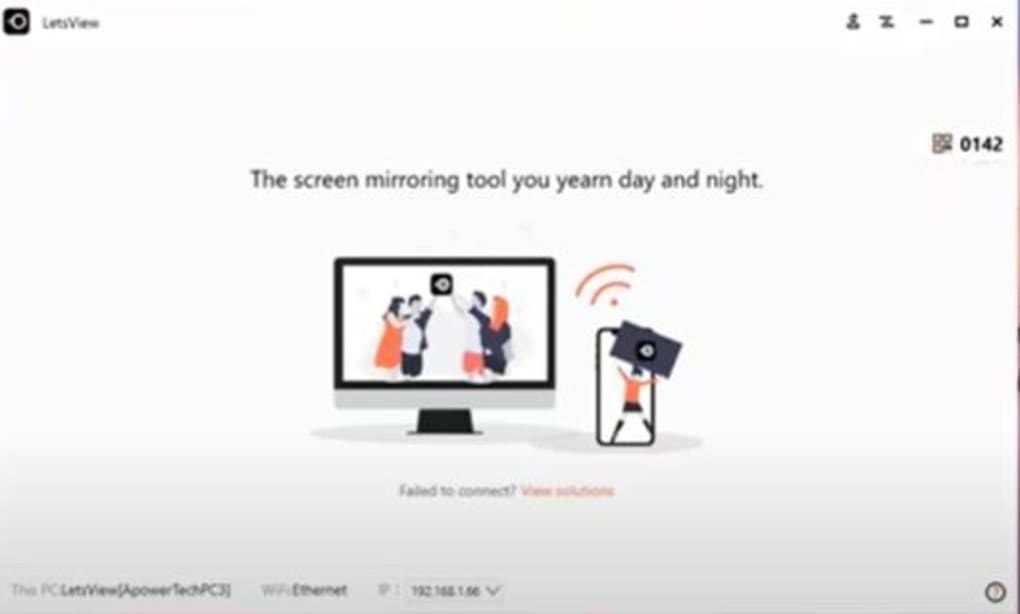
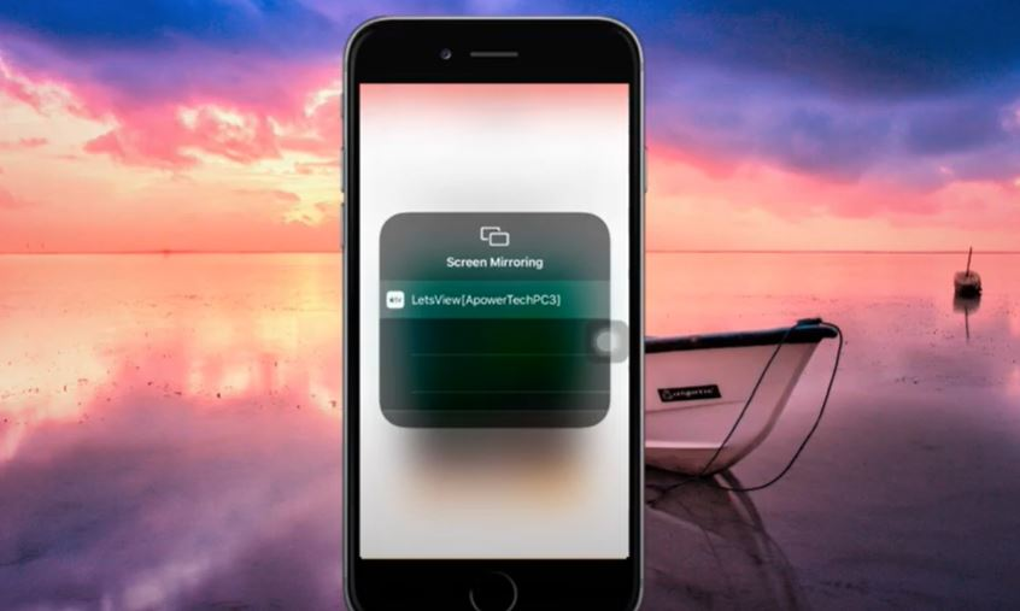
LetsView operates as a wireless screen mirroring tool, leveraging your Wi-Fi network to establish a connection between your smartphone and computer. This connection allows for real-time mirroring of your phone’s screen onto your PC or laptop, and conversely, enables casting from your computer to your mobile device. The process is remarkably simple and intuitive, requiring minimal technical expertise. Once the connection is established, you can easily toggle the mirroring feature on or off via the screencasting menu or quick settings, depending on your operating system.
The core functionality of LetsView revolves around replicating the visual output of one device onto another. This facilitates a range of applications, from presenting slideshows and documents to streaming media content. The ability to mirror content in both directions adds significant versatility, allowing users to mirror a presentation from their laptop to a larger screen or to broadcast a mobile game onto a computer for a more immersive experience.
Key Features and Capabilities
LetsView isn’t just a simple screen mirroring tool; it offers several additional features that enhance its usability and functionality:
-
Screenshot Capture: The application allows users to take screenshots of the mirrored screen with a single click, making it easy to capture important information or visuals. This feature proves invaluable for documentation, presentations, or simply preserving a memorable moment.
-
Video Recording: LetsView also provides the capability to record videos of the mirrored screen’s activity. This function is especially useful for creating tutorials, recording gameplay, or documenting online meetings and presentations. This recorded video can then be saved and shared as needed.
-
Whiteboard Functionality: One of the most innovative aspects of LetsView is its integrated whiteboard feature. During screen mirroring, users can activate a virtual whiteboard overlay, allowing them to draw, write, and annotate directly onto the mirrored screen. This is particularly beneficial for interactive presentations, online teaching, or collaborative design sessions. The ability to add notes and highlights enhances communication and understanding during screen sharing.
-
Multiple Display Modes: LetsView offers options for full-screen mirroring or an always-on-top mode. The full-screen mode maximizes the mirrored content for an immersive experience. Conversely, the always-on-top mode allows the mirrored content to remain visible even while other applications are in use, enhancing multitasking capabilities.
-
Customizable Settings: LetsView provides a comprehensive settings menu where users can adjust various parameters related to display quality, audio output, and recording settings. This level of control ensures optimal performance and caters to diverse user preferences and needs. Users can fine-tune the application to match their specific hardware and software configurations.
-
Hotkey Support: For improved efficiency, LetsView allows users to configure custom hotkeys on their computer to control the mirroring process. These shortcuts streamline the user experience, allowing for quick activation and deactivation of mirroring without navigating through menus.
Ease of Use and Setup
One of LetsView’s strongest assets is its remarkable ease of use. The setup process is straightforward and intuitive, requiring only a few simple steps:
-
Download and Installation: Download the LetsView application for both your smartphone and computer. Installation is typically a straightforward process, following standard software installation procedures.
-
Connection Establishment: Ensure both devices are connected to the same Wi-Fi network. LetsView automatically detects compatible devices on the same network.
-
Mirroring Initiation: Select the device you wish to mirror from the LetsView interface on both devices. The mirroring process usually initiates instantly, offering real-time display replication.
The intuitive design and minimal configuration requirements make LetsView accessible to users of all technical skill levels. The user interface is clean and easy to navigate, minimizing any potential learning curve.
Advantages and Disadvantages of LetsView
Like any software, LetsView presents both advantages and disadvantages:
Pros:
-
Cross-Platform Compatibility: LetsView supports a wide range of operating systems, including Windows, macOS, Android, and iOS, ensuring broad compatibility and accessibility.
-
Free of Charge: LetsView is available for free, making it a cost-effective solution for screen mirroring. This accessibility democratizes access to this powerful functionality.
-
Simple and User-Friendly: The application is exceptionally easy to use, requiring minimal technical expertise. This user-friendly design caters to a broad audience.
-
Extensive Feature Set: LetsView offers a compelling range of features, including screenshot capture, video recording, whiteboard functionality, and customizable settings. This comprehensive feature set enhances its versatility.
-
Robust Performance: LetsView generally delivers stable and reliable performance, ensuring consistent and uninterrupted screen mirroring.
Cons:
-
Connection Timeouts: As with any wireless technology, LetsView may experience intermittent connection timeouts. This is often due to network instability or interference.
-
Same Wi-Fi Network Requirement: Both devices must be connected to the same Wi-Fi network for mirroring to function. This constraint can limit usage in certain scenarios.
Comparison with Similar Applications
LetsView competes with other screen mirroring applications such as ApowerMirror and TeamViewer. While these applications offer similar core functionality, LetsView distinguishes itself through its ease of use, comprehensive feature set, and free pricing model. ApowerMirror often includes a paid version with enhanced features, while TeamViewer’s primary focus is remote desktop control, with screen mirroring as a secondary feature.
Conclusion
LetsView proves to be a highly effective and user-friendly screen mirroring utility. Its free availability, combined with its intuitive interface and comprehensive feature set, makes it an attractive option for a wide range of users. While it has limitations like the need for a shared Wi-Fi network and potential connection timeouts, its simplicity and effectiveness make it a strong contender in the screen mirroring market. For users seeking a straightforward and reliable solution for wireless screen sharing, LetsView remains a compelling and practical choice.
File Information
- License: “Free”
- Version: “1.0.5.8”
- Latest update: “January 31, 2023”
- Platform: “Windows”
- OS: “Windows 7”
- Language: “English”
- Downloads: “64.8K”
- Size: “1.91 MB”


