
Lexis Audio Editor is a user-friendly audio editing application designed for individuals seeking a straightforward approach to audio creation and manipulation. Unlike many professional-grade audio editors that can overwhelm beginners with complex interfaces and numerous features, Lexis Audio Editor prioritizes ease of use without sacrificing essential functionality. This review will delve into its strengths, limitations, and overall suitability for various users.
Simple Design and Intuitive Interface
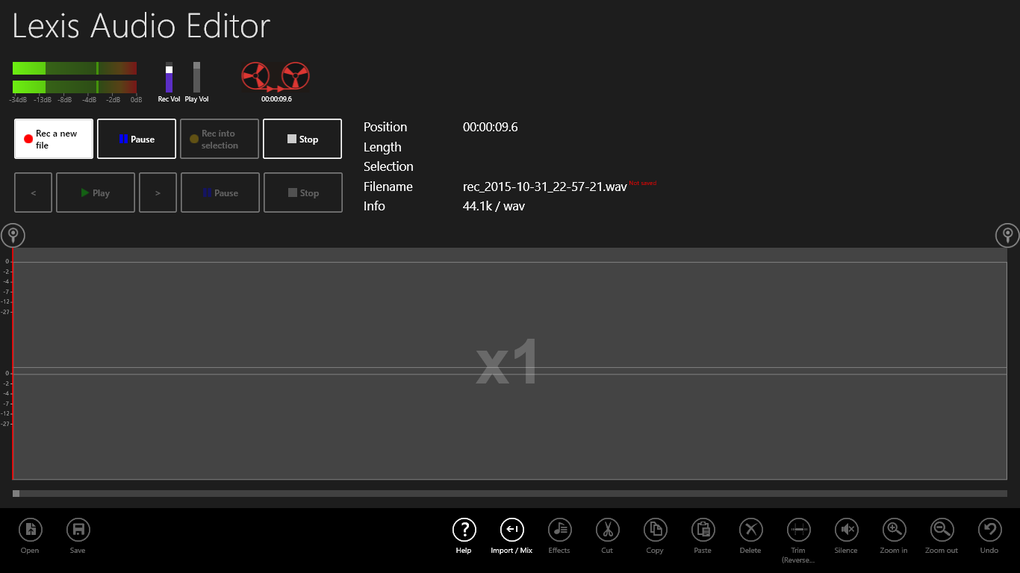
One of Lexis Audio Editor’s most significant advantages is its intuitive and uncluttered interface. The application’s design prioritizes ease of navigation, allowing users to quickly grasp the core functionalities and begin editing without extensive training. This straightforward approach is particularly beneficial for beginners who may feel intimidated by more complex audio editing software. The clean layout minimizes distractions, ensuring that the user’s focus remains on the audio editing process itself.
The simplicity extends to the import and recording functionalities. Users can easily import existing audio files or directly record new sounds within the application. This streamlined workflow eliminates the need for cumbersome file transfers or external recording devices, creating a seamless and efficient editing experience. The intuitive controls allow for quick adjustments and modifications, enabling users to focus on the creative aspects of audio manipulation.
Core Features and Capabilities
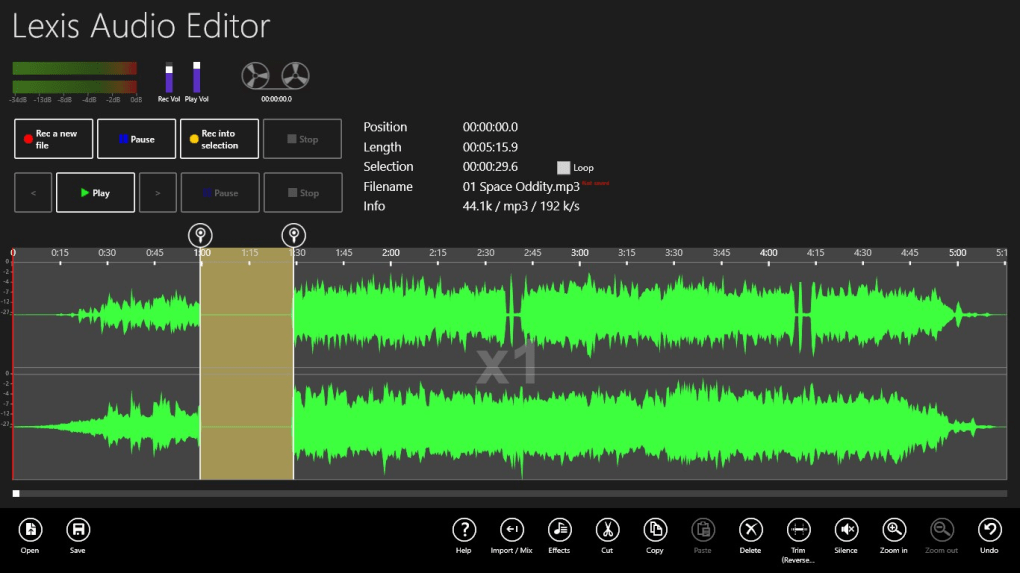
While Lexis Audio Editor is designed for simplicity, it still packs a surprising number of useful features. These include essential editing tools like trimming, adding effects, and adjusting the tempo and pitch. The application offers fun effects like audio reversal and pitch shifting for creative exploration, but also provides more practical tools for fine-tuning audio quality.
A notable feature is the ability to adjust tempo without affecting pitch, a valuable tool for adjusting the speed of audio tracks without altering the vocal or instrumental tones. This is beneficial for various applications, such as slowing down a song to learn an instrument or speeding up a recording to fit a specific time constraint.
Furthermore, Lexis Audio Editor incorporates audio normalization and noise reduction tools to enhance the overall sound quality. These features are crucial for improving the clarity and professionalism of audio recordings, making them suitable for a wider range of applications. The ability to save projects in various formats provides flexibility and compatibility with different devices and platforms.
Limitations and Considerations
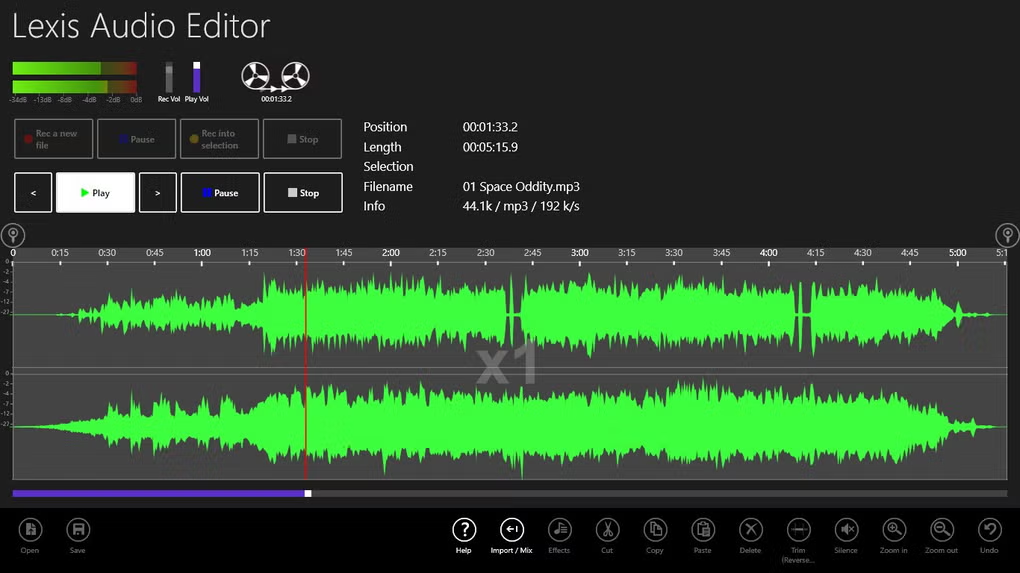
Despite its strengths, Lexis Audio Editor has limitations that users should consider before making a purchase. One significant constraint is its single-track editing capability. Unlike professional audio editors that allow for multi-layered tracks with simultaneous editing of multiple audio elements, Lexis Audio Editor only permits editing of a single track at a time. This limitation restricts the creation of more complex audio projects incorporating multiple sound effects, instruments, and vocal layers. Users seeking advanced layering and mixing capabilities should explore more robust software options.
Furthermore, the app lacks advanced editing functionalities. Features such as snapping items to a timeline for precise positioning and the use of keyboard shortcuts for efficient navigation are absent. These omissions may affect the workflow of users accustomed to more sophisticated audio editing software. While the lack of these features contributes to the application’s simplicity, it also limits its suitability for intricate editing tasks.
Finally, Lexis Audio Editor’s selection of built-in effects is relatively limited to twelve. While these effects cover the basics, users seeking a wider variety of creative tools may find themselves wanting more options. This limitation may be a minor concern for casual users, but more demanding projects may require more extensive audio effects processing.
Comparison with Other Audio Editors
When compared to professional audio editing software like Adobe Audition or Reaper, Lexis Audio Editor clearly falls short in terms of features and capabilities. However, such a comparison is unfair, as it positions Lexis Audio Editor against tools designed for professional audio production. Lexis Audio Editor aims for a different niche – providing a simple and easy-to-use solution for basic audio editing needs.
Professional-grade software offers far more advanced features, such as extensive multi-track editing, advanced mixing and mastering tools, non-destructive editing workflows, and a vast library of built-in effects and plugins. These applications are tailored for professionals who require highly precise control over every aspect of audio manipulation.
However, for users who require only fundamental editing capabilities, such as trimming, adding basic effects, and adjusting tempo and pitch, Lexis Audio Editor offers a more accessible and less intimidating alternative. Its straightforward interface and limited feature set make it an ideal choice for beginners and casual users who don’t need the complexity and extensive features of professional-level audio editors.
Who Should Use Lexis Audio Editor?
Lexis Audio Editor is ideally suited for several user types. Beginners who are new to audio editing will find the intuitive interface and straightforward features particularly appealing. Its simple design eliminates the steep learning curve often associated with professional audio editing software, enabling them to quickly grasp the basics and start creating and editing audio tracks. Casual users with basic editing needs, such as trimming audio clips for social media or adding simple effects to recordings, will also find it a valuable tool.
Students and educators seeking a simple tool for educational purposes might also consider Lexis Audio Editor. Its ease of use allows students to focus on the core concepts of audio editing rather than getting bogged down in complex technical details.
However, professional audio editors, musicians, podcasters, and anyone needing advanced multi-track editing capabilities will find Lexis Audio Editor too limited for their needs. The software’s single-track limitation and the absence of advanced features will significantly hinder their workflow.
Conclusion: A Solid Choice for Basic Audio Editing
Lexis Audio Editor fills a specific niche in the audio editing market. It provides a straightforward and user-friendly approach to basic audio editing tasks, making it an excellent option for beginners and casual users. Its intuitive interface, essential editing tools, and the ability to export in various formats contribute to a positive user experience. However, its limitations in multi-track editing, advanced features, and effect selection should be carefully considered. For those requiring professional-grade functionality, more comprehensive software is recommended. But for those seeking simplicity and ease of use, Lexis Audio Editor is a solid choice for basic audio editing needs.
File Information
- License: “Full”
- Version: “varies-with-device”
- Latest update: “November 24, 2021”
- Platform: “Windows”
- OS: “Windows 11”
- Language: “English”
- Downloads: “124.7K”


