
In the vast and ever-evolving landscape of digital media, finding a reliable and efficient player is paramount for many users. While a plethora of options exist, some programs stand the test of time, carving out a niche with their unique blend of features and performance. One such application is Light Alloy, a multimedia player that has been a staple for Windows users for years. Despite its relatively unassuming name, Light Alloy has consistently offered a robust and versatile platform for media consumption, distinguishing itself through a focus on performance, customization, and broad format support. This detailed review delves into the capabilities, history, and enduring appeal of Light Alloy, examining what makes it a noteworthy contender in the competitive realm of media playback software.
Originally introduced as a handy, trial version Windows program, Light Alloy quickly gained traction among users seeking a powerful alternative to the default media players available. Categorized under video software, specifically in the subcategory of multimedia players, it promised and delivered an experience that was both fast and capable. Its journey began at a time when digital media formats were proliferating, and users increasingly needed a player that could handle diverse file types without a hitch. Light Alloy stepped into this arena, offering a solution that was not only functional but also adaptable to individual user preferences, thereby cementing its place as a reliable tool for media enthusiasts across various regions.
Unveiling Light Alloy: A Multimedia Powerhouse
Light Alloy’s history is intertwined with the evolution of digital media on the Windows platform. First joining the selection of programs and apps available for download in 2004, it emerged during a pivotal period when AVI, MPEG, and DIVX files were dominant, and the demand for players capable of handling these formats efficiently was high. Initially supporting operating systems from Windows 98 and former versions, Light Alloy demonstrated a commitment to broad compatibility from its inception. This early accessibility contributed significantly to its initial success and widespread adoption. The software’s early version, 4.0, was updated in June 2006, marking its steady development in those formative years.
Over its lifespan, Light Alloy has seen various iterations, with the latest documented version, 4.11.24.11.1, having been updated as recently as May 23, 2023. This longevity speaks volumes about the dedication of its developer, Vortex Team, to maintaining and improving the player. While the core philosophy of providing a fast and powerful multimedia experience has remained constant, the application has evolved to meet contemporary demands. The initial download figures, such as achieving 12,735 downloads shortly after its release and continuing to attract users (with 6 downloads in a particular week mentioned from its earlier data, and more recently, 62 downloads in a month), underscore its persistent relevance. Its popularity has been particularly notable in countries like the United States, the Russian Federation, Taiwan, and the Province of China, indicating a global reach and resonance among diverse user bases who value its straightforward functionality and robust performance.
One of the defining characteristics of Light Alloy is its resource efficiency. The program is noted for requiring less space than the average video software in its category. This minimal footprint is a significant advantage, especially for users with older systems or those who prioritize system performance. In an era where many applications tend to be resource-intensive, Light Alloy offers a refreshing alternative, proving that powerful functionality doesn’t necessarily have to come at the cost of system bloat. This lean design philosophy ensures a smooth playback experience, reducing lag and enhancing overall user satisfaction, even when handling high-definition content or multiple concurrent applications.
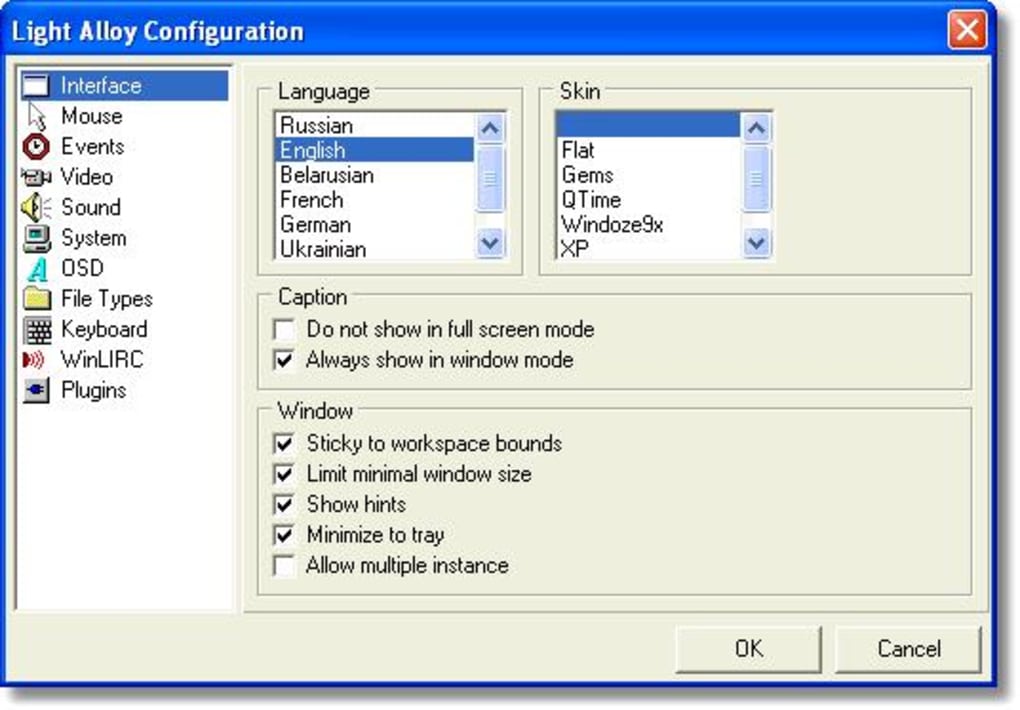
The multilingual support is another testament to Light Alloy’s user-centric design. Available in several languages including English, German, and French, and with localization for many more as indicated by the various download options (e.g., Скачать Light Alloy, Descargar Light Alloy, Scaricare Light Alloy, ダウンロードする Light Alloy), it caters to a global audience. This commitment to accessibility ensures that users from different linguistic backgrounds can navigate and utilize the player with ease, further broadening its appeal and solidifying its position as a truly international multimedia solution. The availability of diverse language options means that the user interface, menus, and perhaps even some help documentation are tailored to local preferences, making the experience more intuitive and enjoyable for a wider demographic.
Core Features and Functionality
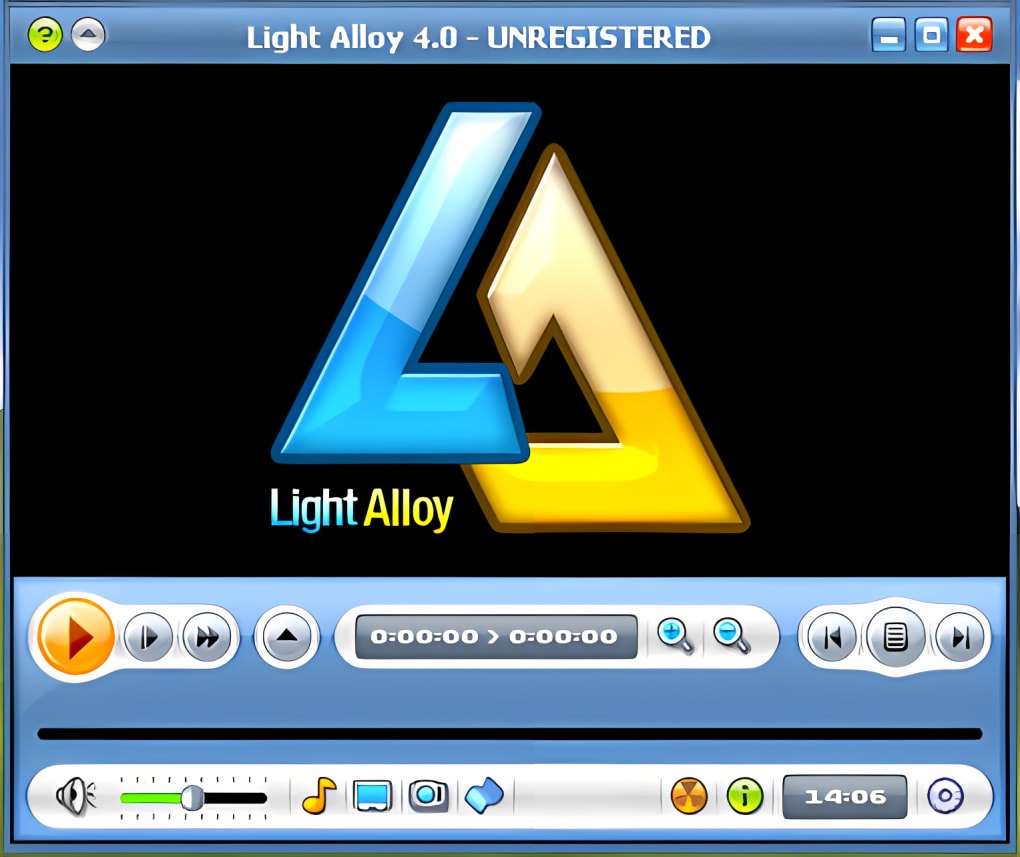
Light Alloy is not just another media player; it’s a feature-rich application designed to offer comprehensive control over the media playback experience. Its extensive array of functionalities addresses common user pain points and enhances enjoyment, making it a versatile tool for both casual viewers and demanding multimedia enthusiasts.
Robust Playback Control and Compatibility
At its heart, Light Alloy excels in media playback. It supports a wide spectrum of formats, enabling users to play AVI, MPEG, DIVX, MP3, WAV, and many other media files effortlessly. This broad compatibility means fewer worries about converting files or installing multiple players for different formats. Beyond simple playback, Light Alloy offers advanced controls that distinguish it from basic players:
- Playback speed control: This feature is incredibly useful for various scenarios. Students can slow down lectures or instructional videos to grasp complex concepts, while professionals can speed up presentations or recordings to review content quickly. It also allows for creative viewing, enabling users to manipulate the pace of films or documentaries to their liking.
- Opens broken AVI files: This is a standout feature for anyone who has ever dealt with corrupt or incomplete downloads. Light Alloy’s ability to salvage and play partially damaged AVI files can be a lifesaver, allowing users to watch content that other players would simply reject. This capability underscores its robust error handling and dedication to providing a seamless viewing experience even under less-than-ideal conditions.
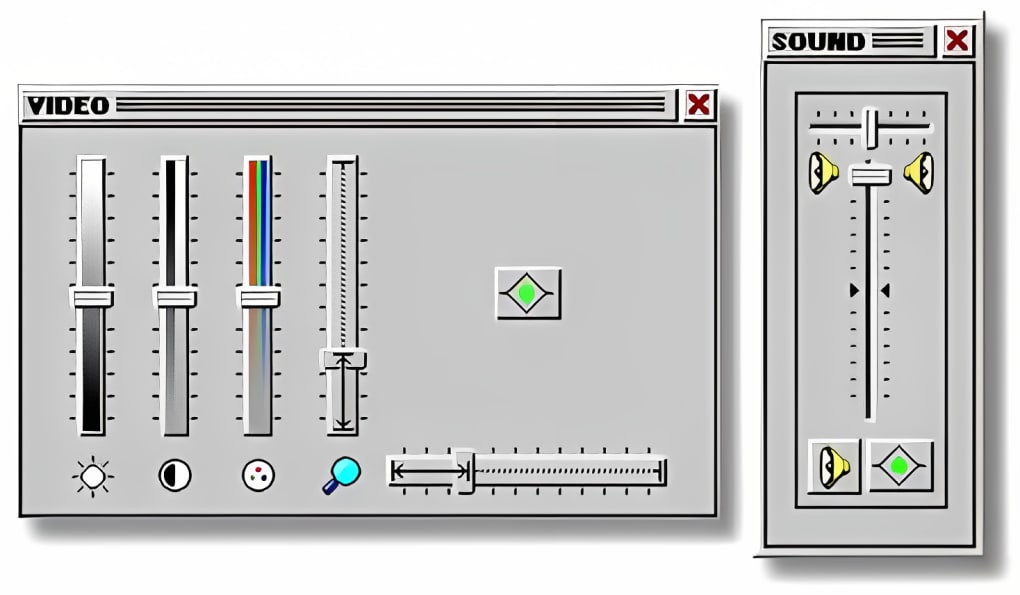
- Zoom and aspect ratio control: Users have complete command over how their video content is displayed. Whether it’s to zoom in on a specific detail, adjust for incorrect aspect ratios in older videos, or simply fit the video perfectly to their screen, these controls offer flexibility and customization, preventing distorted or cropped images.
- Brightness and contrast adjustment: For viewers whose monitors may not be perfectly calibrated, or for videos with suboptimal lighting, Light Alloy allows for real-time adjustments to brightness and contrast. This ensures optimal visual clarity and comfort, making dark scenes more discernible or overly bright ones more subdued, tailored to individual preferences and viewing environments.
Enhanced User Customization and Information
Beyond core playback, Light Alloy empowers users with significant customization options and provides detailed insights into their media files:
- Reads MP3 tags: For audio files, the ability to read and display MP3 tags (metadata like artist, album, genre, year) is crucial for organization and enjoyment. Light Alloy seamlessly integrates this feature, allowing users to keep their music libraries tidy and access relevant information during playback, enhancing the overall music listening experience.
- Detailed file information: This feature provides users with comprehensive data about their video and audio files, including codecs used, resolution, bit rate, frame rate, and audio channels. Such information is invaluable for troubleshooting, media management, or simply understanding the technical specifications of a particular file, appealing to users who like to be informed about their media.
- Customize keys and mouse: Personalization is key to a comfortable user experience. Light Alloy allows users to remap keyboard shortcuts and mouse actions, tailoring the controls to their unique workflow and preferences. This flexibility means less time fumbling with default settings and more time enjoying content, making the player feel truly bespoke.
- Subtitles and OSD (On-Screen Display): Subtitle support is essential for accessibility and international content. Light Alloy handles various subtitle formats, allowing users to load external subtitles or manage embedded ones. The On-Screen Display provides visual feedback for actions like volume changes, track skipping, or setting adjustments, ensuring that users are always aware of the player’s status without obscuring the content.
- Internal and external playlist management: Organizing media into playlists is fundamental for continuous playback and curation. Light Alloy supports both internal playlist creation, allowing users to queue up multiple files within the application, and the loading of external playlist files (like M3U), providing flexibility for managing larger media collections or sharing playlists with others.
These features collectively position Light Alloy as a highly capable and user-friendly multimedia player, adept at handling a wide range of media formats and catering to individual user needs through its extensive customization options and robust playback controls.
Technical Specifications and System Requirements
Understanding the technical underpinning of any software is crucial, and Light Alloy, despite its history, maintains a set of specifications that reflect its adaptability and enduring design. Developed by the Vortex Team, Light Alloy is specifically designed for the Windows operating system. Its compatibility initially stretched back to Windows 98 and former versions, showcasing an impressive commitment to supporting a broad range of legacy systems. While the specific mention of Windows ME is also present, the continuous updates, with the latest version 4.11.24.11.1 updated in May 2023, suggest that the player has evolved to function on more modern Windows environments, even if its foundational compatibility was with older versions. This blend of historical support and contemporary maintenance is a testament to its robust architecture.
The software is distributed as a trial version, allowing users to experience its full capabilities before committing to a purchase. This model is beneficial as it provides transparency and confidence, enabling prospective users to thoroughly evaluate if the player meets their specific requirements without upfront cost. The download size for Light Alloy is remarkably efficient, typically around 17.68 MB for the latest stable versions (e.g., 4.11.24.11.1), which is considerably smaller than many contemporary media players that often bundle extensive libraries or additional features. This small footprint means quicker downloads, less storage consumption, and potentially faster loading times, aligning with its reputation as a lightweight yet powerful application.
Language support is a significant strength of Light Alloy, reflecting its international user base. The program is readily available in English, with additional languages including German, French, and Russian, among others. The availability in languages such as Arabic, Spanish, Indonesian, Italian, Japanese, Korean, Dutch, Polish, Portuguese, Swedish, Thai, Turkish, Vietnamese, and Chinese, as highlighted by various language-specific download links on PhanMemFree.org, underscores its global accessibility. This extensive linguistic support enhances user experience by making the interface and controls more intuitive for non-English speakers, thus broadening its appeal across diverse cultural and geographic boundaries. The developer’s commitment to such wide localization efforts is a key factor in Light Alloy’s sustained popularity and reach.
User Experience and Community Perception
The essence of any software lies in its user experience, and Light Alloy has cultivated a reputation for being an intuitive and effective media player. Its “easy-to-use” design philosophy is evident in its streamlined interface and accessible controls. For instance, the ability to customize keys and mouse actions allows users to tailor the player to their individual habits, making the interaction feel natural and seamless. This level of personalization is a significant factor in fostering a positive user perception, as it reduces the learning curve and enhances efficiency.
The integration of features like detailed file information, subtitle management, and an on-screen display (OSD) further contributes to a rich user experience. Users appreciate being able to quickly access metadata about their media files, fine-tune subtitle synchronization, and receive visual feedback for actions without navigating through complex menus. The flexibility offered by internal and external playlist management also streamlines media consumption, allowing users to curate their viewing or listening sessions effortlessly. These elements collectively transform a simple media player into a comprehensive media management tool.
The sustained popularity of Light Alloy in specific regions like the United States, the Russian Federation, Taiwan, and the Province of China is indicative of its resonance with particular user demographics. This could be attributed to a combination of factors: its lightweight nature, which is beneficial for systems in varying states of hardware sophistication; its robust codec support, essential for playing diverse media files often exchanged online; and its strong customization options, appealing to users who prefer granular control over their software. The absence of overwhelming bloatware and its focus on core playback functionality might also explain its favor among users who prioritize performance and simplicity over flashy, resource-heavy interfaces.
While direct user reviews from the provided content are limited to a prompt (“Have you tried Light Alloy? Be the first to leave your opinion!”), the enduring download figures and its long-standing presence on download portals like PhanMemFree.org suggest a consistent base of satisfied users. The community’s perception is likely shaped by its reliability in playing various formats, its efficiency in resource usage, and the developer’s commitment to maintaining the software over many years. In an ecosystem dominated by constantly changing applications, Light Alloy’s stability and steadfast performance have likely garnered loyalty from a segment of users who value dependable functionality. Its evolution from supporting older Windows versions to its latest update suggests a continuous effort to remain relevant, addressing user needs and feedback over time.
Security, Updates, and Alternatives
In today’s digital landscape, the security of software is as critical as its functionality. Users rightfully demand assurance that the applications they download will not compromise their system’s integrity or privacy. Light Alloy, as hosted on PhanMemFree.org, undergoes a rigorous scanning process designed to assess and prevent potential harm to devices. PhanMemFree’s team performs checks each time a new file is uploaded and periodically reviews existing files to confirm or update their status. This comprehensive approach ensures a high level of confidence in the software’s safety.
According to PhanMemFree.org’s security status, Light Alloy is categorized as “Clean.” This designation signifies that the files and URLs associated with the software program have been scanned by more than 50 of the world’s leading antivirus services, and no possible threat has been detected. This “Clean” status is a crucial factor for users considering downloading Light Alloy, providing peace of mind that the application is free from malicious code, unwanted bundled software, or other security risks. PhanMemFree.org’s transparency regarding its scanning process, including explanations for “Warning” flags (often false positives), further builds user trust in the safety assessments.
The update history of Light Alloy, spanning from its initial version 4.0 in 2006 to version 4.11.24.11.1 in May 2023, indicates a commitment from the Vortex Team to maintain and evolve the player. While the frequency of updates might not be as rapid as some open-source projects, the fact that it continues to receive attention over such a long period is commendable. Regular updates typically address bugs, improve performance, and potentially introduce new features or support for emerging media formats. For a trial version software, continued development signals ongoing support and relevance, assuring users that their investment of time (and potential purchase) is worthwhile.
However, the multimedia player market is highly competitive, and users have a multitude of alternatives. PhanMemFree.org lists several related and alternative applications, including both trial and free options. Some notable alternatives include:
- VLC media player: Often cited as the ultimate multi-format player, VLC is renowned for its extensive codec support, cross-platform availability, and open-source nature. It’s a free and powerful competitor that can play almost any media file without additional codecs.
- PotPlayer: Another powerful media player known for its comprehensive format support, highly customizable options, and excellent performance, often favored by advanced users. It is also free.
- Zoom Player: Described as an advanced media player packed with features, Zoom Player is a trial version software that offers a high degree of control and customization, similar to Light Alloy but often with a more modern interface.
- Splash Pro: A trial version video program focused on high-quality video playback, often leveraging hardware acceleration for smooth, crisp visuals.
- Media Player Morpher: A powerful multimedia tool with additional features beyond simple playback, such as audio morphing capabilities.
When considering Light Alloy against these alternatives, its strengths lie in its lean design, effective handling of broken AVI files, and deep customization options for playback control and interface. While VLC and PotPlayer might offer broader codec support or more active community development due to their open-source nature, Light Alloy provides a robust, stable, and efficient experience, particularly for Windows users who appreciate its specific feature set and light resource footprint. The choice between Light Alloy and its alternatives often comes down to individual preferences regarding interface, specific features (like opening broken files), system resource usage, and whether a trial/paid model or a completely free one is preferred. Nevertheless, Light Alloy’s consistent security status, ongoing development, and focused feature set ensure its continued relevance as a viable option in the crowded media player landscape.
In conclusion, Light Alloy stands as a testament to enduring software design. Its consistent performance, comprehensive feature set, and commitment to user customization have allowed it to maintain a significant presence in the multimedia player market. From its historical roots supporting older Windows versions to its latest iterations, Light Alloy has continually aimed to provide a fast, powerful, and secure platform for media consumption. For users seeking a reliable Windows-based player that balances efficiency with a rich array of controls, Light Alloy remains a compelling choice, well-supported and verified by platforms like PhanMemFree.org.
File Information
- License: “Trial version”
- Latest update: “May 23, 2023”
- Platform: “Windows”
- OS: “Windows ME”
- Language: “English”
- Downloads: “8.5K”
- Size: “17.68 MB”


