
LightBulb is a free, open-source utility tool developed by indie developer Alexey Golub for Windows PCs. This versatile software dynamically adjusts your monitor’s gamma levels throughout the day, mimicking the natural changes in ambient light. By subtly shifting the color temperature, LightBulb aims to reduce eye strain and promote more comfortable viewing experiences, especially during extended periods of computer use. Its functionality bears resemblance to popular applications like F.lux and CareUEyes, but with the added benefit of being both free and open-source.
Functionality and Features: A Dynamic Approach to Eye Comfort
LightBulb operates on the principle of adjusting gamma levels based on the time of day and your geographic location. This dynamic adjustment ensures a more natural screen display, shifting from a cooler, bluish tone during daylight hours to a warmer, more orange hue in the evening. This transition mirrors the natural changes in light temperature throughout a 24-hour cycle, helping to mitigate the strain associated with prolonged exposure to bright, blue-rich light emitted from computer screens.
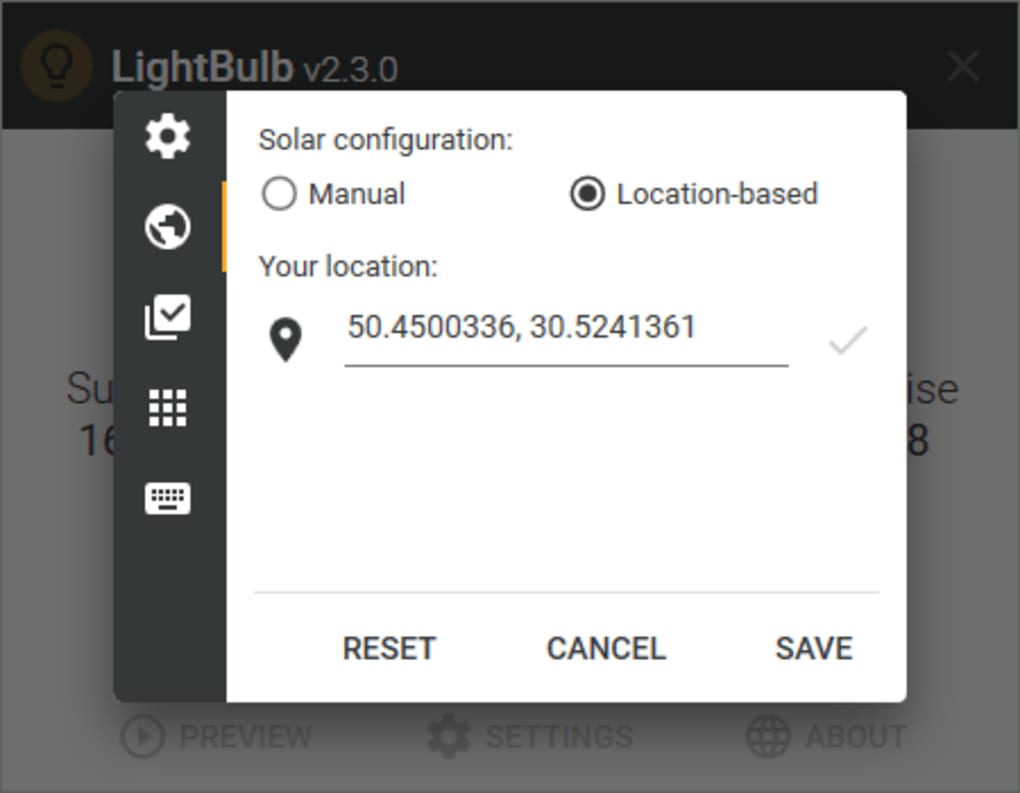
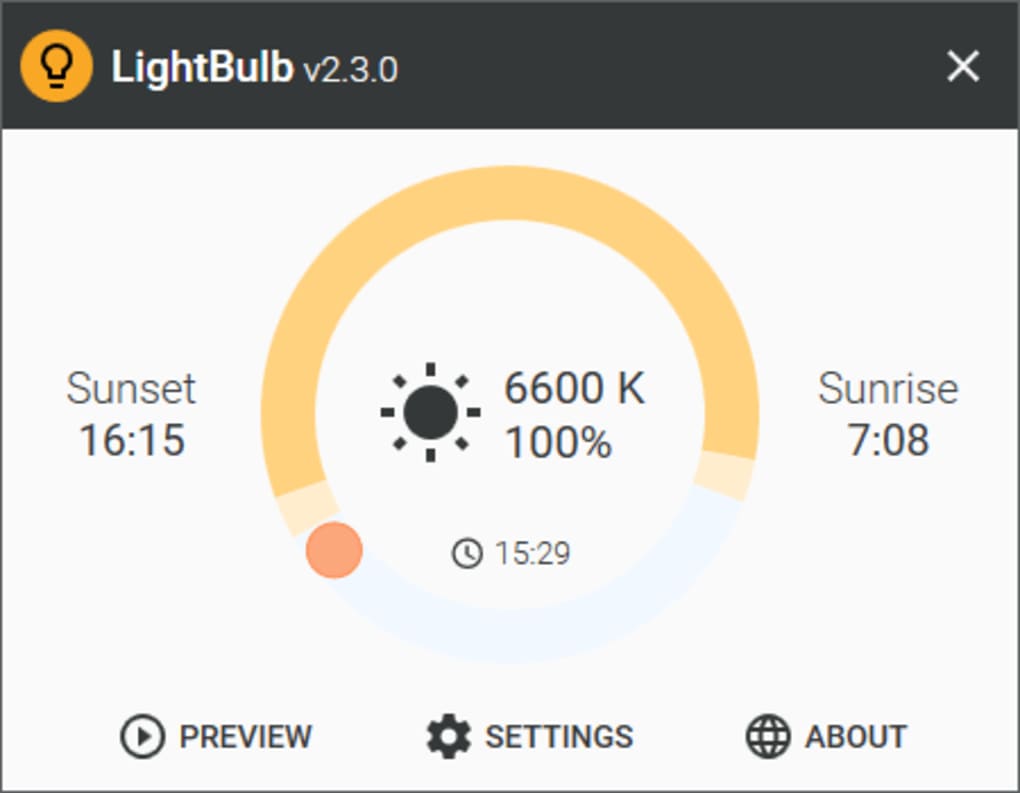
The software’s user interface is designed for simplicity and ease of use. Once installed, LightBulb resides in your system tray, providing convenient access to its configuration options. The main settings screen presents three key sliders, each allowing for precise control over different aspects of the color temperature adjustment:
-
Daytime Color Temperature: This slider controls the color temperature of your screen during daylight hours. Adjusting this slider allows users to fine-tune the balance between brightness and warmth during the day.
-
Nighttime Color Temperature: This slider governs the color temperature during evening and nighttime hours. Users can customize the warmth of the display to create a more relaxing and less harsh visual experience.
-
Transition Duration: This crucial slider dictates the length of time over which the transition from daytime to nighttime color temperatures occurs. Users can choose a gradual, smooth transition or a more abrupt shift, depending on their personal preference.
The software offers a preview feature, allowing users to visualize the effect of their settings over a 24-hour period. This interactive preview enables fine-tuning of the settings until the desired color temperature profile is achieved. This eliminates the guesswork associated with adjusting color temperatures and ensures users obtain the most comfortable viewing experience tailored to their individual needs.
Comparison with Similar Applications: F.lux and Beyond
LightBulb frequently draws comparisons to the popular blue light filter, F.lux. Both applications share the core functionality of dynamically adjusting screen color temperature based on location and time of day. Users familiar with F.lux will find the interface and operation of LightBulb intuitive and straightforward. However, certain distinctions exist between the two:
-
Open-Source Nature: LightBulb’s open-source nature provides users with transparency and the ability to scrutinize the code, unlike proprietary alternatives. This open access promotes community involvement and allows for continuous improvement and potential customizations.
-
Control Granularity: While both applications adjust gamma levels, F.lux arguably provides more granular control over color temperature adjustments. LightBulb offers sufficient customization for most users, but power users seeking extremely fine-grained control might find F.lux’s options more extensive.
-
Resource Consumption: LightBulb boasts remarkable efficiency, consuming minimal system resources. This lightweight nature ensures seamless performance without impacting system responsiveness, even on less powerful machines. This contrasts with some more resource-intensive blue light filters that can affect overall system speed and battery life on mobile devices.
LightBulb also competes with other similar applications like CareUEyes. However, LightBulb’s distinct advantages lie in its open-source nature, combined with its minimal system resource consumption and intuitive user interface. While offering a similar functionality, the availability of the source code coupled with its lightweight operation positions LightBulb as a compelling alternative.
Installation and Usage: A Simple and Straightforward Process
Installing LightBulb is a straightforward process. After downloading the installer from the official website or trusted repositories, simply run the installer and follow the on-screen instructions. The installation procedure is typically quick and uncomplicated, ensuring a hassle-free experience.
Once installed, the application seamlessly integrates into the system tray. Right-clicking the LightBulb icon in the system tray reveals the configuration menu, allowing users to adjust the various settings discussed earlier. The intuitive interface ensures ease of use, even for novice users. The clear labels and sliders make adjusting the color temperatures and transition duration remarkably simple.
Furthermore, LightBulb allows users to define custom geographic locations, overriding the automatic location detection. This is particularly useful for users who frequently work in different time zones or regions, ensuring consistent color temperature adjustments based on their actual location, regardless of their computer’s detected location.
Advanced Features and Customization Options
Beyond the core functionality of dynamically adjusting color temperature, LightBulb offers some advanced features:
- Global Hotkeys: Users can assign global hotkeys to quickly toggle LightBulb on or off, or to switch between different pre-defined color profiles. This allows for convenient and immediate adjustments without having to access the system tray menu.
-
Application Whitelisting: LightBulb allows users to whitelist certain applications that require precise color accuracy. This prevents the software from altering the color settings of these programs, ensuring they retain their intended visual representation. This feature is crucial for professional applications like photo editing or graphic design, where accurate color reproduction is critical.
-
Manual Location Setting: LightBulb allows users to manually set their location if the automatic detection proves unreliable or inaccurate. This ensures correct color temperature adjustment regardless of the accuracy of the automatic detection method.
These advanced features significantly enhance the software’s versatility, allowing users to tailor it precisely to their workflow and preferences. The combination of flexibility and ease of use makes LightBulb a powerful tool for those seeking to enhance their viewing comfort and minimize eye strain.
Conclusion: A Powerful, Lightweight, and Free Alternative
LightBulb offers a compelling combination of ease of use, powerful features, and open-source accessibility. Its lightweight design ensures minimal system impact, while its intuitive interface makes it accessible to users of all technical skill levels. While it may not offer the same level of granular control over color temperature adjustments as some commercial alternatives, its open-source nature, free availability, and efficient performance make it a strong contender in the market of blue light filter applications. If you’re seeking a free and effective solution to reduce eye strain and improve your viewing comfort, LightBulb is certainly worth considering.
File Information
- License: “Free”
- Version: “2.4”
- Latest update: “December 9, 2021”
- Platform: “Windows”
- OS: “Windows 7”
- Language: “English”
- Downloads: “3.3K”
- Size: “3.90 MB”


