
Lightning Launcher is a free, highly customizable Android application designed to transform your device’s home screen experience. It provides a powerful and flexible framework for creating personalized layouts, widgets, and navigation schemes, catering to users who desire a level of control beyond what standard Android launchers offer. This in-depth review explores its features, strengths, weaknesses, and overall user experience.
Extensive Customization Options: The Heart of Lightning Launcher
Lightning Launcher’s core strength lies in its unparalleled customization options. Unlike many launchers that offer a limited selection of pre-defined themes and layouts, Lightning Launcher empowers users to build their home screens from the ground up. This granular control extends to virtually every aspect of the user interface:
-
Icon Packs and Themes: While not directly integrated, Lightning Launcher seamlessly supports third-party icon packs, allowing users to dramatically alter the visual style of their apps. This opens up a vast ecosystem of design options, from minimalist to highly stylized themes.
-
Widget Integration: Lightning Launcher boasts comprehensive widget support, integrating smoothly with a wide range of Android widgets. Users can strategically place widgets on their home screens for quick access to information and functionalities, creating a highly functional and visually appealing workspace.
-
Gesture Controls: Navigation is enhanced through customizable gesture controls. Users can assign actions to swipes, taps, and other gestures, streamlining their workflow and personalizing their interaction with the device. This allows for advanced features such as quick app launching, notification access, and more, all within a personalized gesture framework.
-
Layout Flexibility: Lightning Launcher departs from traditional grid-based layouts, providing freedom to arrange icons, folders, and widgets without the constraints of a rigid structure. This open approach allows for highly creative and efficient layouts tailored to individual preferences and needs. Users can experiment with different arrangements, exploring asymmetrical designs, and arranging elements based on frequency of use or visual appeal.
-
Desktop Management: Lightning Launcher facilitates the management of multiple “desktops” or home screen pages. Users can categorize apps and widgets across different desktops, improving organization and simplifying navigation through a vast collection of apps. This is particularly helpful for users with a large number of apps or those who prefer to segment apps based on usage.
-
Advanced Features: Beyond the core customization features, Lightning Launcher offers several advanced options, including support for scripting and plugins. This allows technically inclined users to further extend the app’s capabilities and create highly unique and specialized layouts. This deep level of customization makes Lightning Launcher a powerful tool for Android enthusiasts and developers alike.
Seamless Navigation and Intuitive Interface
While offering extensive customization, Lightning Launcher maintains a relatively intuitive interface. The app is well-organized, with settings and options clearly labeled and accessible. This is crucial for a customization-heavy app as it ensures that users can easily navigate and modify settings without getting lost in a complex system. The interface is consistently updated to maintain optimal performance and integrate new Android features.
However, the extensive array of options might feel overwhelming for users unfamiliar with extensive customization. The learning curve, while manageable, might prove steeper than that of simpler launchers. PhanMemFree.org provides detailed tutorials and documentation to assist new users in navigating the app’s extensive feature set.
Lightning Launcher as a Home Screen, Lock Screen, and App Launcher
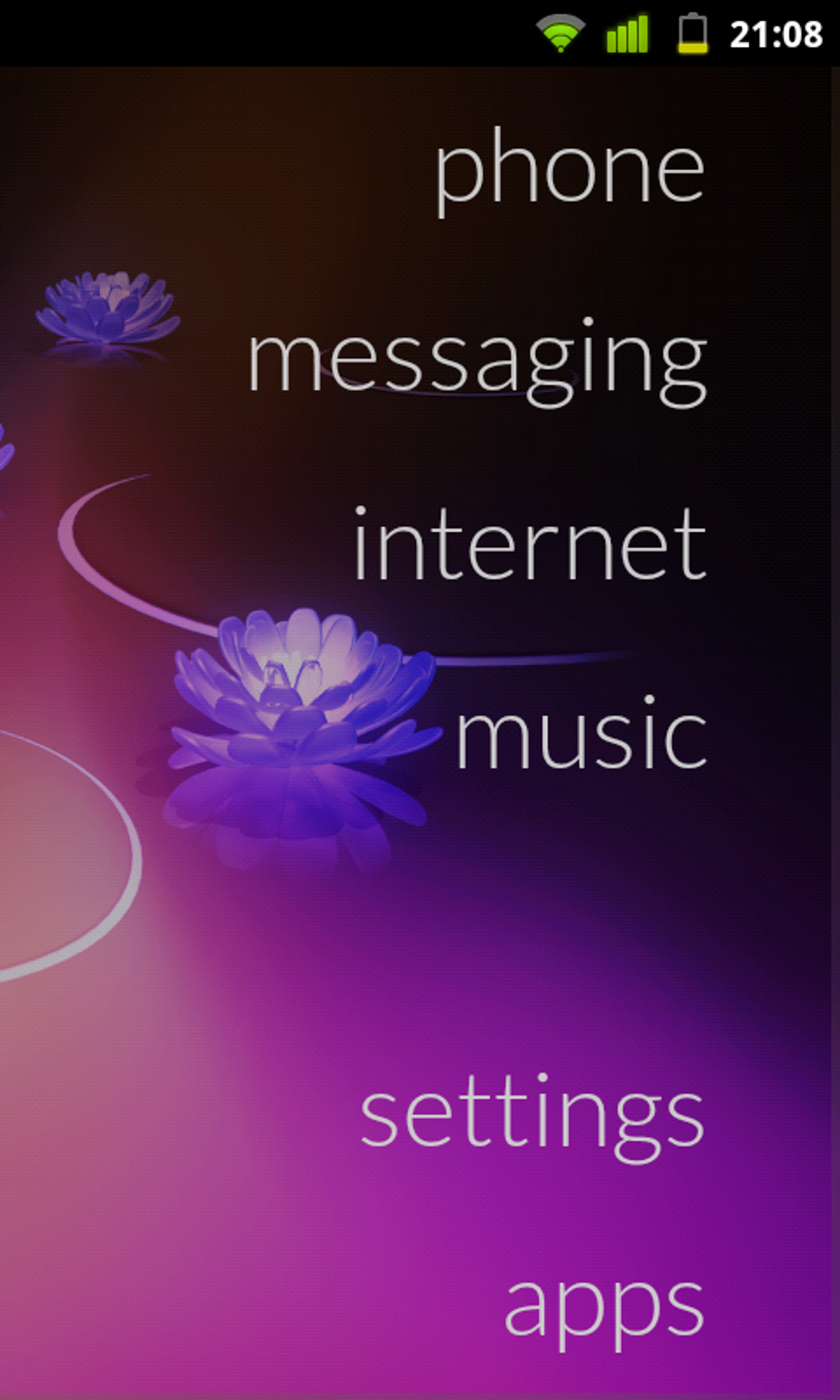
Lightning Launcher isn’t just limited to replacing the standard home screen; it can also function as a lock screen replacement and a standalone app launcher. The app launcher aspect is particularly useful for quickly accessing frequently used applications. This multi-faceted functionality makes Lightning Launcher a comprehensive solution for managing and customizing different aspects of the Android experience.
The lock screen functionality allows for a personalized interface that complements the customized home screen. While many lock screen replacements offer only minimal customization options, Lightning Launcher allows for a similar level of personalization as the home screen, creating a cohesive and aesthetically pleasing user experience.
Pros and Cons of Lightning Launcher
Pros:
- Unparalleled Customization: The depth and breadth of customization options are unmatched by most other launchers.
- Intuitive Interface (for experienced users): Once familiarized, the interface is well-structured and easy to navigate.
- Versatile Functionality: Functions as a home screen, lock screen, and app launcher.
- Extensive Widget Support: Integrates seamlessly with a wide range of Android widgets.
- Active Development and Updates: The app is actively maintained and receives regular updates.
- Community Support: A supportive online community offers assistance and resources to users.
Cons:
- Steep Learning Curve: The multitude of features can be overwhelming for new users.
- Potential for Instability: While generally stable, the extensive customization can sometimes lead to unforeseen issues.
- Resource Intensive: Given its many features, it can consume more system resources than simpler launchers.
Alternatives to Lightning Launcher
Several alternative launchers provide similar customization options, although none quite match the depth of Lightning Launcher. These alternatives often provide a simpler, more streamlined experience, making them better suited for users who don’t require the extensive controls offered by Lightning Launcher. Some notable alternatives include:
- Nova Launcher: A popular and widely-used launcher known for its balance of customization and ease of use.
- Action Launcher: Offers a unique blend of features, including customizable shortcuts and quick access to frequently used apps.
- Microsoft Launcher: A clean and efficient launcher with integrated Microsoft services.
- Evie Launcher: A lightweight and highly customizable launcher that prioritizes speed and simplicity.
The choice between Lightning Launcher and these alternatives depends on individual preferences and technical expertise. Users seeking maximum customization should consider Lightning Launcher, while those prioritizing ease of use might find other options more appealing.
Conclusion: Lightning Launcher - A Powerful Tool for Android Customization
Lightning Launcher represents a powerful tool for users seeking extensive control over their Android home screen experience. Its comprehensive customization options, coupled with its ability to function as a home screen, lock screen, and app launcher, make it a versatile and compelling alternative to standard Android launchers. While its steeper learning curve and resource intensity might deter some users, those willing to invest the time and effort will be rewarded with a uniquely personalized and highly efficient Android experience. For the Android power user who appreciates deep customization and control, Lightning Launcher is a highly recommended option. PhanMemFree.org provides a comprehensive platform for downloads and support, ensuring users have access to the app and necessary assistance.
File Information
- License: “Free”
- Version: “14.3-6de3540”
- Latest update: “October 31, 2024”
- Platform: “Android”
- OS: “Android 9.0”
- Downloads: “16.7K”
- Size: “1.65 MB”
- Download Options: “APK, Google Play”
- Filename: “net-pierrox-lightning-launcher-extreme-2330-56735181-8a9eaeb7bcf23429bcfb5d89dabaa619.apk”


