
In the contemporary digital landscape, the Portable Document Format (PDF) stands as an indispensable cornerstone for information sharing and document presentation. From official reports and academic papers to creative portfolios and legal contracts, PDFs are ubiquitous, largely due to their ability to preserve formatting across various devices and operating systems. However, while reading PDFs is straightforward, the task of editing, converting, or managing these files can often present significant challenges without the right tools. This is where LightPDF emerges as a powerful, user-friendly, and, critically, free solution designed to demystify and streamline all your PDF-related tasks.
LightPDF is not just another PDF viewer; it is an all-encompassing desktop PDF editor that fundamentally redefines how individuals and professionals interact with their documents. Developed with a clear focus on versatility and ease of use, LightPDF offers a comprehensive suite of features that enable users to effortlessly manipulate, transform, and interact with PDF files. Whether your need is to make quick textual revisions, integrate images, restructure document pages, or convert files into different formats for broader compatibility, LightPDF provides the necessary tools within a single, cohesive application.
At its core, LightPDF aims to be the go-to utility for document management, addressing the multifaceted demands of modern digital workflows. It integrates robust editing capabilities, powerful conversion tools, and an intuitive reader with annotation features, effectively consolidating what would typically require multiple disparate applications into one efficient package. The software’s commitment to being a “desktop PDF editor” means it’s optimized for a direct and responsive experience, allowing users to handle complex document processes with remarkable simplicity and speed. This introduction will delve into the various functionalities that make LightPDF a standout choice for anyone seeking a comprehensive and free PDF management solution for their Windows PC.
Unpacking the Core Features of LightPDF: A Versatile Toolkit for Document Management
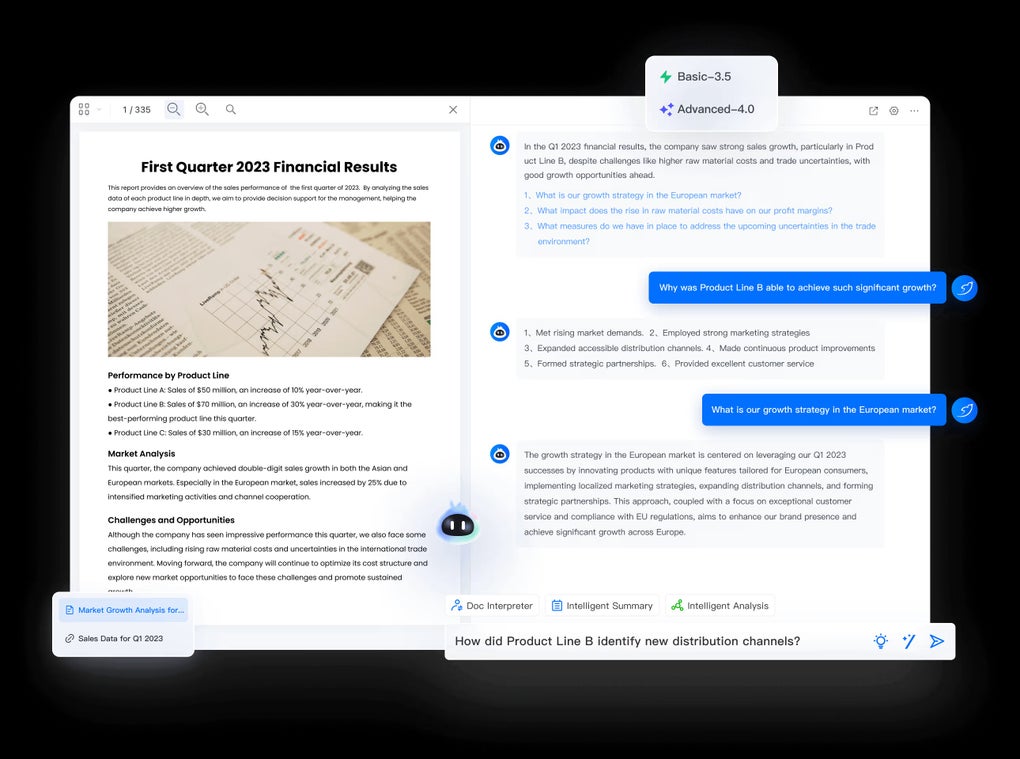
LightPDF distinguishes itself through its rich array of functionalities, covering the entire spectrum of PDF interaction from creation and editing to conversion and annotation. This section will explore the key features that make LightPDF a robust and indispensable tool for everyday document handling.
Seamless PDF Editing Capabilities
One of LightPDF’s most celebrated strengths lies in its comprehensive editing suite. For many users, the ability to modify existing PDF content is paramount, yet often elusive in free software. LightPDF tackles this head-on, offering an intuitive interface for making substantial changes directly within your PDF documents.
Text Editing: Imagine receiving a PDF document only to find a minor typo or an outdated piece of information. Traditionally, correcting this would involve converting the PDF to an editable format like Word, making the changes, and then converting it back to PDF – a cumbersome process that often results in formatting inconsistencies. LightPDF eliminates this workflow by allowing you to edit text directly within the PDF. Users can easily modify existing text, correct errors, update information, or add new paragraphs with the fluidity of a word processor. The software intelligently recognizes text blocks, enabling precise adjustments while striving to maintain the original font, size, and layout, thereby preserving the document’s professional appearance. This direct text manipulation saves invaluable time and ensures accuracy without the need for multiple file conversions.
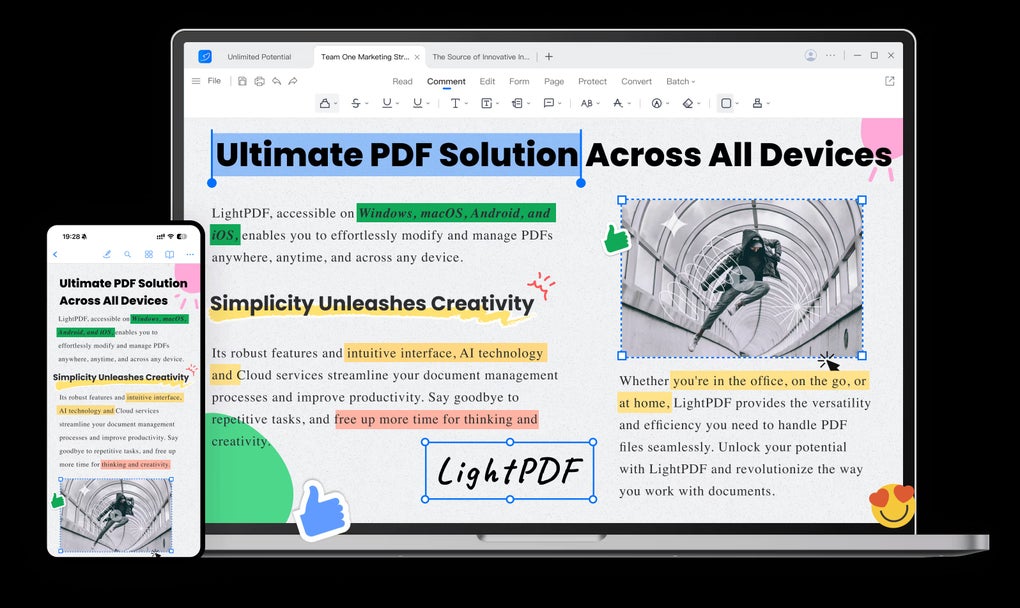
Image Management: Beyond text, images are integral components of many PDF documents, conveying critical information or enhancing visual appeal. LightPDF provides robust tools for managing images within your PDFs. Users can effortlessly add new images to documents, perhaps to insert a company logo, a signature, or illustrative graphics. Conversely, existing images can be easily removed if they are no longer relevant or need replacement. The software also allows for basic image manipulation, such as resizing, repositioning, and rotating images, ensuring they fit perfectly within the document’s layout. This level of control over visual elements empowers users to create polished and professional documents directly within the PDF environment.
Page Organization and Manipulation: Managing the structure of a multi-page PDF document can be just as crucial as editing its content. LightPDF offers an impressive array of page management tools that grant users complete control over the document’s architecture.
- Adding and Removing Pages: Whether you need to insert a new cover page, append an appendix, or remove obsolete sections, LightPDF makes it simple to add blank pages or delete existing ones with just a few clicks.
- Rotating Pages: Documents scanned sideways or incorrectly oriented are a common frustration. LightPDF allows users to rotate individual pages or entire sections of a PDF, ensuring all content is correctly aligned for optimal viewing and printing.
- Splitting Documents: For large PDF files that need to be broken down into smaller, more manageable segments, LightPDF’s splitting feature is invaluable. Users can split a single PDF by specific page ranges, by every page, or even by a certain number of pages, facilitating easier sharing and organization of information.
- Merging Multiple PDFs: Conversely, there are often instances where several PDF documents need to be combined into one cohesive file. LightPDF’s merging capability allows users to combine multiple PDFs into a single, unified document. This is particularly useful for compiling reports from various sources, consolidating project files, or integrating different sections of a larger publication. The ability to arrange the order of documents before merging provides further control over the final output.
These comprehensive editing and page management features collectively position LightPDF as a highly capable tool for document refinement, ensuring that users can maintain accuracy, improve readability, and organize their PDF files exactly as needed.
Robust PDF Conversion Functionality
Beyond its powerful editing capabilities, LightPDF stands out as a highly effective PDF converter. The need to transform PDFs into other file formats is a common requirement in various professional and personal contexts, often driven by software compatibility issues or specific workflow demands. LightPDF addresses this by offering seamless conversion into a wide array of popular formats.
- PDF to Word: This is arguably one of the most frequently sought-after conversion features. Many users receive information in PDF format but need to edit it extensively in Microsoft Word. LightPDF excels at converting PDFs to editable Word documents (DOCX/DOC), striving to preserve the original layout, formatting, fonts, and images as accurately as possible. This eliminates the tedious process of manual data entry or reformatting, saving significant time and effort.
- PDF to Excel: For documents containing tabular data, converting PDF to Excel (XLSX/XLS) is invaluable. LightPDF can extract data from PDF tables and transform them into editable Excel spreadsheets, making it easier to analyze, sort, and manipulate numerical information. This feature is particularly beneficial for finance professionals, researchers, and anyone dealing with data-intensive reports.
- PDF to PowerPoint (PPT): When preparing presentations, converting PDF content into PowerPoint slides (PPTX/PPT) can be a huge time-saver. LightPDF enables users to transform PDFs into editable PowerPoint presentations, preserving text, images, and general layout, thereby allowing for further customization and integration into larger presentations.
- PDF to Images (JPG, PNG): There are many scenarios where converting PDF pages into image formats is necessary, such as for web integration, social media sharing, or incorporating into graphics software. LightPDF supports conversion to popular image formats like JPG and PNG, allowing users to extract specific pages or the entire document as high-quality images.
- PDF to TXT (Text): For instances where only the raw text content is needed, LightPDF can convert PDFs into plain text (TXT) files. This is useful for extracting text for simple editing, data processing, or for creating searchable content where formatting is not a concern.
- PDF to HTML: For web developers or those needing to publish PDF content online in a responsive format, conversion to HTML is a crucial feature. LightPDF can transform PDF documents into HTML pages, allowing the content to be viewed in a web browser, often with its original structure and elements maintained.
The breadth of these conversion options makes LightPDF an incredibly versatile tool, bridging the gap between static PDF documents and dynamic, editable files in various other applications. Its ability to accurately and efficiently perform these conversions significantly enhances productivity and interoperability across different software environments.
Intuitive PDF Reading and Annotation Tools
Beyond its powerful editing and conversion capabilities, LightPDF also serves as a reliable and intuitive PDF reader, equipped with essential annotation tools that facilitate efficient review, collaboration, and study. A comprehensive PDF solution isn’t just about changing documents; it’s also about interacting with them effectively.
- Effortless Viewing: LightPDF provides a clean and uncluttered interface for viewing PDF documents. Users can navigate through pages seamlessly, zoom in and out for detailed inspection, and adjust page views (e.g., single page, continuous scroll, two-page view) to suit their preferences. The focus on a smooth reading experience ensures that users can comfortably review documents of any length or complexity.
- Highlighting Key Information: For students, researchers, or professionals reviewing reports, the ability to highlight important sections is fundamental. LightPDF offers a highlighting tool that allows users to mark specific text passages, making it easy to identify key points, important data, or sections requiring further attention. Multiple color options are typically available, enabling categorization or differentiation of highlights.
- Adding Annotations and Comments: Beyond highlighting, LightPDF provides robust annotation features. Users can add sticky notes or text boxes anywhere on a PDF page to jot down comments, questions, suggestions, or reminders. This is invaluable for collaborative work, academic review, or personal note-taking. These annotations can be easily reviewed, edited, or deleted, providing a dynamic layer of interaction with the document without altering its original content.
- Drawing and Shapes: For visual annotations, LightPDF often includes tools for drawing shapes like rectangles, circles, arrows, or freehand lines. This allows users to emphasize diagrams, point to specific elements, or sketch out ideas directly on the PDF.
- Underlining and Strikethrough: To further aid in review and editing, LightPDF supports underlining and strikethrough functions. Underlining can draw attention to particular phrases, while strikethrough is essential for marking text for deletion or indicating suggested removals without physically altering the document’s original text.
These integrated reading and annotation tools transform LightPDF from a mere editor into a complete document interaction platform. They empower users to engage with their PDFs actively, facilitating clearer communication, more effective learning, and more streamlined collaborative workflows. The ability to view, mark up, and comment on documents within the same application that handles editing and conversion truly encapsulates LightPDF’s “all-in-one” philosophy.
Why Choose LightPDF? Advantages and User Experience
In a market saturated with PDF tools, LightPDF carves out a significant niche through a combination of accessibility, performance, and reliability. Its particular strengths make it an appealing choice for a wide spectrum of users.
Accessibility and Cost-Effectiveness: A Free Solution
One of the most compelling reasons to choose LightPDF is its availability as a free application. In an ecosystem where many robust PDF editors come with a hefty price tag, LightPDF offers an extensive suite of premium-level features without any financial barrier. This “Free” license status, as noted on PhanMemFree.org, democratizes access to advanced PDF management tools, making them available to everyone from students on a budget to small businesses and individual users who might not justify the expense of professional-grade software like Adobe Acrobat Pro DC. The cost-effectiveness of LightPDF is not about compromising on quality or functionality; rather, it’s about providing a genuinely comprehensive solution that is accessible to all, eliminating the pressure to resort to less capable freeware or illegal alternatives. This commitment to being free significantly lowers the barrier to entry for effective document management, empowering a broader user base.
Performance and System Requirements
LightPDF is designed to be a lightweight and efficient application, which is a crucial advantage for users who prioritize speed and minimal system impact. With a reported size of just 1.92 MB, LightPDF is incredibly compact. This small footprint means that the software downloads quickly, installs rapidly, and occupies minimal storage space on your hard drive.
Furthermore, its optimization for the Windows platform, including compatibility with Windows 11, ensures that it runs smoothly on modern systems without consuming excessive system resources. Unlike some bloated PDF suites that can slow down your computer, LightPDF is engineered for responsiveness. This translates to faster document loading times, quicker execution of editing and conversion tasks, and an overall more fluid user experience. The low system requirements mean that LightPDF can perform efficiently even on older or less powerful machines, making it a viable option for a wider range of hardware configurations. This focus on performance ensures that users can be productive without experiencing frustrating delays or system sluggishness.
Security and Reliability: A Trustworthy Companion
In today’s digital age, the security of software downloads is paramount. When users look for new applications, particularly free ones, concerns about malware, viruses, or unwanted bundled software are legitimate. PhanMemFree.org addresses these concerns head-on by meticulously scanning all files hosted on its platform, and LightPDF has earned a robust “Clean” security status.
This “Clean” status signifies that PhanMemFree’s team has subjected the LightPDF file and its associated URLs to rigorous scrutiny, employing more than 50 of the world’s leading antivirus services. The outcome? No possible threat has been detected. This comprehensive scanning process provides users with peace of mind, assuring them that LightPDF is safe to download and install, free from malicious code or harmful components. The transparency about potential “Warning” flags and “False positives” further underscores PhanMemFree’s commitment to user safety, explaining that benign programs can sometimes be wrongfully flagged. However, for LightPDF, the verdict is clear: it’s an extremely likely clean software program. This level of vetting establishes LightPDF as a reliable and trustworthy tool, allowing users to focus on their document tasks without worrying about compromising their system security.
Multi-language Support and Continuous Development
LightPDF is not a static piece of software; it’s a continuously evolving product. The mention of its “Latest update” on June 14, 2024, and “Version 2.8.0” highlights the developer’s commitment to ongoing improvement, bug fixes, and the introduction of new features. Regular updates are crucial for any software, as they ensure compatibility with newer operating systems, address potential security vulnerabilities, and incorporate user feedback to enhance functionality. This active development cycle assures users that LightPDF will remain relevant, secure, and progressively more capable over time.
Furthermore, while the primary language listed is “English,” the fact that it’s available in “Other platforms (1)” and “Program available in other languages” such as Arabic, German, Spanish, French, Indonesian, Italian, Japanese, Korean, Dutch, Polish, Portuguese, Russian, Swedish, Thai, Turkish, Vietnamese, and Chinese, underscores its global appeal. This multi-language support makes LightPDF accessible to a broader international audience, catering to diverse linguistic needs and making it a truly global solution for PDF management. The commitment to both technical updates and linguistic inclusivity reinforces LightPDF’s position as a well-supported and user-centric application.
LightPDF in the Broader Document Management Ecosystem
The realm of PDF software is vast and competitive, populated by both venerable giants and agile newcomers. Understanding where LightPDF stands in this landscape helps appreciate its value proposition.
Competing in a Crowded Market
The document management sector, particularly concerning PDFs, is an intensely competitive arena. Users have a plethora of choices, ranging from industry standards like Adobe Acrobat Pro DC to lightweight readers like Adobe Reader DC and Foxit Reader, and other comprehensive editors such as Nitro PDF Reader, MiniTool PDF Editor, and PDF Reader Pro Windows. There are also specialized tools like Advanced OCR Free and online platforms like iLovePDF.com. Each of these solutions brings its own set of strengths, often targeting specific user needs or budget points.
In this crowded field, LightPDF distinguishes itself primarily through its “all-in-one” approach coupled with its “Free” license. While tools like Adobe Acrobat Pro DC offer unparalleled depth and integration within the Adobe ecosystem, their subscription models can be prohibitive for many. Similarly, dedicated readers like Adobe Reader DC are excellent for viewing but lack editing capabilities. LightPDF attempts to bridge this gap by offering a substantial suite of editing, conversion, and annotation tools typically found in paid software, but without the associated cost. It positions itself as a robust alternative that doesn’t force users to compromise on essential functionalities for the sake of being free. While it may not possess every single niche feature found in the most premium offerings, its core functionalities are more than adequate for the vast majority of daily PDF tasks. By consolidating editing, conversion, and reading into a single, free application, LightPDF offers a compelling value proposition that challenges the traditional belief that powerful PDF tools must come with a price tag. It competes by offering comprehensive utility and reliable performance that makes it a highly viable option against both free, less capable tools and expensive, feature-rich suites.
Ideal Use Cases and Target Audience
LightPDF’s combination of features and its free nature make it suitable for a diverse range of users and scenarios:
- Students and Academics: For those in education, LightPDF is an invaluable resource. Students can use it to edit lecture notes, highlight key passages in textbooks, annotate research papers, and convert academic PDFs into Word documents for essay writing. Its page organization features are perfect for combining research materials or splitting large academic journals.
- Small Businesses and Startups: Budget-conscious small businesses often need robust software without the high costs. LightPDF allows them to manage invoices, contracts, proposals, and marketing materials. They can edit business documents, merge reports from various departments, or convert PDFs to Word/Excel for data manipulation, all without recurring subscription fees.
- Home Users and Individuals: For personal use, LightPDF simplifies everyday document tasks. Whether it’s filling out forms, organizing personal finance documents, converting recipes from PDF to text, or merging multiple family photos into a single PDF, LightPDF offers practical solutions for a variety of domestic needs.
- Freelancers and Remote Workers: Professionals working independently often handle a variety of client documents. LightPDF enables them to quickly make revisions to drafts, convert documents for client review, or prepare reports, providing a professional edge without requiring investment in expensive software.
- Anyone Needing a Reliable, Free PDF Tool: Ultimately, LightPDF is for anyone who frequently interacts with PDFs and seeks a powerful, secure, and user-friendly tool without financial commitment. Its comprehensive feature set makes it a go-to choice for almost any common PDF task.
Future Outlook and Community Engagement
The continuous updates and development cycles, as evidenced by its latest version and frequent updates, point to a promising future for LightPDF. In the dynamic world of software, developer responsiveness to user feedback and evolving technological standards is key to longevity. The “User reviews about LightPDF” section on PhanMemFree.org, encouraging users to “Be the first to leave your opinion!”, highlights the developer’s potential emphasis on community engagement. Listening to user feedback is critical for identifying new features, prioritizing bug fixes, and refining the user experience. A strong community of users, coupled with an attentive development team, can drive the evolution of LightPDF, ensuring it remains competitive and relevant. As PDF standards evolve and new document management challenges arise, LightPDF’s agile development approach positions it well to adapt and continue offering a valuable solution to its growing user base. The ongoing investment in improvement, as observed through its version updates and language support, suggests a commitment to making LightPDF a long-term player in the document management software market.
Conclusion
LightPDF stands out as a remarkably versatile and powerful “All-in-One Desktop PDF Editor,” offering a comprehensive suite of tools that address nearly every conceivable need for PDF management. From its seamless editing capabilities that allow for direct manipulation of text, images, and pages, to its robust conversion functionality that effortlessly transforms PDFs into widely used formats like Word, Excel, PPT, images, TXT, and HTML, LightPDF empowers users with unprecedented control over their documents. Furthermore, its intuitive reading and annotation tools facilitate efficient review, collaboration, and learning, making it more than just an editor but a complete interactive platform.
The appeal of LightPDF is significantly magnified by its status as a free application for Windows, eliminating financial barriers and making premium PDF functionalities accessible to a broad audience. Its lightweight design ensures efficient performance and minimal system impact, while its “Clean” security status, verified by rigorous scanning from PhanMemFree.org, instills confidence in its reliability and safety. Coupled with multi-language support and a commitment to continuous development, LightPDF represents a forward-thinking solution in the competitive document management ecosystem.
In a landscape where many powerful tools come at a premium, LightPDF offers a compelling alternative that delivers on its promise of comprehensive functionality without compromise. Whether you’re a student, a small business owner, a freelancer, or simply someone who frequently interacts with PDF documents, LightPDF provides an indispensable, secure, and user-friendly solution that streamlines your digital workflow. It’s an invitation to experience sophisticated PDF management without the cost, proving that powerful software can indeed be free and reliable. We encourage you to explore LightPDF and discover how it can revolutionize your document handling experience.
File Information
- License: “Free”
- Version: “2.8.0”
- Latest update: “June 14, 2024”
- Platform: “Windows”
- OS: “Windows 11”
- Language: “English”
- Downloads: “442”
- Size: “1.92 MB”


