
Linux MultiMedia Studio (LMMS) is a digital audio workstation (DAW) designed for music creation. While offering a compelling array of features and a user-friendly interface, its stability has been a point of contention among users. This review delves into the strengths and weaknesses of LMMS, providing a balanced perspective for potential users considering this free and open-source software.
Feature Set and Functionality
LMMS boasts an impressive range of tools and features comparable to many commercial DAWs. Its core functionality revolves around sequencing, synthesis, and sample manipulation. The software allows users to create multi-track projects, arrange musical elements, and incorporate various sound sources.
Sequencing: LMMS provides a robust sequencer, enabling users to arrange MIDI notes, automation data, and audio clips. The intuitive interface simplifies the process of creating and manipulating musical arrangements, facilitating both linear and non-linear workflows. Users can easily add, delete, and edit MIDI notes, adjust tempo and time signatures, and apply various effects to individual tracks.
Synthesis: A key strength of LMMS lies in its integrated synthesizers. The software offers several virtual instruments capable of generating a wide variety of sounds, from simple waveforms to complex textures. These synthesizers provide ample control over parameters such as oscillators, filters, envelopes, and effects, allowing users to sculpt their sounds meticulously. While not as extensive as some dedicated virtual instrument plugins, the built-in synths are surprisingly powerful and versatile for a free DAW.
Sampling and Sample Editing: LMMS supports the import and manipulation of audio samples. Users can load audio files, chop them into smaller segments, and arrange them within the sequencer. The software also offers basic editing capabilities, allowing users to adjust the pitch, tempo, and volume of their samples. This functionality is crucial for incorporating pre-recorded audio or creating unique sounds through sample manipulation techniques.
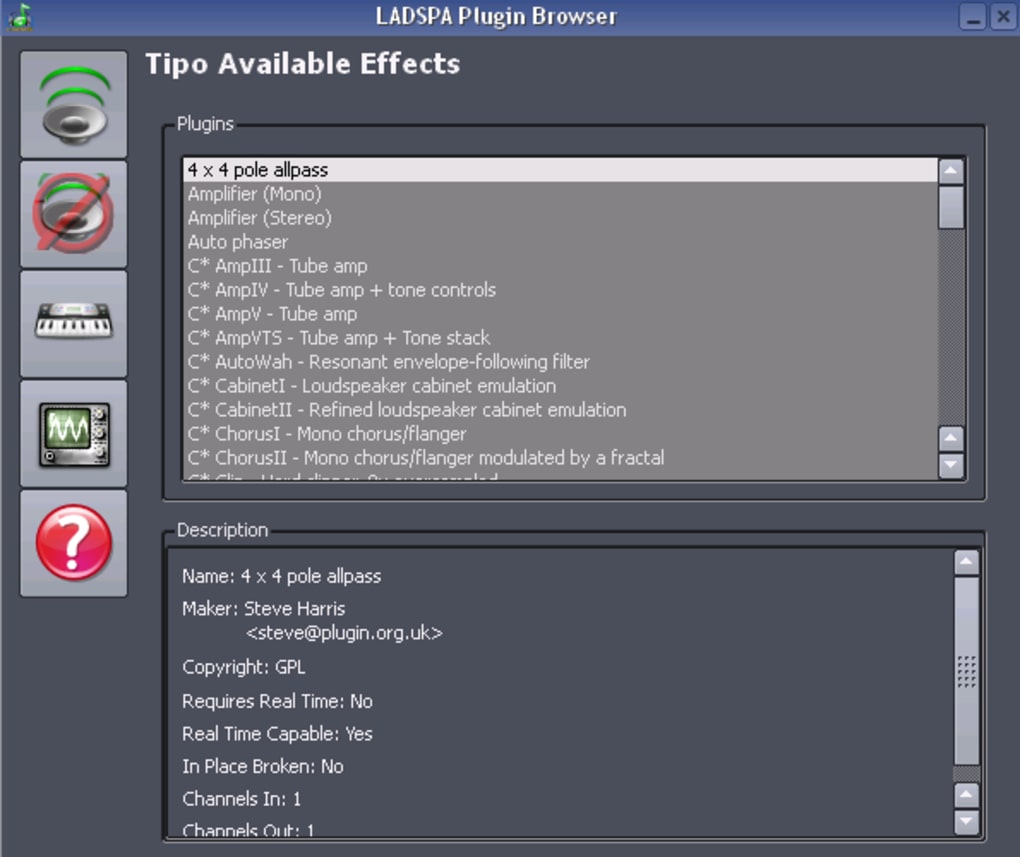
Effects Processing: A comprehensive suite of audio effects is built into LMMS. Users can apply a wide range of effects such as reverb, delay, chorus, distortion, and equalization to individual tracks or the master bus. These effects can significantly enhance the quality and character of the final mix. The intuitive interface makes it easy to experiment with different effect settings and achieve the desired sonic results.
Automation: LMMS supports comprehensive automation, allowing users to control virtually any parameter over time. This is particularly useful for creating dynamic and evolving soundscapes. Users can automate volume, panning, effect parameters, and synthesizer settings, giving them a high level of control over the nuances of their compositions.
MIDI Support: LMMS offers extensive MIDI support, allowing users to control external synthesizers, MIDI controllers, and other MIDI-compatible devices. This functionality expands the creative possibilities, allowing for hands-on performance and integration with hardware instruments.
User Interface and Workflow
LMMS features a fairly intuitive user interface, although it can feel somewhat cluttered for new users. The layout is designed to accommodate a broad range of functionalities, leading to a relatively dense workspace. Experienced users will find the arrangement logical and efficient, but beginners might require some time to familiarize themselves with the various elements.
The workflow within LMMS generally feels smooth and efficient once the interface is mastered. The software’s responsiveness is commendable, and operations are typically carried out without significant lag. The ability to quickly navigate between different sections of the software and manipulate audio and MIDI data is a significant advantage for both beginners and professionals. However, the absence of a dedicated mixer window in earlier versions was a common criticism. While newer versions have improved in this aspect, some users may still find it less streamlined than commercial DAWs in this regard.
Stability and Performance
While LMMS offers a robust feature set, its stability has been a source of concern for some users. Reports of crashes and unexpected behavior are not uncommon, especially when working with complex projects or a large number of plugins. This instability can be incredibly frustrating, leading to lost work and hindering the creative process. Although developers have consistently worked on improving stability with each update, occasional issues can still persist. The memory footprint of LMMS can also be substantial, especially when running multiple instances of plugins or processing large audio files. This can impact performance on systems with limited resources.
Strengths and Weaknesses Summary
Strengths:
- Free and Open Source: LMMS is completely free to use and distribute, making it accessible to everyone regardless of budget. The open-source nature allows for community contributions and continuous development.
- Comprehensive Feature Set: LMMS offers a surprisingly broad range of features, including sequencing, synthesis, sampling, effect processing, and automation.
- Versatile Synthesis Capabilities: The built-in synthesizers are surprisingly powerful and versatile for a free DAW, capable of generating a vast array of sounds.
- Good MIDI Support: Strong MIDI capabilities allow users to seamlessly integrate with external hardware and software instruments.
- Active Development: The ongoing development and updates show the commitment of the developers to improve and expand the software.
Weaknesses:
- Stability Issues: LMMS has a history of instability, with reports of crashes and unexpected behavior.
- Steep Learning Curve: The interface, while functional, can be initially overwhelming for new users due to its complexity.
- Memory Intensive: LMMS can consume significant system resources, potentially leading to performance issues on older or less powerful computers.
- Plugin Management: While plugin support exists, it is not as seamlessly integrated as in some commercial DAWs.
- Occasional Bugs: Even with continuous updates, some minor bugs and quirks persist.
Comparison with Alternative DAWs
LMMS competes with other free and open-source DAWs such as Cakewalk by BandLab (formerly Sonar), and commercial options like Ableton Live, Logic Pro X, FL Studio, and Pro Tools. Compared to commercial DAWs, LMMS lacks some advanced features and often has a less polished user interface. However, its free and open-source nature offers a significant advantage for users on a budget or those preferring community-driven development. Compared to other free DAWs, LMMS often distinguishes itself with its range of built-in synthesizers and its capacity for sophisticated sound design. The choice between LMMS and other DAWs will depend largely on individual needs, preferences, and technical proficiency.
Conclusion
LMMS is a powerful and versatile DAW offering a remarkable range of features for a free and open-source application. Its robust synthesis capabilities and extensive MIDI support make it a compelling choice for many users. However, potential users should be aware of its occasional stability issues and the relatively steep learning curve. If stability and a polished user interface are paramount, commercial options might be a more suitable choice. However, for users who are comfortable with occasional quirks and appreciate the power and flexibility of open-source development, LMMS remains a compelling option for music creation. The ongoing development and community support suggest that LMMS will continue to improve and evolve, potentially addressing some of its current limitations in the future.
File Information
- License: “Free”
- Latest update: “December 21, 2023”
- Platform: “Windows”
- OS: “Windows XP”
- Language: “English”
- Downloads: “37.3K”
- Size: “33.35 MB”


