
Live Home 3D is a free, user-friendly 3D home design application available for Windows and other operating systems. It allows users to create detailed 3D models of rooms, houses, and even entire properties, making it a powerful tool for homeowners, interior designers, and anyone interested in visualizing their design ideas. This comprehensive guide explores the features, capabilities, and benefits of Live Home 3D, providing a detailed overview for both novice and experienced users.
Getting Started with Live Home 3D: A Beginner’s Guide
The intuitive interface of Live Home 3D makes it accessible to users of all skill levels. The software boasts a straightforward design, eliminating the steep learning curve often associated with professional-grade 3D modeling programs. New users can quickly grasp the basic functionalities and begin creating their dream spaces within minutes of installation.
The initial setup process is simple and straightforward. After downloading the free version from the official website, the installation is quick and requires minimal user interaction. Once launched, the program presents a clean and organized workspace, offering easy access to the key tools and features. The user interface is predominantly visual, relying heavily on intuitive icons and drag-and-drop functionality, which minimizes the need for complex keyboard shortcuts or extensive menu navigation.
Live Home 3D offers a variety of pre-built templates and examples to get you started. These templates provide a foundation for your projects, allowing you to modify existing designs or use them as inspiration for creating something unique. Whether you’re designing a small apartment or a sprawling mansion, these templates offer a valuable starting point, saving you time and effort in the initial stages of your project.
Creating Your 3D Model: A Step-by-Step Walkthrough
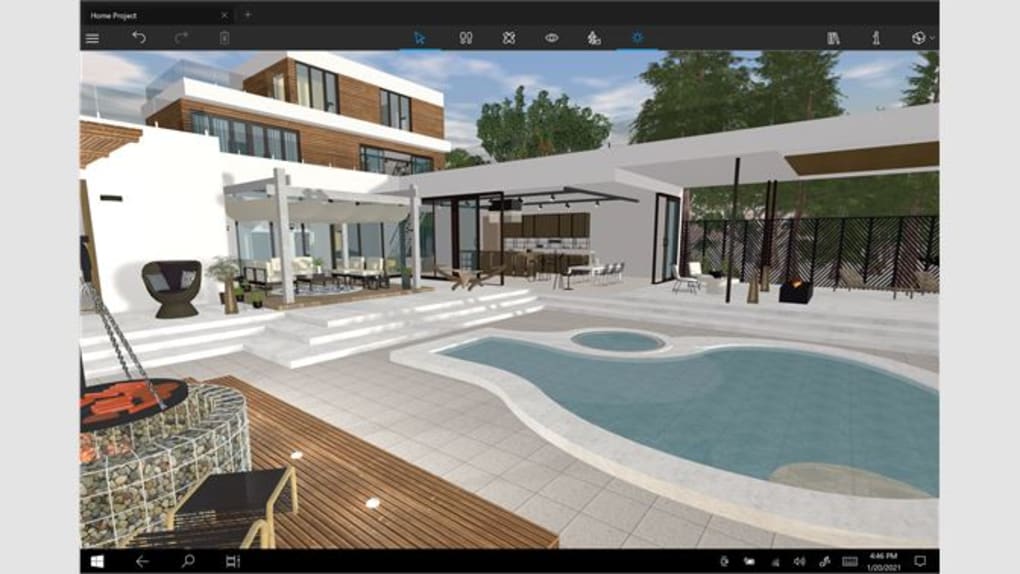
Live Home 3D utilizes a unique approach to 3D modeling, combining 2D and 3D perspectives seamlessly. Users can create their designs using either a 2D plan view or a 3D view, allowing for flexibility and intuitive workflow.
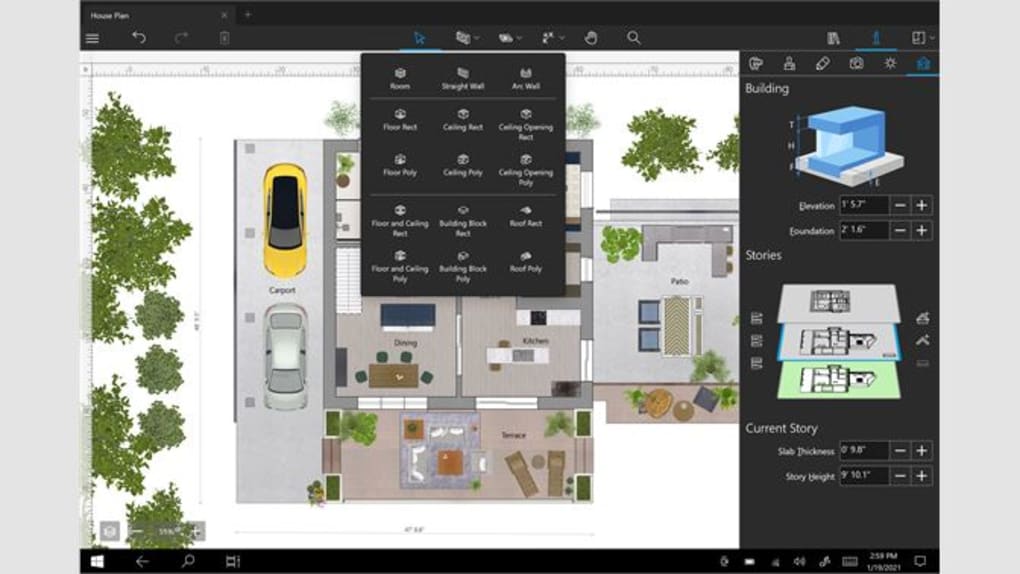
Step 1: Defining the Room Dimensions: The first step involves establishing the basic dimensions of the room or space you’re designing. You can do this using the 2D plan view, entering the length and width measurements manually or using the built-in tools to draw the outline directly on the screen. Live Home 3D provides precise measurements and guides to ensure accurate representation of your space.
Step 2: Adding Walls and Partitions: After establishing the floor plan, you can begin adding walls and partitions. The software allows for easy manipulation of wall heights, thicknesses, and positions, enabling you to create complex layouts with ease. You can adjust wall materials, finishes, and colors to match your design vision.
Step 3: Incorporating Furniture and Fixtures: One of the most significant advantages of Live Home 3D is its extensive library of pre-built furniture, appliances, and fixtures. This library contains a vast selection of items, covering various styles and designs, allowing you to furnish your virtual space accurately and efficiently. You can easily drag and drop furniture from the library onto your 2D or 3D model, positioning them precisely within the room.
Step 4: Adding Texture and Detail: Live Home 3D allows for extensive customization of materials and textures. You can apply various textures to walls, floors, and furniture, enhancing the realism of your model. The software supports a wide range of textures, from simple colors to intricate patterns and realistic images, enabling you to achieve a highly detailed and accurate representation of your design.
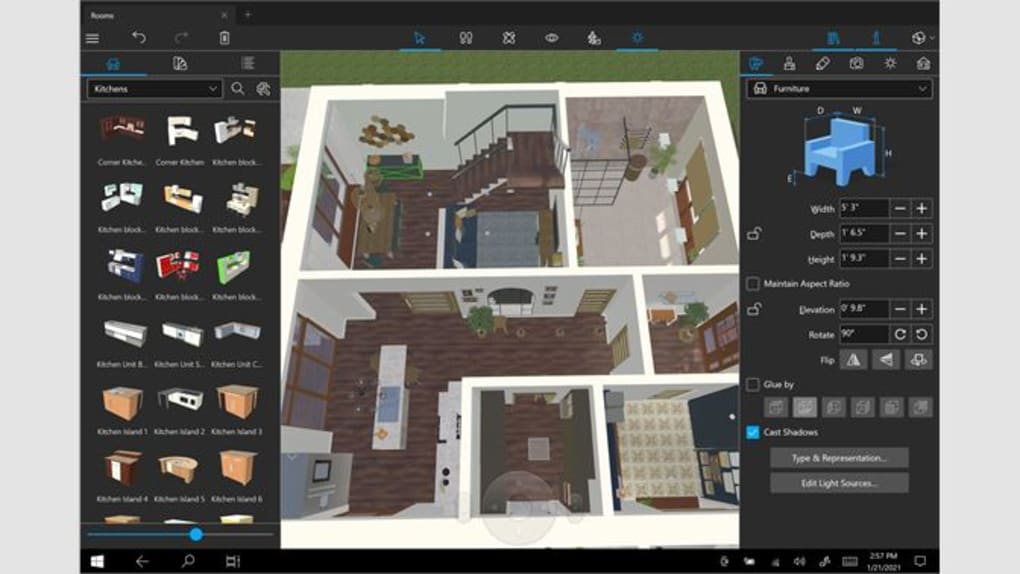
Step 5: Fine-Tuning and Refinement: Once the basic elements are in place, you can refine your design using a variety of tools and features. These include adjusting lighting conditions, adding windows and doors, incorporating landscaping elements, and fine-tuning details such as wall trim and baseboards. Live Home 3D’s ability to render accurate lighting enhances the realism of the final product, allowing you to see how your design will appear under different lighting conditions.
Advanced Features and Capabilities
Beyond its basic functionalities, Live Home 3D offers a range of advanced features that cater to more experienced users and those seeking enhanced design capabilities. These features include:
-
Realistic Rendering: The software’s rendering capabilities enable the creation of photorealistic images of your design. This allows you to visualize your design in a highly realistic manner, providing a clear and accurate representation of how the finished product will appear.
-
Customizable Materials: The extensive selection of customizable materials extends beyond the basic textures, allowing for the incorporation of user-defined materials. You can import your own textures and materials or create custom ones using the software’s editing tools.
-
Advanced Lighting Control: The software offers precise control over lighting conditions, enabling users to simulate natural and artificial light sources. This level of control allows for fine-tuning of lighting effects, enhancing the realism and visual appeal of your design.
-
Exporting and Sharing: Live Home 3D allows you to export your finished projects in various formats, facilitating seamless integration with other design programs or sharing with clients or colleagues. You can export your design as images, 3D models, or even interactive walkthroughs.
-
Measurement and Annotation Tools: The software includes comprehensive measurement and annotation tools, allowing you to accurately measure distances, areas, and volumes within your model. This feature is particularly beneficial for ensuring the accuracy of your design and creating professional-looking documentation.
Live Home 3D vs. Other 3D Home Design Software
While Live Home 3D offers a comprehensive suite of features, it is essential to understand its position in the broader landscape of 3D home design software. Compared to other applications, Live Home 3D excels in its user-friendliness and ease of use. Many professional-grade applications require substantial training and expertise, posing a considerable barrier to entry for casual users. Live Home 3D overcomes this hurdle by offering a simplified interface and intuitive workflow, making it accessible to users without extensive design experience.
While some professional-grade software may offer more advanced features and greater design flexibility, Live Home 3D provides a practical and efficient solution for most design tasks, especially for those who don’t require the complexities of high-end applications.
Conclusion: Live Home 3D – An Accessible Tool for Your Design Needs
Live Home 3D presents a compelling solution for anyone seeking a user-friendly and powerful 3D home design application. Its intuitive interface, combined with its comprehensive features, makes it accessible to both beginners and experienced users alike. The free version offers a substantial range of functionalities, making it a valuable tool for personal projects and design exploration. For those requiring more advanced features or professional-level capabilities, the paid pro version provides additional tools and functionalities. Whether you are planning a home renovation, creating a dream house, or simply exploring design concepts, Live Home 3D offers a valuable and accessible platform to bring your visions to life. Its ease of use and powerful features make it a standout choice in the realm of 3D home design software.
File Information
- License: “Free”
- Version: “4.10.1595”
- Latest update: “July 21, 2025”
- Platform: “Windows”
- OS: “Windows 11”
- Language: “English”
- Downloads: “4.4K”
- Size: “1.10 MB”


