
LiveWire is a sophisticated electronic circuit simulator designed for both educational and professional use. Its intuitive interface and extensive component library make it an invaluable tool for anyone working with or learning about electrical engineering principles. This review delves into the software’s capabilities, highlighting its strengths and weaknesses, and ultimately assesses its overall value proposition for its target audience.
User-Friendly Interface and Extensive Component Library
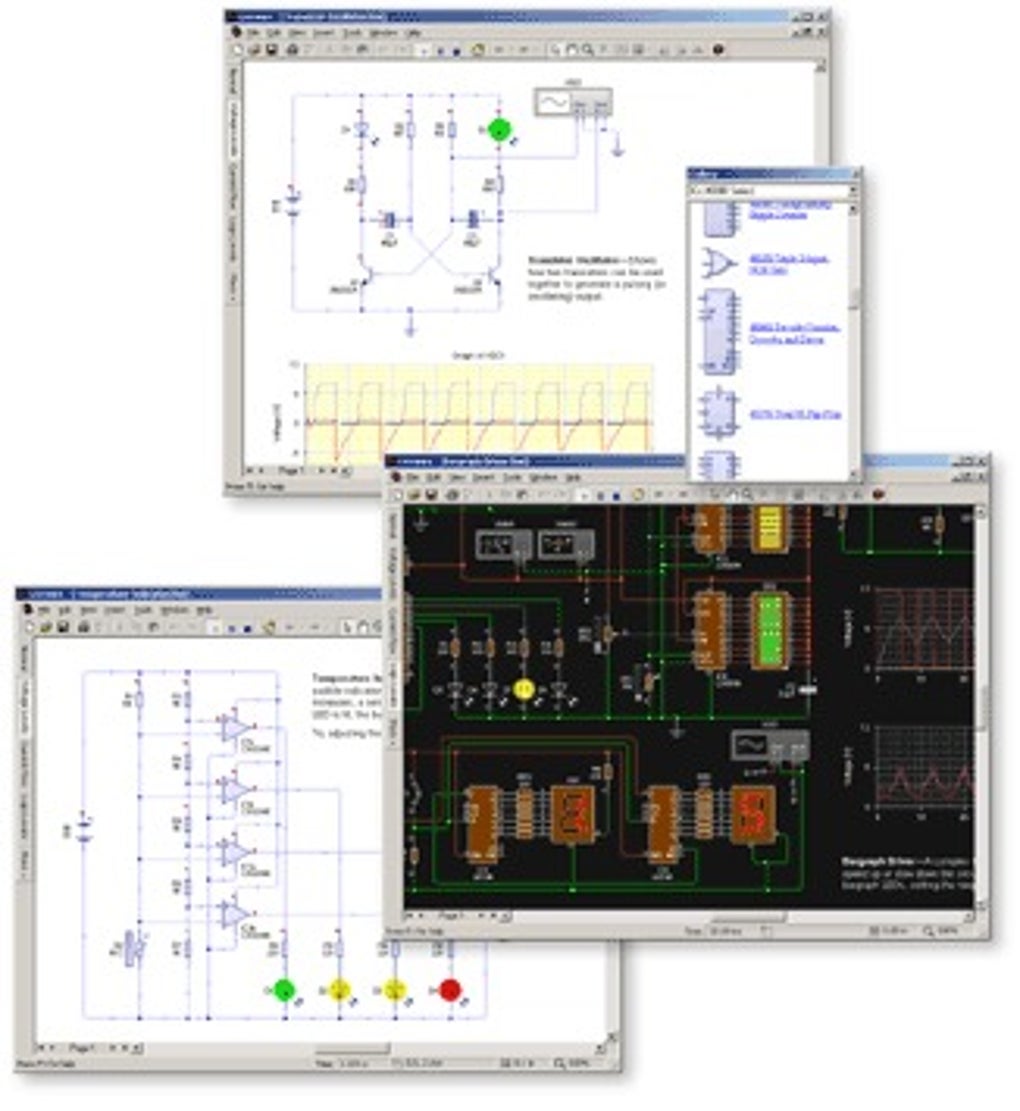
One of LiveWire’s most significant strengths lies in its user-friendly design. The interface is clean and uncluttered, allowing users to focus on circuit design rather than navigating a complex menu system. The arrangement of tools and components is logical and intuitive, making it easy for both novice and experienced users to quickly learn the software and begin creating circuits.
The comprehensive component library is another key feature. LiveWire provides access to a wide array of electronic components, including:
-
Basic Components: Resistors, capacitors, inductors, diodes, transistors (both bipolar junction transistors (BJTs) and field-effect transistors (FETs)), and integrated circuits (ICs) are all readily available. The software supports a variety of transistor types, including MOSFETs and JFETs, enabling users to model a wide range of circuit configurations. The representation of these components is clear and accurately reflects their physical counterparts. Different sizes and variations of standard components are also typically included, allowing for greater design flexibility and realism.
-
Active Components: Operational amplifiers (op-amps), comparators, and other active components are readily available and can be easily integrated into complex circuits. The software provides options to configure the parameters of these components, ensuring accurate simulations.
-
Passive Components: The selection of passive components extends beyond the basics, often including specialized components such as transformers, potentiometers, and various types of connectors.
-
Specialized Components: Depending on the version or potential add-ons, users may find access to more specialized components, expanding the simulation capabilities to even more advanced circuits and systems.
This extensive library ensures that LiveWire can be used to simulate a wide range of circuits, from simple resistor-capacitor (RC) circuits to complex integrated circuits and even digital logic circuits. The ability to easily add, remove, and modify components makes the design process streamlined and efficient.
Realistic Simulations and Unlimited Connections
LiveWire’s simulation capabilities are remarkably realistic. The software accurately models the behavior of electronic components, providing users with precise results that can be used to analyze and troubleshoot circuits. The ability to perform both DC and AC analyses allows for a comprehensive understanding of circuit behavior under different operating conditions. Furthermore, the software often includes the ability to perform transient and Fourier analyses, providing deeper insights into the dynamic characteristics of the simulated circuits.
One of the standout features is the support for unlimited connections between components. Users are not limited by the number of connections they can make, allowing for the creation of exceptionally complex and intricate circuit designs. This flexibility is crucial for accurately modeling real-world circuits, which can often involve a large number of interconnected components.
Furthermore, LiveWire often incorporates a safety feature that adds a layer of realism to the simulation. If a circuit design exceeds the maximum power ratings of its components, the software simulates a visual “explosion” on the screen, providing immediate feedback and highlighting potential design flaws. This feature serves as a valuable learning tool, reinforcing the importance of adhering to component specifications and preventing potential damage to real-world circuits.
Engaging Learning and Professional Application
LiveWire’s strengths make it a particularly valuable tool for both educational and professional settings. For students, the software provides a hands-on learning experience that complements theoretical instruction. Instead of simply studying circuit diagrams and equations, students can build and test their own circuits virtually, gaining a deeper understanding of how different components interact and affect circuit behavior. The interactive nature of the software fosters engagement and makes learning more enjoyable and effective. The “explosion” feature mentioned earlier provides a unique, memorable way to learn about circuit limitations and component safety.
Professionals can leverage LiveWire to design, test, and troubleshoot circuits before committing to physical prototypes. This reduces the risk of costly errors and allows for rapid iteration and refinement of designs. The ability to simulate complex circuits quickly and accurately saves significant time and resources, improving overall design efficiency. LiveWire can be utilized in various professional contexts, such as:
-
Research and Development: Simulating new circuit designs and exploring the effects of different parameters.
-
Troubleshooting: Identifying and resolving issues in existing circuits.
-
Education and Training: Teaching students and professionals about electronic circuit design.
-
Product Design: Verifying that circuit designs meet performance specifications.
The software’s ability to handle large, complex circuits makes it appropriate for advanced designs, moving beyond simple classroom examples and into the realm of professional-grade simulations.
Limitations and Considerations
Despite its many advantages, LiveWire does have some limitations. One notable drawback is the single-device license restriction for both the Standard and Professional editions. This means that the software can only be used on a single computer, limiting its accessibility for users who require access from multiple machines. This restriction could be a significant drawback for collaborative projects or for those who need to access their work from different locations.
Furthermore, while the software offers a vast component library, it might not include every component imaginable. Users may encounter situations where a specific component required for their simulation is not available. However, updates and expansions to the component database are common, so this limitation may be mitigated over time.
The lack of user reviews, as noted in the original content, is a slight concern. While the software’s functionality is strong based on the description, independent user feedback is always valuable in confirming its usability, performance, and overall effectiveness.
Conclusion
LiveWire offers a compelling blend of functionality, user-friendliness, and realism. Its extensive component library, unlimited connection capabilities, and engaging simulation features make it a powerful tool for both educational and professional applications. The focus on accurate simulation and visual feedback elevates the learning experience and enhances design efficiency. While the single-device license limitation presents a notable constraint, the overall strengths of the software outweigh this drawback for many users. LiveWire undoubtedly stands as a strong contender among electronic circuit simulation software, offering a valuable resource for anyone seeking to design, analyze, or learn about electrical circuits.
File Information
- License: “Free”
- Version: “1.2”
- Latest update: “June 6, 2024”
- Platform: “Windows”
- OS: “Windows 11”
- Language: “English”
- Downloads: “1.6K”
- Size: “6.04 MB”


