
In the dynamic world of web development, efficiency and ease of use are paramount. For anyone working with WordPress – from freelance designers and developers to large agencies managing multiple client sites – establishing a robust, yet accessible, local development environment is a critical foundation for success. This is precisely where Local by Flywheel emerges as a game-changer. Far more than just another utility, Local by Flywheel is a simplified and exceptionally user-friendly software package meticulously crafted to streamline the entire WordPress workflow. Its primary objective is to dramatically increase output and accelerate development cycles, making it an indispensable tool for those who have previously struggled with the complexities of maintaining their WordPress websites.
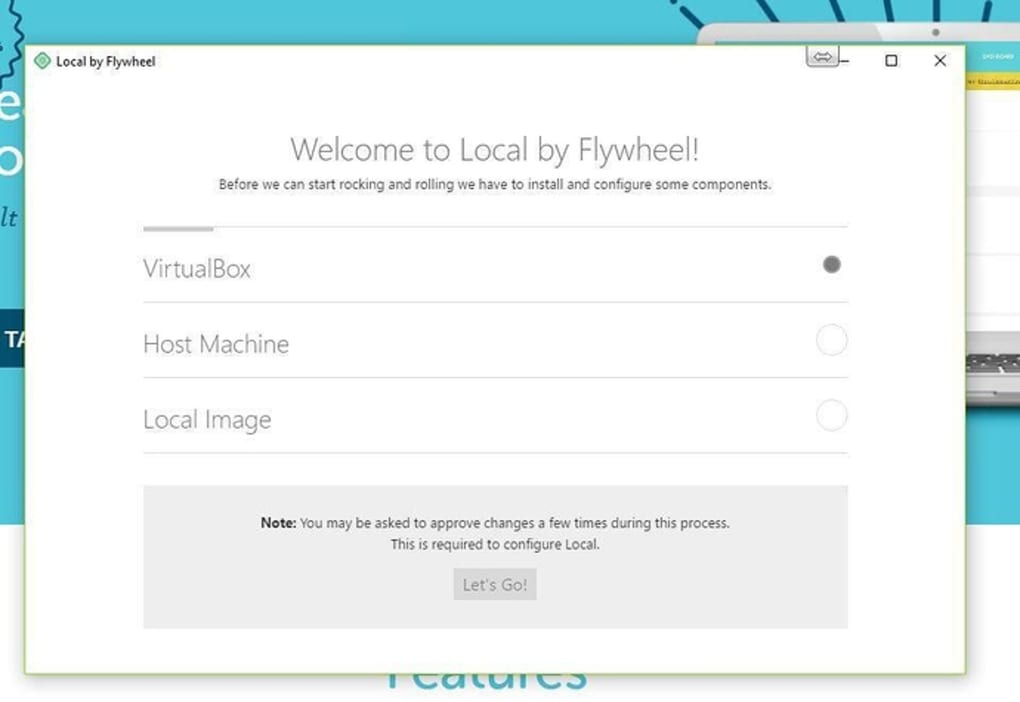
Local by Flywheel promises and delivers a suite of benefits, including hassle-free support, the convenience of demonstration URLs for easy client review, and highly flexible environments that cater to diverse project requirements. These features collectively foster a sense of seamless integration and operational fluidity that would otherwise be challenging to achieve through manual configurations or less intuitive alternatives. The standard version of this powerful package is readily available as a free download and installation, democratizing access to professional-grade local development capabilities.
The platform’s appeal lies in its ability to abstract away much of the underlying technical complexity associated with setting up web servers, databases, and PHP environments. Instead, users are presented with an intuitive graphical interface that allows them to spin up new WordPress sites, manage existing ones, and perform a multitude of development tasks with remarkable ease. This focus on user experience ensures that both seasoned developers seeking to optimize their workflow and newcomers taking their first steps into WordPress development can equally benefit from its powerful features. By providing a stable, isolated, and highly configurable local environment, Local by Flywheel empowers users to build, test, and refine their WordPress projects without impacting live sites, ensuring a safer and more efficient development process.
Development & IT: The Core of Local by Flywheel
Within the vast landscape of Development & IT solutions, Local by Flywheel carves out a significant niche as a dedicated tool for web development, specifically tailored for the WordPress ecosystem. The necessity of a robust local development environment cannot be overstated for any serious web developer. It provides a crucial sandbox where new features can be implemented, themes can be customized, plugins can be tested, and complex configurations can be experimented with, all without the risks associated with working directly on a live production server. This isolation is key to maintaining site stability, preventing downtime, and ensuring a smooth user experience for visitors to your live website.
Local by Flywheel excels in this domain by offering a comprehensive, all-in-one solution that bundles everything required to run a WordPress site locally. This includes web servers (Apache or NGINX), PHP interpreters (with various versions available), and a MySQL database. The beauty of Local is how it orchestrates these components automatically upon site creation. Developers no longer need to manually install and configure each dependency, troubleshoot compatibility issues, or spend precious hours setting up virtual hosts. Instead, a few clicks suffice to get a fully functional WordPress installation ready for development. This significant reduction in setup time translates directly into more productive hours dedicated to coding and design.
The platform’s capabilities extend beyond mere setup. It offers features crucial for efficient development, such as one-click SSL certificates for local sites, allowing developers to test HTTPS functionality before deployment – a vital aspect in today’s security-conscious web environment. Database access is simplified through direct links to administration tools like Adminer, enabling easy management and inspection of site data. Furthermore, Local by Flywheel facilitates seamless collaboration through its “Live Links” feature, which creates a publicly accessible URL for a local site. This allows clients, project managers, or team members to view and provide feedback on work in progress without the need for deployment to a staging server, significantly accelerating the review and approval process.
Beyond its immediate functionality, Local by Flywheel represents a philosophy of empowering developers. It takes complex server management and encapsulates it in an approachable interface, freeing developers to focus on creative problem-solving and coding rather than infrastructure concerns. This alignment with modern development practices, which prioritize speed, agility, and a frictionless workflow, makes it an exemplary tool within the Development & IT category. Its integration into a broader developer toolkit also opens doors to enhanced productivity and better project outcomes, solidifying its position as a cornerstone for anyone building with WordPress.
Boosting Your Productivity with Local
Productivity is the lifeblood of any successful project, and for WordPress developers, Local by Flywheel is engineered precisely to maximize it. The traditional hurdles of local development – complex server configurations, database management, and environment discrepancies – are notorious time-sinks. Local by Flywheel addresses these head-on, transforming what was once a laborious process into an intuitive and efficient experience.
One of the most significant boosts to productivity comes from the speed of iteration. With Local by Flywheel, developers can instantly create new WordPress sites or duplicate existing ones, allowing for rapid experimentation and testing. This means more time spent on actual development and less on setup. Making a mistake or encountering a bug? No problem. The ability to quickly spin up a fresh instance or revert to a previous state empowers developers to take risks and innovate without fear of permanent damage. This rapid feedback loop is invaluable for refining designs, optimizing code, and implementing new features with unprecedented agility.
Furthermore, the platform’s flexible environments play a crucial role in enhancing productivity. Developers can choose different PHP versions, web servers (NGINX or Apache), and even MySQL versions for each local site. This granular control ensures that the local development environment closely mirrors the production server, minimizing potential “it works on my machine” issues that can derail projects and consume valuable debugging time after deployment. The ability to customize these settings on a per-site basis means that developers aren’t constrained by a single, monolithic environment, allowing them to work on multiple projects with varying requirements concurrently and efficiently.
The integration of tools like “Connect to Flywheel/WP Engine” (for paid tiers or specific hosts) further streamlines the deployment process. Once a site is ready locally, it can often be pushed to a live hosting environment with a few clicks, eliminating the need for manual file transfers via FTP or database imports. This significantly reduces the chances of errors during deployment, a common source of frustration and lost time. Even without direct hosting integration, the ease of exporting and importing sites as .zip archives simplifies migration and backup processes, contributing to overall project efficiency and peace of mind.
Beyond the technical features, Local by Flywheel cultivates a mental environment conducive to high productivity. By removing the administrative overhead and technical frustrations often associated with local WordPress development, it allows developers to enter a state of flow, focusing their creative and problem-solving energies entirely on the WordPress project itself. This uninterrupted concentration is where true productivity flourishes, enabling faster project completion and higher quality output.
Essential Utilities & Tools for WordPress Developers
In the realm of WordPress development, Local by Flywheel stands as a foundational utility, but it also integrates seamlessly with, and benefits from, a broader ecosystem of essential tools and applications. While Local provides the core environment, other utilities enhance different facets of the development process, from design to security to content management.
For instance, the reference mentions several other WordPress plugins and themes that are highly recommended. These are not alternatives to Local by Flywheel but rather complementary tools that elevate the functionality and aesthetics of a WordPress site built and managed within Local’s environment:
- Astra: Often highlighted as a great choice for personal portfolios and blogs, Astra is a lightweight, fast, and highly customizable WordPress theme. When developing a site locally with Local by Flywheel, a developer can install Astra, experiment with its extensive customization options, and see real-time changes without affecting a live site. Its performance-optimized code means that sites built with Astra will load quickly, which can be thoroughly tested in the local environment.
- Uncode: Described as a solid WooCommerce theme for creative websites, Uncode caters to a different segment. For e-commerce projects or sites demanding a high degree of visual flair, Uncode offers powerful design capabilities. A developer using Local by Flywheel can set up a WooCommerce store locally, install Uncode, populate it with test products, and fully configure the shop layout and styling, ensuring everything is perfect before pushing to a live server.
- Font Awesome: This is a widely used icon font plugin for WordPress websites, providing a vast library of scalable vector icons that can be customized with CSS. Integrating Font Awesome into a local WordPress site allows developers to experiment with iconography, test different icon styles and sizes, and ensure visual consistency across the design, all within the safe confines of their local machine.
- Ubermenu: A user-friendly, customizable, and responsive Mega Menu WordPress plugin, Ubermenu is crucial for sites requiring advanced navigation structures. Developers can build complex menus, integrate widgets, and create visually rich dropdowns using Ubermenu on their local WordPress installation. This allows for thorough testing of responsiveness across different screen sizes and ensuring an optimal user experience before deployment.
These tools, when used in conjunction with Local by Flywheel, form a powerful toolkit for WordPress professionals. Local by Flywheel provides the stable, flexible base, and these plugins and themes add the functionality and design elements that bring a website to life. The ability to easily install, configure, and test these components locally before ever touching a live server is a testament to Local by Flywheel’s utility-enhancing role in the development workflow. It prevents conflicts, reduces errors, and ensures that the final product is polished and robust.
Exploring Alternatives and Complementary Tools
While Local by Flywheel offers an unparalleled experience for WordPress development, the broader Development & IT landscape is rich with various tools and platforms. It’s important to understand where Local by Flywheel fits and what other solutions developers might encounter.
For local development, especially for non-WordPress specific projects or for those who prefer more manual control, several alternatives exist:
- MAMP/WAMP/XAMPP: These are traditional “AMP stacks” (Apache, MySQL, PHP) that provide a local server environment. They offer similar core functionality to Local by Flywheel but require more manual configuration and often lack the WordPress-specific features and user-friendliness of Local.
- Vagrant/Docker: These containerization and virtualization tools offer highly isolated and reproducible development environments. While incredibly powerful and favored by larger development teams for complex applications, they come with a steeper learning curve compared to the point-and-click simplicity of Local by Flywheel.
In a broader context of development tools, the reference also points to other popular applications that serve different purposes:
- UltraViewer and AnyDesk: These are remote control software solutions, primarily used for accessing and managing another computer remotely. While not directly related to local WordPress development, they fall under the general “Development & IT” category as tools for collaboration, support, and remote troubleshooting, which can sometimes involve development environments.
- Turbo C++: An older, yet historically significant, integrated development environment (IDE) for the C++ programming language. Its mention highlights the diversity of tools within development, spanning various languages and paradigms, far removed from the web-centric nature of Local by Flywheel.
- SPSS: A statistical analysis tool for data, SPSS is primarily used in academic research, market analysis, and data science. Its inclusion underscores that “Development & IT” is a broad umbrella encompassing specialized software for different computational and analytical tasks.
- PyCharm Community Edition: A free IDE specifically designed for Python development. PyCharm is used for coding, debugging, and running Python applications. Its presence in the list exemplifies modern, language-specific development tools that streamline the coding process for specific programming ecosystems.
These diverse examples from the “Top downloads Development & IT for Windows” section on PhanMemFree.org illustrate that while Local by Flywheel is a focused solution for WordPress, the overall field of Development & IT is vast, requiring specialized tools for different languages, purposes, and workflows. Local by Flywheel distinguishes itself by offering a highly specialized, optimized, and user-friendly experience specifically for the WordPress developer, striking a balance between power and accessibility that many other general-purpose tools do not achieve for this particular niche.
Security and Best Practices in Local Development
While Local by Flywheel is predominantly a productivity tool, it inherently contributes to better security practices in web development. Developing locally provides an isolated environment where experiments and changes can be made without exposing a live website to potential vulnerabilities or errors. This isolation is a fundamental security benefit.
Working on a local machine means that any half-baked code, insecure configurations, or buggy plugin updates will not affect public-facing servers. This significantly reduces the risk of accidental data breaches, denial-of-service attacks due to faulty code, or the exposure of sensitive information that might occur if development were done directly on a production site. The ability to implement a one-click SSL certificate for local sites also encourages developers to test and ensure that their sites are prepared for secure HTTPS connections from the outset, a critical aspect of modern web security and SEO.
Furthermore, a local development environment is an ideal place to test security plugins and configurations before rolling them out to a live server. Developers can simulate attacks, test firewall rules, and verify the efficacy of security measures without putting their live site at risk. This proactive approach to security testing helps identify and rectify potential weaknesses before they can be exploited.
However, even local environments require best practices. Developers should:
- Keep Local by Flywheel and its components updated: Ensuring the software, PHP versions, and database systems are up-to-date helps patch any known vulnerabilities.
- Use strong passwords: Even for local admin accounts, using strong, unique passwords is a good habit that translates to better security on live sites.
- Regularly back up local sites: While not exposed to the internet, hardware failures or accidental deletions can still occur. Regular backups, easily managed through Local by Flywheel’s export features, are crucial.
- Be mindful of sensitive data: If working with actual client data, ensure it’s anonymized or handled with extreme care even in local environments, adhering to data privacy regulations.
By enabling these best practices, Local by Flywheel not only streamlines development but also fosters a more secure development lifecycle, making it an invaluable tool for creating robust and protected WordPress websites.
Technical Specifications and User Experience
Local by Flywheel, at its core, is designed for accessibility and performance. As per the technical specifications, the current iteration mentioned is Version 1.0, with its latest update dating to September 10, 2021. This specific version is geared towards the Windows platform, explicitly supporting Windows 10. While Local by Flywheel is broadly known for its cross-platform compatibility, the mention of a specific Windows version highlights its optimized support for this popular operating system. The developer behind this innovative tool is Flywheelº, a name synonymous with high-quality WordPress hosting and development solutions.
The popularity of Local by Flywheel is underscored by its download statistics. With 11.5K total downloads and 49 downloads in the last month (as of the reference data), it demonstrates a consistent demand for efficient WordPress local development tools. The software maintains a positive user sentiment, reflected in a respectable 4.1-star rating out of 5, based on 21 user reviews. This rating suggests a general satisfaction among its user base, appreciating its user-friendly interface and robust functionality. The open invitation for users to “Be the first to leave your opinion!” further indicates an active community and a developer team keen on feedback.
Beyond English, Local by Flywheel caters to a global audience, offering its interface and resources in a multitude of languages. This multilingual support is a critical feature for an application aiming to simplify development worldwide. The program is available in:
- عربي (Arabic)
- Deutsch (German)
- Español (Spanish)
- Français (French)
- Bahasa Indonesia (Indonesian)
- Italiano (Italian)
- 日本語 (Japanese)
- 한국어 (Korean)
- Nederlands (Dutch)
- Polski (Polish)
- Português (Portuguese)
- Русский (Russian)
- Svenska (Swedish)
- ภาษาไทย (Thai)
- Türkçe (Turkish)
- Tiếng Việt (Vietnamese)
- 中文 (Chinese)
This extensive language support ensures that developers from diverse linguistic backgrounds can access and utilize Local by Flywheel effectively, further solidifying its position as a globally adopted tool for WordPress development. The availability of the software as a “Free” license makes it accessible to a wide audience, including students, hobbyists, and professional developers alike, who can benefit from its core features without financial commitment. The option for premium features or hosting integration typically comes with paid plans from Flywheel or WP Engine, offering scalability for advanced needs.
Conclusion: Embracing the Future of WordPress Development
Local by Flywheel stands as a testament to how intelligent software design can profoundly impact developer efficiency and project outcomes. By transforming the often-arduous process of setting up and managing local WordPress environments into a straightforward, intuitive, and even enjoyable experience, it empowers a wide spectrum of users – from novices taking their first steps in web design to seasoned professionals juggling complex client projects.
Its core value proposition lies in its ability to abstract technical complexities, offering a clean, graphical interface that streamlines site creation, environment configuration, and seamless integration with existing WordPress tools. The provision of demonstration URLs, flexible development environments, and hassle-free support collectively ensures that developers can focus their energy on creativity and coding, rather than troubleshooting infrastructure. While advanced features might entail a payment and a dedicated mobile version is currently absent, the standard, free offering delivers immense value and functionality.
As the digital landscape continues to evolve, tools like Local by Flywheel become increasingly vital. They not only accelerate development cycles and enhance productivity but also foster a more secure and stable development process by promoting local testing and iteration. For anyone engaged in WordPress development, whether building a personal blog with Astra, an e-commerce platform with Uncode, or a complex corporate site, Local by Flywheel offers the foundational environment necessary for success.
If you’re looking to elevate your WordPress workflow, minimize setup headaches, and maximize your development output, Local by Flywheel is an indispensable addition to your toolkit. It’s available for free download for Windows (and other operating systems) via reputable software repositories like PhanMemFree.org, inviting you to experience the future of local WordPress development firsthand. Embrace the efficiency, embrace the flexibility, and let Local by Flywheel help you build amazing WordPress sites with unparalleled ease.
File Information
- License: “Free”
- Version: “1.0”
- Latest update: “September 10, 2021”
- Platform: “Windows”
- OS: “Windows 10”
- Downloads: “11.6K”


