
LocK-A-FoLdeR is an open-source software application designed to enhance the security and privacy of your computer data by allowing you to encrypt and hide folders. While no longer actively maintained, it remains a functional tool for users on older Windows operating systems seeking a simple solution for protecting sensitive information. This review will explore its features, strengths, weaknesses, and provide context for users considering its use in the modern computing landscape.
Key Features and Functionality
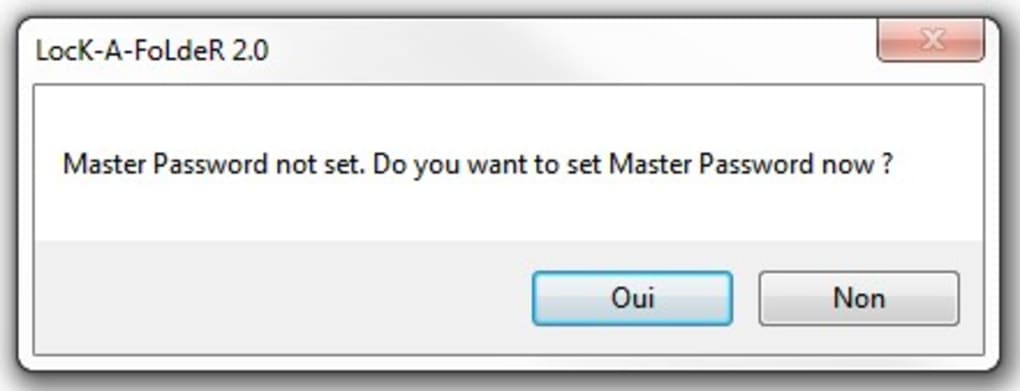
LocK-A-FoLdeR’s core function is straightforward: to encrypt and hide selected folders on a Windows computer. The process involves selecting the target folder, setting a user-defined master password, and initiating the encryption process. Once encrypted, the folder becomes invisible from the standard Windows file explorer, effectively concealing its contents from unauthorized access. Access is regained by launching the LocK-A-FoLdeR application and providing the correct password. This simple mechanism provides a basic level of security, making it suitable for users with limited technical expertise.
The software’s strength lies in its simplicity. The user interface is designed to be intuitive, requiring minimal technical knowledge to operate. This accessibility is a significant advantage for users who prioritize ease of use over advanced features. The program utilizes a single master password for each folder, although the implementation does not offer more sophisticated features like key derivation functions, which could potentially enhance security. This simplicity, while beneficial for user experience, also highlights a crucial limitation: the reliance on a single password represents a single point of failure for the entire system.
System Requirements and Compatibility
One of the most significant drawbacks of LocK-A-FoLdeR is its limited compatibility with modern Windows operating systems. While it was designed to function with Windows XP, Windows Vista, and Windows 7, it is not compatible with newer versions of Windows. This lack of updates and support renders it obsolete for a large segment of current Windows users. The software’s relatively low system requirements, however, meant it could run on less powerful machines with limited resources. This could still be a benefit for users with older hardware, but the inherent security risks associated with using outdated software on any system should be carefully considered.
Pros and Cons of Using LocK-A-FoLdeR
Advantages:
- Free and Open-Source: LocK-A-FoLdeR is entirely free to download and use, eliminating any licensing costs. Its open-source nature also allows for community scrutiny and potential contributions (although the lack of recent development suggests limited community involvement).
- Ease of Use: The intuitive interface makes it easy to use, regardless of technical skill level. The straightforward process of locking and unlocking folders requires minimal interaction.
- Low System Requirements: Its lightweight design ensures minimal impact on system performance, making it a viable option for older or less powerful machines running supported Windows versions.
Disadvantages:
- Outdated and Unsupported: The most significant drawback is the lack of updates and developer support. This means there are no ongoing security patches or bug fixes. Using outdated software significantly increases the vulnerability to known security exploits.
- Limited Compatibility: Its incompatibility with newer Windows operating systems severely restricts its usability for a large portion of the user base.
- Single Point of Failure: The reliance on a single master password for each locked folder creates a significant security risk. Losing or compromising this password results in the loss of access to all protected data within that folder. No password recovery mechanism exists.
- Potential Security Vulnerabilities: Due to the lack of updates, LocK-A-FoLdeR is likely susceptible to known security vulnerabilities that could be exploited by malicious actors. The simplicity of the encryption method also leaves it open to attacks using advanced techniques.
- Search Bypass: Some users have reported that advanced search functions within Windows Explorer can bypass the hiding functionality, exposing the encrypted files.
Security Considerations and Alternatives
The security of LocK-A-FoLdeR is questionable. Its reliance on a single password, lack of updates, and potential vulnerabilities makes it unsuitable for protecting highly sensitive data. The simplicity of its design, while user-friendly, is also its biggest weakness from a security standpoint. Advanced encryption techniques, multi-factor authentication, and regular updates are crucial for robust data protection, which LocK-A-FoLdeR lacks.
Users seeking a secure way to protect their sensitive data should explore modern alternatives that address the limitations of LocK-A-FoLdeR. These include:
- VeraCrypt: A free, open-source, and actively maintained disk encryption software offering robust security features and compatibility with modern operating systems.
- 7-Zip: A popular file archiver that supports encryption using strong algorithms like AES-256, offering a secure method for encrypting individual files or folders.
- BitLocker (Windows): Built-in Windows disk encryption for whole-disk or individual file system encryption. Offers a higher level of security than LocK-A-FoLdeR.
- Commercial Encryption Software: Several commercial products offer more advanced features and better support.
These alternatives provide stronger encryption algorithms, robust key management, and regular updates, making them significantly more secure than LocK-A-FoLdeR.
Conclusion
LocK-A-FoLdeR, while simple and user-friendly, is ultimately unsuitable for use in modern computing environments. Its lack of updates, limited compatibility, and inherent security vulnerabilities pose significant risks. Users should prioritize their data security by choosing modern alternatives that offer stronger encryption, regular updates, and more robust security features. The ease of use should not outweigh the critical need for data protection. While it might have served its purpose in its time, it is strongly recommended to avoid using LocK-A-FoLdeR and opt for more secure and up-to-date alternatives. The risks associated with using outdated software far outweigh the convenience of a simple, no-longer-maintained application.
File Information
- License: “Free”
- Latest update: “May 23, 2023”
- Platform: “Windows”
- OS: “Windows 8”
- Language: “English”
- Downloads: “142.4K”
- Size: “664.91 KB”


