
Lock My PC is a compact, easy-to-use application designed to quickly secure your Windows computer when you step away. This review delves into its features, functionality, security aspects, and overall user experience, comparing it to similar software available on the market. While originally released in 2007, the software continues to be a viable option for users seeking a straightforward solution to prevent unauthorized access to their personal data and system resources.
Key Features and Functionality
Lock My PC achieves its primary function – locking your PC – through a simple yet effective mechanism. Upon activation, the software displays a lock screen, effectively preventing further interaction with the operating system. Crucially, it also disables Windows hotkeys and mouse input, thwarting attempts to bypass the lock screen using common shortcuts or peripheral manipulation. This robust approach safeguards against casual access attempts. The lock screen itself is minimalistic and straightforward, avoiding unnecessary distractions or vulnerabilities that more complex interfaces might present.
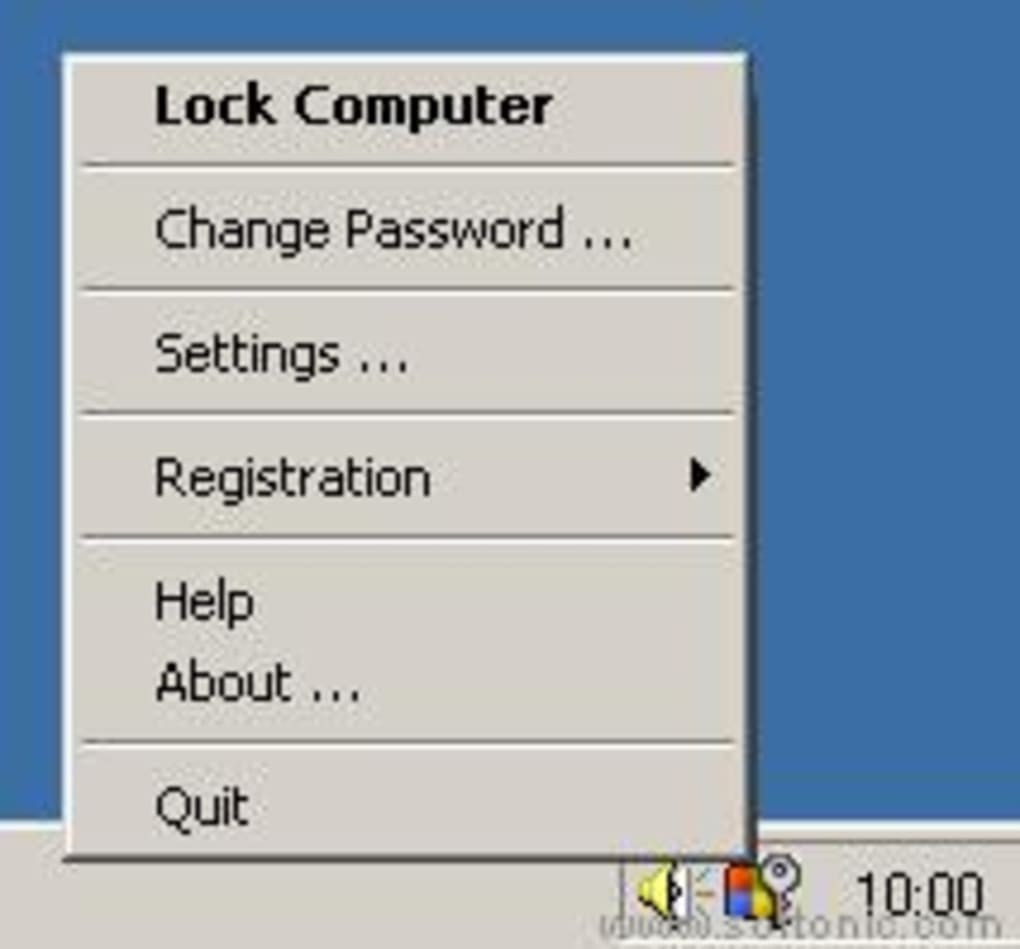
The program offers a convenient means of locking and unlocking the PC. Users can initiate the lock via a customizable hotkey, instantly securing the system without interrupting their workflow. Alternatively, the software resides discreetly in the system tray, providing easy access to the locking mechanism through a single click.
Unlocking requires the correct password, which adds another layer of security. The software incorporates a logging feature, meticulously recording instances of incorrect password entries. This detailed log can provide valuable insights for security analysis, helping users understand any potential unauthorized access attempts. A notable feature is the ability to maintain the locked state even after a power failure or unexpected system shutdown and restart. This resilience against interruption ensures continued protection against access, mitigating attempts to circumvent the security measure through a simple reboot.
Security and Privacy Considerations
The core function of Lock My PC revolves around restricting unauthorized access. Its effectiveness in fulfilling this role is largely dependent on the password’s strength and the user’s diligence in protecting it. A robust, complex password, adhering to established security best practices (length, character variety, etc.), is vital to prevent brute-force attacks. While the software itself doesn’t incorporate sophisticated encryption or multi-factor authentication, its simplicity ensures a degree of security appropriate for its intended purpose – quick, basic system locking.
It’s important to note that Lock My PC’s security is relative to the overall security posture of the system. If the underlying operating system or other applications are vulnerable, bypassing the lock screen may still be possible through vulnerabilities outside the scope of the application itself. Therefore, maintaining a secure operating system, regularly updating software, and employing strong passwords throughout the system are crucial for overall security, not just for the efficacy of Lock My PC.
Comparison with Alternative Applications
The market offers various applications with similar functionality to Lock My PC. While Lock My PC excels in its simplicity and ease of use, some alternatives provide more advanced features. Many competitors include features such as remote locking capabilities, allowing users to secure their PC from a distance. Some offer integration with other security software, enhancing overall security. Other advanced features found in competing software include the ability to lock specific applications or directories, providing finer control over system access. Many also incorporate more sophisticated password management features, such as password generators and secure password storage. Ultimately, the optimal choice depends on the user’s specific security needs and technical expertise.
While some competitors are free, others offer a range of pricing tiers with increasing functionality. The relative simplicity of Lock My PC keeps its resource footprint minimal, which might be a benefit for users with older or resource-constrained systems. However, this simplicity comes at the cost of advanced features. Therefore, the choice between Lock My PC and a competitor often boils down to a tradeoff between simplicity and feature richness.
User Interface and Experience
Lock My PC distinguishes itself through its remarkably intuitive and minimalistic user interface. The absence of unnecessary complexities makes the application exceptionally user-friendly, even for individuals with limited technical skills. The configuration process is straightforward, requiring minimal input from the user to establish the desired hotkey and password. The system tray icon provides unobtrusive access to the locking functionality, ensuring that the software integrates seamlessly with the user’s workflow.
The simplicity of the interface also contributes to the application’s small file size, a notable advantage for users with limited storage capacity. This light footprint doesn’t hinder system performance, ensuring that the lock mechanism operates efficiently without impacting the user’s overall computer experience. The straightforward lock screen further contributes to the user-friendly nature of the application. Its clear instruction on password input ensures that unlocking is as simple and hassle-free as the locking process itself.
Overall Assessment
Lock My PC offers a viable and straightforward solution for users seeking a basic PC locking utility. Its simplicity and ease of use are its greatest strengths, making it an accessible option for a wide range of users. The software efficiently locks the system, disabling key input and mouse functionality, and offers options for setting a hotkey and logging incorrect password attempts. The ability to maintain the locked state even after a power failure adds to its reliability. However, users seeking more advanced features, such as remote locking, application-specific access control, or robust password management tools, should explore alternative applications offering more extensive functionalities.
The lack of advanced features isn’t necessarily a drawback for all users. For those prioritizing simplicity and ease of use over sophisticated features, Lock My PC is a well-executed and efficient choice. The streamlined interface contributes to an excellent user experience, making the application both easy to learn and easy to use. Ultimately, the decision of whether or not to use Lock My PC depends on the user’s individual needs and priorities. If a straightforward, reliable, and easily accessible PC locking mechanism is sufficient, Lock My PC is a strong contender. However, those requiring a more feature-rich and technologically advanced solution should consider the numerous alternatives available on the market. The careful consideration of individual needs and priorities will lead to the most suitable choice for each user’s specific security requirements.
File Information
- License: “Trial version”
- Latest update: “May 24, 2023”
- Platform: “Windows”
- OS: “Windows 95”
- Language: “English”
- Downloads: “88.8K”
- Size: “2.07 MB”


