
Lock Screen is a free Android utility app developed by olalab, designed to provide a straightforward and convenient method for locking your phone’s screen. Its primary function is to offer a quick alternative to repeatedly pressing the power button, particularly beneficial for users who may find this action challenging. This review will delve into the app’s functionality, advantages, limitations, and overall user experience.
Functionality and Ease of Use
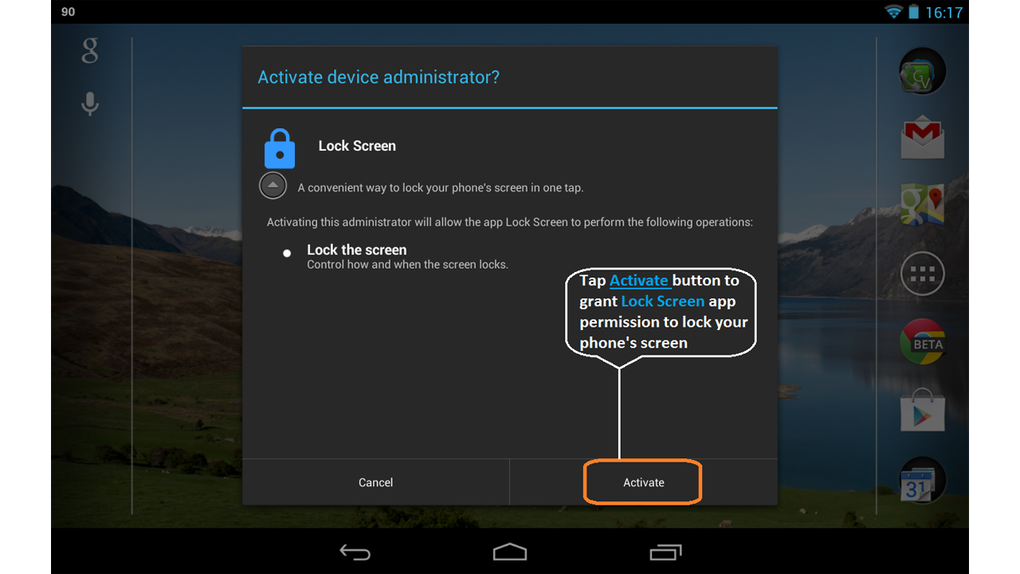
Lock Screen’s core functionality is remarkably simple: it provides a quick way to lock your phone’s screen. This is achieved through the activation of device administrator permissions, allowing the app to directly control the screen lock function. The app’s interface is minimalist and intuitive, requiring minimal interaction from the user. Once the necessary permissions are granted, launching the app instantly locks the screen, eliminating the need to manually press the power button. This simplicity is both a strength and a weakness, as will be discussed later.
The app’s lightweight nature contributes to its speed and efficiency. It consumes minimal system resources, ensuring that its operation doesn’t impact the overall performance of the device. This is particularly advantageous for users with older devices or those with limited storage space. The immediate locking mechanism ensures a seamless and prompt screen lock, contributing to the overall positive user experience. The lack of any complicated settings or options makes the app accessible even to users unfamiliar with Android apps.
Advantages of Lock Screen
The most significant advantage of Lock Screen is its simplicity and ease of use. It successfully addresses a common user need: providing a readily accessible and quick way to lock the phone screen. This simplicity is amplified by the absence of any advertisements, ensuring an uninterrupted and clean user experience. This ad-free environment significantly enhances the app’s usability, making it a refreshing alternative to many other apps that are cluttered with intrusive ads. The app’s small size (71.95 KB) further contributes to its desirability, especially for users concerned about storage space.
Another notable benefit is its focus on accessibility. For individuals with mobility impairments or other physical limitations that make pressing the power button difficult, Lock Screen provides a crucial workaround. By eliminating the need for a physical button press, the app significantly increases accessibility for a wider range of users. This design consideration demonstrates a commitment to inclusivity and user-centric design. The immediate functionality, without needing to navigate menus or settings, makes it ideal for quick and easy screen locking.
Limitations and Potential Drawbacks
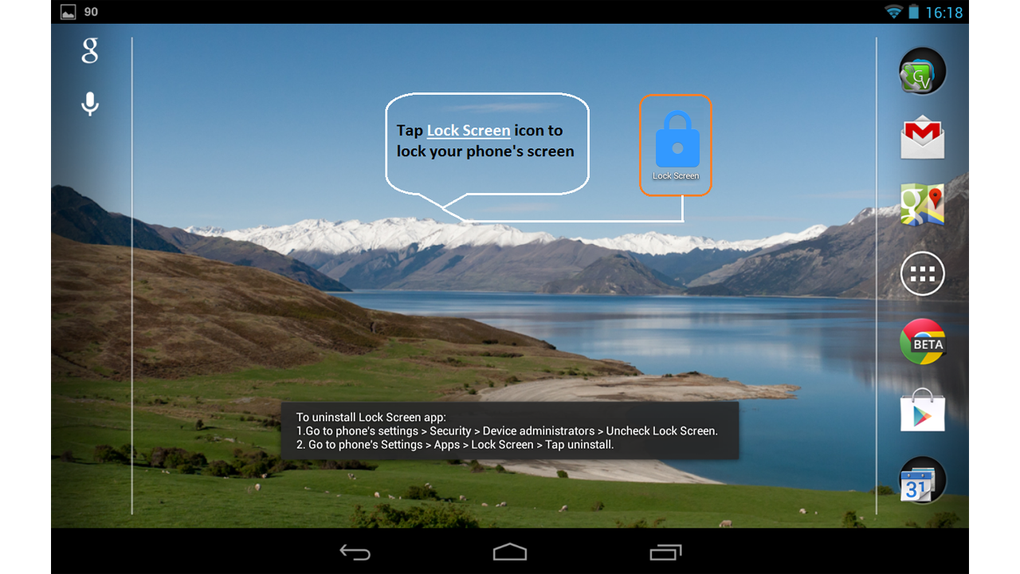
Despite its advantages, Lock Screen has certain limitations. The most prominent is its reliance on device administrator permissions. While necessary for its core functionality, this requirement might raise concerns among some users regarding privacy and security. The app’s request for these permissions needs careful consideration and understanding from the user.
Another significant limitation is its compatibility issues with older Android devices. The app’s dependence on Accessibility Service APIs means it may not function correctly on devices running older versions of the Android operating system. This compatibility issue restricts its accessibility to a segment of the Android user base. While the app is designed for ease of use, this compatibility problem limits its reach and effectiveness. Users with older phones might find themselves unable to use the app, negating its intended benefits.
Furthermore, Lock Screen’s simplicity also translates to a lack of advanced features. Users expecting customization options, such as the ability to personalize the lock screen appearance or integrate with other security features, will be disappointed. The absence of these features limits its appeal to users who seek more than just a basic screen lock functionality. More advanced users might find the app too rudimentary and lacking in features compared to other screen locking applications on the market.
Comparison to Alternative Apps
Compared to other screen-locking applications, Lock Screen stands out for its minimalism and ease of use. However, this simplicity comes at the cost of features. Many competing apps offer more advanced options such as custom lock screen themes, security enhancements (like fingerprint or face recognition integration), or advanced widget functionalities. Lock Screen’s focus is purely on the fundamental action of locking the screen, which is a trade-off for users who prioritize simplicity over customization.
Several apps on the Google Play Store provide similar core functionality but often include additional features like pattern locks, PIN codes, or even advanced security measures. These apps, while potentially more resource-intensive and complex, offer a broader range of options for securing a device. Therefore, the choice between Lock Screen and more feature-rich alternatives depends heavily on the user’s individual needs and preferences. If simple and quick screen locking is the primary need, Lock Screen is a strong candidate. However, users requiring additional features should explore other, more comprehensive options.
Conclusion
Lock Screen presents a viable solution for users seeking a lightweight and straightforward way to lock their Android devices’ screens without relying on the power button. Its ad-free nature and quick functionality are definite plus points. However, its dependence on device administrator permissions, compatibility limitations with older devices, and lack of advanced features may discourage some users. The app’s suitability ultimately depends on individual requirements. If simplicity and immediate accessibility are paramount, Lock Screen is a worthy choice. However, users seeking advanced features or compatibility with older Android versions should consider alternatives available on the Google Play Store. The app successfully fills a niche for users prioritizing ease of use above all else, making it a valuable addition to the app ecosystem for a specific user demographic.
File Information
- License: “Free”
- Version: “1.7”
- Latest update: “October 24, 2024”
- Platform: “Android”
- OS: “Android 9.0”
- Downloads: “10.7K”
- Size: “71.95 KB”
- Download Options: “APK, Google Play”
- Filename: “com-olalab-lockscreen-8-59654567-09352b6c41738c8819f7e2a81721aa86.apk”


