
Logger Pro is a versatile data acquisition and analysis software application primarily designed for educational purposes. Developed by Vernier Software & Technology, this program is widely used in middle schools, high schools, and colleges to facilitate scientific experimentation and data interpretation, particularly in chemistry. While it’s primarily geared towards academics, its robust features make it a powerful tool for various data-handling needs. This guide delves into the capabilities, applications, licensing, and overall user experience of Logger Pro.
Data Acquisition and Analysis Capabilities
Logger Pro’s core functionality centers around collecting and analyzing data from various scientific sensors and instruments. Its compatibility extends to over 80 Vernier sensors, enabling real-time data graphing and analysis. This broad compatibility allows for a wide range of experiments across multiple scientific disciplines. The software seamlessly integrates with other Vernier hardware, such as the LabQuest 2 and LabPro interfaces, providing a comprehensive ecosystem for data acquisition.
Beyond its compatibility with Vernier devices, Logger Pro offers several key features for data management and analysis:
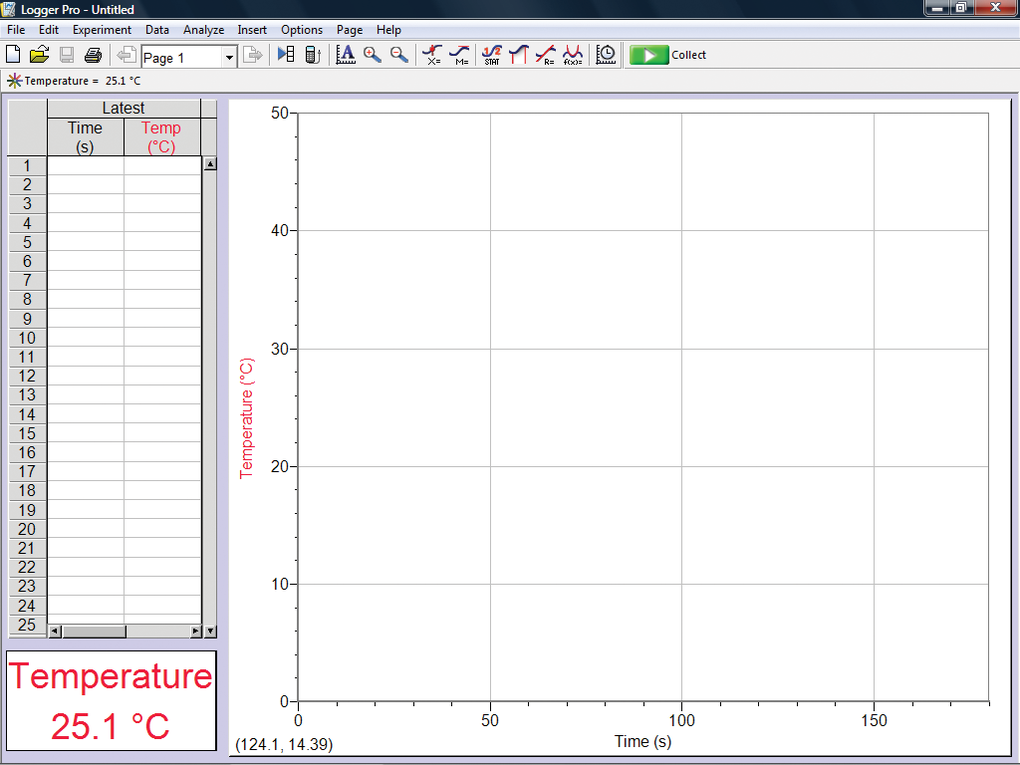
- Auto-ID Sensors: This simplifies the setup process by automatically recognizing connected sensors, minimizing manual configuration.
- Diverse Data Collection Modes: Logger Pro supports various data collection methods, allowing users to tailor the process to the specific requirements of their experiment. This includes options for continuous data logging, timed sampling, and manual data entry.
- Data Import and Export: The software facilitates data sharing and integration with other applications through its import and export functionalities. Users can easily transfer data to and from various file formats, including those compatible with popular spreadsheet software like Microsoft Excel.
- Advanced Analysis Tools: Logger Pro is not limited to basic data visualization. It offers advanced analytical tools to conduct detailed statistical analysis on collected data. This empowers users to derive meaningful insights from their experimental findings.
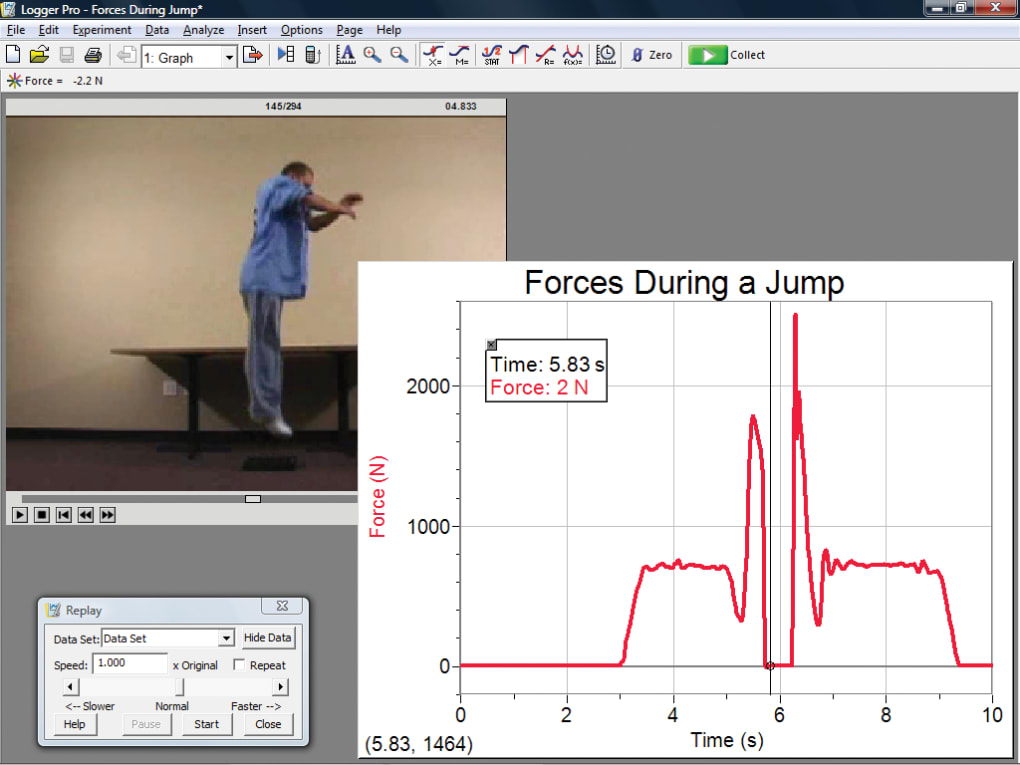
- Screen Capture and Frame-by-Frame Analysis: The software’s screen capture functionality allows for visual recording of experiments. This feature, coupled with frame-by-frame analysis capabilities, aids in meticulously reviewing experimental processes and making precise observations. This is particularly useful for identifying subtle patterns or anomalies that might otherwise go unnoticed.
- Support for Specialized Equipment: Logger Pro extends its capabilities beyond basic sensors, offering support for specialized equipment such as Ocean Optics spectrometers and GPS devices, further expanding its applicability to diverse scientific investigations.
- Graphing and Data Modeling: The software provides robust graphing tools to visualize collected data. Preset graph models and customizable options enable users to create effective visualizations tailored to their specific needs, allowing for clear and concise data presentation.
Educational Focus and User Friendliness
Logger Pro’s design prioritizes ease of use and educational accessibility. It features an intuitive interface designed to be user-friendly, even for beginners. The software incorporates 12 built-in tutorials to guide users through its various functionalities. These tutorials act as valuable learning resources, particularly for students new to the software or data analysis techniques.
Furthermore, Logger Pro boasts a comprehensive library containing over 1,000 experiment files. These pre-designed experiments provide students with readily available templates and examples, fostering hands-on learning and exploration. Students can use these files as starting points, adapt them to their own research, or use them as inspiration to design their own experiments.
The software also facilitates lab report writing directly within the application, enabling seamless integration of data analysis and report generation. Alternatively, users can export data to popular document processing and spreadsheet applications such as Microsoft Word and Excel for enhanced report customization. This adaptability allows students to choose the methods most suitable for their needs and reporting style.
Licensing and Availability
Logger Pro is explicitly designed for educational use and is not intended for commercial or industrial applications. It doesn’t offer a professional or individual license, focusing instead on site licensing. This model allows entire schools or departments to utilize the software on multiple computers without restrictions on the number of users. This makes it cost-effective for educational institutions.
The software is typically available through purchase via CD or download from the official Vernier website. It offers a generous 30-day free trial period, allowing potential users to fully explore its functionalities before committing to a purchase. Crucially, updates to the software are provided free of charge, ensuring users always have access to the latest features and improvements.
Strengths and Weaknesses of Logger Pro
While Logger Pro offers substantial advantages, it’s important to acknowledge both its strengths and limitations.
Strengths:
- Extensive Sensor Compatibility: Its wide range of sensor support is a major strength, enabling diverse experiments across various scientific disciplines.
- Comprehensive Data Analysis: The software’s analytical tools go beyond basic data visualization, allowing for in-depth statistical analysis.
- Educational Focus: The intuitive interface, built-in tutorials, and expansive experiment library contribute significantly to its educational value.
- Flexible Licensing: The site licensing model makes it economically feasible for schools and colleges.
- Free Updates: The provision of free updates ensures users benefit from ongoing improvements and new features.
Weaknesses:
- Limited Commercial Application: The software’s sole focus on education restricts its use in professional or industrial settings.
- Uninspiring Interface: While functional, the user interface is often criticized for being visually unappealing and somewhat outdated in its design.
Alternatives to Logger Pro
While Logger Pro holds a prominent position in educational data acquisition, several alternative software applications cater to similar needs. These alternatives often offer different features, strengths, and pricing models, providing users with a variety of choices based on their specific requirements. Some notable alternatives include:
- R Project: A free and open-source statistical computing environment widely used in scientific research. Its capabilities extend far beyond data analysis and extend to statistical modeling, data visualization, and programming.
- Stata: A commercial statistical software package known for its powerful capabilities in econometrics, statistics, and data management. Its strengths lie in advanced statistical analysis and sophisticated modeling techniques.
- ChemSketch: Freeware specializing in creating detailed molecular models, focusing primarily on the chemistry domain. It’s a niche tool for specific chemical modeling tasks.
- PyMOL: A commercial molecular visualization software allowing users to create detailed 3D models of molecules. It’s favored in the fields of structural biology and molecular modeling.
- SigmaPlot: A commercial software specializing in data analysis and scientific graphing. Its strong suit lies in the production of high-quality publication-ready graphs and charts.
Ultimately, the best choice of software depends on the specific needs and preferences of the user. Considerations should include the type of data being acquired, the complexity of the analysis required, the user’s technical skills, and budgetary limitations.
Conclusion
Logger Pro remains a powerful and versatile tool for data acquisition and analysis, particularly within the educational sector. Its broad compatibility with Vernier sensors, comprehensive data analysis features, and educational focus make it a valuable asset for students and educators alike. While its interface may not be the most visually appealing, its functionality and affordability make it a strong contender in the field of scientific data handling. The availability of a free trial period allows users to assess its capabilities firsthand before committing to a purchase. However, potential users should carefully consider alternative options based on their specific needs and the scope of their data analysis requirements.
File Information
- License: “Demo”
- Version: “3.16.2”
- Latest update: “July 12, 2023”
- Platform: “Windows”
- OS: “Windows 10”
- Language: “English”
- Downloads: “32.9K”
- Size: “480.05 MB”


