
Logic Pro X, a flagship application from Apple, stands as a powerful and comprehensive digital audio workstation (DAW) designed for professional music creation on macOS. This in-depth review explores its features, capabilities, and overall user experience, weighing its strengths against potential drawbacks.
A Feature-Rich Production Environment
Logic Pro X presents a remarkably complete suite of tools for the entire music production process, from initial composition and recording to advanced mixing and mastering. Its extensive library of virtual instruments, effects, and loops significantly reduces the need for external plugins, offering a self-contained environment for creating professional-quality music.
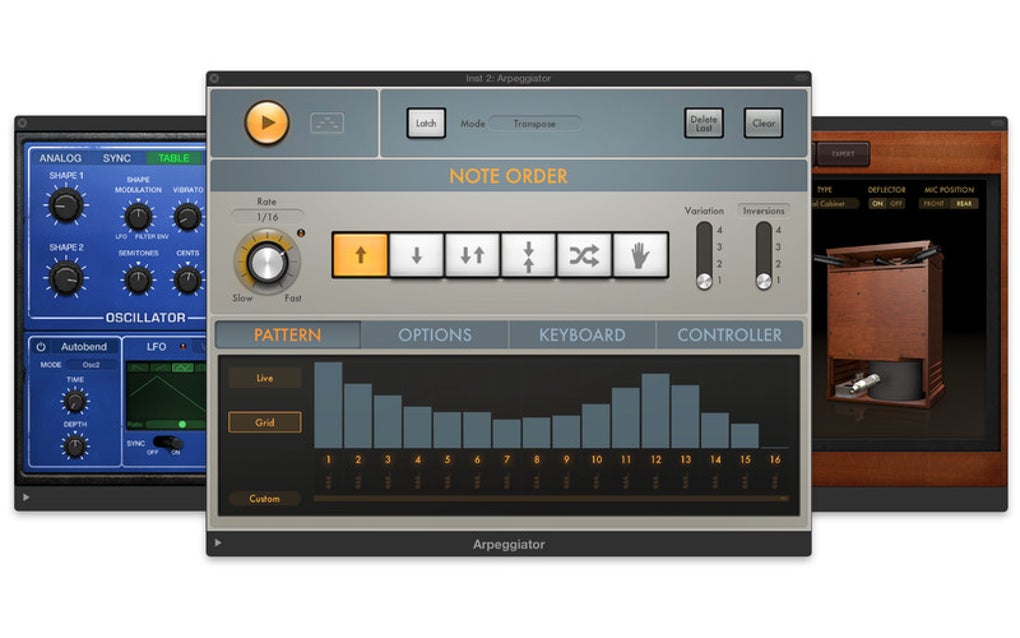
The core of Logic Pro X’s strength lies in its integrated instruments. Users have access to over a thousand built-in instruments and samples, encompassing a wide range of sounds. This impressive collection includes synthesizers capable of generating a vast spectrum of sonic textures, emulations of vintage keyboards capturing the warmth and character of classic instruments, a versatile drum machine allowing for intricate and dynamic rhythmic programming, and a sophisticated sampler enabling the manipulation and layering of custom sounds. The sheer variety ensures that composers and producers can find the perfect sound for any project, regardless of genre.
Complementing its impressive instrument selection is an equally extensive library of effects. Over a hundred effects processors are built-in, covering essential categories such as reverberation, delay, equalization, dynamics processing, amplifier simulations, and stompbox effects. This breadth of effects provides ample tools for shaping and refining sounds, adding depth and polish to individual tracks and the overall mix. The combination of these instruments and effects, exceeding a combined total of 1500 sampled instruments or effects, establishes Logic Pro X as a powerful all-in-one production solution. Further enhancing the creative process, Logic Pro X boasts over 3600 Apple Loops, pre-produced musical phrases across diverse genres, providing a ready-made foundation for songwriting and arrangement. These loops can be seamlessly integrated into projects, saving time and inspiring new musical ideas. For those transitioning from GarageBand, the seamless integration with Apple’s introductory DAW allows for straightforward import of projects, facilitating a smooth workflow shift for users upgrading their production capabilities.
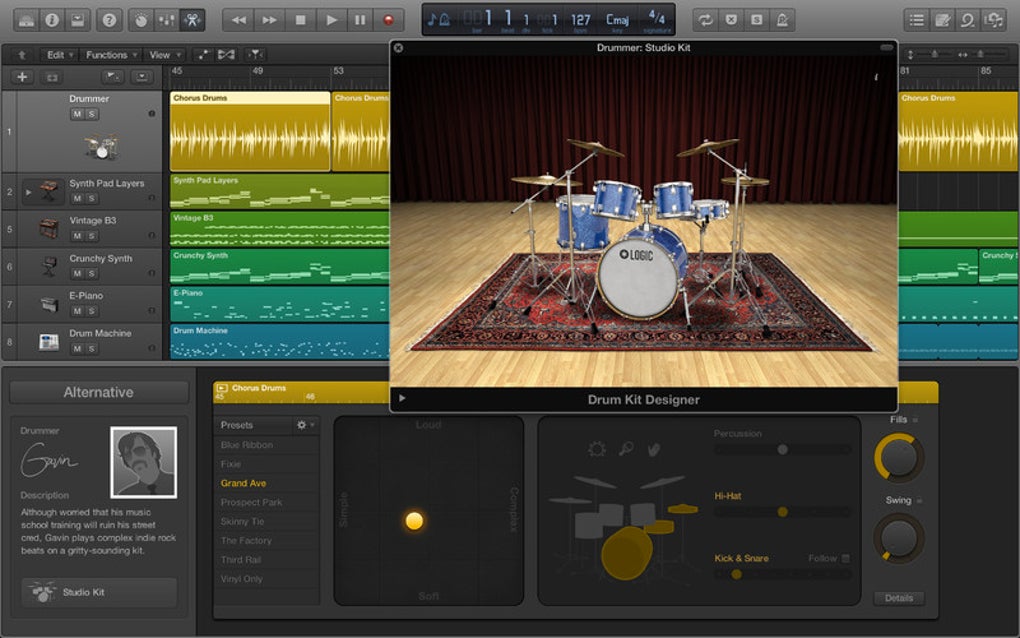
The recent enhancements to Logic Pro X include a companion iPad app that significantly enhances workflow, and other vital features that add immense value to the overall user experience. The Virtual Drummer, an intelligent drummer feature that dynamically adapts to a user’s composition, provides a powerful tool for creating realistic and expressive drum tracks, even for users lacking extensive percussion skills. Meanwhile, Flex Pitch, providing integrated pitch editing capabilities, allows for precise correction and creative manipulation of vocal and instrumental performances, adding a layer of refinement and finesse to the audio.
User Interface and Workflow
Logic Pro X’s user interface has undergone significant refinement in recent updates, resulting in a more intuitive and streamlined experience. While the sheer number of features may initially appear daunting, the updated layout is generally well-organized and easily navigable. The redesigned interface prioritizes clarity and accessibility, making it easier for users to find the tools they need and focus on the creative process. The overall usability is notably excellent, particularly when comparing it to previous versions. However, it’s important to acknowledge that the program’s comprehensive feature set still presents a relatively steep learning curve for beginners. While tutorials and online resources are readily available, mastering Logic Pro X requires significant time and dedication.
One notable aspect of the workflow is the integration of Logic Pro X with other Apple devices and software. The companion iPad app facilitates on-the-go access and control of projects, allowing for flexibility and enhanced creative freedom. This enhanced integration streamlines the overall workflow, providing a cohesive and seamless creative process across multiple platforms.
System Requirements and Performance
Logic Pro X demands significant system resources. A minimum of 5GB of storage is required for the initial download, but an additional 35GB of in-app content needs to be downloaded to access the complete instrument and effects libraries. This sizable storage requirement necessitates sufficient hard drive space. Furthermore, at least 4GB of RAM is recommended to ensure smooth performance. While most Macs made after 2011 should easily meet these minimum specifications, users with older hardware might encounter performance issues, especially when working on complex projects with numerous tracks and instruments. This highlights the substantial demands the software places on system resources, a point that potential users should carefully consider before committing to the software.

Comparisons with Alternatives
Logic Pro X competes with several other prominent DAWs in the market, each offering its own unique features and strengths. Ableton Live, known for its intuitive interface and live performance capabilities, is a strong contender, particularly for electronic music producers. Pro Tools, the industry standard for professional recording studios, offers unparalleled control and integration with high-end audio hardware. GarageBand, Apple’s simpler and free DAW, provides a good introduction to music production concepts before moving to the professional capabilities offered by Logic Pro X. Each DAW caters to distinct needs and preferences, making it essential to consider individual requirements before making a purchase decision.
While Logic Pro X’s pricing might be considered a barrier for some compared to the free availability of GarageBand, the comprehensive professional features and the extensive built-in library far outweigh the cost for serious musicians and professionals. The vast array of tools, its capacity for intricate projects and its seamless integration within the Apple ecosystem make the investment worthwhile for those who prioritize a complete and powerful production environment.
Strengths and Weaknesses
Strengths:
- Comprehensive feature set: Logic Pro X provides a complete suite of tools for all stages of music production, from composition to mastering.
- Extensive library: The vast collection of built-in instruments, effects, and loops significantly enhances the creative process and reduces the need for external plugins.
- User-friendly interface (relative to its complexity): While initially daunting, the revised interface enhances usability and navigation compared to previous versions.
- iPad companion app: The iPad app offers enhanced control and workflow flexibility.
- Seamless GarageBand integration: Allows for easy project transfer and a smooth transition for users upgrading from GarageBand.
- Strong community support: A thriving online community provides ample resources and assistance for users.
Weaknesses:
- Steep learning curve: The sheer number of features can make it challenging for beginners.
- High system requirements: Logic Pro X demands significant system resources, potentially limiting its accessibility for users with older hardware.
- Price point: While the comprehensive capabilities are substantial, the price point is a consideration for users considering other alternatives.
Conclusion
Logic Pro X remains a powerful and comprehensive DAW that empowers music creators to produce professional-quality music. Its expansive feature set, extensive library, and refined user interface make it a compelling choice for professional and serious hobbyist musicians alike. While the learning curve and system requirements might pose initial hurdles, the comprehensive capabilities and exceptional audio quality readily justify the investment for those willing to commit the time and effort to master its functionalities. The seamless integration with other Apple devices and software enhances the overall workflow, making Logic Pro X a highly versatile and capable digital audio workstation within the Apple ecosystem. Ultimately, Logic Pro X stands as a testament to Apple’s commitment to providing professional-grade tools for creative professionals.
File Information
- License: “Full”
- Version: “11.1.2”
- Latest update: “January 24, 2025”
- Platform: “Mac”
- OS: “Mac OS X”
- Language: “English”
- Downloads: “430.8K”


