
Logicly is a user-friendly digital logic circuit simulator designed for both beginners and experienced professionals. Its intuitive drag-and-drop interface and extensive library of components make it an invaluable tool for learning, teaching, and designing digital circuits. Whether you’re a student exploring Boolean algebra, an educator demonstrating circuit behavior, or a developer prototyping hardware, Logicly streamlines the process of creating, simulating, and understanding digital logic.
Intuitive Design and Ease of Use
Logicly’s strength lies in its remarkably simple and intuitive interface. The program’s design prioritizes ease of use, making complex concepts accessible to a wide range of users. The core functionality revolves around a straightforward drag-and-drop system. Components, ranging from basic logic gates to more advanced flip-flops, are readily available in a clearly organized component picker located on the left-hand side of the screen. Users simply select a component and drag it onto the workspace on the right. This seamless workflow eliminates the need for complex commands or coding, allowing users to focus on the logic of their circuits rather than the mechanics of the software.
Placement of components within the workspace is completely flexible, allowing for intuitive arrangement and circuit visualization. Multiple components can be selected simultaneously using either the standard drag-selection method – drawing a box around the desired components – or by using the Shift key while individually clicking components. This feature significantly speeds up the circuit design process, especially when working with larger or more complex circuits. The same selection method also simplifies the deletion of components, allowing for efficient circuit modification and refinement. Components can be removed via the delete button in the upper toolbar, a right-click context menu, or simply by pressing the Delete or Backspace keys on the keyboard. This consistent approach to selection and deletion provides a remarkably streamlined user experience. The intuitive nature of these interactions allows users to quickly adapt to the program and focus on the core task of designing and understanding digital logic.
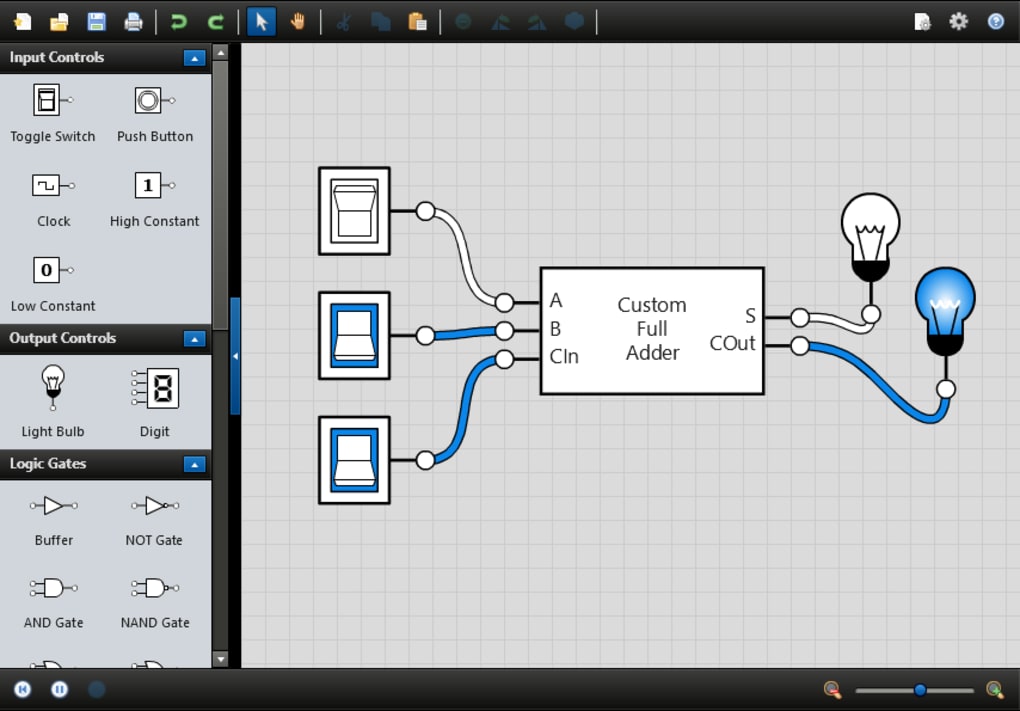
The program’s automatic simulation feature further enhances its usability. As soon as a circuit is created or a file is opened, Logicly immediately begins the simulation. The signals propagate instantaneously through the connected components, providing immediate visual feedback on the circuit’s behavior. This real-time simulation allows users to instantly observe the effects of design changes, facilitating iterative design and debugging. For circuits that incorporate clocks, the simulation automatically reflects the oscillatory behavior, enabling the examination of temporal aspects of digital logic. The immediate feedback loop inherent in Logicly’s design fosters a quick learning curve and efficient design process.
Extensive Component Library and Functionality
Logicly provides a comprehensive library of components, ensuring that users have access to a wide range of tools for creating diverse and complex circuits. This library is neatly categorized for easy navigation and selection. Input controls, such as toggle switches and clocks, offer versatile means of introducing signals into the circuit. These components can be set to specific states or configured to change states according to defined parameters, allowing for the testing of various input conditions. Output controls, conversely, display the state of the circuit’s output pins, providing visual confirmation of the circuit’s functionality.
The heart of Logicly’s component library is its extensive collection of logic gates. These gates are fundamental building blocks of digital circuits, implementing various Boolean logic functions. Logicly supports a full complement of standard logic gates, allowing users to construct circuits of any complexity. These include AND, OR, NOT, XOR, NAND, NOR, and XNOR gates, providing all the necessary tools for comprehensive digital circuit design. Beyond logic gates, Logicly incorporates flip-flops, essential components for storing and manipulating data in digital systems. These components allow users to create sequential circuits, demonstrating more advanced digital logic concepts. The comprehensive nature of Logicly’s component library makes it suitable for a wide range of applications, from introductory digital logic education to advanced circuit design and development.
Suitability for Diverse User Levels
Logicly caters to a wide spectrum of users, ranging from beginners with little to no prior experience in digital logic to experienced professionals undertaking complex circuit design projects. Its intuitive interface and comprehensive documentation make it equally accessible to students and instructors alike. Students can use Logicly to visually explore the behavior of individual logic gates and complex combinations thereof. The immediate feedback allows them to gain a solid understanding of how digital logic functions through experimentation and observation. Instructors can leverage Logicly’s user-friendly environment to create engaging and effective demonstrations, visualizing intricate concepts in a clear and readily understandable manner. The ability to quickly create and modify circuits allows for interactive lectures and problem-solving sessions.
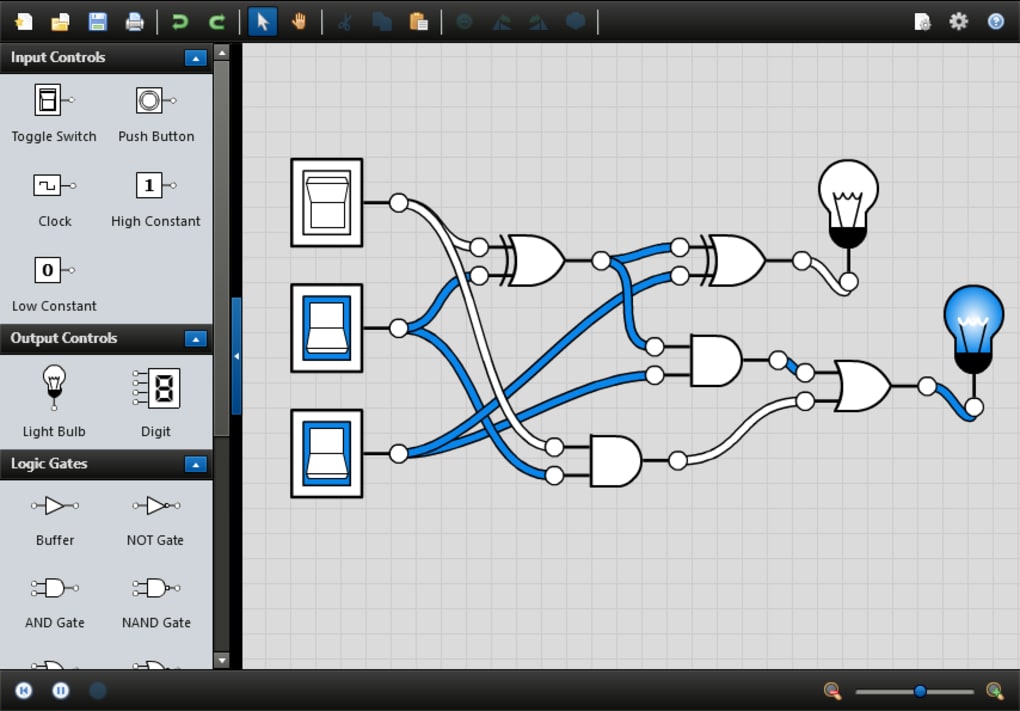
Professionals in fields such as electronics engineering, computer science, and software development can utilize Logicly as a prototyping tool. The program’s ease of use enables the swift creation and testing of circuit designs before implementation in hardware. This significantly reduces development time and minimizes the risk of errors. The ability to easily share designs further enhances collaborative workflows, allowing teams to collaborate effectively on complex projects. Logicly’s role as a prototyping environment complements traditional hardware design flows, speeding up development and enabling more iterative refinement of designs.
Advantages and Disadvantages
Advantages:
- Intuitive Interface: The drag-and-drop interface is extremely user-friendly, making it accessible to individuals with varying levels of technical expertise.
- Extensive Component Library: The diverse selection of logic gates, flip-flops, and other components enables the creation of complex and varied circuits.
- Real-time Simulation: The immediate simulation feature provides instant feedback on circuit behavior, facilitating rapid prototyping and debugging.
- Cross-Platform Compatibility: Available on multiple operating systems, extending its reach to a wider user base.
- Versatile Applications: Suitable for education, teaching, prototyping, and professional circuit design.
Disadvantages:
- Lack of Advanced Features: Some advanced features found in more specialized simulation software may be absent.
- Limited Documentation: While the interface is intuitive, more comprehensive documentation and tutorials would enhance the user experience, particularly for beginners.
- Trial Version Limitations: The free trial version may have restrictions on functionality or project size.
In conclusion, Logicly emerges as a powerful and versatile tool for anyone involved in the world of digital logic. Its intuitive design, comprehensive component library, and real-time simulation capabilities make it a valuable asset for students, educators, and professionals alike. While lacking some advanced features of more specialized software, its user-friendly approach and broad functionality make it an ideal choice for a wide range of applications. The ease of learning and use greatly outweighs the limitations, making Logicly a highly recommended platform for learning, teaching, and designing digital circuits.
File Information
- License: “Trial version”
- Latest update: “July 23, 2025”
- Platform: “Windows”
- OS: “Windows 8”
- Language: “English”
- Downloads: “4.7K”
- Size: “78.95 MB”


