
Logitech Capture is a free video recording and editing utility developed by Logitech specifically for use with their high-end webcams. Designed primarily for content creators, this software offers a robust feature set exceeding that of Logitech’s basic webcam software, providing enhanced control and creative options for recording and editing video clips. While it currently supports a limited range of Logitech webcam models, its intuitive interface and powerful tools make it a compelling option for anyone looking to elevate their video production workflow.
Empowering Content Creation in the Digital Age
The rise of video-sharing platforms like YouTube and TikTok has transformed content creation into a viable career path for many. Whether producing engaging live streams, informative tutorials, or product demonstrations, the accessibility of video production has democratized content creation, making it easier than ever to share your ideas with the world. However, harnessing the potential of video requires the right tools, and Logitech Capture aims to be the solution for users of Logitech’s high-quality webcams.
Logitech Capture streamlines the video creation process by integrating recording and editing functionalities within a single, user-friendly application. This all-in-one approach eliminates the need to juggle multiple software programs, simplifying the workflow and allowing creators to focus on content development rather than technical complexities. The software’s intuitive interface makes it accessible to users of all skill levels, from beginners experimenting with video production to seasoned professionals seeking a streamlined solution.
Features and Functionality: A Deep Dive
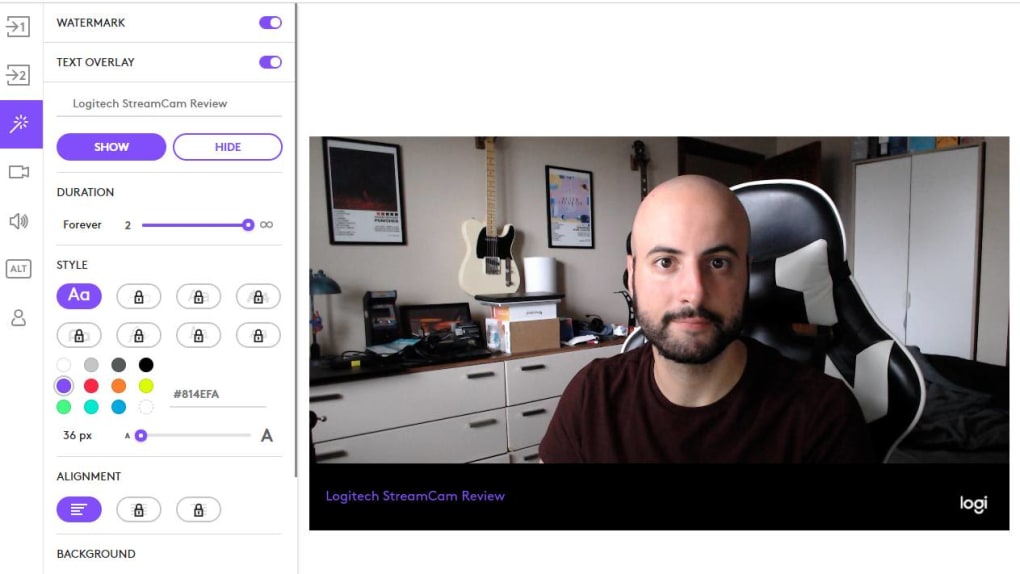
The software’s core functionality revolves around high-quality video recording, offering various customization options to tailor the output to specific needs. These features contribute to the creation of polished, professional-looking videos without the need for extensive video editing knowledge. Key features include:
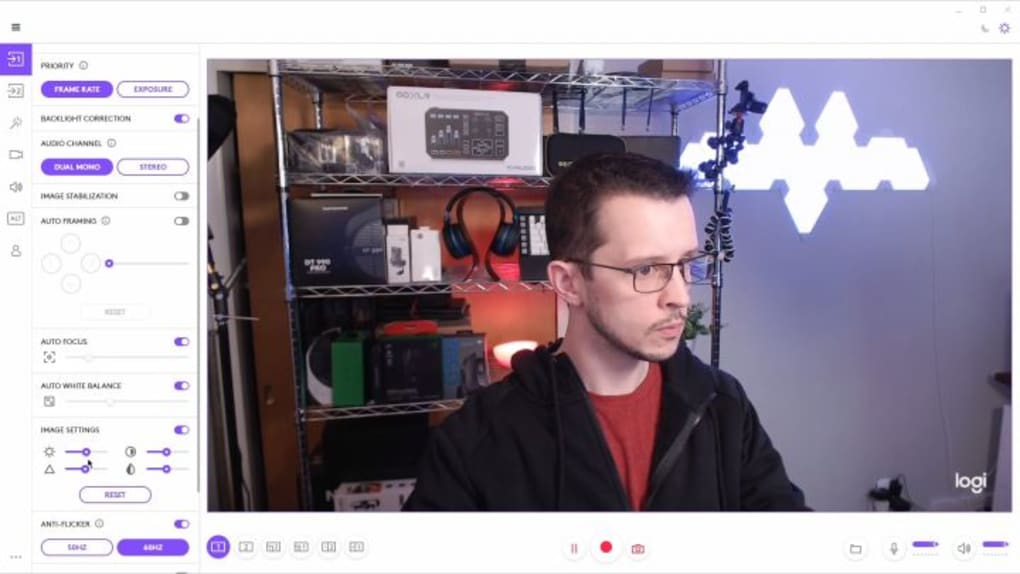
- Real-time Control over Camera Parameters: Logitech Capture allows for real-time adjustments to crucial camera settings such as exposure, brightness, contrast, and saturation. This dynamic control enables creators to optimize their videos based on lighting conditions and the specific content being recorded. This real-time feedback is invaluable for achieving consistently high-quality footage without needing extensive post-production adjustments.
-
Extensive Editing Capabilities: Beyond recording, the software boasts a range of built-in editing features. Users can apply filters to enhance the visual appeal of their videos, add borders for stylistic emphasis, and implement various transition effects for a more dynamic and engaging presentation. The inclusion of text overlay capabilities enhances the informational value of educational or tutorial-style videos, permitting the seamless addition of titles, annotations, or other crucial textual information directly during the recording process.
-
Support for Multiple Sources: This software allows for the integration of multiple input sources, facilitating more complex video projects. While the specific supported sources may vary, the ability to combine inputs opens opportunities for integrating elements such as screen recordings, secondary camera feeds, or other relevant visuals into the main video feed, creating richer and more dynamic video content. This is especially beneficial for live streamers, gamers, or educators who want to incorporate diverse visual elements into their broadcasts or lectures.
-
Aspect Ratio Flexibility: Logitech Capture provides support for multiple aspect ratios, including the widely used 16:9 widescreen format and the increasingly popular 9:16 vertical format, optimized for mobile viewing. This adaptability caters to diverse platforms and viewing preferences, ensuring optimal video presentation across different devices. The ability to switch seamlessly between these ratios allows creators to tailor their content for diverse audiences and viewing environments.
-
Simplified Workflow: The software prioritizes ease of use and efficiency, aiming to reduce the complexity often associated with professional-level video production. Its intuitive interface minimizes the learning curve, allowing creators to concentrate on their content rather than wrestling with complex technical settings. The simplified workflow significantly reduces the time and effort required for video production, enabling creators to focus on generating high-quality content and sharing it efficiently.
Supported Webcam Models and Future Compatibility
While Logitech Capture is a powerful tool, its current support extends only to a select range of Logitech webcams. At the time of writing, supported models include the Logitech Streamcam, C922 Pro Stream, C920S HD Pro, and the Brio 4K Pro. This limited compatibility might restrict its accessibility for some users. However, Logitech has indicated a potential for future expansion of supported models, which would significantly broaden the software’s appeal and adoption. The current selection primarily focuses on higher-end models frequently utilized by professionals or serious hobbyists in content creation, indicating a future expansion to include a wider range of their webcam offerings. This future expansion would make it more accessible to a wider range of users.
Advantages and Disadvantages: A Balanced Perspective
Pros:
-
All-in-one Solution: Combining recording and basic editing functionalities within a single program streamlines the video production workflow. This simplifies the process for users, eliminating the need to switch between multiple applications.
-
Intuitive Interface: The software boasts a user-friendly interface, making it accessible to both novice and experienced users. This accessibility allows creators of all skill levels to quickly grasp the software’s functionalities and start producing high-quality videos.
-
Extensive Editing Options: A wide array of editing options, including filters, borders, transitions, and text overlays, empowers users to enhance the aesthetic and informative value of their videos. This provides considerable control over the final product, allowing for unique creative expressions and enhanced visual appeal.
-
Real-time Control: Real-time adjustments to camera settings provide immediate feedback and allow for on-the-fly optimizations during recording. This eliminates the need for extensive post-production adjustments, saving time and effort.
-
Versatile Aspect Ratio Support: Support for both 16:9 and 9:16 aspect ratios ensures compatibility with a variety of platforms and viewing preferences. This versatility ensures the optimized presentation of videos across different devices and platforms.
Cons:
-
Limited Webcam Support: The current limited compatibility with only specific Logitech webcam models restricts the software’s reach. This might prevent users with other webcam brands or older Logitech models from utilizing this powerful tool.
-
Potential for Future Updates: While future updates are expected to increase the range of supported cameras, there is no guarantee of compatibility with all future models. This uncertainty may influence purchasing decisions for users expecting long-term compatibility.
Logitech Capture: A Verdict
Logitech Capture presents a compelling package for users of compatible Logitech webcams who require a streamlined, user-friendly video recording and editing solution. Its intuitive interface, extensive editing features, and real-time control over camera parameters make it an excellent tool for content creators of all skill levels. The software’s all-in-one approach simplifies the video production workflow, allowing creators to focus on their content rather than navigating complex technical settings. While the limited webcam support currently restricts its accessibility, the potential for future expansion and its overall strengths make Logitech Capture a worthwhile consideration for anyone seeking an efficient and powerful video creation tool. Its ease of use makes it ideal for both newcomers to the world of video content creation and experienced professionals seeking a simplified workflow. The ongoing development and potential for future updates indicate a promising future for this software, suggesting further improvements and expanded functionalities in the years to come.
File Information
- License: “Free”
- Latest update: “May 7, 2025”
- Platform: “Windows”
- OS: “Windows 10”
- Language: “English”
- Downloads: “14.9K”
- Size: “119.54 MB”


